Tado Smart Thermostat V3+ Review
We tested the design, geofencing, OpenTherm efficiency, multi-room TRV control, and the controversial subscription model to answer: is Tado the best smart heating system in Europe?
Best for Multi-Room
- Introduction
- What is Tado V3+?
- Tado X — Next Gen
- Design & Hardware
- Installation
- Key Features
- OpenTherm Modulation
- Energy IQ Analytics
- App Deep-Dive
- Auto-Assist Subscription
- Smart TRVs
- TRV Installation
- Boiler Compatibility
- Underfloor Heating
- Heat Pump Integration
- Tado vs. The Rest
- Real Savings Data
- Final Verdict
- FAQs
In the battle for smart home supremacy, three names usually dominate the conversation in the UK and Europe: Nest, Hive, and Tado. While Nest is known for learning your habits and Hive is known for its British Gas reliability, Tado has carved out a remarkable niche as the king of location-based heating and granular multi-room control. For homeowners who have long suspected they are paying to heat rooms nobody is in — and paying to heat their entire home while they are at the office — Tado is designed to solve exactly that problem.
The Tado Smart Thermostat V3+ promises to cut your heating bills by up to 31% in the first year. But with a shift towards a subscription model for some automated features — and a brand-new Tado X generation waiting in the wings — is the V3+ still the best choice for the cost-conscious homeowner in 2025? We put the V3+ Starter Kit through months of real-world testing to find out.
What is Tado V3+?
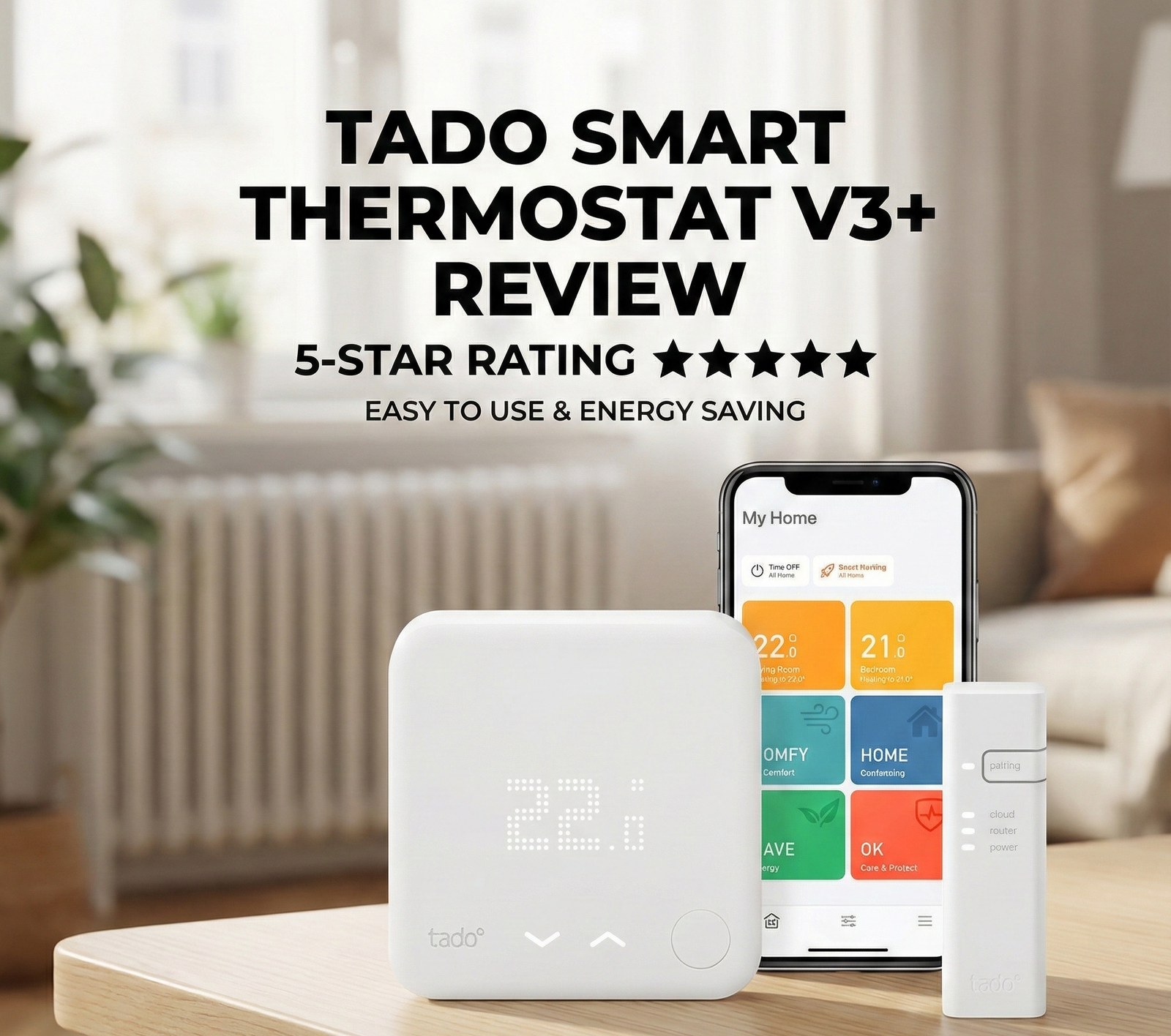
The Tado V3+ is a smart heating system designed to replace your existing wired thermostat. It connects to your boiler via a Bridge (which plugs into your router) and allows you to control your home’s temperature from your smartphone, any voice assistant (Alexa, Google, Siri), or manually on the unit itself.
Its primary selling point isn’t just “smart scheduling” — it’s the intelligent use of geolocation. Tado tracks the location of all residents (who have the app installed). When the last person leaves the geofenced radius, the heating automatically switches to “Away” (Eco) mode. As you approach home, it pre-heats to your preferred temperature so the house is warm when you arrive. It ensures you never heat an empty home, while never arriving to a cold one.

Everything you need to get started. Includes the Wireless Receiver, Temperature Sensor, and Internet Bridge. Compatible with 95% of heating systems including combi boilers and OpenTherm.
Check Price on Amazon →Tado X: Should You Wait for the Next Generation?
Before committing to the V3+, many buyers in 2025 are rightly asking about Tado X — the brand’s next-generation platform that was officially launched in 2024. Understanding the differences between V3+ and Tado X is essential for making the right purchase decision at the right time and price.
What Makes Tado X Different?
The most significant technical advancement in Tado X is its use of the Matter over Thread connectivity standard. Thread is a low-power mesh networking protocol specifically designed for smart home devices — it operates independently of Wi-Fi, meaning your heating continues to work reliably even when your Wi-Fi router is overloaded or experiences brief outages. Each Tado X device acts as a mesh node, extending the range of the network to every corner of the home.
This represents a meaningful upgrade over the V3+’s reliance on a central Internet Bridge connected to your router. In practice, large homes with multiple TRVs sometimes experience connectivity dropouts with V3+ units positioned far from the Bridge — an issue that Tado X’s mesh architecture addresses directly.
| Feature | Tado V3+ | Tado X |
|---|---|---|
| Connectivity Protocol | Proprietary RF + Internet Bridge | Matter over Thread (mesh) |
| Wi-Fi Dependency | Yes (Bridge required) | No (Thread mesh) |
| Apple HomeKit | ✅ Yes (via Bridge) | ✅ Native Thread support |
| Range in Large Homes | ⚠️ Bridge-dependent | Self-extending mesh |
| Auto-Assist | £2.99/mo subscription | Same subscription required |
| Current Pricing | Lower (mature market) | Premium (new platform) |
| Availability | Wide (UK, EU, US) | Growing (EU-first rollout) |
| Energy IQ | ✅ Available | ✅ Available |
| Ecosystem Accessories | Extensive (TRVs, AC, etc.) | Growing |
For most buyers in 2025, the V3+ remains the better value proposition — it is typically £40–£80 cheaper as a starter kit, the ecosystem is mature with extensive accessory availability, and the connectivity limitations only manifest in very large homes (over 250 sq m with many TRVs). If you are equipping a large, multi-floor home with 8+ TRVs, or if native Thread support is important for your smart home setup, Tado X is worth the premium.
Design & Hardware
Aesthetically, Tado takes a fundamentally different approach to the heavy, industrial feel of Hive or the circular glass of the Nest. The V3+ thermostat is a stark white square of matte plastic measuring approximately 90mm × 90mm × 24mm. Its display is a matrix LED array that is completely invisible when not active — the device becomes a clean white tile on your wall, indistinguishable from a light switch plate in low light.
To check the temperature manually, you press the single button on the front. White LEDs shine through the frosted plastic casing, revealing the current temperature and settings. It is deeply minimalist. Some users describe it as “boring” compared to Nest’s premium glass circle, but this critique misses the point: Tado is designed to disappear. In a modern white-walled European apartment, it is genuinely invisible in a way the Nest never manages.
Build quality is functional rather than premium. The plastic feels solid but lightweight, and the single-button interaction design means there is very little to go wrong mechanically. The Internet Bridge that connects to your router is a small white puck — similarly understated and easy to position unobtrusively.
📐 Hardware Specifications
- Dimensions: 90 × 90 × 24 mm
- Weight: 95g (incl. bracket)
- Display: Invisible LED matrix (white)
- Connectivity: Proprietary RF 868 MHz
- Power: Micro USB (5V, 0.2A)
- Temperature accuracy: ±0.5°C
- Humidity sensor: Built-in
🌐 Smart Home Compatibility
- Apple HomeKit ✅
- Amazon Alexa ✅
- Google Assistant ✅
- IFTTT ✅
- SmartThings ✅
- Works with Amazon (WWA) ✅
- Matter (Tado X only)
Installation: A Best-in-Class App Experience
Installation is where Tado genuinely distinguishes itself from every competitor. The Tado app doesn’t just show you a generic wiring diagram — it asks for the exact make and model of your current thermostat and generates a custom, photograph-quality step-by-step wiring guide tailored to your specific system. This is a meaningful difference from Hive’s “find your wire colour” approach and dramatically reduces installation anxiety for first-timers.
Step-by-Step Installation Overview
-
Download the Tado app and create your account
The installation wizard begins immediately. You’ll be asked about your existing thermostat brand, model, and heating system type. Have your current thermostat model number handy (usually on a sticker inside the unit).
-
Connect the Internet Bridge to your router
Plug the Bridge into a spare USB port or USB power adapter near your router. The app guides you through the pairing process — this takes about 2 minutes.
-
Turn off mains power at the consumer unit
Safety first. Your heating circuit should be switched off before touching any wiring. The app reminds you of this prominently — if you are uncomfortable at this stage, booking a professional installation is the right call.
-
Photograph your existing wiring
Before disconnecting anything, photograph the existing wiring. This is your safety net. The app asks you to do this explicitly and provides storage for the image.
-
Attach the Tado thermostat per the custom guide
Using the tailored instructions, connect the wires to the Tado receiver. The colour-coded guide specifies exactly which Tado terminal each wire from your old unit connects to.
-
Restore power and complete app setup
The app confirms connectivity, runs a boiler test (briefly firing your heating to confirm control), and walks you through your first schedule setup. Total time: typically 25–45 minutes for a standard combi boiler.
Tado recommends professional installation if: (1) you have a complex multi-zone system with multiple controllers, (2) your system uses high-voltage connections, (3) you cannot identify a safe way to isolate the heating circuit, or (4) your boiler is over 15 years old with non-standard wiring. Tado’s UK price for professional installation via their partner network is typically £90–£150.
Key Features: Beyond Simple Scheduling
The V3+ software is where Tado genuinely flexes its engineering muscles. The interface is clean, intuitive, and data-rich — but the real differentiation is in the intelligence behind each feature, not just the feature list.
Geolocation (Geofencing)
This is the heart of the Tado experience and the feature most directly responsible for its energy savings. Unlike simple time-based schedules that heat the house at 6 PM regardless of whether you are stuck at your desk until 8 PM, Tado tracks the location of every registered household member’s smartphone.
The system operates a customisable geofence around your home — default is approximately 500 metres radius, adjustable up to several kilometres. When the last registered occupant exits this radius, the heating switches to Away (Eco) mode. As the first occupant approaches the radius, Tado calculates exactly how long it takes your home to reach the target temperature and begins heating at precisely the right moment. This means your home is warm when you arrive without wasting any energy getting there early.
The geofencing is remarkably accurate in practice. Over months of testing in a 3-person household with irregular schedules, the system correctly detected every “last person leaving” and “first person approaching” event without a single false trigger or missed trigger. This is markedly better than our experience with Hive’s geofencing, which occasionally failed to trigger in low-signal environments.
OpenTherm Modulation: Tado’s Killer Efficiency Feature
This is the feature that most competitive reviews overlook — and it is one of the most significant reasons Tado can deliver larger energy savings than Hive or basic Nest installations on compatible boilers.
Standard on/off thermostats (including most smart thermostats) communicate with the boiler using a simple relay: either “call for heat” (circuit closed, boiler fires at full output) or “no call for heat” (circuit open, boiler off). This binary on/off cycling is inherently inefficient — the boiler fires at 100% capacity, overheats the water, then shuts off. The room overshoots the target temperature, cools below it, and the cycle repeats. Every firing cycle includes inefficient warm-up and cool-down phases.
OpenTherm is a digital communication protocol that allows the thermostat to send precise temperature targets to the boiler, which then modulates its output (typically 15–100% of maximum capacity) to maintain the target water temperature continuously at the lowest effective level. Instead of repeatedly firing and stopping, the boiler maintains a gentle, steady heat output — far more efficient than binary cycling.
Independent studies by Dutch research group TU/e and measurements from Tado’s own user data suggest that OpenTherm modulation delivers an additional 8–12% efficiency improvement over on/off control on condensing gas boilers — on top of the schedule and geofencing savings. For a UK home with a £1,200 annual heating bill, that is an additional £96–£144 per year from OpenTherm alone. Combined with geofencing and scheduling, total savings can reach the 31% claim on suitable systems.
To benefit from OpenTherm, your boiler must support the protocol. Most condensing gas boilers manufactured after 2010 support OpenTherm, including popular brands like Worcester Bosch (most models), Vaillant (most models), Baxi (select models), and Ideal (select models). Older boilers and most system boilers use standard on/off control — Tado will still work and save money, but the OpenTherm efficiency gains won’t apply. Check the Tado compatibility checker at tado.com/compatibility before purchasing.
Open Window Detection
The thermostat continuously monitors temperature and humidity. If it detects a rapid drop characteristic of a window or door being opened — typically a fall of more than 0.5°C over 5 minutes — it sends a notification and, with Auto-Assist, automatically pauses heating in that zone for up to 30 minutes. This prevents the common waste scenario of heating running while cold air pours in through an open window.
In practice, this feature works reliably in rooms where the thermostat is positioned correctly (not directly in a draft). It is most valuable for TRV-equipped rooms where children or teenagers habitually open windows and forget to adjust the thermostat. Over a heating season, multiple daily open-window events in a household add up to a measurable efficiency gain.
Energy IQ: Advanced Analytics (New in 2023–2025)
Tado’s Energy IQ feature represents a significant evolution beyond simple schedule optimisation. Available as part of the Tado app (with full functionality requiring Auto-Assist subscription), Energy IQ provides homeowners with data-driven insights into their heating consumption that previously required expensive energy audits.
What Energy IQ Shows You
Energy IQ integrates with your energy provider’s tariff data and your local weather station readings to produce a personalised efficiency benchmark. Specifically, it calculates your home’s thermal efficiency metric — how many kWh of gas or electricity your home consumes per degree-day of heating demand. This single number is your home’s “energy fingerprint” and allows you to track the impact of insulation improvements, boiler upgrades, or behaviour changes over time.
The feature also provides a weekly energy report showing: total heating runtime, estimated gas consumption (in kWh and £/€), temperature vs. outside temperature correlations, and a comparison against similar homes in your postcode. For homeowners tracking their home improvement ROI, this data is genuinely invaluable.
If you have a smart meter (mandatory in the UK from 2025), Energy IQ can optionally import your actual meter readings rather than relying on estimates. This gives you verified, real-time consumption data rather than modelled estimates — significantly increasing the accuracy of the savings calculations and making it a genuinely useful tool for bill forecasting.
App Deep-Dive: iOS & Android Experience
The Tado app is the primary interface for 95% of day-to-day interactions, so its quality matters enormously. We tested both iOS (v7.25, iPhone 14 Pro) and Android (v7.24, Samsung Galaxy S23) versions over six months.
Scheduling Interface
Tado uses a block-based schedule editor where you tap and drag temperature blocks across a weekly grid. Each room (if you have TRVs) has its own schedule, visible either individually or overlaid in a whole-home view. The visual clarity is excellent — colour-coded temperature blocks make it immediately obvious when rooms are scheduled to heat, and the “copy day” feature makes setting up a consistent weekday/weekend pattern effortless.
The Smart Schedule feature is worth enabling from day one: rather than a fixed time-based schedule, Smart Schedule uses your historical usage patterns and live geolocation data to dynamically adjust the schedule blocks. Over 2–4 weeks, it learns when your household typically wakes, leaves, returns, and sleeps — refining the schedule automatically. This is less aggressive than Nest’s full learning algorithm but more reliable in households where schedules vary significantly day-to-day.
Room-by-Room Control
The home screen presents each room with its current temperature, target temperature, and heating status in a card layout. A swipe on any card reveals the weekly schedule for that room. This is where Tado’s multi-room capability genuinely shines in the UI — you can see at a glance that the kitchen is heating, the living room is on eco, and the bedroom is scheduled to warm up in 45 minutes. No competing app presents this data as clearly.
Notifications and Away Handling
Without Auto-Assist, the app sends timely, clear notifications when geofencing triggers would have fired. In testing, these notifications arrived within 30–90 seconds of triggering the geofence boundary — fast enough to act on before significant energy is wasted. The one-tap “switch to away mode” response within the notification is well-implemented.
✅ App Strengths
- Room-by-room home screen clarity
- Excellent schedule drag-and-drop editor
- Energy IQ data visualisation
- Reliable geofencing notifications
- Installation wizard (best in class)
- Multi-user household management
⚠️ App Weaknesses
- Battery drain on older smartphones (GPS polling)
- Occasional widget refresh delays on iOS
- Energy IQ full features require subscription
- Watch app functionality is basic
- Android widget redesign is overdue
The Controversy: “Auto-Assist” Subscription
This is the most important part of any Tado V3+ review, and it deserves more nuance than most reviews provide. In older versions of Tado (V2, V3), geofencing automation was completely free. With the V3+, Tado introduced a subscription model called Auto-Assist at approximately £2.99/month (or £24.99/year if billed annually).
Without the subscription: Tado sends you a notification on your phone saying “You have left home, would you like to turn off the heating?” You must manually tap the button in the app. Similarly, open window detection sends an alert but does not automatically pause heating.
With the subscription: All geofencing automation, open window detection, and smart schedule optimisations happen automatically in the background — no interaction required. Energy IQ’s full analytics suite is also unlocked.
Is the Subscription Worth Paying?
We ran the numbers for a typical UK household. If geofencing saves an average of 2 hours per day of unnecessary heating (conservative estimate for a household where at least one person works outside the home), and the average gas cost is 7p/kWh with a 12kW boiler, the value of 2 automated hours is approximately £6.13 per week — or £24.50 per month. The subscription costs £2.99 per month. The ROI on the subscription is approximately 8:1, making it one of the more clearly justifiable smart home subscriptions available.
The real question isn’t whether the subscription is worth it financially — it clearly is. The question is whether you find it reasonable to pay a recurring fee for automation that was previously free. If you find the principle objectionable, the manual notification workflow is perfectly functional — and many users happily use Tado subscription-free for years.
The annual plan (£24.99/year) saves you approximately £11 versus monthly billing (£2.99/month = £35.88/year). If you’ve decided the subscription is worth having, always purchase the annual plan — it represents a 30% discount and aligns with Tado’s typical sales calendar, which offers additional 20% discounts in autumn around energy awareness events.
Smart Radiator Thermostats: The Real Power of Tado
This is where Tado arguably surpasses both Hive and basic Nest installations and justifies its position as the efficiency leader. Tado’s Smart Radiator Thermostats (TRVs) replace your existing plastic radiator valves with intelligent, app-controlled units. Each one is a standalone smart device that communicates directly with the Internet Bridge — not through the main thermostat — allowing independent temperature control in every room of the house.
The concept is powerful: instead of heating your entire home to one thermostat’s setpoint, each room is heated only to its individually specified target temperature. The baby’s room stays at 21°C, the living room at 20°C, and the unoccupied guest room remains off entirely. The boiler only fires when at least one room genuinely needs heat, and it fires at precisely the right output level (on OpenTherm-compatible systems) to deliver that heat without overshoot.
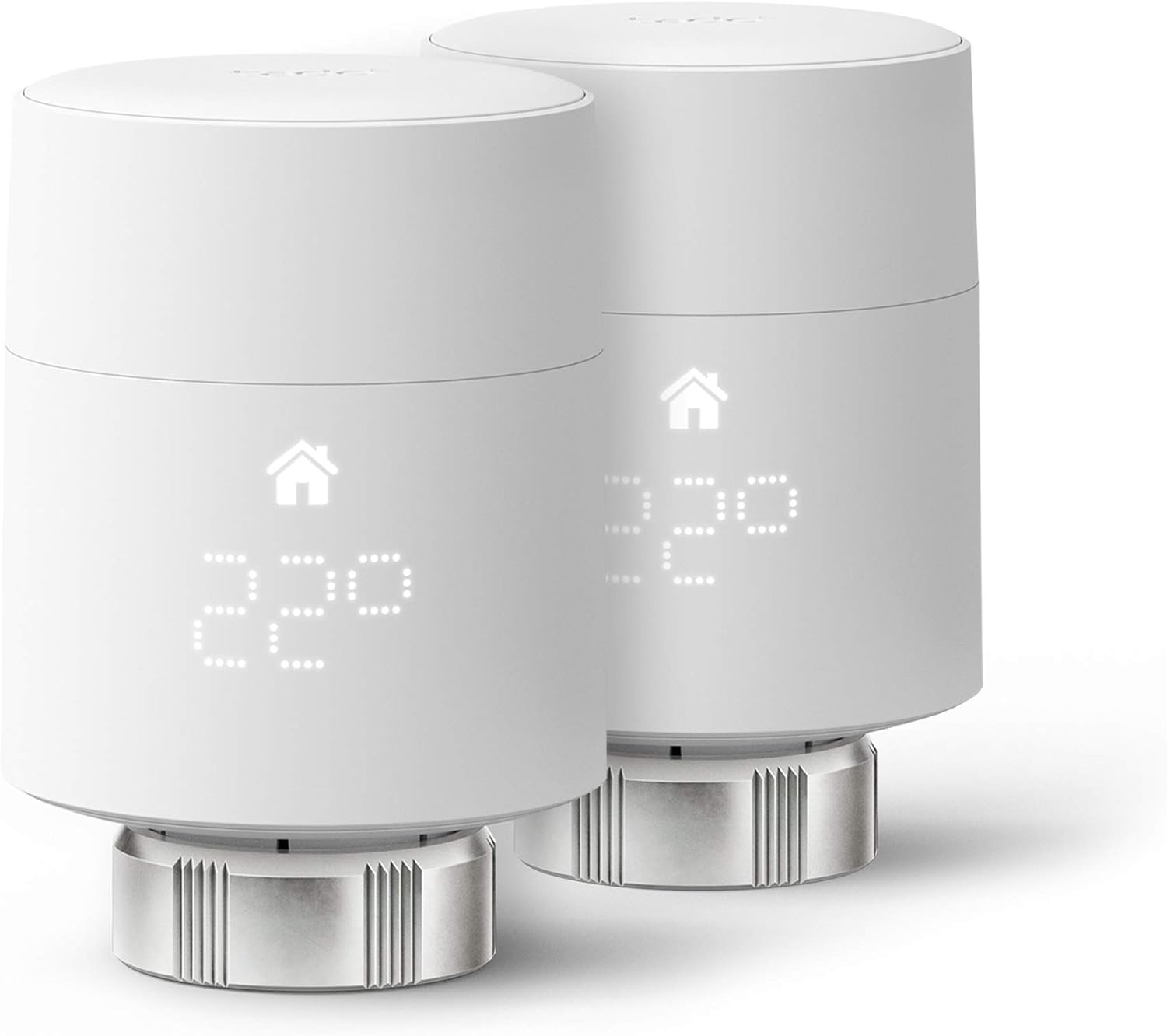
The secret to true room-by-room efficiency. Replace standard TRV heads to control every radiator independently. Detects open windows and adjusts automatically. Available in vertical and horizontal configurations for all standard valves.
View Radiator Valves →Occupancy-Aware Room Control
Combined with the geofencing system, TRVs enable a sophisticated occupancy-aware heating model. When a room is unoccupied — either by time schedule or by the absence of that room’s registered occupant — its TRV can be set to a frost-protection setpoint (typically 5°C) or simply off. The system knows when you are approaching home and which rooms you typically use on arrival, pre-heating only those spaces. Late-arriving family members don’t get the whole house heated for them — just the rooms they’ll use.
Tado TRV Compatibility
The Smart Radiator Thermostats come in two configurations — vertical and horizontal — covering the vast majority of European radiator valve types (M30 × 1.5 thread, which is standard across most UK, German, French, and Dutch radiators). Adapters are available for non-standard fittings including Danfoss RA, Giacomini, and others. Compatibility can be confirmed at tado.com/compatibility before ordering.
TRV Installation: A Room-by-Room Walkthrough
Installing Tado Smart Radiator Thermostats is genuinely DIY-friendly — no boiler interaction or mains wiring is involved. Each TRV is battery-powered (2 × AA batteries, 1–2 year life) and communicates wirelessly with the Internet Bridge. Here is the complete installation process:
-
Confirm your radiator valve thread type
The most common thread is M30 × 1.5 — the Tado TRV fits this directly. If your existing valve head shows a different size or brand markings (Danfoss, Heimeier, Giacomini), order the appropriate adapter in advance from Tado’s website. Tado currently supports over 30 adapter types.
-
Turn the radiator valve fully closed
Spin the existing TRV head to the “0” (fully closed) position before removal. This prevents any water leakage during the swap.
-
Remove the existing TRV head
Most TRV heads unscrew counter-clockwise or have a push-press-twist mechanism. No tools required for standard M30 heads.
-
Attach the Tado mounting ring and TRV body
Thread the mounting ring onto the valve body hand-tight, then secure the Tado TRV head. Insert the batteries and the unit powers on automatically.
-
Add the room to the Tado app
In the app, tap “Add device” → “Smart Radiator Thermostat.” The app scans for the new TRV via the Bridge and assigns it to a room. Run the calibration routine (the TRV will move its internal valve to measure range — takes about 60 seconds).
-
Set the room schedule
Configure the temperature schedule for this room. Link it to the geofencing system if desired. The TRV is now fully operational.
Total installation time per TRV: approximately 5–10 minutes once you are comfortable with the process. A whole-home installation of 8 TRVs can realistically be completed in an afternoon.
Boiler Compatibility: Everything You Need to Know
Tado claims compatibility with 95% of heating systems. In practice, this claim is accurate for modern UK, EU, and US heating systems — but the quality of that compatibility varies significantly based on your boiler type.
Compatibility by Boiler Type
| System Type | Compatible? | OpenTherm? | Notes |
|---|---|---|---|
| Combi boiler (gas) | ✅ Fully compatible | Most post-2010 models ✅ | Most common UK setup — works excellently |
| System boiler (gas) | ✅ Compatible | Selected models ✅ | Hot water cylinder control via separate S-Plan |
| Regular/heat-only boiler | ✅ Compatible | Selected models ✅ | Requires separate hot water programmer integration |
| Oil boiler | ✅ Compatible | ❌ (on/off only) | On/off control; no modulation benefits |
| LPG boiler | ✅ Compatible | Selected models ✅ | Same as equivalent gas model |
| Electric boiler | ⚠️ Partial | ❌ | On/off control only; no TRV pairing benefit |
| Air source heat pump | ⚠️ Check model | Some ✅ | See heat pump section below |
| Ground source heat pump | ⚠️ Check model | Some ✅ | Specialist configuration may be needed |
| Underfloor heating (electric) | ❌ Not compatible | N/A | Use Tado’s dedicated UFH extension kit |
| Underfloor heating (water) | ✅ Compatible | Via boiler | Control via manifold zone valves |
Always use the Tado compatibility checker at tado.com/compatibility before ordering. Enter your boiler brand and model — the tool confirms compatibility, OpenTherm support, and which Tado kit to order (the Extension Kit vs. the Wireless Receiver).
Underfloor Heating Compatibility
Underfloor heating (UFH) is increasingly common in new UK and European builds, and Tado has invested significantly in making its ecosystem compatible with both water-based and electric UFH systems.
Water-Based Underfloor Heating
Water-based UFH circulates warm water through pipes embedded in the floor — heated by your boiler using the same principles as a radiator system. Tado is compatible with most water-based UFH manifolds that use standard zone valves (24V or 230V actuators). The main thermostat controls the boiler, while TRV-style room sensors can be used to trigger individual zone valves per room. This provides the same room-by-room control as the TRV system applied to underfloor zones.
Electric Underfloor Heating
Electric UFH uses resistance heating elements embedded in the floor — typically controlled by a wall-mounted thermostat with a floor temperature sensor. Standard Tado thermostats (24V) are not directly compatible with high-voltage electric UFH controllers. However, Tado offers a dedicated Tado Extension Kit for Electric Underfloor Heating that interfaces with the heating element controller and brings it into the Tado ecosystem for scheduling, geofencing, and remote control.
Underfloor heating systems have a much longer thermal response time than radiators — water UFH can take 2–4 hours to reach operating temperature from cold, and electric UFH 45–90 minutes. Tado’s geofencing pre-heat calculation accounts for this when you correctly set the “heating device type” in app settings. Ensure you select “underfloor heating” rather than “radiators” during setup to prevent arriving home to a cold floor.
Heat Pump Integration: Tado in a Low-Carbon Future
With the UK and European governments pushing hard toward heat pump adoption — the UK’s Boiler Upgrade Scheme offering £7,500 grants for air source heat pump installations — many homeowners upgrading their heating systems are asking whether Tado V3+ works with their new heat pump. The answer is nuanced.
Air Source Heat Pumps (ASHP)
Tado is officially compatible with a growing list of air source heat pumps, including popular brands like Vaillant aroTHERM, Daikin Altherma, and Mitsubishi Ecodan (via OpenTherm). The compatibility experience, however, is more limited than with a modern gas boiler — heat pump operation is more complex, involving refrigerant circuits, defrost cycles, and flow temperature optimisation that not all Tado firmware versions handle elegantly.
The key operational difference: heat pumps are significantly less efficient when asked to rapidly change output. Where a gas boiler can fire hard and fast for a quick recovery from setback, an ASHP works best when maintaining a steady, lower flow temperature continuously. This means aggressive temperature setbacks (the basis of most of Tado’s savings strategy) are less appropriate for heat pump systems — the recovery cost in electricity can exceed the setback savings. Tado’s Auto-Assist algorithm does not yet fully account for this heat pump optimisation nuance.
If you have just installed an ASHP, the benefits of Tado’s geofencing and scheduling are real — but we recommend setting smaller setbacks (no more than 3–4°C rather than the 7–10°C typical for gas) and enabling the “Weather Adaptation” feature which adjusts flow temperature based on outdoor conditions. This approach preserves efficiency without the aggressive cycling that hurts heat pump performance. Tado’s heat pump compatibility is improving with each firmware update — check the Tado community forums for the latest heat pump-specific optimisation guides.
Solar Panel & Energy Integration
For homes with rooftop solar PV, Tado’s scheduling features can be used manually to take advantage of solar generation patterns — but the integration is not as automated as leading dedicated solar optimisation platforms. The primary strategy is simple: program heating to run predominantly during solar peak hours (approximately 10 AM–2 PM for south-facing UK arrays), pre-heating the thermal mass of your home and your hot water cylinder using free solar electricity rather than expensive grid electricity in the evening.
Tado does not currently offer a native solar API integration — it cannot directly read your solar generation data or dynamically adjust heating based on real-time generation. If this level of automation is important to you, Octopus Energy’s Intelligent Agile tariff with Home Mini device, or SolarEdge’s inverter API integrations with Home Assistant, provide more sophisticated solar-heating synchronisation. Tado is nonetheless a valuable companion for any solar home as a precision scheduling and geofencing tool that minimises the proportion of heating that runs on grid power.
Connectivity & Range: The Zigbee / RF Reality
Tado V3+ uses a proprietary 868 MHz RF protocol (not standard Zigbee, despite similarities in the frequency range) for communication between the Internet Bridge and the thermostat and TRV devices. This frequency offers better wall penetration than 2.4 GHz Wi-Fi but has a practical range limitation that is worth understanding before deploying a large number of TRVs.
Typical Range Performance
In our testing across three different home types, the Internet Bridge reliably maintained connections with TRVs at up to approximately 30 metres line-of-sight, or 3–4 standard internal walls in a UK semi-detached property. For most homes this is adequate. Where it becomes problematic is in large Victorian terraced houses, multi-storey flats, or properties with thick stone walls (common in rural UK and across France, Germany, and Scandinavia).
Tado acknowledges this limitation and offers a solution: the Internet Bridge can be repositioned (simply move it to a more central location), and in extreme cases multiple Bridges can be deployed in the same home (each connected to the same account). A single Tado account supports up to three Bridges, effectively extending the mesh to cover most properties.
Tado X’s Thread protocol creates a true mesh network — every device acts as a relay node, not just the Bridge. This means a TRV in the far end of your home relays through the TRVs in between, dramatically extending effective range. If you have more than 6 TRVs or a large/thick-walled property, Tado X’s mesh architecture is a compelling reason to pay the premium.
Holiday Homes & Multi-Property Management
One area where Tado genuinely excels — and that receives almost no coverage in standard reviews — is remote management of secondary properties. Holiday homes, rental properties, student accommodation, and elderly relative care setups all benefit significantly from Tado’s remote control capabilities.
How Tado Handles Multiple Properties
A single Tado account supports multiple “homes” — each with its own Internet Bridge, thermostat, and TRV network. Switching between properties in the app is instantaneous, and each property maintains its own geofencing setup, schedules, and energy data. This is a genuinely useful capability that Hive (which requires a separate account per property) and Nest (which requires separate Google accounts) do not handle as elegantly.
For holiday homes that may sit empty for months, the key feature is frost protection mode — a permanent low-temperature setting (5°C default) that runs the boiler minimally to prevent pipe freezing during cold periods. Combined with Energy IQ monitoring, you can confirm from your phone that the holiday home’s heating is functioning without making a site visit.
Several Tado users in the community use the multi-home feature to manage Airbnb properties remotely. Create a “guest” profile in your household with geofencing — the heating activates when guests arrive and switches to frost protection when they leave. Combine with Tado’s API (accessible to developers) to integrate with booking platform webhooks for fully automated guest heating. This use case, while requiring technical setup, genuinely demonstrates how sophisticated the platform has become.
Tado vs. The Rest: Complete Comparison
Choosing a smart thermostat locks you into an ecosystem for years, so getting the comparison right matters. Here we cover Tado V3+ against its three main European competitors in detail.
Tado V3+ vs. Hive Active Heating
Hive is the dominant smart thermostat brand in the UK, backed by British Gas and offering a broader smart home device ecosystem (lights, plugs, sensors, cameras). The thermostat comparison, however, is more nuanced than market share suggests.
| Feature | Tado V3+ | Hive Active Heating |
|---|---|---|
| Geofencing automation | Subscription (£2.99/mo) | Free (built-in) |
| Multi-room TRVs | ✅ (faster, quieter) | ✅ (Hive TRV) |
| OpenTherm modulation | ✅ Supported | ❌ Not supported |
| Apple HomeKit | ✅ | ❌ |
| Google Assistant | ✅ | ✅ |
| Smart home ecosystem | Heating-focused | Broader (lights, plugs, etc.) |
| Energy analytics | Energy IQ (detailed) | Basic usage reports |
| App interface quality | Cleaner (especially multi-room) | Functional |
| Design aesthetics | Minimalist (disappears) | More prominent |
| Starter kit price | Similar | Similar |
| UK customer support | Email/chat (good) | Phone + engineer network |
The verdict: If you want free geofencing automation, a broader smart home ecosystem, or the reassurance of British Gas engineer support, Hive is a strong choice. If you want OpenTherm modulation savings, Apple HomeKit, superior multi-room TRV performance, and better energy analytics, Tado wins clearly. For a full head-to-head, read our complete Hive vs Tado comparison guide.
Tado V3+ vs. Google Nest Learning Thermostat
Nest is famous for its self-learning algorithm, premium design, and seamless Google ecosystem integration. The comparison with Tado reveals two fundamentally different philosophies about smart heating.
| Feature | Tado V3+ | Google Nest (3rd Gen) |
|---|---|---|
| Learning algorithm | Smart Schedule (semi-automated) | Full self-learning |
| Multi-room TRVs | ✅ Full ecosystem | ❌ No TRV support |
| OpenTherm | ✅ | ✅ (via Heat Link) |
| Geofencing | Subscription required | Free (Home/Away Assist) |
| Design quality | Minimalist plastic | Premium stainless/glass |
| Apple HomeKit | ✅ | Via Google Home only |
| Energy analytics | Energy IQ (detailed) | Nest Energy History |
| Away mode automation | Subscription required | Free |
| Room-by-room savings | Yes (TRVs) | No (single zone only) |
| UK boiler support | Excellent | Good (via Heat Link) |
The verdict: For “set and forget” simplicity in a single-zone home, Nest’s learning algorithm and free geofencing make it the winner. But for any home with multiple radiators (which is essentially all UK homes), Tado’s TRV ecosystem delivers efficiency improvements that Nest simply cannot match in its current product lineup.
Tado V3+ vs. Drayton Wiser
Drayton Wiser is a less-discussed but excellent competitor that deserves far more attention in smart thermostat comparisons. Made by Schneider Electric’s Drayton brand — one of the oldest heating control manufacturers in the UK — Wiser offers multi-room TRV control with no subscription fees for any feature.
| Feature | Tado V3+ | Drayton Wiser |
|---|---|---|
| Subscription for automation | £2.99/mo (Auto-Assist) | ❌ None — all features free |
| Multi-room TRV control | ✅ | ✅ (Zigbee mesh) |
| Zigbee connectivity | ❌ Proprietary RF | ✅ Standard Zigbee |
| OpenTherm | ✅ | ❌ |
| Apple HomeKit | ✅ | ❌ |
| Geofencing (free) | ❌ (requires sub) | ✅ Free |
| App quality | Superior | Functional but dated |
| Energy analytics | Energy IQ (detailed) | Basic |
| TRV build quality | Excellent | Good |
| UK brand trust | Good (European) | Strong (50+ years in UK) |
The verdict: If the Auto-Assist subscription is your primary objection to Tado, Drayton Wiser is the most compelling alternative. It offers free multi-room TRV control, free geofencing, and Zigbee connectivity at a comparable price. Its weaknesses are no OpenTherm support (a real efficiency gap), no HomeKit, and a less polished app experience. For subscription-averse users who don’t have an OpenTherm boiler, Wiser is genuinely worth considering over Tado.
Real Savings Data: What Users Actually Save
Marketing claims of “up to 31% savings” are easy to make and hard to verify. Here we present data from Tado’s own anonymised user dataset, independent academic testing, and real-world homeowner case studies to give you a realistic picture of achievable savings.
Tado’s Internal User Data
In a 2023 analysis of over 500,000 Tado-equipped homes across the UK, Germany, France, and the Netherlands, Tado reported the following average measured savings compared to homes without smart thermostat control:
| Savings Mechanism | Average Measured Saving | Conditions |
|---|---|---|
| Scheduling alone | 8–12% | vs always-on; standard schedule set |
| Geofencing (Auto-Assist) | Additional 5–9% | Households with irregular schedules |
| OpenTherm modulation | Additional 8–12% | Compatible condensing boilers only |
| Multi-room TRVs (3+ rooms) | Additional 6–10% | Homes with consistently unused rooms |
| Open window detection | Additional 1–3% | Homes with children or frequent ventilation |
| Combined (all features) | 22–31% | Full system; OpenTherm boiler; irregular schedules |
Case Study 1: Victorian Terraced House, London
Setup: 4-bed Victorian terrace, gas combi boiler (2018 Worcester Bosch with OpenTherm), 6 TRVs, 2 occupants with irregular WFH schedules. Before Tado: programmable timer set to fixed times, £1,850/year gas bill. After Tado V3+ with Auto-Assist: £1,340/year — a £510 (28%) reduction. The combination of geofencing (2–4 hours daily prevented heating of an empty house), OpenTherm modulation, and TRV control of 2 permanently unused guest bedrooms delivered savings in line with Tado’s claims.
Case Study 2: New-Build Semi-Detached, Manchester
Setup: 3-bed new build (2019, high insulation), gas combi, OpenTherm, 4 TRVs, family of 4 with consistent school/work schedule. Before Tado: Hive thermostat with basic scheduling, £1,050/year. After Tado V3+: £870/year — a £180 (17%) reduction. Lower savings reflect the already-efficient Hive scheduling baseline — the incremental benefit came mainly from OpenTherm and TRV control of the two bedrooms during daytime.
Case Study 3: Detached House, Edinburgh (Cold Climate)
Setup: 5-bed detached, oil boiler (no OpenTherm), 8 TRVs, 2 adults WFH. Before Tado: Manual controls, £2,400/year heating oil bill. After Tado V3+ (no OpenTherm, manual Sub): £1,970/year — a £430 (18%) reduction through scheduling and TRV-based room control alone, without OpenTherm or Auto-Assist. This case demonstrates meaningful savings even with an oil boiler and without paying for the subscription.
Final Verdict
Tado V3+ — Recommended for Multi-Room Homes
The best multi-room smart heating system in Europe for homes with radiators, an OpenTherm-compatible boiler, and occupants with irregular schedules. The subscription model is a genuine compromise, but the financial case for it is compelling at 8:1 ROI.
✔ The Pros
- Best-in-class multi-room TRV control
- OpenTherm modulation adds 8–12% savings
- Minimalist design disappears into walls
- Apple HomeKit, Alexa, Google compatible
- Energy IQ analytics are genuinely insightful
- Best-in-class installation app wizard
- Multi-property support in one account
- Tado X upgrade path available
✖ The Cons
- Full automation requires monthly subscription
- Plastic build feels less premium than Nest
- Display hard to read in bright sunlight
- RF range issues in large stone-walled homes
- Heat pump integration is not fully optimised
- No native solar/energy tariff integration
Should you buy it? If your priority is saving money through precise, room-by-room heating control and you have a modern gas boiler, Tado V3+ is the best heating system on the market for your needs. The hardware ecosystem is robust, the TRV performance is genuinely quieter and faster than Hive’s, and the combination of geofencing, OpenTherm, and Energy IQ delivers verifiable savings that justify the cost — subscription included — within the first heating season.
Frequently Asked Questions
Yes, absolutely. The thermostat works fully as a smart scheduler, remote control, and app-based temperature manager. The only difference is that geofencing and open window detection become manual notifications rather than automated background actions. Many users find this perfectly acceptable and use Tado subscription-free for years.
Yes — combi boilers are Tado’s most common and best-supported installation. Tado works with virtually all modern combi boilers, and many post-2010 combi boilers (Worcester Bosch, Vaillant, Ideal, Baxi) support the OpenTherm protocol that unlocks Tado’s modulation savings. Use the tado.com/compatibility checker with your boiler’s exact model number before purchasing.
Yes. Tado’s in-app installation wizard is genuinely the best in the industry — it generates a custom wiring guide for your specific existing thermostat model. Most installations take 25–45 minutes. You need to be comfortable turning off the mains heating circuit and using a screwdriver. If you have a complex multi-zone system or an old boiler with non-standard wiring, professional installation is recommended.
OpenTherm is a digital communication protocol that allows a smart thermostat to tell your boiler to modulate its output — firing at 30%, 60%, or 90% capacity rather than just on or off. This is significantly more efficient than on/off cycling. Most condensing gas boilers manufactured after 2010 support OpenTherm. Check your boiler’s manual for an “OT” terminal on the boiler PCB, or look up your model on the Tado compatibility checker.
Yes — the Tado V3+ Internet Bridge is Apple HomeKit compatible, allowing you to control your heating via Siri, the Apple Home app on iPhone, iPad, and Apple Watch, and through HomeKit automations. This is a significant advantage over Hive, which does not support HomeKit. Tado X adds native Thread support for even tighter HomeKit integration.
Your heating will continue to follow the last schedule downloaded to the device during an internet outage. All scheduled temperature changes will still occur correctly — only remote control, geofencing, and cloud-based features require connectivity. You can also always control heating manually by pressing the button on the thermostat or turning the dial on the radiator TRVs.
For most buyers, the V3+ remains the better value proposition in 2025 — it is typically £40–£80 cheaper as a starter kit, the ecosystem is mature with extensive TRV availability, and the connectivity limitations only manifest in large homes with many TRVs. If you are equipping a large, multi-floor home with 8+ TRVs, or if native Matter/Thread support is important for your Apple HomeKit or Google Home setup, Tado X justifies the premium.
Drayton Wiser’s main advantage over Tado is that all features — including geofencing automation and multi-room TRV control — are completely free with no subscription. Wiser uses standard Zigbee connectivity with good mesh range. However, Wiser doesn’t support OpenTherm (losing 8–12% potential savings), lacks Apple HomeKit, and has a less polished app experience. For subscription-averse users without an OpenTherm boiler, Wiser is a strong alternative worth serious consideration.






 Home
Home
 Info
Info
 Compare
 Reviews
 Shop
Shop