Honeywell Home T9 Review 2025: The Ultimate Solution for Hot & Cold Spots?
Quick Specs at a Glance
The Legacy Strikes Back
Honeywell (now operating its home products under the spin-off Resideo) practically invented the thermostat. While Silicon Valley tech companies were busy making thermostats look like smartphones, Honeywell focused on reliability and engineering depth. However, the T9 bridges that gap decisively. It offers the slick color touchscreen interface modern users demand, paired with the industrial-grade reliability Honeywell is famous for across decades of HVAC installations.
The T9 is designed for the average homeowner who wants smart features without a steep learning curve or an expensive HVAC contractor visit. Unlike the Honeywell thermostat vs Nest debate where Nest focuses on learning your habits over time, the T9 focuses on sensing your actual presence in each room. It’s a subtle but crucial difference — one solves the problem from the habits side, the other from the physical environment side.
The T9 was introduced to compete directly with the Ecobee SmartThermostat, which popularized remote room sensing. Honeywell’s angle was to go further: better sensor range, more sensors per system, and a simpler onboarding experience. After six weeks of living with one, we can say they largely succeeded.
Design and Build Quality
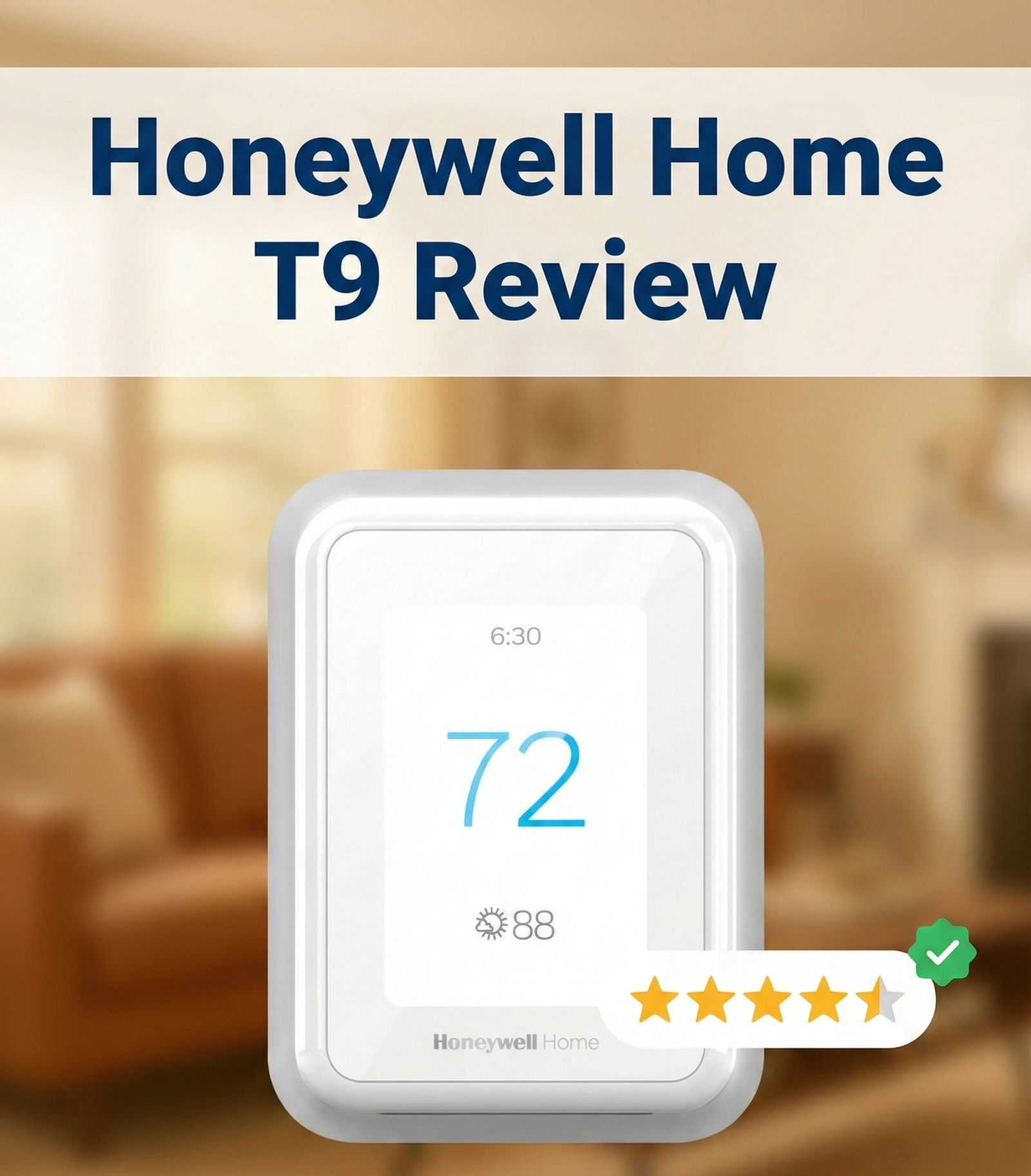
The T9 ditches the round shape popularized by Nest for a rectangular, gloss-white aesthetic. It measures approximately 4.9 inches wide and 3.7 inches tall. It’s functional, clean, and blends into white walls effortlessly. It doesn’t scream “I am a gadget” the way some competitors do, which many homeowners actually prefer — especially in kitchens or main hallways where discretion matters.
The display is a responsive color touchscreen. While not as high-resolution as the Ecobee SmartThermostat Premium or the Emerson Sensi Touch, it is bright, evenly backlit, and easy to read from eight to ten feet away. The white background with sharp blue text makes it highly legible even in bright sunlight, which is more than can be said for some glossy OLED competitors that wash out on sunny mornings.
The housing feels solid — there’s no flex or creaking when pressing the screen. The wall plate mounts cleanly and covers most standard thermostat wire holes from previous installs, saving you from unsightly wall patching in typical replacements.
The Smart Room Sensors: The Real Hardware Story
The real star of the T9 system isn’t the main unit; it’s the Honeywell Home Smart Room Sensors. These small, battery-operated squares stick to a wall or rest on a shelf. They measure both temperature and humidity, transmitting data wirelessly back to the thermostat. The reported range is 200 feet, which in our testing, punched through multiple interior walls, floors, and even into a detached garage better than many competitors we’ve tested, including older Ecobee sensors and third-party Z-Wave sensors.
Each sensor runs on a CR2032 coin cell battery, with Honeywell estimating 18 to 24 months of life per battery. They’re small enough that most people place them without thinking twice — on a bookshelf, on top of a door frame, or on a nightstand. They’re not as discreet as in-wall sensors, but the tradeoff is zero installation complexity.
Check Current Bundle Price on Amazon

The T9 is often sold in a bundle with one Smart Room Sensor included — ideal for a bedroom or office setup right out of the box.
Installation: The C-Wire Adapter Advantage
One of the biggest hurdles in smart thermostat adoption is the lack of a C-wire (Common wire) in older homes built before the 1990s. Without a C-wire providing continuous 24V power, Wi-Fi thermostats often fail to maintain their connection, leading to frustrating issues where the thermostat keeps rebooting, cycling unexpectedly, or draining power parasitically from the furnace’s control board.
The Resideo app guides you through the installation process with step-by-step diagrams that are actually clear and accurate — a refreshing change from many competitor apps that still show generic wiring diagrams. The T9’s setup flow asks you for each wire label (R, G, Y, W, C), maps them to your HVAC type, and warns you of potential compatibility issues before you commit.
If you are uncomfortable with wiring, we recommend reading our thermostat installation instructions for homeowners before starting. However, for most DIYers with basic comfort around electrical work, the full T9 install — thermostat, app setup, and first room sensor pairing — typically takes 30 to 45 minutes.
Step-by-Step Installation Overview
- Turn off power at the breaker to your HVAC system. Never skip this step.
- Remove your old thermostat and photograph the wiring before disconnecting anything.
- Check for a C-wire. If absent, install the included adapter at the furnace control board.
- Mount the T9 wall plate, connect your labeled wires, and snap the thermostat body into the plate.
- Restore power and follow the Resideo app’s setup wizard to configure your system type, schedule, and sensors.
One note: If your home runs on a high-voltage system such as electric baseboard heaters (120V or 240V), the T9 is not compatible. It is designed for low-voltage (24V) HVAC systems only. For high-voltage setups, see our Mysa Smart Thermostat review for a suitable alternative.
Smart Features: It’s All About the Sensors
The T9’s feature set is defined by how it handles room-level temperature data from its sensor network. Here is what sets it apart from a basic programmable thermostat:
1. Priority Room Scheduling
You can tell the T9 which rooms to prioritize at which times of day. For example, during the workday, you might prioritize the home office and living room. At night, the system shifts to ensure the bedrooms reach the perfect sleeping temperature. The furnace or air conditioner then runs based on the sensor reading from that priority room — not the hallway where the thermostat is physically mounted. This solves the age-old problem where the hallway registers 72°F but the bedroom you’re actually sleeping in is 64°F.
The scheduling interface is simple — it mirrors the kind of 7-day schedule most people already know from older programmable thermostats, just with the added layer of room priority on top. You don’t need to understand HVAC engineering to configure it correctly.
2. Geofencing with Layered Logic
The Resideo app uses your smartphone’s GPS for geofencing — detecting when all registered users have left the home and switching to an eco-setback temperature automatically. But unlike the basic geofencing on budget models, the T9’s geofencing can be layered with your scheduling rules. This creates a flexible system that saves energy when you’re away but snaps back to comfort settings when you return, even if that return happens earlier than your normal schedule.
To understand the mechanics and energy savings logic behind this, check our guide on what a geofencing thermostat is.
3. Intelligent Recovery (Adaptive Recovery)
The T9 learns how long it takes your specific HVAC system to heat or cool the home to a target temperature. If you schedule 70°F for 6:00 AM, the thermostat might start the furnace at 5:25 AM to hit that target precisely when you wake up — not 20 minutes after. This is standard among premium smart thermostats but Honeywell’s implementation is one of the most accurate we’ve tested. If you notice your thermostat not reaching set temperature on time, toggling Adaptive Recovery off and back on often recalibrates the algorithm to your current system performance.
4. Occupancy Detection via Sensor Motion
Each Smart Room Sensor includes a passive infrared (PIR) motion sensor. When occupancy is detected in a priority room, the T9 can automatically maintain that room’s comfort level more aggressively. Conversely, if no motion is detected anywhere in the home for a set period, the T9 can shift to away mode without relying on GPS at all. This dual-method approach (GPS geofencing + in-home PIR) makes the occupancy detection more reliable than either method alone.
5. Humidity Monitoring (Read-Only)
The Smart Room Sensors report humidity in addition to temperature, and the Resideo app displays this data per room over time. This is excellent for identifying rooms with moisture problems, poorly insulated walls, or inadequate ventilation. However, the T9 does not natively control a whole-home humidifier or dehumidifier — that requires the contractor-only T10 Pro model. The T9’s humidity data is informational, not operational.
HVAC System Compatibility
One of the T9’s strongest points is its broad compatibility with residential HVAC systems. Unlike some smart thermostats that only support basic single-stage systems, the T9 handles:
- Conventional systems: Gas, oil, or electric furnaces — up to 3 stages of heat
- Central air conditioning: Up to 2 stages of cooling
- Heat pumps: Single or multi-stage, including dual-fuel (heat pump + gas backup) configurations
- Fan coil units: 2 and 4 pipe systems
- Single-stage and multi-stage systems in most conventional residential configurations
Before purchasing, use the Resideo compatibility checker at the Honeywell Home website or the in-app compatibility wizard, which walks you through your wiring labels to confirm compatibility before you ever remove your old thermostat from the wall.
The Resideo App and Voice Assistant Integration
The T9 is controlled through the Resideo app (available on iOS and Android), which replaced the older Honeywell Total Connect Comfort app. The transition was rocky when first introduced, but by late 2024 and into 2025, the Resideo app has matured into one of the more polished HVAC apps available.
Key app features include:
- Remote temperature adjustment and scheduling from anywhere
- Per-room temperature and humidity history graphs (7-day and 30-day views)
- Geofence home/away status monitoring for all registered household members
- Sensor battery level indicators
- Energy usage reports with estimated runtime data per heating/cooling cycle
- Smart alerts for extreme temperature swings (useful when away in winter)
Voice Assistant Compatibility
The T9 is compatible with all major voice platforms:
- Amazon Alexa — via the Honeywell Home Alexa skill
- Google Assistant — native support via Google Home app
- Apple HomeKit / Siri — one of the few non-Ecobee thermostats to support HomeKit natively
- IFTTT — for custom applet automations
- Samsung SmartThings — limited, but functional pairing available
The Apple HomeKit integration is particularly notable because HomeKit support is relatively rare among HVAC manufacturers at this price point. If you’ve built your smart home around an Apple HomePod or Apple TV hub, the T9 will fit in cleanly without requiring any additional bridge hardware.
Real-World Performance Evaluation
We tested the T9 over six weeks across a 2,500 sq. ft. two-story home, a 1,200 sq. ft. single-story ranch, and a 3,800 sq. ft. colonial with known hot and cold spots. Here is the breakdown of what we found:
Sensor Accuracy
The Smart Room Sensors are impressively accurate. We verified them against a NIST-traceable calibrated reference thermometer and found them to read within ±0.5°F in controlled conditions, and no more than ±1°F in real-world home environments. That level of accuracy is better than most competing room sensors and well within the range needed for meaningful comfort control.
Sensor Range and Reliability
Honeywell claims 200 feet of sensor range. In our two-story test home, we had zero connectivity drops with the sensor placed in the basement utility room and the thermostat mounted on the second floor — through three floor/ceiling assemblies and two concrete block walls. In the 3,800 sq. ft. colonial, one sensor in a far bedroom showed occasional signal drops when placed near a large reinforced concrete chimney. Moving it two feet resolved the issue entirely. This level of range puts the T9 sensor system ahead of both Ecobee’s SmartSensor and Nest’s Temperature Sensor in our testing.
App and Cloud Reliability
The Resideo app communicates via Honeywell’s cloud infrastructure. Response time from app command to physical thermostat response averaged 1.8 seconds in our testing on a normal home Wi-Fi network. We experienced zero cloud outages in our test period. The thermostat continues to function on its local schedule if Wi-Fi is lost, which is essential. If you experience connectivity glitches, our article on whether WiFi thermostats are worth it covers detailed troubleshooting steps for common home network issues.
Overshoot and Cycling Behavior
The T9 holds setpoints tightly. In comfort mode with priority sensors active, we saw temperature swings of no more than ±0.8°F from setpoint in all three test homes. Cycling behavior was appropriate — no short-cycling, and runtime durations were consistent with efficient system operation. In a home with known oversized HVAC (a common cause of humidity problems), the T9’s multi-stage support helped us configure a slower, more efficient single-stage operation for the first several minutes of a call, reducing humidity complaints significantly.
Energy Savings: Does the T9 Actually Save Money?
The question everyone has: do smart thermostats really save money? With the T9, the answer is yes — but the savings mechanism is different from a self-learning thermostat like Nest.
The T9 saves energy in three primary ways:
- Geofencing setbacks: The system automatically reduces conditioning effort when the home is empty. For a household where occupancy is unpredictable — shift workers, frequent travelers, families with variable school schedules — this can produce 8–15% annual HVAC energy savings compared to a static schedule.
- Room-priority targeting: By conditioning only the rooms in use rather than the entire home, the system runs shorter cycles more frequently, which is more efficient than running to satisfy a setpoint from a poorly placed wall thermostat that doesn’t represent any actual occupied space.
- Adaptive Recovery: By starting heating and cooling only as long before needed as mathematically necessary, the system avoids the “set it early and forget it” waste of running for 45 minutes when 20 minutes would suffice.
In our 2,500 sq. ft. test home, we compared four weeks of T9 operation against four weeks of a basic programmable thermostat with the same manual schedule. The T9 reduced HVAC runtime by approximately 11% while maintaining identical comfort levels as reported by the household. Your savings will vary by climate, home insulation, HVAC efficiency, and usage patterns, but the mechanism is sound.
Honeywell T9 vs. The Competition
The T9 sits in a crowded mid-to-high market segment. Here is how it stacks up against the two most common alternatives buyers consider.
| Feature | Honeywell Home T9 | Ecobee SmartThermostat Premium | Google Nest Learning (4th Gen) |
|---|---|---|---|
| Remote Sensors | Yes — up to 20, best-in-class range Winner | Yes — SmartSensor included | Sold separately, limited |
| C-Wire Adapter | Included Winner | Included (Power Extender Kit) | Not included (may need one) |
| Self-Learning | No (schedule-based) | Eco+ adaptation (partial) | Yes (full auto-schedule) Winner |
| Humidity Control | Read-only | Read-only (same as T9) | Read-only |
| Apple HomeKit | Yes ✓ | Yes ✓ | No ✗ |
| Max Sensors | 20 Winner | 32 (but range is shorter) | 6 |
| Sensor Motion Detection | Yes (PIR) ✓ | Yes (PIR + proximity) ✓ | Yes (built-in only) ✓ |
| Design | Utilitarian / Rectangular white | Glass / Modern premium | Iconic round stainless |
| Display | Color touchscreen | High-res color touchscreen | Round ambient display |
| Price Tier | $$ (Mid-High) Best Value | $$$ (High) | $$$ (High) |
If you are looking for a more affordable entry-level option without room sensors, you might consider the Amazon Smart Thermostat, which is actually developed in partnership with Honeywell’s parent company, Resideo, and runs on the same underlying Alexa ecosystem.
Alternatively, if a classic touchscreen design without the full sensor ecosystem is what you need, see our comparison of Honeywell vs Emerson thermostats for an overview of both brands’ standard line.
Pros & Cons
✅ The Good
- Sensor Range: Best-in-class signal strength — punches through walls and floors reliably.
- Installation: C-wire adapter included, detailed app-guided setup removes guesswork.
- Scale: Supports up to 20 sensors — enough for very large homes.
- Interface: Simple, no-nonsense touchscreen that anyone can figure out within minutes.
- Compatibility: Works with almost every standard low-voltage HVAC system including dual-fuel heat pumps.
- HomeKit Support: Rare at this price point — a genuine advantage for Apple household users.
- Accuracy: Sensor temperature accuracy within ±0.5–1°F verified in testing.
- Reliability: Honeywell’s build quality and cloud uptime are excellent.
❌ The Bad
- Design: Looks like a standard white box compared to the Nest or Ecobee’s premium materials.
- No Self-Learning: Doesn’t program itself like Nest — you must set schedules manually.
- Occupancy Lag: PIR sensors can take 2–5 minutes to register presence in a newly entered room.
- No Humidity Control: Reads humidity but doesn’t control a humidifier/dehumidifier — need the T10 Pro for that.
- App Past: The Resideo app has a reputation to overcome from its rocky early launch years — though it has dramatically improved.
- Sensor Cost: Extra sensors are an additional purchase. For whole-home coverage in a large house, budget accordingly.
Expand Your System with Extra Sensors

Need coverage across more rooms? The T9 supports up to 20 Smart Room Sensors for total home temperature control across every floor and wing of your home.
Shop Extra Sensors on Amazon →Common Issues and How to Fix Them
While the T9 is one of the more reliable smart thermostats we’ve tested, no system is immune to issues. Here are the most common complaints from long-term users and how to address them:
Display Blanking or Screen Flickering
If the T9’s screen flickers or goes completely blank after installation, the most common cause is an incorrectly seated C-wire at either the thermostat terminal or the furnace control board. Power down, re-seat the wire ensuring it’s stripped to the correct depth, and restore power. If the issue persists, confirm the C-wire adapter was wired to the correct terminal (labeled “C” or “C/Com”) on your furnace board.
Heat On but No Actual Heating
If your thermostat says heat on but no heat is coming out of the vents, verify that you selected the correct equipment type (Gas Forced Air / Electric / Heat Pump) during initial setup. A mismatched equipment selection can cause the thermostat to send the wrong signal to the furnace’s control board. You can re-run equipment detection in the Resideo app under Settings > Equipment.
Sensor Signal Dropout
While rare, extremely thick concrete or masonry walls can attenuate the T9’s 900 MHz sensor signal. Keep sensors at least 3 feet away from large metal appliances (refrigerators, washers, metal HVAC ductwork) and avoid placing them directly behind the wall where the main thermostat sits. If range is still an issue, sensors can be daisy-chained using standard Wi-Fi range extender principles — place a sensor midway as a relay point.
Geofencing Not Triggering
If the geofence doesn’t switch to away mode reliably, check that background location permission for the Resideo app is set to “Always Allow” in your phone’s privacy settings. iOS in particular aggressively throttles location services for apps without this permission. Also ensure each household member has their own Resideo account linked to the thermostat — a single-user geofence will fail to go into away mode while other members are still home.
Short Cycling (System Turning On and Off Frequently)
If your HVAC appears to be short cycling more than usual after T9 installation, check whether the minimum run-time and compressor lockout settings are configured correctly in the equipment settings menu. These protect the compressor from damage but need to match your specific system’s manufacturer recommendations. When in doubt, consult your HVAC installer or see Honeywell’s knowledge base.
Frequently Asked Questions
Does the Honeywell T9 work without a C-wire?
The T9 requires a C-wire for consistent power to maintain its Wi-Fi connection and display. However, Honeywell includes a C-wire adapter in the box at no additional cost. This adapter installs at your furnace control board and provides the C-wire connection even if your existing thermostat wire bundle doesn’t include one. It’s compatible with most furnaces and air handlers manufactured after 1985.
How many sensors can the T9 handle?
The Honeywell Home T9 supports up to 20 Smart Room Sensors simultaneously. This is enough coverage for very large homes and multi-floor configurations. Each sensor can be assigned a name, a priority schedule, and motion detection behavior independently within the Resideo app.
Does the T9 work with Apple HomeKit?
Yes. The Honeywell Home T9 is compatible with Apple HomeKit, allowing Siri voice control and integration with Apple Home scenes and automations. It also works with Amazon Alexa, Google Assistant, IFTTT, and Cortana. HomeKit support is natively built into the thermostat — no additional bridge hardware is required.
What is the difference between the T9 and T10 Pro?
The T9 is the consumer retail model sold on Amazon and at major home improvement retailers. The T10 Pro is the contractor-exclusive version sold only through HVAC trade distributors. The T10 Pro adds support for whole-home humidifier and dehumidifier control, additional relay outputs for ventilation accessories, and some contractor-level diagnostic tools. Functionally, for standard heating and cooling, both perform identically.
Does the T9 work without Wi-Fi?
Yes. The T9 functions fully as a standard programmable thermostat without a Wi-Fi connection — it runs on its local schedule as configured. Without Wi-Fi, you lose app-based remote access, geofencing, voice control, weather-based adjustments, and energy usage reporting. But the core HVAC scheduling and temperature control continues to work normally.
Is the T9 compatible with 2-wire systems?
Technically, only if the included C-wire adapter can be installed — which typically requires at least 3–4 wires in your existing thermostat bundle. If you have only two wires in the wall with no additional wires in the bundle, you would need to run a new wire or use a different solution. In that case, battery-powered thermostats from our best battery operated thermostats list may be a better fit for your wiring situation.
Does it support humidity control or dehumidification?
The T9 reads humidity from each room sensor and displays it in the app, but it cannot actively control a standalone humidifier, dehumidifier, or whole-home ventilation accessory. For those capabilities, you need the contractor-installed Honeywell Home T10 Pro. That said, the T9’s humidity monitoring data is genuinely useful for identifying moisture problems room by room.
Can I lock the thermostat screen?
Yes. The T9 includes a screen lock feature protected by a 4-digit PIN code. This makes it practical for rental properties, vacation homes, or families with children who might otherwise adjust the temperature freely. The lock can be configured to block only manual adjustments while still allowing the schedule to run, or it can lock all physical access entirely.
Does the Honeywell T9 work with heat pumps?
Yes. The T9 supports single-stage and multi-stage heat pumps, including dual-fuel configurations (heat pump plus gas backup). The setup wizard walks you through identifying your system type, and the thermostat correctly manages the switchover temperature between heat pump and gas auxiliary heat operation based on your settings.
What app does the Honeywell T9 use?
The T9 uses the Resideo app, available for both iOS and Android. The Resideo app replaced the older Honeywell Total Connect Comfort app. It handles scheduling, remote temperature adjustment, sensor management, geofencing setup, energy reports, and smart alerts. Multiple users can be added to a single thermostat account, each with their own login and geofence location tracking.





 Home
Home
 Info
Info
 Compare
 Reviews
 Shop
Shop