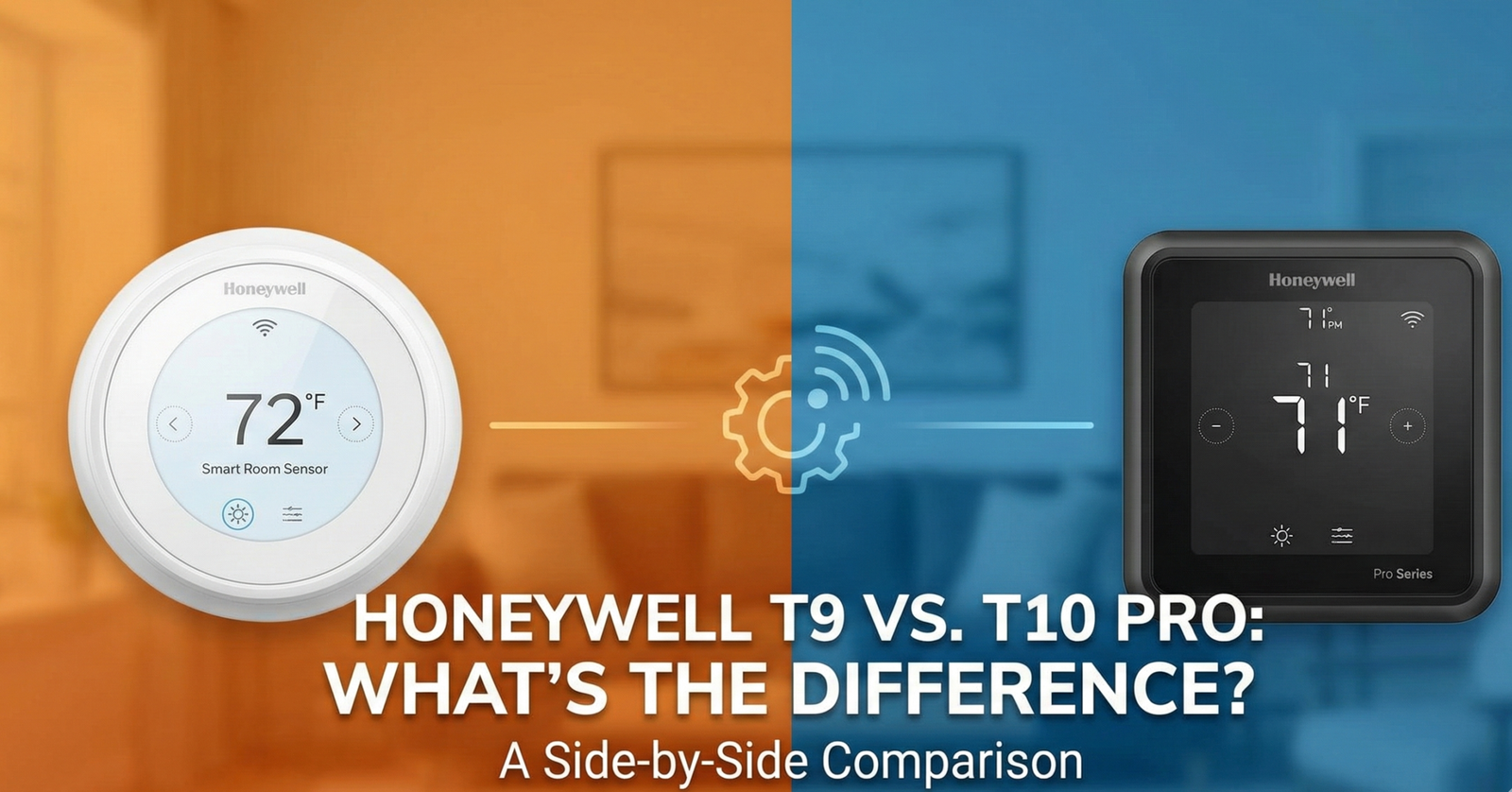
Honeywell T9 vs. T10 Pro 2026: What’s the Real Difference?
📋 Jump to a Section
- Quick Comparison Table
- The Critical Difference: IAQ & Accessory Control
- Terminal-by-Terminal Wiring Breakdown
- Smart Room Sensors: Same Technology, Same Range
- HVAC System Compatibility
- Installation: DIY vs. Professional Grade
- Warranty: 2 Years vs. 5 Years — What You Need to Know
- Smart Home Ecosystem Integration
- Daily Performance & Adaptive Recovery
- Pros & Cons Side by Side
- FAQ
- Final Verdict: Which Should You Buy?
Navigating the labyrinth of smart thermostat model numbers can feel like a full-time job. Within the Honeywell Home ecosystem (now under the Resideo umbrella), two models frequently dominate the conversation for high-end residential climate control: the Honeywell Home T9 and the Honeywell Home T10 Pro. At first glance, these two devices look essentially identical. They share the same white chassis, the same color touchscreen interface, and both utilize Honeywell’s Smart Room Sensors to address hot and cold spots across your home.
However, the difference between consumer-grade and professional-grade HVAC equipment is significant — and choosing the wrong model could mean the difference between a smooth self-install weekend project and a system that fundamentally cannot manage your humidifier, dehumidifier, or whole-home ventilation. In this exhaustive comparison, we break down every technical nuance — terminals, IAQ capabilities, warranty terms, HVAC stage support, and real installation scenarios — to help you determine definitively which T-series model belongs on your wall.

The DIY King: Honeywell Home T9
Perfect for most homeowners who want room-specific temperature control, a C-wire adapter in the box, and a straightforward self-install experience — no contractor required.
Check Price on Amazon →Quick Comparison Table: T9 vs. T10 Pro
| Feature | Honeywell Home T9 | Honeywell Home T10 Pro |
|---|---|---|
| Target Audience | DIY Homeowners (Retail) 90% of buyers | Professional HVAC Installers |
| Where to Buy | Amazon, Home Depot, Best Buy | HVAC distributors, some online resellers |
| Installation | DIY-friendly, guided app setup | Professional recommended |
| C-Wire Adapter Included | Yes ✓ ✓ | Not always (contractor-supplied) |
| IAQ / Accessory Control | None (heat/cool/fan only) | 1 IAQ accessory via U terminal ✓ |
| Humidifier Support | No ✗ | Yes ✓ |
| Dehumidifier Support | No ✗ | Yes ✓ |
| ERV / HRV / Ventilator | No ✗ | Yes ✓ |
| Smart Room Sensors | Yes — up to 20 | Yes — up to 20 (same sensors) |
| Sensor Cross-Compatible | Yes — shares sensors with T10 Pro | Yes — shares sensors with T9 |
| Heat Stages Supported | Up to 3 (heat pump) / 2 (conventional) | Up to 3 (heat pump) / 2 (conventional) |
| Cool Stages Supported | Up to 2 | Up to 2 |
| Dual-Fuel Heat Pump | Yes ✓ | Yes ✓ |
| Warranty (Pro-Install) | 2 years | 5 years ✓ |
| Warranty (DIY) | 2 years | 1–2 years (check terms) |
| Apple HomeKit | Yes ✓ | Yes ✓ |
| Amazon Alexa | Yes ✓ | Yes ✓ |
| Google Assistant | Yes ✓ | Yes ✓ |
| Dual-Band Wi-Fi (5GHz) | Yes ✓ | Yes ✓ |
| App | Resideo App | Resideo App (same) |
| Retail Availability | Widely available ✓ | Limited (trade channels) |
The Critical Difference: IAQ and Accessory Control
The single most important technical distinction between the Honeywell T9 and the T10 Pro is Indoor Air Quality (IAQ) accessory control. This is not a minor software feature difference — it is a fundamental hardware capability gap that determines which homes each thermostat is appropriate for.
The T9 is engineered to manage temperature: it controls your heating stages, cooling stages, and fan. That’s it. It has no terminals to send a control signal to an independent humidifier, dehumidifier, heat recovery ventilator (HRV), energy recovery ventilator (ERV), or standalone ventilation system. If your home has any of these accessories, the T9 cannot command them. They would need to run on their own standalone controls — separate devices, separate sensors, no coordination with your thermostat scheduling.
The T10 Pro adds a U terminal (Universal terminal) to its wiring board. This single configurable terminal can be set to control one IAQ accessory of your choosing:
- Whole-house humidifier (bypass, fan-powered, or steam)
- Whole-house dehumidifier (standalone or integrated)
- ERV (Energy Recovery Ventilator) — balanced fresh air ventilation with heat transfer
- HRV (Heat Recovery Ventilator) — fresh air ventilation with heat reclaim
- Ventilator or fresh air damper (standalone, non-heat-recovery type)
If your home has an integrated whole-house humidifier, a dedicated dehumidification system, or a mechanical ventilation system, the T9 will not manage these accessories. The T10 Pro bridges the gap between a standard smart thermostat and a basic building management system. For a detailed look at the T9 on its own, our Honeywell Home T9 review covers all its capabilities in depth. For a competitor that includes built-in IAQ monitoring in the thermostat body itself, see our Ecobee Smart Thermostat Premium review.
Terminal-by-Terminal Wiring Breakdown
Understanding the physical wiring differences between these two models clarifies exactly why the T10 Pro is the contractor’s preferred option for complex systems.
🔵 T9 Terminals
- R — 24V power from transformer
- C — Common wire (required)
- Y / Y2 — Cooling stage 1 & 2
- W / W2 — Heating stage 1 & 2
- G — Fan
- O/B — Heat pump reversing valve
- S — Outdoor temperature sensor
- No accessory (U) terminal
🔷 T10 Pro Terminals (adds)
- R — 24V power
- C — Common wire (required)
- Y / Y2 — Cooling stages
- W / W2 / W3 — Heating up to 3 stages
- G — Fan
- O/B — Reversing valve
- S — Outdoor sensor
- U — Universal IAQ accessory terminal ★
The U terminal is the hardware addition that enables the entire IAQ accessory ecosystem on the T10 Pro. It is configurable in the installer setup menu to match whatever accessory type is connected. Both models also include the same terminal for an optional outdoor temperature sensor (S terminal), which improves the accuracy of dual-fuel switchover calculations on heat pump systems.
Smart Room Sensors: Same Technology, Same Range
One area where the T9 and T10 Pro are genuinely identical is their sensor ecosystem. Both models use the same Honeywell Home Smart Room Sensors (model RCHTSENSOR3011/U), and the sensors are fully cross-compatible between the two thermostats. If you already own T9 sensors and upgrade to a T10 Pro (or vice versa), your existing sensors will work without any reconfiguration.
These sensors are meaningfully more capable than the simple “remote temperature sensors” offered by budget brands. Each sensor measures:
- Room temperature — accurate to ±0.5–1°F based on independent testing
- Relative humidity — useful for identifying moisture issues room by room
- Occupancy — via passive infrared (PIR) motion detection
The occupancy detection is what elevates these sensors beyond simple remote temperature readings. Rather than conditioning every room to a single setpoint, the thermostat can actively prioritize rooms where people are present and deprioritize (or effectively ignore) unoccupied spaces. Imagine a home office that overheats every afternoon while the hallway thermostat reads a comfortable 70°F — a sensor in the office lets the thermostat detect the problem and respond to the actual occupied space. For a deeper explanation of how this operates in practice, see our analysis of Ecobee vs Honeywell Home sensor approaches.
- Signal range: Up to 200 feet (verified through multiple walls and floor assemblies in testing)
- Battery life: 12–24 months on a single CR2032 coin cell
- Maximum sensors per system: 20 (both T9 and T10 Pro)
- Cross-compatibility: Fully interchangeable between T9 and T10 Pro

Expansion Pack: Honeywell Smart Room Sensors
The same sensors work on both the T9 and T10 Pro. Add sensors to every bedroom, office, and living area for the full “comfort-where-you-are” experience.
Check Price on Amazon →HVAC System Compatibility: Which Systems Do They Support?
Both the T9 and T10 Pro support a broad range of residential HVAC configurations. This is one of the areas where both models genuinely outperform many competitors, which often limit compatibility to simpler single-stage systems.
Heating & Cooling Systems — Both Models
- Conventional forced-air systems: Gas, oil, or electric furnaces — up to 2 stages of heat, 2 stages of cool
- Heat pumps: Single-stage and multi-stage, up to 3 stages of heat (including auxiliary/emergency)
- Dual-fuel heat pumps: Heat pump as primary with gas furnace backup — full switchover temperature control
- Fan coil units: 2-pipe and 4-pipe configurations
- Electric heating: Electric strip heat (up to 2 stages)
IAQ Accessories — T10 Pro Only
- Whole-house humidifiers (bypass, fan-powered, steam electrode)
- Standalone whole-house dehumidifiers
- Energy Recovery Ventilators (ERV)
- Heat Recovery Ventilators (HRV)
- Ventilators and fresh air dampers
If you are unsure whether your system is compatible, use Honeywell’s compatibility checker available in the Resideo app setup wizard, or consult your HVAC contractor before purchase. Both the T9 and T10 Pro include the same compatibility detection logic — the T10 Pro simply adds the U terminal hardware on top of the same base platform.
Installation: DIY Friendly vs. Professional Grade
Honeywell engineered the T9 specifically for the retail consumer market. The packaging includes a C-wire power adapter for homes without a common wire, a clear app-guided installation wizard with wiring diagrams for each system type, and a support line accessible to homeowners. The installation guide is written for the average person, with photo-based step-by-step instructions that have made the T9 one of the highest-rated DIY smart thermostat installs on the market. Similar to the straightforward experience described in our Amazon Smart Thermostat review, the T9 is designed for a high success rate without professional assistance.
The T10 Pro occupies a different channel entirely. Honeywell/Resideo technically positions the T10 Pro as a product sold through HVAC trade distributors — not consumer retail. While third-party sellers do list the T10 Pro on online marketplaces, Honeywell does not provide official homeowner technical support for self-installed T10 Pro units. The setup menu includes contractor-level configuration options for IAQ accessories, refrigerant type, minimum cycle times, and multistage control logic that can confuse or misconfigure the system if approached without HVAC knowledge.
C-Wire Requirement — Both Models
Both thermostats require a C-wire for continuous 24V power. Without it, the touchscreen and Wi-Fi radio cannot maintain stable operation. The T9 addresses this proactively with its included C-wire adapter. With the T10 Pro, a professional installer will typically pull a dedicated C-wire or use an add-a-wire kit as part of their standard installation practice — it’s not packaged for consumer self-service in the same way. If you are not sure whether your wiring includes a C-wire, our thermostat installation guide for homeowners explains how to identify each wire’s function before purchasing either model. A missing C-wire is the most common cause of a thermostat that keeps rebooting after smart thermostat installation.
Installation Time Comparison
- T9 (DIY): Typically 30–50 minutes for a competent homeowner including app setup and first sensor pairing
- T10 Pro (Professional): 60–120 minutes including IAQ accessory wiring, multi-stage configuration, and contractor registration for warranty activation
Warranty: 2 Years vs. 5 Years — What You Need to Know
The warranty difference between the T9 and T10 Pro is one of the most practically significant differences for long-term ownership, and it’s frequently misunderstood.
🔵 T9 Warranty
- 2-year limited warranty
- Applies regardless of who installs it
- Registered via Resideo app at setup
- Covers manufacturing defects
- Full homeowner support included
🔷 T10 Pro Warranty
- 5-year limited warranty when pro-installed
- Reduced to 1–2 years for DIY installation
- Pro installer registers the unit at time of installation
- Covers manufacturing defects
- Homeowner support limited for non-pro installs
This is a common practice in the professional HVAC equipment channel, similar to patterns observed when comparing Honeywell vs Emerson thermostat pro-grade product lines. The logic behind the tiered warranty is straightforward: Honeywell can only guarantee 5-year performance of the T10 Pro’s more complex IAQ accessory wiring when the installation is performed by a licensed professional who will configure it correctly. A misconfigured U terminal could damage connected IAQ equipment and generate warranty disputes that aren’t attributable to a product defect.
Smart Home Ecosystem Integration
Both the T9 and T10 Pro offer identical smart home integration. Choosing between them will not affect your ability to connect with any major smart home platform. Both models support:
- Apple HomeKit: Full Siri voice control, Apple Home scenes and automations — no bridge hardware required
- Amazon Alexa: Voice commands via the Honeywell Home Alexa skill
- Google Assistant: Native integration with Google Home and Nest Hub displays
- IFTTT: Custom applet automation (e.g., “If I leave a 5-mile radius, switch to Eco mode”)
- Samsung SmartThings: Limited integration available via both platforms
In the ongoing debate of Honeywell thermostat vs Nest, Honeywell’s multi-platform compatibility is consistently cited as an advantage — particularly Apple HomeKit support, which Google Nest does not offer as of 2026. For those interested in where Nest’s product line is heading, see our coverage of Nest Learning Thermostat 4th Gen rumors and features.
Both models also support dual-band Wi-Fi (2.4 GHz and 5 GHz), which is a notable technical advantage over many budget smart thermostats that are limited to 2.4 GHz only. In homes with congested 2.4 GHz bands — particularly apartments with many nearby networks — 5 GHz support provides a more reliable connection with lower interference risk.
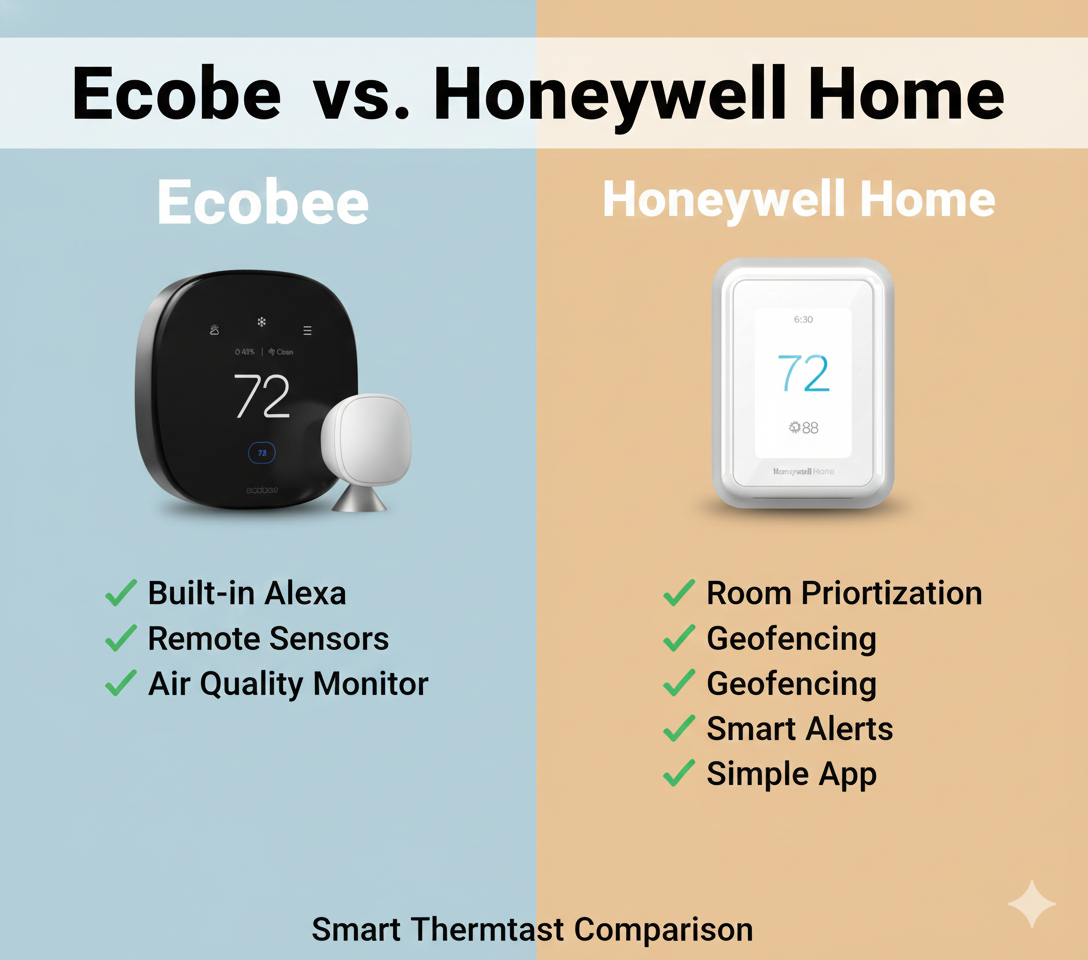
Considering the Competition?
If you need built-in air quality sensors in the thermostat body itself, the Ecobee SmartThermostat Premium includes smoke and CO detection, humidity sensing, and a built-in smart speaker — features neither the T9 nor T10 Pro offer at the main unit level.
Read Our Full Ecobee vs Honeywell Comparison →Daily Performance and Adaptive Intelligent Recovery
In day-to-day temperature control, the T9 and T10 Pro perform identically. There is no firmware difference in how they manage heating and cooling cycles, geofencing, scheduling, or sensor priority logic. Both utilize Adaptive Intelligent Recovery — Honeywell’s system for learning how long your specific HVAC system takes to reach a target temperature and starting the system early enough to arrive at setpoint precisely on schedule, rather than just beginning the call at the scheduled time and reaching temperature 15–20 minutes later.
This is considerably more sophisticated behavior than what you find in budget thermostats. As we noted in our comparison of Wyze vs Govee thermostat models, basic schedule-based thermostats simply start the system when the clock says to — with no consideration for how long it takes to actually change the room temperature. Adaptive Recovery eliminates morning temperature lag entirely after a brief calibration period.
The Resideo app is the control hub for both. It is stable and reliable for scheduling, geofencing setup, sensor management, and remote adjustment. Some users find it less visually polished than the Nest or Ecobee apps, but its core functionality — particularly the room priority scheduling interface — is intuitive and well-designed for the specific use case these thermostats are built for.
Geofencing Behavior
Both models use GPS-based geofencing via the Resideo app to detect household member presence. When all registered users exit the defined radius, the thermostat switches to an energy-saving away setback. When any registered user returns, it resumes home settings. Multiple users can be registered, and the geofence only activates away mode when everyone is out — preventing unnecessary setbacks when a family member is still home.
Energy Reporting
The Resideo app provides HVAC runtime data and energy usage estimates for both models. These reports show daily and monthly heating and cooling runtime, making it possible to identify whether changes in scheduling, sensor priority, or geofencing configuration are producing measurable efficiency improvements over time.
Pros & Cons: Both Models Side by Side
Honeywell Home T9
✅ T9 Pros
- Full DIY support — app-guided setup designed for homeowners
- C-wire adapter included — no extra purchase for older homes
- Widely available — Amazon, Home Depot, Best Buy, and more
- Competitively priced — frequently on sale, strong value
- Excellent occupancy-based room sensing via 20-sensor support
- Full smart home ecosystem support — HomeKit, Alexa, Google
- 2-year warranty applies to DIY installs — no contractor required
❌ T9 Cons
- No IAQ accessory control — cannot manage humidifiers, dehumidifiers, or ventilators
- Shorter 2-year warranty vs. T10 Pro’s 5-year pro-installed coverage
- Plastic build quality feels slightly less premium than glass-front competitors
- No built-in humidity control — reads humidity via sensors but cannot act on it through accessory equipment
Honeywell Home T10 Pro
✅ T10 Pro Pros
- Full IAQ accessory control — humidifier, dehumidifier, ERV, HRV via U terminal
- 5-year warranty (when professionally installed) — best coverage in class
- Preferred by HVAC professionals — battle-tested in complex whole-home systems
- Same sensor ecosystem as T9 — no sensor re-purchasing needed when upgrading
- Unified control interface — consolidates HVAC and IAQ under one app and one thermostat
- Multi-stage support up to 3 heat stages and 2 cool stages
❌ T10 Pro Cons
- Not designed for DIY — complex setup menu, limited homeowner tech support
- Harder to source — not available at standard retail outlets
- Warranty risk for DIY installs — 5-year coverage requires licensed contractor registration
- Only one IAQ accessory — cannot simultaneously control both humidifier and ventilator via the single U terminal without additional hardware
- Higher total cost when factoring professional installation labor
Frequently Asked Questions
Can I use T10 sensors with a T9 thermostat?
Yes. The Smart Room Sensors (RCHTSENSOR3011/U) are universal across the T9, T10 Pro, and several other Honeywell Home T-series models. They are fully cross-compatible and function identically on both systems — temperatures, humidity, and occupancy detection all work the same way regardless of which thermostat they’re paired to.
Do I need a professional to install the T10 Pro?
Technically no — the wiring terminals are the same as the T9 with the addition of the U terminal. An experienced DIYer can physically install the T10 Pro. However, Honeywell’s policy states that the 5-year warranty is only valid when installed and registered by a licensed HVAC professional. DIY installation typically reduces the warranty to 1–2 years, and homeowner technical support is limited for non-pro-installed T10 Pro units.
Does the T9 support humidifiers or dehumidifiers?
No. The T9 does not have the U terminal required to send a control signal to a whole-house humidifier or dehumidifier. The T9 can read humidity levels via its Smart Room Sensors and display that data in the Resideo app, but it cannot actively control IAQ accessory equipment. For whole-house humidifier or dehumidifier control integrated into thermostat scheduling, you need the T10 Pro.
How many stages of heating and cooling can these thermostats handle?
Both models support up to 3 stages of heat and 2 stages of cooling for heat pump systems (including auxiliary and emergency heat stages). For conventional forced-air systems, both support up to 2 stages of heat and 2 stages of cooling. This multi-stage capability makes both models appropriate for premium variable-stage HVAC systems.
What is the difference between the T9 and T10 Pro wiring terminals?
The T9 includes standard terminals: R, C, Y, Y2, W, W2, G, O/B, and S (outdoor sensor). The T10 Pro includes all of those plus a U terminal (Universal) that can be configured in the installer setup menu to control one IAQ accessory — such as a humidifier, dehumidifier, ERV, HRV, or ventilator. This single additional terminal is the hardware basis for the T10 Pro’s entire IAQ capability advantage.
Is the T10 Pro better than the Nest Learning Thermostat?
For complex HVAC systems with accessories like whole-house humidifiers, dehumidifiers, or HRV/ERV ventilation, the T10 Pro is the superior choice — the Nest Learning Thermostat does not support these accessories via a U terminal equivalent. For simpler systems where auto-learning schedule algorithms and premium industrial design are the priority, the Nest remains a compelling option. See our Honeywell vs Nest thermostat guide for a full comparison.
Does the T9 or T10 Pro work without Wi-Fi?
Yes. Both models function as standard programmable thermostats without a Wi-Fi connection, running their stored local schedule. Without Wi-Fi, you lose app-based remote access, geofencing, voice commands, energy reporting, and smart alerts — but heating and cooling control continues normally based on your configured schedule.
Do the T9 and T10 Pro support 5GHz Wi-Fi?
Yes. Both the T9 and T10 Pro support dual-band Wi-Fi (2.4 GHz and 5 GHz). This is a notable advantage over many budget smart thermostats that are limited to 2.4 GHz only. In dense residential environments with high 2.4 GHz network congestion, 5 GHz support can significantly improve connection reliability.
What happens if I install the T10 Pro myself — will it still work?
Yes, the T10 Pro will function if self-installed correctly. The IAQ accessory features will work if wired and configured properly. The primary consequence of DIY installation is warranty reduction — from the 5-year professional warranty down to the standard 1–2 year coverage — and limited access to Honeywell’s professional technical support channel for troubleshooting complex IAQ configurations.
Can the T10 Pro control both a humidifier and an ERV simultaneously?
Not directly. The T10 Pro has one U terminal that can be configured for one IAQ accessory at a time. Controlling two IAQ accessories simultaneously (e.g., humidifier and ERV) requires additional relay hardware or a secondary controller. If your system requires multi-accessory control, discuss the wiring architecture with your HVAC contractor before committing to the T10 Pro alone.
Final Verdict: Which Should You Buy?
The choice between the Honeywell T9 and the T10 Pro is less about “which is better” and more about which one matches your specific HVAC system’s requirements.
✅ Buy the T9 If You:
- Have a standard single or multi-stage heating and cooling system
- Want to install it yourself this weekend without a contractor
- Have no whole-house humidifier, dehumidifier, ERV, or HRV
- Want the best value for room-sensor-based temperature balancing
- Need a C-wire adapter included out of the box
- Are on a budget or want retail pricing and availability
- Represent approximately 90% of residential homeowners
✅ Buy the T10 Pro If You:
- Have a whole-house humidifier, dehumidifier, ERV, or HRV to control
- Are hiring an HVAC contractor to do the install anyway
- Want a 5-year warranty and professional-grade technical support
- Are building a new high-end home or renovating with premium HVAC
- Want unified thermostat + IAQ control under a single Resideo app interface
- Your contractor recommends it for your specific system configuration
For the vast majority of homeowners — those with a standard forced-air furnace, central air conditioner, or heat pump without supplemental IAQ accessories — the T9 is the right choice. It delivers the full room-sensor experience, excellent smart home integration, and reliable performance at a lower price point with a simpler installation path.
The T10 Pro is a specialist tool. It earns its premium and complexity specifically for homeowners who need their thermostat to be the control hub for a complete whole-home comfort system that includes air quality management — not just temperature management. If that describes your home, the T10 Pro’s 5-year warranty and unified IAQ control justify the professional installation cost many times over. If you are on a tighter budget or want a simpler Wi-Fi option without the full sensor ecosystem, see our Honeywell T5 review for the entry-level option in this lineup.
Ready to Optimize Your Home’s Climate?
Get the Honeywell Home T9 and start experiencing room-by-room comfort control — with or without a contractor, and without paying the T10 Pro premium if you don’t need it.
Buy the Honeywell T9 on Amazon →




 Home
Home
 Info
Info
 Compare
 Reviews
 Shop
Shop