Key Features to Compare When Buying a Smart Thermostat
A complete buyer’s guide to understanding C-wires, sensors, AI scheduling, mini-split compatibility, rebates, data privacy, and HVAC compatibility before you buy.
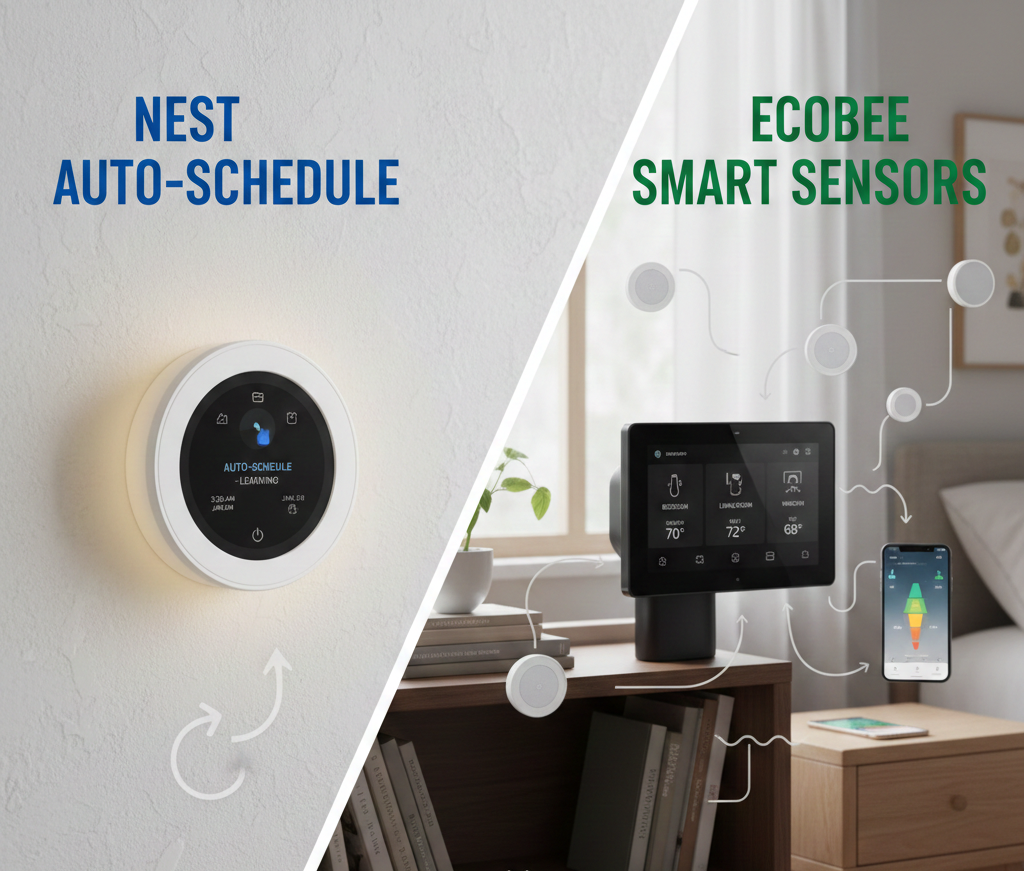
Choosing a smart thermostat isn’t just about picking the sleekest design. It’s about ensuring the device can safely control your specific HVAC equipment while delivering the automation features that actually save money. This guide breaks down the critical technical specifications and features you must compare — including a set of topics that most buyer’s guides skip entirely: mini-split compatibility, HVAC zoning, utility rebates, indoor air quality, data privacy, and what the new Matter/Thread standard really means for your home.
Thermostat Compatibility With HVAC Systems
Before looking at smart features, you must verify the voltage and system type.
Hardwired vs Battery-Powered Thermostats
Not all homes have a “Common Wire” (C-Wire) available at the wall. While some thermostats claim to be “battery-powered,” relying solely on batteries for a Wi-Fi device can lead to connectivity dropouts. If you lack a C-wire, look for models that include a Power Extender Kit (PEK) in the box.
Supported HVAC Types & Multi-Stage Systems
Most basic smart thermostats handle single-stage heating (W1) and cooling (Y1). However, if you have a heat pump with auxiliary heat or a high-efficiency 2-stage furnace, you need a thermostat with multi-stage terminals (W2, Y2, O/B). Using a single-stage thermostat on a multi-stage system will result in efficiency loss.
Understanding Your HVAC Wiring Before You Buy
Before purchasing any smart thermostat, remove your existing thermostat from the wall and photograph the wire connections. The wire labels correspond to specific functions: R or Rc is the power wire (24V), W controls heating, Y controls cooling, G controls the fan, and C is the common wire that provides the return path for continuous power. If you have a wire in the C terminal, most smart thermostats will install without any adapter. If you are missing a C wire, your options are: a thermostat with a built-in power extender kit (Ecobee includes this), a model that uses “power stealing” from existing wires (some Nest models), or an add-a-wire adapter that creates a virtual C wire from an existing unused wire.
Heat pumps require special attention — they use an O/B wire to reverse the refrigerant cycle between heating and cooling modes, and thermostats must support this reversal. If your system has emergency or auxiliary heat, you need a W2 or Aux terminal. Always use the compatibility checker tool provided by the manufacturer — Ecobee, Nest, and Honeywell all provide free online checkers that walk you through your wiring and confirm compatibility before purchase.
| Wire Label | Function | Required for Smart Thermostat? |
|---|---|---|
| R / Rc / Rh | 24V power from transformer | Yes — essential |
| C (Common) | Return path; continuous power for Wi-Fi | Strongly recommended; adapters available if missing |
| W / W1 | Stage 1 heating (furnace, boiler) | Yes, if heating system present |
| W2 / Aux / E | Stage 2 heating or emergency/aux heat | Required for multi-stage or heat pump with aux |
| Y / Y1 | Stage 1 cooling (compressor) | Yes, if cooling system present |
| Y2 | Stage 2 cooling | Required for 2-stage AC/heat pump |
| G | Fan control (independent) | Required for forced-air fan control |
| O / B | Heat pump reversing valve | Required for heat pumps |
Connectivity & Smart Home Integration
Wi-Fi vs. Mesh Networks (Zigbee/Thread)
Wi-Fi is standard, but it can be power-hungry. Matter over Thread is the emerging standard, creating a self-healing mesh network that works even if your internet goes down. If you have a large home, consider if you want a device that clogs your Wi-Fi bandwidth or one that integrates into a Hub (like SmartThings).
Voice Assistant Support
Check for native integration. While almost all support Alexa and Google Assistant, Apple HomeKit support requires a specific authentication chip or software certification, limiting your options to brands like Ecobee, Emerson Sensi, and newer Nest models.
App Quality and Long-Term Software Support
A smart thermostat is only as good as the app behind it. Before buying, check the app store reviews — not just the star rating, but the recency of reviews. A thermostat that had a great app two years ago may have suffered from a major update that broke features. Look for the date of the most recent update in the app store listing; manufacturers who push regular updates are more likely to maintain the product long-term. Also consider what happens if the company is acquired or shuts down. Google acquired Nest and maintained the platform; other smaller brands have been acquired and had their apps discontinued, turning their thermostats into expensive manual temperature controllers.
The most reliable brands for long-term software support in 2026 are Ecobee, Honeywell Home (Resideo), Google Nest, and Emerson Sensi. Budget brands often have limited software investment — if you plan to keep your thermostat for eight to ten years, this is a real consideration.
Sensors & Monitoring Features
Remote Temperature & Motion Sensors
A single thermostat only knows the temperature of the hallway it is installed in. Remote sensors are critical for 2-story homes or bedrooms that run hot/cold. They average the temperature across the house.
For a detailed breakdown of how different brands handle this, see our comparison on Ecobee vs. Honeywell remote sensor range.
Occupancy Detection
Sensors (PIR) detect if a room is empty. Advanced models (like Ecobee Premium) use “Follow Me” logic, prioritizing temperature control only in the rooms currently occupied.
Geofencing vs. PIR Occupancy: Understanding the Difference
These are two distinct technologies that both influence “away mode” behavior, and understanding the difference helps you choose the right approach. PIR (passive infrared) sensors detect body heat movement within line-of-sight range of the sensor — they know if someone is physically in the room. Geofencing uses your smartphone’s GPS to determine whether your phone (and presumably you) is within a defined radius of home — typically 0.5 to 1 mile.
Geofencing is more reliable for triggering a full home-away transition because it activates before you arrive, giving the system time to pre-heat or pre-cool. PIR sensors are more reliable for real-time room-by-room occupancy decisions — turning off heating in an unoccupied bedroom while keeping the living room comfortable. The best smart thermostat setups use both: geofencing for macro home/away transitions and PIR sensors for micro room-level decisions. Ecobee’s “Follow Me” mode and Honeywell’s “Smart Away” feature both use this combined approach.
Scheduling & Learning Capabilities
Adaptive Learning vs. Manual Scheduling
The “Learning” thermostat (pioneered by Nest) builds a schedule based on your manual adjustments over the first week. However, this isn’t for everyone. If you have an unpredictable schedule, erratic “learning” can lead to discomfort.
Manual scheduling or Geofencing (using your phone’s GPS) is often more reliable for erratic shifts. Compare AI Learning vs. Fixed Schedules here to see which fits your lifestyle.
Time-of-Use (TOU) Rate Integration
If your utility offers time-of-use pricing — where electricity costs more during peak demand hours (typically 4–9pm on weekdays) and less during off-peak hours — a thermostat that integrates with TOU rates can dramatically reduce your bill. Rather than running your AC during the expensive 6pm hour, a TOU-aware thermostat will pre-cool your home to 70°F by 3:30pm, then let the temperature rise to 74°F during the expensive window, then restore normal settings after 9pm. You never feel hot, and you avoid peak-rate electricity entirely. Ecobee’s Eco+ feature does exactly this, and Nest integrates with utility demand response programs that often include TOU optimization. If your utility offers TOU rates, this feature alone can reduce your cooling bill by 20–30% in summer months.
Energy Reports & Savings Tools
Look for apps that provide “Runtime Reports.” These graphs show exactly how many hours your HVAC ran yesterday vs. today. High-end models also integrate with utility “Time of Use” (TOU) rates, pre-cooling your home when electricity is cheap and coasting when it’s expensive.
What Good Energy Reporting Actually Looks Like
Not all energy reports are created equal. The minimum useful report shows daily runtime hours for heating and cooling. Better reports add weather overlay — showing you why the system ran more on hot days — and compare your runtime to similar homes in your area. Premium reports break down runtime by schedule vs. away mode, so you can see how much your occupancy behavior is affecting your bill. Ecobee’s Home IQ feature is the benchmark here, showing heating and cooling runtime across any date range with weather correlation. Nest’s Energy History provides similar data within the Google Home app. Budget thermostats often provide only basic runtime summaries with no historical comparison or context.
The most actionable energy reports also show you the cost impact in dollars, not just hours. If your thermostat knows your local electricity rate (you can enter this manually in most apps), it can tell you that Tuesday cost $1.20 in cooling while a comparable Monday with better setbacks only cost $0.80. This level of specificity is what motivates real behavior change.
Display & User Interface
Consider the “WAF” (Wife/Partner Acceptance Factor). A complex interface can be frustrating for family members. Look for:
- Touchscreen Response: Capacitive touch (like a phone) is better than resistive touch (pressure-based).
- Proximity Wake: The screen lights up when you walk by (useful for night lights).
- Legibility: High contrast text for easy reading from across the room.
Display Technology: Color vs. E-Ink vs. LED
Smart thermostat displays have diverged into three distinct categories, each with different trade-offs. Traditional LCD/LED displays (like Honeywell’s T9) are always-on or near-always-on, easy to read, and have predictable behavior but can look dated and drain more power. Color touchscreens (Ecobee’s glass display, older Nest models) look premium and provide more information at a glance but can be hard to read in direct sunlight and require more power. The newest approach — used in the Google Nest Learning Thermostat Gen 4 — uses a circular display with a polished mirror finish that reflects the room when off and shows information when active. This looks beautiful in modern homes but can be harder to read for people with vision limitations.
For households where the thermostat is located in a brightly lit space or where elderly family members need to adjust the temperature directly on the device rather than via app, a high-contrast, high-brightness traditional display may be preferable to the sleekest-looking option.
Installation & Setup
DIY Friendly? Top-tier brands include a bubble level built into the backplate and labels for your wires. Check if the app includes a step-by-step video guide—this is the gold standard for DIY installation.
The Complete DIY Installation Process
Installing a standard low-voltage smart thermostat is within reach for most homeowners, taking 20–45 minutes with basic tools. The process begins before you even open the box: use the manufacturer’s online compatibility checker to verify your wiring. Then turn off power to your HVAC system at the breaker — this is essential, not optional. Remove the old thermostat face from the wall plate, photograph all wire connections, and label each wire with the included stickers before disconnecting anything.
Mount the new backplate, connect the labeled wires to the corresponding terminals, mount the thermostat face, restore power, and follow the in-app setup wizard. The setup wizard will confirm you connected correctly by running a test of each HVAC function — confirming heat works, cooling works, and the fan works independently. If a test fails, the app will guide you through diagnosis. Most installation failures come from one of three sources: a missing C wire (solution: use an adapter or choose a compatible model), incorrect O/B polarity on a heat pump (solution: reverse the setting in the app), or a tripped circuit breaker during installation (solution: reset the breaker).
Battery Life & Power Efficiency
If you cannot install a C-wire, battery life is your #1 metric. Wi-Fi radios drain AA batteries quickly (often in 3-6 months). Look for models using “Power Stealing” (charging a capacitor during HVAC off-cycles) or those optimized for Lithium batteries.
Power Stealing: How It Works and When It Fails
Power stealing (used by Nest and a few other models) involves drawing small amounts of power through the existing heating or cooling wires during HVAC off-cycles to charge an internal capacitor. When done correctly, it powers the thermostat without a C wire. The problem is that some HVAC systems — particularly those with sensitive electronic control boards or older equipment — interpret this small current draw as a signal to start running, causing the system to short-cycle (click on and off repeatedly without fully running). If you experience clicking or short-cycling after installing a power-stealing thermostat, the system is incompatible with this approach and you need either a C wire or a thermostat with a proper C wire adapter. This is the single most common installation problem reported with Nest thermostats in older homes.
Design, Build Quality & Durability
Plastic vs. Glass/Metal. Cheaper units feel like basic plastic controllers. Premium units use glass faces and metal bodies, which not only look better but resist UV yellowing over time.
How Long Should a Smart Thermostat Last?
A well-built smart thermostat should last 8–12 years before hardware failure. The more common reason to replace one is software obsolescence — the manufacturer stops pushing updates, drops ecosystem support, or the device’s Wi-Fi chip becomes incompatible with updated router security standards. This happened with first-generation Nest thermostats when WPA3 security became common, and with early Honeywell Wi-Fi thermostats when the Lyric platform was discontinued.
To maximize longevity, choose brands with a demonstrated history of long-term software support and active firmware development. Avoid off-brand or white-label smart thermostats with no clear manufacturer support structure — the hardware may be fine, but if the app server is shut down, the thermostat often becomes a basic temperature display. Ecobee and Honeywell Home have the longest track record of supporting older hardware in the smart thermostat category.
Price, Warranty & Support
Smart thermostats range from $50 to $250+. Is the ROI there?
- Budget ($50-$90): Basic Wi-Fi, app control, no remote sensors.
- Mid-Range ($100-$160): C-wire adapters included, better screens, sensor compatibility.
- Premium ($200+): Voice speakers built-in, IAQ monitoring, metal build.
Calculate your potential savings with our Wi-Fi Thermostat ROI Calculator.
| Feature Category | Budget Models | Premium Models |
|---|---|---|
| C-Wire Requirement | Often Required | Usually includes Adapter (PEK) |
| Sensors | Internal Only | Support for Remote Room Sensors |
| Material | Plastic | Glass / Zinc / Metal |
| Smart Home | Alexa / Google | Alexa / Google / HomeKit / Matter |
Mini-Split & Ductless System Compatibility
One of the most significant gaps in most smart thermostat buying guides is the complete absence of information about ductless systems. Mini-splits and ductless heat pumps have grown into a major segment of the HVAC market — particularly in homes without existing ductwork, rooms added above a garage or in a basement, and in climates where heat pump efficiency is especially valuable. If you have a mini-split, nearly everything in a standard smart thermostat guide does not apply to you, because mini-splits do not use the 24V low-voltage wiring that conventional thermostats connect to.
How Mini-Split Control Works
Most mini-split indoor heads are controlled by infrared (IR) remote controls — the same technology as a television remote. There is no thermostat wire to tap into. The unit receives IR commands for mode (heat, cool, fan-only, dry), temperature setpoint, and fan speed. This means conventional smart thermostats — Nest, Ecobee, Honeywell — cannot be connected to a mini-split at all. The solution is a dedicated mini-split smart controller: a wall-mounted or standalone device that connects to your Wi-Fi, learns the IR command codes of your specific mini-split model, and then sends those commands wirelessly to your indoor head as if you were pressing the remote.
The leading mini-split smart thermostat brands are Cielo Breez, Sensibo, Mysa (their AC model), and Ambi Climate. Each connects to Wi-Fi, offers a smartphone app, and provides scheduling, geofencing, and voice assistant integration for your ductless system. Most are installed by simply pointing the device at the indoor head and running a learning sequence — no wiring required. Installation typically takes under five minutes.
Choosing a Smart Controller for Your Mini-Split
The most important compatibility check for a mini-split smart controller is confirming that it supports your specific brand and model of indoor unit. Most controllers maintain a database of known IR codes for major brands including Mitsubishi, Daikin, Fujitsu, LG, Samsung, Carrier, and many others. If your model is not in the database, the controller can often learn the codes manually by pointing your original remote at it and pressing each function button. Check the brand’s compatibility page before buying — Cielo’s and Sensibo’s websites both have searchable databases covering thousands of mini-split models.
A key feature difference to evaluate: some mini-split controllers only send IR commands (one-way communication), while advanced models like Sensibo and Cielo Breez Plus can also read the actual status returned by the indoor unit, giving you real-time feedback on whether the unit is actually running and at what setpoint. Two-way communication enables more accurate scheduling and energy reporting.
Multi-Head Mini-Split Systems
In a multi-zone mini-split installation — one outdoor compressor serving multiple indoor heads in different rooms — each indoor head is independently controllable and each needs its own smart controller. This is actually an advantage: you can apply room-level scheduling and geofencing to each zone independently. Cielo’s app supports managing multiple units under one account, as does Sensibo, allowing you to view and control all zones from a single dashboard. This granular zone control is something traditional central HVAC systems with a single thermostat cannot match without a dedicated zoning system.
Multi-Zone HVAC Control
HVAC zoning is one of the most misunderstood areas in the smart thermostat space, and it represents one of the largest opportunities for comfort improvement and energy savings in larger homes. Understanding the difference between a zoned central HVAC system and a multi-zone mini-split system is the foundation for making the right thermostat decision in complex home configurations.
What Is HVAC Zoning?
A zoned central HVAC system uses a single furnace and air conditioner with motorized dampers installed in the ductwork. These dampers open and close to direct conditioned air to specific zones — for example, upstairs versus downstairs, or bedroom wing versus main living area. Each zone has its own thermostat, and a central zone controller coordinates which dampers open based on which zones are calling for heating or cooling. This allows independent temperature control in different parts of the house from a single HVAC unit.
Zoned systems are significantly more complex than single-zone systems and require specific thermostat compatibility. Not all smart thermostats support multi-zone control. Ecobee and Honeywell’s T-series are the most commonly used smart thermostats in zoned systems, partly because they have the wiring terminals to accommodate zone controller integration and partly because their remote sensor systems allow the thermostat to understand temperature across multiple rooms.
Smart Thermostats That Support Zoning
For a zoned central HVAC system, you typically install one smart thermostat per zone — and those thermostats must be compatible with your zone controller panel (brands like Honeywell, EWC Controls, Arzel, and Lennox zone systems are common). Ecobee’s smart thermostats are widely compatible with commercial zone controllers and are a popular choice for zoned systems because they can incorporate remote temperature and occupancy sensors to make each zone’s temperature readings more accurate than a single hallway thermostat would provide.
An important distinction: simply having multiple smart thermostats in a home without a zone controller is not a zoned system — each thermostat would be controlling a completely independent HVAC unit. Multi-unit installations (one thermostat per air handler) are separate from zone-controller-based zoning. If you are planning a zoned installation, work with an HVAC contractor to confirm zone controller compatibility with your chosen smart thermostat before purchase.
Smart Vents: A DIY Zoning Alternative
For homeowners who want room-level temperature control without a full zone controller installation, smart air vents offer a partial solution. Products like Flair and Keen replace standard register covers with motorized vents that open and close based on temperature data from small wireless room sensors. Connected to compatible smart thermostats (Ecobee in particular works well with Flair), smart vents can direct more airflow to a room that needs it and restrict airflow to rooms that have reached setpoint. The effect is not as precise as a true zoning system, and some HVAC installers caution that closing too many vents can damage duct pressure, but for a single comfort problem (one chronically hot bedroom, for example), smart vents can be an effective and affordable solution.
Utility Rebates & Demand Response Programs
One of the most overlooked financial aspects of buying a smart thermostat is the rebate and incentive landscape — which can reduce the effective purchase price by $25 to $100 or more in many utility territories. Checking for available rebates before choosing a specific model can genuinely change which thermostat represents the best value for your situation.
Understanding Utility Rebate Programs
Hundreds of electric utilities across the United States and Canada offer rebates on qualifying smart thermostats as part of their energy efficiency program portfolios. These programs exist because utilities are often obligated by state regulators to reduce peak demand and overall consumption, and smart thermostats are one of the most cost-effective tools for achieving this. Rebates typically range from $25 to $100 for a qualifying smart thermostat, and in some territories, instant discounts are available at point of sale through participating retailers, eliminating the need to file a rebate claim. Focus on Energy (Wisconsin) offers a $50 rebate on qualifying smart thermostats purchased from January 2026. Many utilities offer similar programs; the DSIRE database (dsireusa.org) maintains a searchable, regularly updated list of energy incentives by state and utility.
Thermostat Models That Qualify for Most Rebates
Energy Star certification is the most common qualifying criterion for utility rebates. As of 2026, over 85 smart thermostats carry Energy Star certification, including models from Ecobee, Honeywell Home, Google Nest, Amazon, and Emerson Sensi. Before buying, use the Energy Star product finder to confirm the specific model number of the thermostat you are considering is certified — Energy Star certification is model-specific, not brand-wide, so a brand’s budget model may not be certified even if their premium model is.
Some utilities have narrower qualifying lists that exclude certain brands. Honeywell/Resideo has invested heavily in building utility partnerships, which means their T-series thermostats are frequently on utility rebate lists even in territories where Nest and Ecobee are not. If rebate eligibility is a priority, look up your specific utility’s qualified product list before making a final decision.
Demand Response Programs: Getting Paid to Save Energy
Demand response (DR) programs go beyond rebates — they pay you periodically to allow the utility to make brief temperature adjustments during peak grid stress events. Typically lasting one to four hours during heat waves or extreme cold snaps when grid demand is highest, these events may nudge your thermostat setpoint up by 2–4 degrees to reduce your air conditioner’s contribution to peak demand. You retain override capability at all times — the utility cannot lock your thermostat — but accepting the adjustment earns you a bill credit, typically $20–$50 per summer season.
Ecobee’s “Eco+” program and Google Nest’s “Rush Hour Rewards” (in partnership with various utilities) are the most established demand response programs in the smart thermostat space. Both are opt-in, both maintain your override rights, and both track your participation and the resulting bill credits in the app. For households in hot climates running significant air conditioning loads, demand response enrollment combined with a rebate can deliver total first-year value of $75–$150 — often paying for a significant portion of a mid-range smart thermostat.
Indoor Air Quality (IAQ) Monitoring
A newer and increasingly important feature in premium smart thermostats is indoor air quality (IAQ) monitoring. While basic thermostats only measure temperature, advanced models and add-on sensors can monitor humidity, CO₂ concentration, volatile organic compounds (VOCs), particulate matter (PM2.5), and even radon levels. Understanding what your home’s air contains — and using that data to automatically adjust ventilation — is a significant upgrade to standard climate control.
Why IAQ Monitoring Matters
Indoor air quality is consistently worse than outdoor air quality in most homes, according to EPA research — often two to five times worse. Common indoor pollutants include CO₂ from occupants (which causes drowsiness and reduced cognitive function at elevated levels above 1,000 ppm), VOCs from furniture, paint, and cleaning products, PM2.5 fine particulates from cooking and combustion, and high humidity that promotes mold growth. A smart thermostat with IAQ monitoring can alert you to these conditions and, if your HVAC system has ventilation capabilities, trigger fresh air introduction automatically when CO₂ or VOC levels rise above thresholds.
The Ecobee Smart Thermostat Premium includes an integrated air quality sensor that monitors VOCs and CO₂ equivalent, and integrates with the thermostat’s ventilation control — if your air handler has a fresh air damper, the Ecobee can open it automatically when air quality degrades. This turns the thermostat from a pure comfort device into an active health management tool. For households with allergy sufferers, people who work from home, or homes with children, the CO₂ monitoring capability alone is worth the premium price of the Ecobee Premium over the standard Ecobee model.
Humidity Monitoring and Control
Humidity is the IAQ parameter most directly controllable through your HVAC system, and it has significant effects on both comfort and health. The ideal indoor relative humidity range is 40–60%. Below 30%, dry air causes respiratory irritation, static electricity, and accelerated wood shrinkage that can damage flooring and furniture. Above 60%, mold and dust mites proliferate, and the risk of condensation on cool surfaces increases. Many smart thermostats include a built-in humidity sensor and can control a humidifier or dehumidifier wired to the thermostat’s accessory terminals (typically the * or ACC terminal).
Honeywell’s T9 and T10 Pro, Ecobee, and some Nest configurations all support humidifier/dehumidifier control. If you live in a very dry climate and use a whole-home humidifier, or in a humid climate and run a whole-home dehumidifier, confirming that your thermostat supports accessory humidity control wiring is essential — it is a feature that significantly varies between models and is frequently omitted from product descriptions.
Air Filter Change Reminders
An underrated but practically valuable IAQ-adjacent feature is filter change reminders. Smart thermostats that track HVAC runtime can calculate when your air filter is approaching the end of its service life based on actual hours of use rather than a fixed calendar interval. A filter in a home with two cats running the HVAC eight hours per day needs replacement far more frequently than one in a single-occupant apartment with minimal runtime. Models with this feature include Ecobee (tracks runtime against your filter type’s rated life), Honeywell Home’s T-series, and Emerson Sensi. The reminder is delivered via push notification and displayed on the thermostat screen.
Data Privacy & Security
Data privacy has emerged as a genuine and growing concern in the smart thermostat market — one that most buying guides treat as an afterthought but that is increasingly influencing purchasing decisions, particularly among younger homeowners. A 2026 study by Copeland (maker of Sensi thermostats) found that data privacy concerns among smart thermostat owners had increased from 26% in 2022 to 37% in 2026, with 55% of respondents reporting they have little to no understanding of how their data is used.
What Data Does Your Smart Thermostat Collect?
Smart thermostats collect a surprisingly extensive range of data. At minimum, they collect temperature readings, system runtime, and app usage patterns. More advanced models collect occupancy data from PIR sensors (knowing when rooms are occupied and for how long), location data from geofencing (tracking when you leave and return home), voice command data if equipped with built-in microphones (Ecobee Premium has an Alexa speaker built in), and in some cases, energy consumption data that can be correlated with specific behaviors. This occupancy and behavior data, in aggregate, creates a detailed profile of your daily life — when you wake up, when you leave, when you go to bed, how many people are typically home.
How Different Brands Handle Your Data
Data handling practices vary significantly between brands. Google Nest’s data sharing with Google’s advertising infrastructure has been a point of concern for privacy-focused users, though Google maintains that thermostat data is not used for advertising targeting. Ecobee’s privacy policy allows them to share anonymized, aggregated data with utility partners and researchers. Emerson Sensi has positioned itself explicitly as a privacy-focused option — their policy states they do not sell personal information to third parties, and this is a conscious differentiator in their marketing. Amazon’s Smart Thermostat integrates deeply with the Alexa ecosystem, which has its own privacy considerations around voice data.
Before purchasing, download and read the privacy policy of any thermostat you are seriously considering. Look specifically for: whether data is shared with or sold to third parties, whether the company uses data for advertising profiling, what data is retained if you cancel your account or the product is discontinued, and whether there is a local processing option that reduces cloud dependency. The least cloud-dependent option available is generally a Zigbee or Z-Wave based thermostat running through a local home automation hub like Home Assistant — where all data stays on your local network — but these require significantly more technical setup than plug-and-play Wi-Fi thermostats.
Demand Response and Utility Access — What You Are Actually Agreeing To
A common concern reported in field research is homeowners’ worry about utility companies having the ability to control their thermostat during peak demand hours. This concern is legitimate and worth understanding clearly. When you enroll in a demand response program through your thermostat, you are granting limited, conditional permission for the program to make temperature adjustments during declared peak events — typically a handful of times per summer, for 1–4 hours each time. You retain full override capability at all times. The utility does not have persistent access to your thermostat settings, cannot override your manual adjustments, and cannot access the thermostat outside of declared events.
That said, the terms of demand response programs do differ between utilities and thermostat brands. Read your enrollment agreement carefully. Key things to look for: how many events per year, what the maximum temperature adjustment is, what the override policy is, and whether enrollment auto-renews. Most programs allow unenrollment at any time through the thermostat app.
Matter & Thread: A Practical Deep Dive
Matter and Thread are two of the most discussed — and most misunderstood — terms in the current smart home market. Understanding what they actually mean, what they do, and whether they should influence your thermostat purchase in 2026 is more nuanced than most marketing suggests.
What Is Matter?
Matter is a unified smart home interoperability standard developed by the Connectivity Standards Alliance (CSA), with major contributors including Apple, Google, Amazon, and Samsung. The goal of Matter is device-agnostic compatibility — a Matter-certified thermostat should work natively with Apple Home, Google Home, Amazon Alexa, and SmartThings without requiring a manufacturer-specific hub or bridge. Matter communicates over existing IP-based networks, meaning it can run over Wi-Fi, Ethernet, or Thread.
The practical significance for thermostat buyers: a Matter-certified thermostat gives you future flexibility. If you are currently in the Google ecosystem but later switch to Apple Home or a different platform, your Matter thermostat remains compatible without replacement. If you are not already invested in a smart home ecosystem and want maximum flexibility, Matter certification is worth prioritizing. In 2026, Matter-certified thermostats include the Google Nest Learning Thermostat Gen 4, Honeywell Home X2S, and several others. Ecobee’s Matter certification was announced and is in progress.
What Is Thread, and Why Does It Matter for Thermostats?
Thread is a low-power mesh networking protocol that operates on the same 2.4 GHz frequency as Wi-Fi and Zigbee but uses IPv6 addressing — meaning each Thread device has a proper internet address and communicates directly with other Thread devices and with Thread Border Routers (devices like HomePod mini, Google Nest Hub Max, or Apple TV 4K that bridge Thread to your home Wi-Fi network). Thread is self-healing — if one device drops off the mesh, the network reroutes. It consumes significantly less power than Wi-Fi and continues to function locally if your internet connection drops.
For smart thermostats specifically, Thread connectivity provides two practical advantages: more reliable local control (the thermostat continues to follow its schedule and respond to sensor inputs even without internet) and lower power consumption (relevant for battery-powered remote sensors). The current caveat is that Thread border routers are required, and not every home has one — you need an Apple HomePod mini, Apple TV 4K (3rd gen or later), Google Nest Hub Max, or compatible SmartThings hub for Thread to work. If you already have one of these devices, a Thread-capable thermostat and sensors are a meaningful upgrade in reliability.
Should Matter/Thread Influence Your Purchase Today?
The honest answer is: it depends on your situation. If you are already deep in one ecosystem (all Google, or all Apple), the interoperability benefit of Matter is less immediate — your existing devices already work together natively. If you are building a new smart home from scratch and want to avoid ecosystem lock-in, Matter certification is worth prioritizing. If you have a Thread border router (HomePod mini, Apple TV 4K), Thread connectivity for sensors is a genuine reliability improvement over Wi-Fi sensors. If none of these describe your situation, do not pay a premium purely for Matter/Thread certification over other features that more directly affect your day-to-day experience.
Predictive Maintenance Alerts
Smart thermostats increasingly serve as the monitoring nerve center for your HVAC system, and predictive maintenance features are one of the highest-value but least-marketed capabilities in this category. The value is simple: your HVAC system is typically the most expensive appliance in your home, and an emergency breakdown during a heat wave or cold snap is both expensive and miserable. A smart thermostat that can detect early warning signs and alert you before failure is a genuine financial asset.
How Predictive Maintenance Works
Modern smart thermostats with maintenance monitoring track several HVAC performance metrics over time. The most common is runtime analysis — comparing how long your system runs to reach setpoint today versus the same conditions a month or year ago. If your system is taking significantly longer to heat or cool your home than it historically has, this often indicates a developing problem: a refrigerant leak reducing cooling capacity, a dirty coil restricting airflow, a blower motor losing efficiency, or a heat exchanger cracking. The thermostat’s baseline comparison catches this drift before it becomes a failure.
Short-cycling detection is another valuable maintenance alert — if your HVAC system is starting and stopping more frequently than normal, this indicates a control board issue, refrigerant overcharge, or airflow restriction that can cause premature compressor failure if left unaddressed. Ecobee’s “Home IQ” and “HVAC Maintenance Insights” features provide these alerts, as does Emerson Sensi’s maintenance reminder system. Google Nest provides basic alerts for unusual runtime patterns. Some thermostats can also detect a failed emergency heat or auxiliary heat switchover, alerting you when outdoor temperatures drop to a range where backup heat would normally activate but doesn’t.
Filter, UV Light, and Humidifier Maintenance Tracking
Beyond the system-level maintenance, smart thermostats can track the service intervals for consumable components. Air filter replacement reminders based on actual runtime (rather than calendar-based reminders) are available on Ecobee, Honeywell T-series, and Sensi. If you have a UV germicidal light in your air handler (which has a lamp with a 1–2 year service life), some thermostats can track its runtime and remind you to replace the bulb. If you have a powered whole-home humidifier with a water panel that needs annual replacement, thermostat-based tracking of heating-season runtime provides a more accurate service indicator than a wall calendar.
Vacation Home & Multi-Property Management
If you own more than one property — a vacation home, a rental property, a parent’s house you monitor remotely — smart thermostat management across multiple locations is a genuinely useful and underexplored feature set. Each major brand handles multi-property management differently, and the differences matter for usability.
Managing Multiple Homes in One App
Ecobee’s app supports multiple homes under a single account, with each property listed separately and its thermostats grouped by location. You can view all locations on a single dashboard and switch between them without logging out. This is useful for a vacation home where you want to keep the temperature at a frost-protection minimum (55°F) when unoccupied and remotely pre-heat it to comfortable temperature the day before arrival. Honeywell Home’s app similarly supports multiple homes under one account.
Google Nest’s Home app supports multiple structures (their term for homes or locations), but the user interface is optimized for a single home and can feel cumbersome when managing multiple properties. Amazon Smart Thermostat doesn’t natively support multi-home management in the Alexa app — you need to set up multiple Alexa accounts or profiles.
Vacation Home Specific Considerations
For a property that sits unoccupied for extended periods, the most important thermostat features are: freeze protection mode (maintaining a minimum temperature to prevent pipe freezing), reliable remote access for checking status and adjusting setpoints before arrival, and alerts for temperature extremes (getting a notification if the heating fails during a cold snap is enormously valuable for preventing frozen and burst pipes). Most smart thermostats with Wi-Fi connectivity provide all three of these, but the reliability of the remote connection matters. A thermostat that struggles with connection dropouts on your main residence will be a source of anxiety on a vacation property where you cannot physically check it.
For vacation homes, consider pairing the smart thermostat with a smart water shutoff valve and a leak detector — the combination of freeze protection, temperature alerts, and automatic water shutoff provides comprehensive protection against the most common and expensive vacation home disasters. This goes beyond the thermostat category but represents the ecosystem context in which thermostat selection for vacation properties should be made.
High-Voltage & Baseboard Heating Systems
A complete smart thermostat buying guide must address a category that is entirely invisible in most mainstream comparisons: high-voltage (line-voltage) heating systems. If your home uses electric baseboard heaters, electric radiant floor heating, or electric convectors as your primary heat source, none of the standard smart thermostats — Nest, Ecobee, Honeywell T-series — are compatible with your system. These systems require thermostats designed to handle 120V or 240V line voltage directly, not the 24V low-voltage control signal of conventional HVAC systems.
What Is a Line-Voltage Heating System?
Line-voltage heating systems connect directly to your home’s 120V or 240V electrical supply without a transformer or control board in between. The thermostat itself carries the full current of the heating element — it is a direct switch, not a signal sender. This is fundamentally different from low-voltage HVAC control, where the thermostat sends a 24V signal to a relay or control board that then activates the equipment. Mixing line-voltage and low-voltage thermostats is a serious safety hazard — a low-voltage thermostat connected to a line-voltage system will be immediately and catastrophically destroyed, potentially causing a fire.
Smart Thermostat Options for Line-Voltage Systems
The specialist brands for line-voltage smart thermostats are Mysa (for both 120V and 240V electric baseboard and radiant systems), Sinopé (widely used in Canada for baseboard and floor heating), and Stelpro. Mysa’s product line covers 120V baseboard heaters, 240V baseboard heaters, and 120/240V electric in-floor heating, with separate models for each application. Installation of a line-voltage thermostat requires turning off the circuit breaker for the heater and working with 120/240V wiring — if you are not comfortable working with line voltage, hire a licensed electrician. The wiring is straightforward, but the safety stakes of a mistake are higher than with low-voltage HVAC.
Mysa’s smart thermostat for electric baseboard provides Wi-Fi connectivity, scheduling, geofencing, app control, and integration with Alexa, Google Home, and Apple HomeKit. Energy reporting in the Mysa app is particularly detailed for baseboard heating — since each thermostat controls a single heater, you can see exactly how much energy each room is consuming, which is useful for identifying inefficient spaces or behavioral patterns. Utility rebate eligibility for line-voltage smart thermostats varies by territory — Mysa explicitly calls out rebate availability and maintains a rebate finder on their website.
Brand Comparison: Top Smart Thermostat Picks by Use Case
With the full feature landscape covered, here is a practical comparison of the leading smart thermostat brands in 2026, mapped to the use cases where each excels. This is not an exhaustive review of every model — it is a decision framework to help match the right brand to your specific situation.
Ecobee Smart Thermostat Premium
Best for Most Homes- Works with every major ecosystem (Alexa, Google, HomeKit, SmartThings)
- Includes SmartSensor for room-level temperature averaging
- Built-in Alexa speaker (can be disabled for privacy)
- Built-in air quality monitoring (VOCs + CO₂ equivalent)
- Ecobee PEK included — no C-wire required
- Eco+ TOU rate integration and demand response
- Best-in-class energy reporting (Home IQ)
- Best for: Multi-room comfort, households with diverse ecosystems, IAQ focus
Google Nest Learning Thermostat (Gen 4)
Best for Google Homes- Iconic learning algorithm — builds schedule automatically
- Matter certified — future-proof ecosystem compatibility
- Deep Google Home and Nest device integration
- Rush Hour Rewards demand response program
- Requires C-wire or Nest Power Connector accessory
- No built-in remote sensor support (relies on Nest Hub for occupancy)
- Best for: Google ecosystem households, design-focused buyers, learning automation preference
Honeywell Home T9 / T10 Pro
Best for Zoned Homes- Excellent zone controller compatibility for complex HVAC systems
- SmartRoom sensors for occupancy + temperature averaging
- Supports humidifier/dehumidifier accessory wiring
- Strong utility rebate qualification record
- Sensi app is straightforward and well-supported
- Privacy-forward data policy (Emerson Sensi models especially)
- Best for: Zoned HVAC systems, privacy-focused buyers, rebate prioritization
Amazon Smart Thermostat
Best Budget Option- Sub-$80 price point — most affordable qualified smart thermostat
- Alexa integration is native and seamless
- Works with 2-wire systems (no C-wire for simple setups)
- Basic energy monitoring and scheduling
- No remote sensor support
- Limited to Alexa ecosystem for advanced automations
- Best for: Budget buyers, Alexa-first households, simple single-zone systems
Mysa Smart Thermostat
Best for Electric Heat- Dedicated 120V and 240V baseboard/radiant models
- Works with Google Home, Alexa, and Apple HomeKit
- Per-room energy monitoring (unique advantage)
- Geofencing and scheduling comparable to low-voltage models
- Also offers mini-split/AC IR controller model
- Matter certification in progress (2026)
- Best for: Electric baseboard, in-floor radiant, and mini-split control
Cielo Breez Max / Sensibo Sky
Best for Mini-Splits- Wi-Fi IR controllers for ductless mini-split and window AC
- Supports thousands of mini-split brands and models
- Scheduling, geofencing, and voice assistant integration
- Two-way communication models show actual unit status
- Built-in temperature and humidity sensors
- No wiring required — installs in minutes
- Best for: Any home with mini-split or ductless AC requiring smart control
| Feature | Ecobee Premium | Nest Gen 4 | Honeywell T9 | Amazon | Mysa |
|---|---|---|---|---|---|
| Price (MSRP) | ~$249 | ~$279 | ~$149 | ~$79 | ~$119–139 |
| C-Wire Required | No (PEK included) | Recommended | No (kit included) | No (2-wire ok) | Direct wire (line voltage) |
| Remote Sensors | ✅ Included | ❌ Not supported | ✅ Available | ❌ Not supported | ❌ Not applicable |
| Apple HomeKit | ✅ | ✅ (via Matter) | ✅ (Sensi models) | ❌ | ✅ |
| Matter Certified | In progress | ✅ | ✅ (X2S) | ❌ | In progress |
| IAQ Monitoring | ✅ Built-in | ❌ | Humidity only | ❌ | Temp + humidity |
| Demand Response | ✅ Eco+ | ✅ Rush Hour Rewards | ✅ Utility programs | ✅ Selected utilities | ✅ Selected utilities |
| Mini-Split Compatible | ❌ | ❌ | ❌ | ❌ | ✅ (IR model) |
| Line Voltage (Baseboard) | ❌ | ❌ | ❌ | ❌ | ✅ Core feature |
Pre-Purchase Checklist: 12 Questions to Answer Before You Buy
Before committing to any specific thermostat model, work through this checklist. Answering these questions will eliminate most compatibility and feature-fit mismatches before purchase.
- What type of HVAC system do I have? Central forced air, heat pump, boiler/radiator, electric baseboard, mini-split, or combination? (Determines which thermostat categories are even compatible.)
- Do I have a C wire? Remove your current thermostat and check for a wire in the C terminal. If yes, your options are wide open. If no, shortlist models that include a C-wire adapter or use compatible power methods.
- Single-stage or multi-stage system? Check your furnace or air handler documentation. Multi-stage systems require thermostats with W2/Y2/O-B terminals.
- Is this a heat pump? If so, confirm the thermostat supports O/B reversing valve and has auxiliary/emergency heat terminals (W2/Aux/E).
- What smart home ecosystem am I in? All Google? All Apple? Mixed? This determines whether Matter is important and which voice assistant integration to prioritize.
- Do I have hot/cold spots or multi-story comfort issues? If yes, prioritize remote sensor support. Shortlist Ecobee or Honeywell T9.
- Is Apple HomeKit a requirement? If yes, eliminate models without HomeKit certification. Remaining options: Ecobee, Honeywell Sensi, Nest Gen 4 (via Matter), Mysa.
- Does my utility offer rebates or demand response? Look up your utility’s rebate list and the DSIRE database before finalizing your choice. This can change the value equation significantly.
- Do I have a mini-split, window AC, or ductless system? If yes, you need an IR-based controller (Cielo, Sensibo, Mysa AC), not a conventional smart thermostat.
- Do I have electric baseboard or radiant floor heating? If yes, conventional smart thermostats are incompatible. You need a line-voltage model: Mysa, Sinopé, or Stelpro.
- How important is data privacy to me? If high, review privacy policies of shortlisted models. Emerson Sensi has the most explicit privacy-first positioning. Avoid ecosystem-deep models (Google, Amazon) if data minimization is a priority.
- Do I have a zoned HVAC system with a zone controller? If yes, confirm thermostat-to-zone-controller compatibility before purchasing. Contact your HVAC contractor to verify.
Frequently Asked Questions
What Features Are Most Important in a Smart Thermostat?
The top three are: 1. Compatibility (C-wire availability), 2. Remote Sensors (for comfort balance), and 3. Geofencing (for effortless savings).
Do All Smart Thermostats Work With My HVAC System?
No. Most work with standard 24V systems. High-voltage baseboard heaters (120V/240V) require specialized thermostats (like Mysa or Sinope). Always check voltage before buying.
Is Wi-Fi Required for All Smart Thermostat Functions?
Wi-Fi is required for app control, voice commands, and weather data. However, the thermostat will still function as a manual temperature controller if the Wi-Fi goes down.
How Much Energy Can a Smart Thermostat Really Save?
EPA Energy Star data suggests an average savings of 8% on heating and 10% on cooling bills. This varies heavily based on your climate and whether you use features like Eco Mode or Geofencing.
Can a smart thermostat control a mini-split or ductless AC?
Standard smart thermostats (Nest, Ecobee, Honeywell) cannot — mini-splits use infrared remote control, not low-voltage wiring. You need a dedicated mini-split smart controller such as Cielo Breez, Sensibo, or Mysa’s AC model. These connect to Wi-Fi and send IR commands to your indoor head, providing scheduling, geofencing, and voice assistant integration just like a conventional smart thermostat provides for central HVAC.
What is a C-wire and what do I do if I don’t have one?
A C-wire (common wire) provides the continuous 24V power return path that smart thermostats need to power their Wi-Fi radio continuously. Without one, the thermostat lacks power when the HVAC system is not running. If you don’t have a C-wire, your options are: choose a thermostat that includes a Power Extender Kit (Ecobee), use a thermostat that employs power stealing (Nest — works on most but not all systems), or install a C-wire add-a-wire adapter that converts an existing unused wire into a C-wire. Most modern smart thermostat brands offer at least one of these solutions, so a missing C-wire is no longer a barrier to going smart.
How do I get a utility rebate on a smart thermostat?
Start by looking up your specific electric utility’s website and searching for “smart thermostat rebate” or “energy efficiency rebate.” You can also search the DSIRE database (dsireusa.org) by state. Most rebates require purchasing an Energy Star certified model — confirm your chosen thermostat carries this certification before buying. Some utilities offer instant discounts at retailers; others require submitting a rebate claim form with proof of purchase after installation. Rebates typically range from $25 to $100. In some territories you can stack a utility rebate with a manufacturer’s mail-in rebate for additional savings.
What is a demand response program and should I enroll?
Demand response (DR) programs allow your utility to make brief temperature adjustments to your thermostat — typically 2–4°F warmer in summer — during peak grid demand events (usually heat waves). You retain override rights at all times. In exchange, you receive bill credits, typically $20–$50 per summer season. For most households the comfort impact is minimal — the events are short, infrequent, and often occur when you are away — and the financial benefit is real. Unless you have strong concerns about utility access, enrollment is generally worth considering. Ecobee’s Eco+, Google’s Rush Hour Rewards, and Honeywell’s utility programs are the most established options.
Does a smart thermostat work with electric baseboard heaters?
Not standard smart thermostats. Electric baseboard heaters run on 120V or 240V line voltage — significantly higher than the 24V signal that Nest, Ecobee, and Honeywell thermostats are designed for. Connecting a low-voltage thermostat to a line-voltage system is a safety hazard and will immediately destroy the thermostat. You need a line-voltage smart thermostat specifically designed for your system. Mysa makes the most widely available smart thermostat for electric baseboard, with separate models for 120V and 240V systems. Sinopé and Stelpro are other options, particularly common in Canada.
What is Matter certification and should I wait for it?
Matter is a universal smart home interoperability standard supported by Apple, Google, Amazon, and Samsung. A Matter-certified thermostat works natively across all major platforms without bridges or compatibility workarounds. In 2026, Matter-certified smart thermostats include the Google Nest Gen 4 and Honeywell Home X2S, with Ecobee certification in progress. Whether to wait depends on your situation: if you are already in one ecosystem and plan to stay there, non-Matter thermostats from that ecosystem work equally well today. If you want platform flexibility or are starting from scratch, Matter certification is worth prioritizing. Do not delay a purchase indefinitely waiting for Matter if a non-Matter thermostat otherwise meets your needs — the day-to-day experience difference is currently modest.
Is my smart thermostat data private?
This depends heavily on the brand and your settings. Smart thermostats collect occupancy patterns, location data (from geofencing), runtime data, and in some cases voice data (if equipped with built-in microphones). Data sharing practices vary significantly. Emerson Sensi explicitly states they do not sell personal data to third parties and has positioned privacy as a core differentiator. Google Nest’s data connects to Google’s broader data infrastructure. Amazon’s thermostat integrates with Alexa’s data ecosystem. To understand what a specific thermostat does with your data, download and read its privacy policy before purchasing — specifically looking for third-party data sharing policies and what happens to your data if you discontinue service.
Conclusion & Buying Recommendations
When comparing features, prioritize the fundamentals (compatibility and power) over the gimmicks (music playback or fancy animations). But fundamentals in 2026 extend well beyond C-wires and voice assistant support — they now include understanding whether your system is a mini-split or line-voltage system, whether your utility offers rebates that change the value equation, whether IAQ monitoring is relevant to your household, and whether data privacy is a meaningful concern for your circumstances.
- Best Overall Feature Set: Look for models with robust remote sensor support and C-wire adapters included.
- Best for Smart Home Integrations: Choose a device that supports Matter/Thread for future-proofing.
- Best Budget Option: Focus on reliable app connectivity and basic scheduling without the AI bells and whistles.
- Best for Mini-Splits: Cielo Breez or Sensibo Sky — IR-based controllers that bring full smart scheduling and app control to any ductless system.
- Best for Electric Baseboard: Mysa — the only purpose-built smart thermostat for 120V and 240V line-voltage heating systems with full smart home integration.
- Best for Privacy-Focused Buyers: Emerson Sensi — the only major brand with an explicit no-data-selling policy as a core product differentiator.
- Best for Rebate Maximization: Ecobee or Honeywell Home T-series — both carry Energy Star certification and appear on the widest range of utility rebate lists, and both support demand response enrollment for ongoing bill credits.






 Home
Home
 Info
Info
 Compare
 Reviews
 Shop
Shop