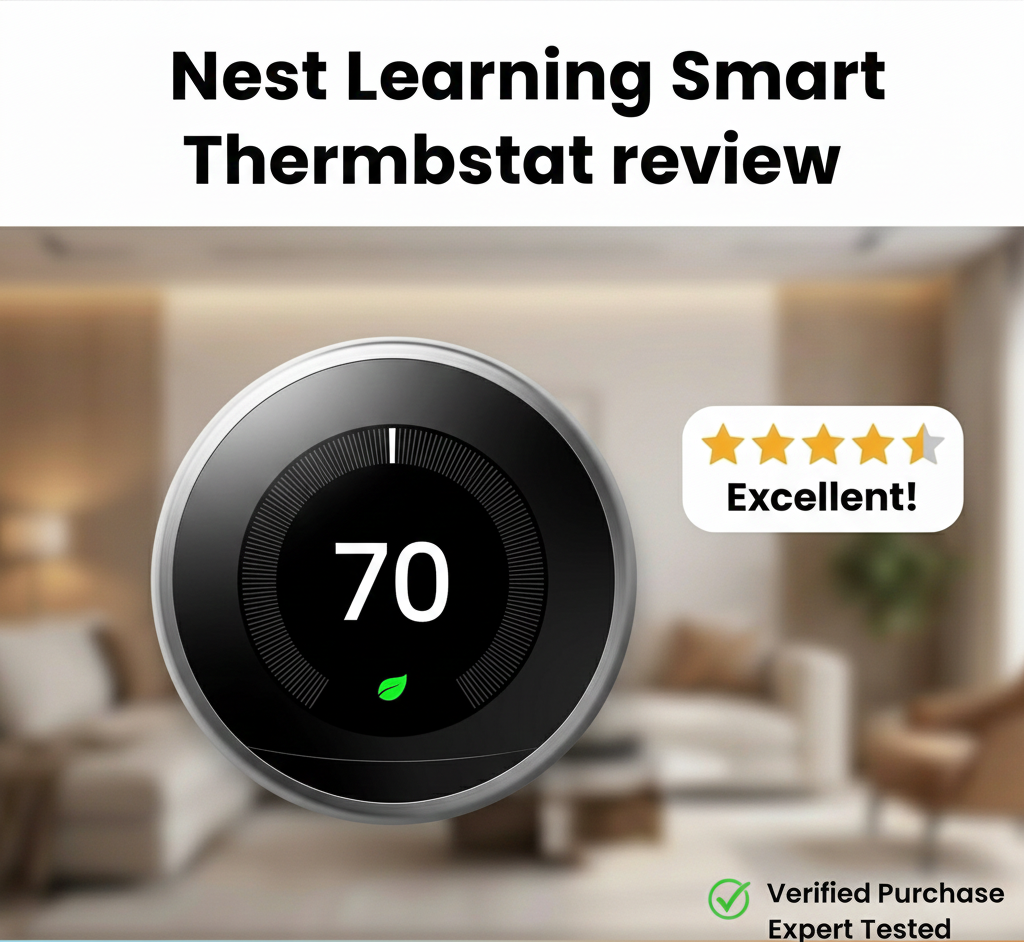
Nest Learning Thermostat Review: Is the Original Still the Best?
It has been over a decade since the original Nest Thermostat revolutionized the HVAC industry. Before its arrival, the thermostat was a beige, rectangular eyesore that most homeowners ignored until something broke. Nest changed everything by turning a utility switch into a desirable piece of home technology. But in a market now flooded with competitors — and with Google’s own fourth-generation model now on shelves alongside the still-available 3rd Gen — which Nest do you buy, and does it still hold the crown?
With heavy competition from Ecobee and Honeywell, Google’s flagship device has to rely on more than just good looks. In this comprehensive review, we test its installation ease, “learning” capabilities, sensor accuracy, the new Gen 4 AI features, Matter compatibility, Rush Hour Rewards, and whether it is truly the best smart thermostat for energy savings.
The Quick Verdict
Our Verdict
The Nest Learning Thermostat remains the gold standard for design and ease of use. The 4th Gen raises the bar considerably with a gorgeous redesign, bundled temperature sensor, Google Soli radar-powered Dynamic Farsight, expanded AI scheduling, and Matter support that the 3rd Gen never had. For homeowners who want a premium look, effortless learning, and deep Google ecosystem integration, the Gen 4 is a meaningful upgrade.
Bottom Line: If you are buying new, buy the Gen 4. If you already own a 3rd Gen and it is working well, upgrading is a nice-to-have rather than a must. If you need HomeKit or remote room sensors, Ecobee is still the better choice.
Category Ratings Breakdown
The Full Nest Thermostat Lineup: Which Model Is Which?
Google markets multiple Nest thermostat models simultaneously, and the naming can be confusing. Before getting into the review, here is the complete current lineup clearly explained — because buying the wrong model is a very expensive mistake.
Nest Learning Thermostat Gen 4
Current Flagship — $279- Launched August 2024
- 2.7″ domed crystal LCD — 60% larger than Gen 3
- Google Soli radar — Dynamic Farsight
- Matter certified — works with Apple Home, SmartThings
- New 12-terminal backplate — expanded HVAC compatibility
- Nest Temperature Sensor bundled in box
- Power Sharing (no C-wire needed reliably)
- Polished Silver, Obsidian, Gold finishes
Nest Learning Thermostat Gen 3
Still Available — from $169- Launched 2015 — a proven 10-year design
- 2.0″ circular display with metal bezel ring
- Farsight, learning algorithm, Home/Away Assist
- No Matter support
- No bundled temperature sensor
- Power stealing (can cause issues on some systems)
- Copper, Stainless, Black, White finishes
Nest Thermostat (2020)
Budget Option — from $129- Plastic housing, mirrored display
- No auto-learning — requires manual schedule setup
- No Farsight, no metal bezel
- Standard scheduling, geofencing, app control
- Works with Google Home and Alexa
- Significantly lower price for basic smart features
Nest Gen 3 vs. Gen 4: The Complete Comparison
The 4th Generation Nest Learning Thermostat launched in August 2024 — nearly a decade after the 3rd Gen — and represents the most significant redesign in the product’s history. This section provides the complete, honest comparison for buyers deciding between the two or current 3rd Gen owners evaluating an upgrade.
| Feature | Gen 3 (3rd Gen) | Gen 4 (4th Gen) |
|---|---|---|
| Launch year | 2015 | 2024 |
| Display | 2.0″ circular LCD, 480×480px | 2.7″ domed crystal LCD — 60% larger |
| Presence detection | Passive infrared sensor | Google Soli radar chip — Dynamic Farsight |
| Design finish | Stainless Steel bezel, metal ring | Slimmer profile, edge-to-edge glass, floating look |
| Color options | Copper, Stainless, Black, White | Polished Silver, Obsidian, Gold |
| Matter support | ❌ No | ✅ Yes — works with Apple Home, SmartThings, Home Assistant |
| HVAC terminals | 10-wire configuration | 12-terminal backplate — broader compatibility |
| Bundled sensor | ❌ No — sold separately | ✅ Yes — 1 Nest Temperature Sensor in box |
| Power method | Power stealing (can cause issues) | Power Sharing — more reliable, no C-wire still needed |
| AI scheduling | Standard learning algorithm | Smart Schedule + Adaptive Eco + Natural Heating/Cooling |
| Price (MSRP) | Was $249; now from $169 at 3rd-party | $279.99 |
Should You Upgrade from Gen 3 to Gen 4?
This is the question millions of current Nest Learning Thermostat owners are asking in 2026. The honest answer: it depends on one key factor — whether Matter integration and the new AI features matter to you.
Upgrade if Any of These Apply:
- You are building or expanding a mixed-brand smart home and want your thermostat to connect natively to Apple Home, SmartThings, or Home Assistant without ecosystem lock-in — Matter makes this seamless on Gen 4.
- You have hot or cold rooms and would benefit from the bundled temperature sensor for room-level prioritisation.
- Your Gen 3 has connectivity issues from power stealing — the Gen 4’s Power Sharing resolves this more reliably.
- You are upgrading your HVAC system at the same time — a natural point to refresh the thermostat with the most future-proof model.
- The display is in your main living area and the Gen 4’s larger, sharper, floating aesthetic genuinely appeals to you.
Skip the Upgrade if:
- Your Gen 3 is working reliably and you are satisfied with the Google-only ecosystem integration it provides.
- You do not need Apple Home or cross-platform Matter compatibility.
- The price difference is a concern — at $279 vs. $169 for a discounted Gen 3, saving $110 per thermostat is meaningful.
Design & Build Quality: The Apple of HVAC
If there is one category where Nest remains undefeated, it is industrial design. The device features a solid stainless steel ring (available in copper, black, silver, and white) that acts as the primary control mechanism. Unlike touchscreen-only devices such as the Emerson Sensi Touch review units, the Nest relies on a satisfying tactile rotation to adjust the temperature.
The display is a high-resolution, 24-bit color LCD covered by glass. It feels substantial. When you walk past it, the “Farsight” feature detects your presence and lights up to show the time, weather, or temperature. It turns a boring wall appliance into a clock and weather station.
However, design isn’t just about looks. The interface is intuitive. There are no confusing sub-menus hidden behind cryptic icons. You turn the dial to select, press to click. For anyone intimidated by thermostat instructions for homeowners, the Nest is a breath of fresh air.

Nest Learning Thermostat
The smartest way to save energy and stay comfortable.
Check Price on AmazonGen 4: A Complete Design Reimagining
Where the 3rd Gen kept the same circular-with-metal-bezel design for nearly a decade, the 4th Gen represents Google’s most ambitious redesign of a Nest product. The changes are not cosmetic — they affect how you interact with the thermostat daily.
The most striking change is the display: at 2.7 inches, it is 60% larger than the Gen 3’s 2.0-inch screen, and the crystal LCD domes slightly outward rather than sitting flat against the body. The stainless steel bezel between the display and the metal ring has been eliminated — the screen runs much closer to the edge, creating the “floating in mid-air” effect that multiple reviewers describe as the most distinctive physical change. The oval-shaped backplate further reinforces this floating appearance by making the thermostat’s base smaller than its face.
The Gen 4 is available in Polished Silver, Polished Obsidian, and Polished Gold — three finishes that complement kitchen and living room aesthetics in a way the Gen 3’s more traditional options did not. If aesthetics on a prominent wall are a primary purchasing criterion, the Gen 4 is genuinely a step above its predecessor.
Installation: The C-Wire Controversy
Google markets the Nest Learning Thermostat as compatible with 95% of systems, often claiming it does not require a Common Wire (C-wire). While this is technically true, it is also the source of the device’s biggest headaches.
The Nest uses a technology called “power stealing” (Gen 3) or “Power Sharing” (Gen 4) to charge its internal battery by drawing power from your HVAC system wires. For many homes, this works fine. However, for some systems, this power pulse causes the HVAC relays to chatter, leading to issues where the thermostat keeps rebooting or the Wi-Fi disconnects frequently.
If you install the Nest and notice thermostat low battery symptoms, you will likely need to install a C-wire adapter or run a new wire. In contrast, competitors like the Ecobee Smart Thermostat Premium review units include a power extender kit in the box to solve this exact problem.
Power Sharing vs. Power Stealing: What Changed in Gen 4
One of the most practically significant improvements in the 4th Gen is the shift from “power stealing” to “Power Sharing” — but most reviews skip over what this actually means and why it matters.
Power Stealing (Gen 3)
The Gen 3 uses power stealing to charge its battery in the absence of a C-wire. It works by drawing tiny amounts of current through the HVAC control wires — the heating wire (W), cooling wire (Y), or fan wire (G) — during the brief moments when those wires are not actively called upon. The problem is that some HVAC control boards are sensitive enough to interpret this small current draw as an actual call signal. The result: the furnace or air conditioner briefly starts and stops (chatters or short-cycles), or the thermostat’s Wi-Fi module repeatedly disconnects because the power draw is insufficient to maintain continuous connectivity. This is the origin of most Gen 3 installation complaints and is the reason HVAC professionals consistently recommend installing a C-wire with any Nest Gen 3 setup.
Power Sharing (Gen 4)
The Gen 4 solves this with Power Sharing — a more sophisticated power management approach that draws from multiple wires in a coordinated way that is less likely to trigger false signals on sensitive control boards. Combined with better battery management and a more efficient Wi-Fi module, the Gen 4 provides stable operation in most installations without a C-wire. However, Google still recommends a C-wire or the Nest Power Connector (a $15 add-on that functions similarly to Ecobee’s PEK) for guaranteed performance on all HVAC systems. If your home has a C-wire already, use it — with both Gen 3 and Gen 4, the C-wire is always the more reliable configuration.
Does the “Learning” Feature Actually Work?
The core selling point of this device is the algorithm. Most people buy programmable thermostats and never program them. The Nest solves this by programming itself.
- Week 1: You adjust the thermostat manually. You turn it down when you leave and up when you wake.
- Week 2: Nest recognizes the pattern and creates a schedule.
- Ongoing: It uses the built-in occupancy sensors and your phone’s location to enable “Home/Away Assist.”
In our testing, the auto-schedule is effective for people with predictable routines. However, if you work irregular shifts, the learning mode can sometimes be frustrating, turning down the heat while you are home just because you are usually away at that time. Fortunately, you can turn off the learning features and use it as a standard Wi-Fi thermostat.
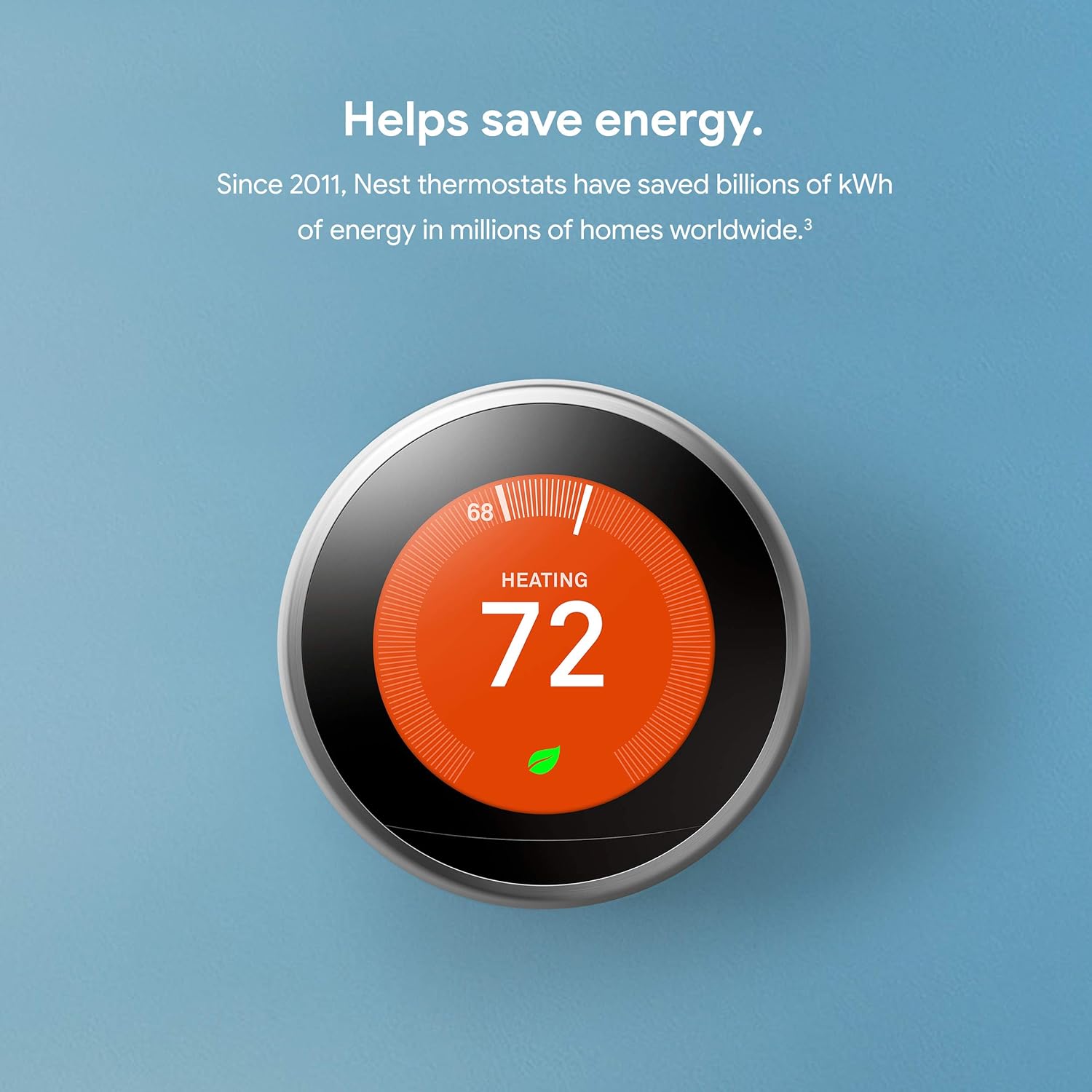
So, do smart thermostats really save money? Google claims savings of 10–12% on heating and 15% on cooling. The “Nest Leaf” icon appears on the screen when you are saving energy, gamifying your efficiency. This psychological nudge is arguably as effective as the algorithm itself.
Gen 4 AI Features: What’s Actually New
The 4th Gen represents a meaningful expansion of Nest’s AI capabilities beyond the basic learning algorithm that has defined the product since 2011. Three new features distinguish it from the Gen 3 in ways that are practically significant.
Smart Schedule (Expanded AI)
The Gen 3’s learning algorithm was primarily reactive — it observed your past manual adjustments and replicated them. The Gen 4’s Smart Schedule is more proactive: it monitors not just your manual adjustments but also motion detected by its sensors and patterns in how often you deviate from the schedule. If it detects that you consistently come home earlier on Fridays, it builds that variability into the schedule. If you often override the night setback because the bedroom is too cold on Monday mornings, it adjusts. The Gen 4 aims to reach comfort within 3–5 days — faster than the Gen 3’s one-to-two-week learning period — because it uses more data points simultaneously.
Adaptive Eco
Eco temperature is the setpoint Nest uses when the home is unoccupied — typically a wide-band setback (65°F in winter, 76°F in summer) that saves energy while avoiding extreme temperatures. The Gen 4’s Adaptive Eco goes further: it adjusts the Eco setpoint dynamically based on outdoor weather conditions and the home’s thermal mass. On a mild autumn day when outdoor temperatures are 58°F, Adaptive Eco may allow the home to coast without any active conditioning. On a bitterly cold night, it tightens the Eco setpoint to ensure the system is already near comfort temperature when you arrive home — so recovery time is short. This is the “anticipatory” energy management that competitors like Ecobee have offered for years, now built into Nest’s core algorithm.
Natural Heating and Cooling
Natural Heating/Cooling is a genuinely clever feature that monitors outdoor temperature conditions and backs off active heating or cooling when the weather is already working in your favour. On a spring morning when outdoor temperatures are 68°F and rising, the Gen 4 may pause the air conditioning and let natural ventilation maintain comfort — only activating the mechanical system when truly needed. This can meaningfully reduce shoulder-season energy consumption in climates with moderate spring and fall temperatures. It requires no user configuration — the thermostat manages it automatically when conditions allow.
Sunblock: The Sensor Intelligence Most Reviews Skip
Sunblock is one of Nest’s most practically valuable — and most under-explained — features. It is mentioned briefly as a bullet point in most reviews but deserves a full explanation because it addresses a real and common thermostat problem.
The Problem It Solves
Thermostats are wall-mounted sensors. When direct sunlight falls on a thermostat — through a west-facing window in the late afternoon, or through a skylight in a hallway — the radiant heat from the sun warms the thermostat’s casing directly, causing it to read the room as several degrees warmer than it actually is. The thermostat responds by triggering the air conditioner even though the room itself is at a comfortable temperature. The result: the system overcools the rest of the house while the thermostat location remains warm from sunlight. This wastes significant energy and creates discomfort.
How Sunblock Works
Nest’s Sunblock uses the thermostat’s light sensors to detect when direct sunlight is hitting the device. When detected, it applies a correction factor to its temperature reading — compensating for the solar heat gain on the sensor casing — so the displayed temperature and the setpoint call are based on actual room air temperature rather than thermostat-surface temperature. The correction is automatic and does not require user configuration. It can be disabled in settings if you find it unnecessary for your thermostat’s location, but for thermostats in sun-affected positions it can meaningfully improve both comfort and energy efficiency.
Farsight and the Gen 4 Soli Radar: Dynamic Presence Detection
Farsight is the Nest feature that activates the display when someone is approaching — showing temperature, time, weather, or whatever you have configured — without requiring you to touch or stand directly in front of the device. Both Gen 3 and Gen 4 have Farsight, but the technology behind it changed significantly.
Gen 3 Farsight: Passive Infrared
The Gen 3 uses a passive infrared (PIR) sensor to detect presence. PIR sensors detect the heat signature of moving bodies within their field of view. They work reliably when someone walks past the thermostat, but can miss stationary people (PIR responds to movement, not presence) and can produce false activations from warm air currents or other heat sources.
Gen 4 Dynamic Farsight: Google Soli Radar
The Gen 4 uses Google’s Soli radar chip — the same chip used in the Pixel 4 phone’s face unlock and Google Nest Hub Max’s presence detection. Soli transmits low-power millimeter-wave radar pulses and analyzes the reflections to detect not just gross movement but also fine motion (like breathing) and the direction of approach. Dynamic Farsight uses this capability to display different levels of detail based on your distance from the thermostat: basic temperature at a distance, more detailed status as you approach, and full interface when you are close enough to interact. The display also turns off fully when no one is in the room — more aggressively than the Gen 3’s dimming behaviour — which reduces visual distraction and preserves the device’s premium appearance.
The Bundled Nest Temperature Sensor: What It Does and Why It Matters
One of the Gen 4’s most practically significant additions is the inclusion of a Nest Temperature Sensor in the box — a $29.99 accessory that Gen 3 buyers had to purchase separately, and that was absent from the Gen 3 bundle even at $249.
What the Temperature Sensor Does
The Nest Temperature Sensor is a small, disc-shaped wireless sensor that you place in a room other than where the thermostat is installed. It communicates its temperature reading to the thermostat, which can then use that reading instead of (or averaged with) its own to make conditioning decisions. The most common use case: thermostat in the first-floor hallway, sensor in the upstairs bedroom. Set the thermostat to prioritise the sensor during sleeping hours, and the system conditions the bedroom to your sleeping setpoint rather than the hallway temperature — which may be quite different.
You can purchase additional sensors individually ($29.99) or in a three-pack ($99.99). Each sensor has a configurable schedule for when it is the priority sensor. This provides a basic form of room-level temperature management that approaches (though does not match the sophistication of) Ecobee’s multi-sensor approach.
Safety Heating: Freeze Protection When You Are Away
Safety Heating is one of Nest’s most valuable but least-discussed features, particularly for vacation homeowners and anyone who travels for extended periods in winter.
When Safety Heating is active — which it is by default — the thermostat maintains a minimum indoor temperature regardless of the Eco setpoint or Away mode settings. The default Safety Heating threshold is 40°F (4°C) for heating systems, which is above the temperature at which water pipes can begin to freeze. If indoor temperatures fall to this threshold because of a heating failure or a cold snap during an extended absence, the thermostat activates the heating system to prevent the temperature from dropping further.
This feature operates independently of your schedule and Away mode — it is a safety floor rather than a comfort setting. The threshold is configurable in the app and on the device — for homes in very cold climates or with copper pipes in vulnerable locations, raising it to 45–50°F provides additional margin. The app sends an alert notification when Safety Heating activates, so you know immediately if your heating system has had an issue during an absence. Combined with the thermostat’s HVAC monitoring diagnostics (covered in the diagnostics section), this makes the Nest a genuine early warning system for heating failures in unoccupied properties.
Energy History: Understanding Your HVAC Usage
Energy History is Nest’s runtime reporting feature — a graphical display in the Google Home app that shows how long your HVAC system ran over recent days, weeks, and months, and what caused those runs (schedule, manual override, Home/Away Assist, or Recovery).
The Energy History dashboard answers the questions that motivate most smart thermostat purchases: How much did my heating run yesterday versus last week? Did my Away mode actually reduce runtime while I was out? Is my system running longer to achieve the same temperature (a potential maintenance indicator)? The display correlates runtime with outdoor temperature data, so you can see the relationship between cold weather and system run time — and identify days where the system ran significantly more than the weather alone would predict.
Compared to Ecobee’s Home IQ, Nest’s Energy History is less granular — it does not estimate dollar costs (Ecobee does, with your rate input), and it does not compare your home’s efficiency to similar homes. For most users the runtime visualisation is sufficient. For energy-data enthusiasts, Ecobee provides significantly more analytical depth.
Filter and HVAC Maintenance Reminders
A practical and underappreciated feature of Nest thermostats is the maintenance reminder system, which tracks HVAC runtime and sends notifications when filters and other consumable components are approaching the end of their service life.
The filter reminder is based on actual runtime hours — not a fixed calendar interval. A filter in a heavily used HVAC system in a dusty environment may need replacement after 60–90 days; a filter in a system that runs infrequently may last 6 months. Runtime-based reminders are more accurate than either approach. You configure your filter type’s rated service life in the app, and Nest tracks runtime against that rated life, sending a notification when replacement is due.
In the Gen 4, the filter change notification is visible directly on the thermostat’s display — flagged automatically when runtime-based calculations indicate replacement is needed. This is a feature reviewers at TechGearLab specifically called out in their Gen 4 testing as one of the most practically useful improvements over the Gen 3, which delivered the same notification but only via app push notification.
Rush Hour Rewards and Utility Rebates
Two of the most financially significant Nest features are almost entirely absent from most review coverage: the Rush Hour Rewards demand response program and the utility rebate ecosystem.
Rush Hour Rewards
Rush Hour Rewards is Google’s demand response program, available in partnership with participating utilities. When the electric grid is under peak stress — typically hot summer afternoons between 3pm and 9pm — the utility can request that Nest thermostats in enrolled homes temporarily adjust their setpoints to reduce air conditioning load. Adjustments are typically small (1–3°F warmer for 1–4 hours) and you retain override rights at all times. In exchange, participating households receive bill credits, typically $20–$50 per summer season depending on the utility and the number of events.
Rush Hour Rewards is available in many US utility territories — Nest’s compatibility page lists currently enrolled utility partners. Enrollment is done through the Google Home app in a few taps once you confirm your utility is a participant. For households in hot climates running significant air conditioning loads, participation can provide meaningful annual bill credits with essentially no perceived comfort impact during normal events.
Utility Rebates
Many US and Canadian utilities offer rebates of $25–$100 on qualifying smart thermostat purchases, including Nest models. The exact rebate amounts, qualifying models, and application processes vary by utility. Always check your utility’s website before purchasing — a $100 rebate on a $279 thermostat meaningfully changes the value calculation. Some utilities offer point-of-sale discounts directly through retailers, while others require a mail-in rebate claim after purchase. Google’s own website maintains a rebate finder tool for Nest products that is worth checking before finalising a purchase.
Matter Certification: The Gen 4’s Most Important Upgrade
Matter is the universal smart home interoperability standard supported by Apple, Google, Amazon, Samsung, and most other major smart home ecosystem companies. A Matter-certified device works natively across all supporting platforms without bridges or workarounds. For smart thermostats, Matter certification means a Nest Gen 4 can be added directly to Apple Home, SmartThings, or Home Assistant — without needing a Google account or the Google Home app as an intermediary.
What Matter Means in Practice
Before Matter, the Nest Learning Thermostat (Gen 3) was effectively a Google-only device in terms of native integration. Alexa and Google Assistant could control it via cloud APIs, but Apple HomeKit support required a third-party bridge like Homebridge — a technical workaround that most mainstream users would not attempt. The Gen 4 eliminates this entirely: scan the QR code in the thermostat settings, add it to Apple Home directly, and it appears as a native HomeKit thermostat supporting all HomeKit temperature controls and automations.
This is the single most compelling reason for Apple ecosystem users to choose the Gen 4 over the Gen 3. The Gen 3’s absence from HomeKit — in a market where Ecobee has offered native HomeKit support for years — was a persistent competitive disadvantage. The Gen 4 corrects this completely.
Thread: Local Control Without Internet
The Gen 4 also supports Thread — the low-power mesh networking protocol that underlies Matter’s local control capabilities. Thread devices communicate directly with other Thread devices and Thread border routers (Apple TV 4K, HomePod mini, Google Nest Hub Max) without routing through cloud servers. This means that even if your internet connection goes down, a Gen 4 thermostat on a Thread network continues to respond to schedules, automation commands from local smart home hubs, and manual control from other Thread devices. For the Gen 3, internet outage meant app-only control was unavailable — the device still followed its local schedule, but cloud-dependent features stopped working.
HVAC Monitoring and Diagnostics
A newer feature rolled out to Nest users is HVAC monitoring. The thermostat monitors the behavior of your heating and cooling system. If it notices that it takes longer than usual to cool your home — potentially indicating a thermostat not reaching set temperature efficiently — it will send you an email alert.
It can also help diagnose if your thermostat says heat on but no heat is coming out, often flagging potential furnace ignition failures. This proactive approach turns the device into a diagnostic tool, potentially saving you an emergency service call fee.
The Google Home App: What Changed After the Nest App Migration
The Gen 3 originally used the dedicated Nest app, which many users considered excellent. Google’s migration of Nest products to the Google Home app — completed in 2023 — was rocky for early movers, with features temporarily missing or relocated. By 2026, the migration is complete and the Google Home app provides a fully functional thermostat control interface. The Gen 4, launching post-migration, has always used Google Home natively and avoids the transition friction entirely. The app provides schedule management, energy history, sensor priority settings, mode control, and the thermostat’s full settings menu — all accessible remotely.
One genuine improvement: when you tap the thermostat in the Google Home app, it now explicitly explains what the thermostat is currently doing and why — “Heating to 70°F because it’s colder than your schedule setpoint” rather than just showing a status icon. This transparency makes the smart features feel less mysterious and more trustworthy.
Comparison: Nest vs. Ecobee and Honeywell
The smart home market is a battlefield. Here is how the Nest Learning Thermostat stacks up against its main rivals.
Nest vs. Ecobee
The debate of Nest vs Ecobee thermostat is the biggest in the industry.
- Nest Wins: Aesthetics, ease of use, learning algorithm, Gen 4 design, Natural Heating/Cooling.
- Ecobee Wins: Remote sensors (included in box), Apple HomeKit native integration (pre-dates Gen 4’s Matter), advanced HVAC data and energy reporting, built-in Alexa speaker, IAQ monitoring on the Premium model.
If you have a home with hot and cold spots, Ecobee’s focus on remote sensors makes it superior. However, for pure style and “set it and forget it” simplicity, Nest wins. The Gen 4’s Matter support has significantly closed the HomeKit gap.
Nest vs. Honeywell
When comparing Honeywell thermostat vs Nest, you are comparing legacy HVAC reliability against modern tech. Honeywell units like the Honeywell Home T9 are utilitarian and incredibly reliable, but they lack the premium feel and intuitive app experience of the Nest.
| Feature | Nest Learning Thermostat | Ecobee Premium | Honeywell T9 |
|---|---|---|---|
| Material | Stainless Steel & Glass | Zinc & Glass | Plastic |
| C-Wire Required | No (But recommended) | Yes (Adapter included) | Yes (Adapter included) |
| Sensors Included | Usually None (Bundle varies) | 1 SmartSensor | 1 Room Sensor |
| Voice Assistant | Compatible (Alexa/Google) | Built-in Alexa/Siri | Compatible |
Who Should NOT Buy the Nest Learning Thermostat
A thorough review serves buyers better by being honest about who should look elsewhere. Despite the Nest’s many strengths, these specific situations call for a different thermostat.
- Electric baseboard or radiant floor heating owners: The Nest is strictly a 24V low-voltage device. It cannot control line-voltage baseboard heaters. Use Mysa or Stelpro instead.
- Homes with significant hot/cold room imbalances: If multiple rooms run at meaningfully different temperatures from the thermostat location, Ecobee’s multi-sensor ecosystem provides better room-level comfort management. The Gen 4’s bundled single sensor helps but does not fully address a multi-room imbalance problem.
- Heavy Ecobee energy data users: If granular energy reporting — dollar cost estimates, weather correlation, comparison to similar homes — is important to your decision-making, Ecobee’s Home IQ remains substantially more capable than Nest’s Energy History.
- Homeowners with older or unusual HVAC systems: While the Gen 4’s 12-terminal backplate expands compatibility, complex multi-transformer systems, proprietary communicating HVAC systems (Lennox iComfort, Carrier Infinity), and unusual boiler configurations may not be supported. Always use the compatibility checker before purchase.
- Budget buyers: At $279 for the Gen 4, the Nest Learning Thermostat is one of the most expensive smart thermostats on the market. The basic Nest Thermostat at $129 provides smart scheduling and geofencing at a much lower cost if the learning algorithm and premium design are not priorities.
Pros & Cons
✅ The Good
- Stunning Design: The rotating metal bezel and Gen 4’s floating aesthetic are still the best interface in the business.
- Learning Capabilities: Excellent for users who don’t want to program schedules manually.
- Farsight: Displays weather and time visibly from across the room; Gen 4’s Soli radar is meaningfully better.
- App Ecosystem: Google Home app integration is robust, with transparent explanations of what the thermostat is doing.
- Sunblock: Detects direct sunlight and adjusts sensors so it doesn’t think the room is hotter than it is.
- Gen 4 Matter support: Works natively with Apple Home, SmartThings, Home Assistant — a major upgrade over Gen 3.
- Safety Heating: Freeze protection for unoccupied properties is a genuine practical asset.
- Natural Heating/Cooling (Gen 4): Reduces unnecessary mechanical conditioning when weather conditions allow.
- Rush Hour Rewards: Bill credits for demand response participation.
- Filter reminders: Runtime-based maintenance alerts keep HVAC equipment in good condition.
❌ The Bad
- Price: It is one of the most expensive options on the market at $279 for Gen 4.
- C-Wire Issues (Gen 3): “Power stealing” can cause issues with sensitive HVAC boards.
- External Sensors Extra (Gen 3): Unlike Ecobee, Gen 3 users have to buy room sensors separately.
- Limited Energy Reporting: No dollar cost estimates or home comparisons — Ecobee’s Home IQ is significantly more detailed.
- Google Ecosystem Lock-in (Gen 3): Gen 3 lacks Matter; Gen 4 resolves this but Gen 3 owners are tied to Google Home.
- Learning frustrations for irregular schedules: The algorithm can be counterproductive for shift workers or highly variable household routines.
- US and Canada only (Gen 4): The 4th Gen is not available in the UK or Europe as of 2026.
Frequently Asked Questions
Does the Nest Learning Thermostat work with Alexa?
Yes, despite being a Google product, the Nest Learning Thermostat works seamlessly with Amazon Alexa for voice control. If you are comparing ecosystems, see our guide on Google Nest vs Amazon Smart Thermostat.
Do I need a C-wire for Nest Learning Thermostat?
Nest claims compatibility without a C-wire for most systems, but HVAC experts highly recommend one to prevent battery drain and Wi-Fi disconnection issues. The Gen 4’s Power Sharing is more reliable than the Gen 3’s power stealing, but a C-wire remains the most stable configuration for both. If you lack a C-wire, the Nest Power Connector add-on ($15) provides a reliable alternative to running new wire.
What is the difference between Nest Thermostat and Nest Learning Thermostat?
The Learning Thermostat has a metal body, Farsight display, and the ability to auto-schedule itself based on your behaviour. The basic Nest Thermostat (2020) is plastic, has a mirrored display, and requires manual scheduling — it does not learn your habits. The Learning Thermostat is the premium product; the basic Nest Thermostat is the budget alternative.
How do I know if my thermostat is bad?
If the display is blank, the temperature reading is wildly inaccurate, or it calls for heat but the furnace doesn’t fire, you should check our guide on how to tell if your thermostat is bad.
Can Nest control a whole-house humidifier?
Yes, the Nest Learning Thermostat has a ‘*’ terminal that can be configured to control humidifiers, dehumidifiers, or emergency heat. The Gen 4’s expanded 12-terminal backplate supports both a humidifier and dehumidifier simultaneously — a capability limited to one or the other on the Gen 3.
Does the Nest Gen 4 support Apple HomeKit?
Yes — the 4th Generation Nest Learning Thermostat is Matter certified, which means it works natively with Apple Home and can be controlled via Siri. Adding it to Apple Home is done by scanning the QR code in the thermostat’s settings menu and following the standard HomeKit setup flow. This is a major upgrade over the Gen 3, which required a third-party bridge for HomeKit access. The Gen 4 also supports Thread, enabling local control without internet dependency when used with a Thread border router (Apple TV 4K or HomePod mini).
What is the difference between Nest Gen 3 and Gen 4?
The key differences: Gen 4 has a 60% larger domed display, Google Soli radar for Dynamic Farsight, Matter certification (works with Apple Home and other platforms), a 12-terminal backplate for broader HVAC compatibility, a bundled Nest Temperature Sensor, and Power Sharing instead of power stealing for more reliable no-C-wire operation. Gen 4 is $279; Gen 3 is available from $169 at retailers. If you are buying new, Gen 4 is the right choice. Gen 3 remains a strong value at significantly reduced prices.
What is Rush Hour Rewards on Nest?
Rush Hour Rewards is Google’s demand response program — a partnership with participating utilities that lets the utility make brief temperature adjustments (typically 1–3°F for 1–4 hours) during peak grid demand events. You retain override rights at all times. In exchange, enrolled households receive annual bill credits of $20–$50 depending on the utility. Enrollment is managed through the Google Home app. Check Nest’s compatibility page to see if your utility is a participating partner.
What is Safety Heating on Nest?
Safety Heating is Nest’s freeze protection feature. It maintains a minimum indoor temperature (default 40°F) regardless of your schedule or Away mode settings. If indoor temperatures fall to this threshold — due to a heating failure or extreme cold during an extended absence — the thermostat activates the heating system to prevent pipes from freezing. The app sends an alert notification when Safety Heating activates. The threshold is configurable in app settings for homes that need a higher safety floor.
Is the Nest Learning Thermostat worth it in 2026?
For most homeowners: yes, especially the Gen 4. The combination of the best industrial design in the category, a learning algorithm that genuinely reduces the burden of temperature management, Matter support for cross-platform smart home integration, Safety Heating for property protection, and Rush Hour Rewards for ongoing bill credits makes the Gen 4 a compelling investment at $279. For homes with hot/cold spot problems, Ecobee’s sensor ecosystem may deliver better practical results. For electric baseboard homes, Mysa is the correct choice. But for the typical central HVAC home where design and ease of use are priorities, the Nest Gen 4 remains the benchmark product in its category.
Final Verdict: Is the Nest Learning Thermostat Worth It?
The Nest Learning Thermostat remains the gold standard for design and ease of use. It is the best choice for homeowners who want a premium look on their wall and don’t want to spend hours programming a schedule. The auto-schedule feature effectively saves money for users with predictable lives, and the “Leaf” system is a brilliant way to encourage efficiency.
The 4th Generation represents a genuinely meaningful upgrade over its decade-old predecessor — not just a visual refresh. Matter support, Dynamic Farsight via Soli radar, Natural Heating/Cooling, the bundled temperature sensor, and Power Sharing are substantive improvements that address the Gen 3’s real weaknesses. For new buyers, the Gen 4 is the clear choice.
However, if you are a tech enthusiast who wants granular control, HomeKit integration without Matter, or you have a large home with many temperature imbalances, the ecobee3 Lite Smart Thermostat review or the Premium model might be a better fit due to their superior sensor integration.
Ultimately, for those asking are wifi thermostats worth it, the Nest proves that they are — not just for the energy savings, but for the peace of mind and comfort they bring to your home.
For more tips on maintaining temperature in your home (and your beverages!), don’t forget to check our complete thermos guide and learn about the most durable thermos options for your commute.





 Home
Home
 Info
Info
 Compare
 Reviews
 Shop
Shop