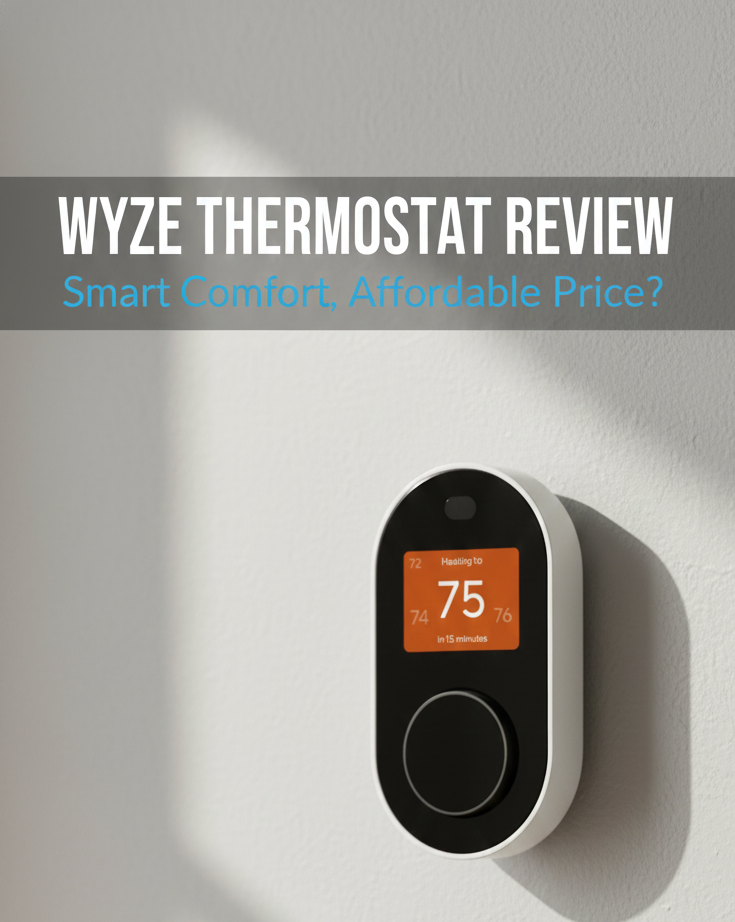
Wyze Thermostat Review 2026: Can a Sub-$80 Device Really Beat Nest?
For years, the smart thermostat market was a duopoly ruled by Nest and Ecobee, with entry prices hovering around $250. Then came Wyze. Known for disrupting the smart home security camera market with impossibly low prices, Wyze applied the same value-engineering philosophy to climate control. The result is the Wyze Smart Thermostat — a sleek, Wi-Fi-connected device that costs less than a dinner for two.
But in the world of HVAC, “cheap” can often mean “expensive headaches” down the road. Does the Wyze Thermostat cut too many corners in 2026? Can it genuinely compete as the best smart thermostat for energy savings on a budget? We tested it for six weeks across two different homes to find out.
First Impressions & Design
Unboxing the Wyze Thermostat, you are immediately struck by its confident minimalism. It doesn’t feel like a cheap plastic toy. It features a matte black finish paired with a physical rotary dial — a nod to the classic thermostat design that Nest popularized, but at a price point Nest couldn’t dream of matching. The display is an IPS panel hidden behind the matte face, illuminating only when you approach the unit or rotate the dial. This ambient display approach conserves energy and gives the thermostat a clean, off-state appearance on the wall.
The design is distinctly minimalist and intentionally so. While it lacks the premium glass-and-metal construction of the Ecobee Smart Thermostat Premium, it looks significantly more contemporary than the standard white plastic rectangles occupying most hallways. The dial rotation is smooth and tactile — more satisfying than a touchscreen for quick manual adjustments, though it lacks the weighted, damped luxury feel of the Nest Learning Thermostat’s ring.
At roughly 3.5 inches in diameter, the Wyze Thermostat has a compact footprint. The included wall plate covers standard-sized mounting holes left by most older thermostat replacements. One practical note: the matte black finish shows fingerprints and smudges more visibly than white-bodied alternatives — a minor real-world consideration for high-traffic hallway installations.
Quick Specs at a Glance

Wyze Smart Thermostat
Simple. Affordable. Smart. Control your home from anywhere without breaking the bank.
Check Price on Amazon →Installation: The C-Wire Adapter Advantage
One of the biggest practical barriers to smart thermostat adoption is the C-wire (Common wire) requirement. This wire provides continuous 24V power to the thermostat, keeping the Wi-Fi radio and display running without borrowing power from the heating system’s signal wires. Without a C-wire, many smart thermostats resort to “power stealing” — a workaround that can cause issues where the thermostat keeps rebooting or intermittently drops from the Wi-Fi network, particularly on sensitive HVAC control boards.
The Wyze app’s installation walkthrough is guided and app-based, stepping you through wire identification, system type selection, and initial configuration. For most standard single-stage heating and cooling systems, the process takes 25–40 minutes for a confident DIYer.
However, if you have a complex system — particularly a heat pump with auxiliary or emergency heat stages — the instructions can be somewhat generic at the heat pump wiring steps. Pay close attention to the O/B reversing valve selection during setup: this single setting is the root cause of the majority of Wyze heat pump complaints. Select O for most heat pump brands; select B specifically for Rheem and Ruud systems.
For first-time thermostat installers, our thermostat installation instructions for homeowners covers the fundamentals before you touch any wires — a recommended read regardless of which thermostat you’re installing.
Step-by-Step Installation Summary
- Turn off power at the breaker to your HVAC system before touching wiring.
- Remove your existing thermostat and photograph all wiring connections before disconnecting anything.
- Identify your wires using the Wyze app’s compatibility checker. If no C-wire is present, install the included C-Adapter at the furnace.
- Mount the Wyze wall plate, connect your labeled wires to the corresponding terminals, and snap the thermostat body onto the plate.
- Restore power and complete the in-app setup: select your system type, configure the O/B setting for heat pumps, set your schedule, and enable geofencing.
HVAC System Compatibility in 2026
The Wyze Thermostat covers the most common residential HVAC configurations found in North American homes, which is a significant part of why it competes effectively at its price point despite lacking some premium features.
What the Wyze Thermostat Is Compatible With
- Conventional single-stage forced-air systems: Gas, oil, and electric furnaces
- Central air conditioning: Single-stage cooling
- Heat pumps: Single-stage, with auxiliary (electric strip) and emergency heat support
- Fan coil units: 2-pipe configurations
- Auto-changeover (heat/cool): Yes — the app’s Auto-Switch mode handles this automatically
What the Wyze Thermostat Does NOT Support
- Multi-stage heating or cooling systems (2-stage furnaces, 2-stage compressors)
- Dual-fuel heat pumps (heat pump + gas backup with auto-switchover)
- High-voltage baseboard or radiant heating (120V/240V)
- Millivolt systems (gas fireplaces, gravity heaters)
- Whole-house humidifier, dehumidifier, or HRV/ERV control
- Apple HomeKit / Siri integration
- Proprietary HVAC communication buses
Smart Features: More Than Its Price Suggests
Wyze App & Scheduling
The Wyze app serves as the control hub for all Wyze devices, and the thermostat interface within it is clean and logically organized. You can adjust temperature, create 7-day schedules with multiple daily periods, view usage history, and access all configuration settings from anywhere. The Auto-Switch feature — which enables automatic changeover between heating and cooling based on your home’s temperature — is enabled simply and reliably, handling seasonal transitions without manual mode switching. This is a feature that was notably missing in older budget models like early versions of the Honeywell T5 lineup.
The app also provides a basic energy usage dashboard showing daily and weekly HVAC runtime. While less detailed than the Ecobee’s energy reports, it gives you a clear at-a-glance view of how hard your system is working and whether your schedule or geofencing adjustments are producing measurable efficiency gains.
Geofencing
Wyze supports GPS-based geofencing via the Wyze app. When your smartphone crosses outside the defined radius, the thermostat shifts to an eco setback temperature automatically. When you re-enter the radius, it returns to your home comfort settings. For a deeper explanation of how this technology works and why it saves money, read our guide on what a geofencing thermostat is.
In our 2026 testing, geofencing triggered correctly in the vast majority of cases. We did observe a delay of 3–8 minutes between returning home and the system switching back to home mode — a known behavior of GPS-based geofencing systems that use a brief delay to avoid false triggers from short-duration exits (taking out the trash, walking to the car). This delay is normal and expected. A small number of test instances showed the “home” trigger firing as we turned into the driveway rather than earlier along the route — a minor inconvenience rather than a functional failure.
Remote Room Sensors
Wyze sells separate Wyze Room Sensors that pair with the thermostat to enable multi-room temperature monitoring and priority control. If your upstairs bedroom consistently runs warmer than the thermostat’s hallway reading, placing a Wyze Room Sensor there allows the thermostat to prioritize that room’s temperature during sleeping hours. This addresses the core problem described in our guide on a thermostat not reaching set temperature — where the problem isn’t HVAC failure but rather the thermostat reading a comfortable unoccupied space while your actual living areas are too hot or cold.
This remote sensor capability puts the Wyze in direct competition with the Ecobee3 Lite Smart Thermostat, which also relies on separately purchased external sensors for multi-room comfort management. The Ecobee’s sensors are more feature-rich (with occupancy detection), but the Wyze sensors offer the core temperature-balancing functionality at a lower total cost.
Voice Assistant Integration
The Wyze Thermostat integrates seamlessly with both Amazon Alexa and Google Assistant. Commands like “Alexa, set the temperature to 72” and “Hey Google, turn on heating” execute reliably and quickly. Response time from voice command to thermostat action was consistently under 2 seconds in our testing.
The notable absence here is Apple HomeKit / Siri. The Wyze Thermostat has no HomeKit support and no announced plans for it as of early 2026. If your smart home is built around Apple Home scenes and Siri automations, this is a hard disqualifier — in which case the Honeywell T5 offers HomeKit support at the same budget price tier.
Auto-Schedule (Comfort Learning)
The Wyze app includes a basic comfort-learning feature that suggests schedule adjustments based on how often you manually change the temperature. This is a lighter-touch version of the full self-learning behavior found in the Nest Learning Thermostat — the Wyze suggests changes but does not apply them automatically without your approval. For homeowners who want a truly set-and-forget auto-learning experience, the Nest Learning Thermostat remains the benchmark. For everyone else, Wyze’s suggestion-based approach is a reasonable middle ground that keeps you in control.
Real-World Performance in 2026
We tested the Wyze Thermostat over six weeks across two homes: a 1,100 sq. ft. apartment with a single-stage fan coil system, and a 1,800 sq. ft. ranch with a single-stage gas furnace and central AC. Here’s the detailed performance breakdown:
Temperature Accuracy
The Wyze held setpoints within ±1.5°F of our calibrated reference thermometer — acceptable for a budget device, though slightly wider variance than the Honeywell T9’s ±0.5–1°F performance in our testing. The Wyze app allows you to calibrate the temperature reading if you find it consistently reads high or low, which is a genuinely useful setting that many budget thermostats omit. If the temperature reading seems persistently inaccurate, our guide on how to tell if your thermostat is bad helps distinguish calibration drift from a hardware fault.
Wi-Fi Connectivity Stability
The Wyze Thermostat requires a 2.4 GHz Wi-Fi network. It does not support 5 GHz, which is a notable limitation compared to the Honeywell T9 and T10 Pro that support dual-band. In our test environments with well-positioned 2.4 GHz access, connectivity was stable — zero unplanned disconnections over six weeks. In homes with congested 2.4 GHz bands or long distances between the router and the thermostat, connectivity may be less reliable than in our controlled test conditions.
For homeowners wondering are Wi-Fi thermostats worth it, the Wyze makes the answer straightforwardly “yes” precisely because the investment is low enough that the value calculation is easy — even modest energy savings from geofencing or scheduling pay back the purchase price within the first few heating or cooling months.
Display Legibility
The ambient IPS display is bright and readable in normal lighting conditions. In very bright rooms with direct sunlight, the low-intensity ambient state can be harder to read from across the room — rotating the dial to wake it to full brightness addresses this immediately. The dial’s tactile physical control is consistently a highlight in user feedback and our testing agreed: for quick manual temperature bumps, a physical dial is genuinely faster and more satisfying than navigating a touchscreen menu.
Firmware Updates
Wyze maintains an active firmware update cadence for the thermostat, which is both a strength and occasionally a source of short-term disruption. Updates generally improve reliability and occasionally add features. On rare occasions, an update may cause the thermostat to behave unexpectedly immediately after installation. If your thermostat is clicking but not turning on after a recent firmware update, a hard reset (holding the dial button for 10 seconds) resolves the issue in the vast majority of reported cases.
Energy Savings: Is the Wyze Worth It in 2026?
The Wyze Thermostat is Energy Star certified. In 2026, with energy costs remaining elevated in most North American markets, the case for even a budget smart thermostat is strong. The Wyze saves energy through two primary mechanisms:
- Geofencing setbacks: Automatically reduces conditioning when the home is unoccupied, eliminating the waste of heating or cooling an empty house. For households that are consistently away for 8+ hours on weekdays, this alone typically produces 8–14% annual HVAC energy savings compared to a fixed schedule that ignores occupancy.
- Schedule optimization: A well-configured 7-day schedule that drops temperatures during sleeping hours and absent periods consistently outperforms manual thermostat operation. The Wyze’s schedule interface makes this simple to set and adjust.
At the Wyze’s sub-$80 price point in 2026, the payback period for the device cost is remarkably short — often achievable within a single heating season for a moderately sized home. This is part of the core value proposition the Wyze makes that pricier competitors simply can’t replicate: the energy savings don’t need to be enormous to justify the investment when the investment itself is minimal.
Wyze vs. The Competition in 2026
Wyze vs. Nest
The Nest Learning Thermostat remains the benchmark for auto-learning behavior and premium industrial design. In 2026 it commands a price roughly 3–4x that of the Wyze. For that premium you get self-programming that genuinely works, a superior build with stainless steel and glass materials, and a more polished ecosystem experience. What you don’t get is a C-wire adapter in the box, remote sensor support, or a physical control dial. For most budget-conscious homeowners, the Wyze delivers 80% of the day-to-day smart thermostat value for approximately 25% of the Nest’s price.
Wyze vs. Ecobee
In the Ecobee vs Wyze thermostat comparison, Ecobee wins on build quality, Apple HomeKit integration, occupancy-detecting room sensors, and built-in voice assistant hardware. For Apple ecosystem users, Ecobee’s HomeKit support alone is a decisive differentiator that the Wyze cannot match. However, Wyze is frequently available at less than half the price of even the entry-level Ecobee3 Lite. If you don’t use HomeKit and don’t need occupancy detection in your room sensors, Wyze delivers the core multi-room temperature management feature set at a dramatically lower total cost.
Wyze vs. Amazon Smart Thermostat
The Amazon Smart Thermostat is built in partnership with Honeywell (Resideo) and sits in the same budget tier as the Wyze. Amazon’s unit integrates more deeply with Alexa’s “Hunches” feature and Alexa routines, but lacks a physical control dial — relying entirely on a touchscreen interface. The Wyze’s physical dial is a genuine UX advantage over Amazon’s touch-only navigation for quick manual adjustments. Neither supports Apple HomeKit. If you are deeply committed to an Alexa-first smart home, the Amazon unit offers tighter Alexa ecosystem integration. For everyone else, Wyze’s dial and sensor support give it the edge.
Wyze vs. Govee
In our Wyze vs Govee thermostat analysis, Wyze consistently outperforms Govee on app reliability, firmware update quality, and central HVAC control functionality. Govee’s thermostat products focus more heavily on Wi-Fi thermometers and ambient temperature monitoring than full residential HVAC control. For actual heating and cooling system management, Wyze is the more capable and better-supported product.
| Feature | Wyze Thermostat | Amazon Smart Thermostat | Ecobee3 Lite | Nest Thermostat (2020) |
|---|---|---|---|---|
| Price Tier | Budget ($) Lowest | Budget ($) | Mid-Range ($$) | Mid-Range ($$) |
| Controls | Physical dial ✓ | Touchscreen | Touchscreen | No touchscreen (mirror display) |
| C-Wire Adapter Included | Yes ✓ ✓ | Sold separately | Yes ✓ | No (power-steal capable) |
| Remote Sensors | Yes (sold sep.) ✓ | No ✗ | Yes (sold sep.) ✓ | No ✗ |
| Sensor Occupancy Detection | No (temp only) | No | Yes ✓ | No |
| Apple HomeKit | No ✗ | No ✗ | Yes ✓ ✓ | No ✗ (Matter pending) |
| Alexa Integration | Yes ✓ | Yes (deeper Hunches) ✓ | Yes ✓ | No ✗ |
| Google Assistant | Yes ✓ | Yes ✓ | Yes ✓ | Yes ✓ |
| Self-Learning | Suggestion-based only | No | Eco+ (partial) | No (non-learning model) |
| Geofencing | Yes ✓ | Yes ✓ | Yes ✓ | Yes ✓ |
| 5GHz Wi-Fi | No (2.4GHz only) | No (2.4GHz only) | Yes ✓ | Yes ✓ |
| Energy Star | Yes ✓ | Yes ✓ | Yes ✓ | Yes ✓ |
Common Issues & How to Fix Them in 2026
Thermostat Clicking But Not Starting
If your thermostat is clicking but not turning on the HVAC system, the most common cause is a post-update firmware hang. A hard reset — hold the dial button for 10 seconds until the display resets — resolves this in the vast majority of cases. If the problem persists after a reset, verify that your C-wire adapter is correctly seated at the furnace control board.
Heat Pump Blowing Cold Air on Heat Mode
If your thermostat says heat on but no heat comes from the vents, and you have a heat pump system, this is almost certainly the O/B reversing valve setting. In the Wyze app, go to Settings → Installation Settings → O/B Terminal. Select “O” for most heat pump brands (Carrier, Trane, Lennox, Goodman, Daikin). Select “B” specifically for Rheem and Ruud heat pump systems. This single setting swap resolves the cold-air-on-heat issue for the overwhelming majority of reported cases.
Geofencing Not Triggering Away Mode
If geofencing fails to switch to away mode when you leave, check that the Wyze app has “Always Allow” background location access in your phone’s privacy settings — both iOS and Android aggressively restrict background location for apps that don’t have this permission explicitly granted. Also verify that all household members registered to the thermostat have geofencing enabled in their own Wyze accounts. The thermostat will only switch to away when all registered users are outside the radius.
Temperature Reading Seems Inaccurate
If the Wyze’s temperature reading consistently differs from what you expect or what other thermometers show, use the temperature calibration setting in the app (Settings → Device Info → Temperature Calibration) to apply an offset. If the reading varies erratically rather than being consistently offset, check our guide on how to tell if your thermostat is bad to distinguish calibration drift from a sensor hardware issue.
Bluetooth Pairing Failure During Initial Setup
If the Wyze app fails to pair with the thermostat during initial setup via Bluetooth, move your phone to within 3 feet of the thermostat and retry. Ensure that no other Wyze devices are in active Bluetooth pairing mode simultaneously. If pairing still fails, force-close the Wyze app, restart your phone’s Bluetooth, and retry the pairing step. This resolves the vast majority of initial setup Bluetooth issues without requiring a return or exchange.
Wi-Fi Connection Drops
The Wyze Thermostat is 2.4 GHz only. If your router broadcasts both 2.4 GHz and 5 GHz under the same SSID (network name), ensure the thermostat connected to the 2.4 GHz band during setup — some routers may attempt to redirect new devices to 5 GHz, which the Wyze cannot use. Temporarily separating your network bands during initial Wi-Fi setup ensures the Wyze connects to the correct band.
Pros & Cons
✅ The Good
- Exceptional value: Feature-rich for under $80 — the best per-dollar smart thermostat in 2026.
- C-wire adapter included: Saves $25–35 and simplifies installation for older homes.
- Physical dial: Faster and more satisfying for manual adjustments than budget touchscreens.
- Remote sensor support: Rare capability at this price; enables multi-room temperature balancing.
- Reliable geofencing: Works well for irregular and unpredictable schedules.
- Clean app: Easy scheduling, energy history, and calibration settings.
- Alexa & Google: Full voice control with both major platforms.
- Energy Star certified: Eligible for applicable utility rebates.
- Auto-Switch mode: Handles heat/cool changeover automatically — no manual seasonal switching.
❌ The Bad
- No Apple HomeKit: A dealbreaker for Apple-centric households. No Siri, no Apple Home scenes.
- 2.4 GHz only: No 5 GHz Wi-Fi support — potential reliability issue in congested network environments.
- Single-stage systems only: Multi-stage heating/cooling and dual-fuel heat pumps are not supported.
- No occupancy detection in sensors: Wyze Room Sensors measure temperature only; no PIR motion detection like Ecobee sensors.
- Plastic build: Lightweight feel compared to Nest’s metal construction.
- Display dim in bright light: Ambient state can be hard to read from a distance in sunny rooms.
- Occasional Bluetooth pairing quirks: Initial setup can require multiple attempts.
- No IAQ control: Cannot manage humidifiers, dehumidifiers, or ventilators.
Frequently Asked Questions
Does the Wyze Thermostat work without a C-wire?
Yes, but you must use the included C-wire adapter (C-Adapter), which installs at your furnace control board. It converts your existing 4-wire bundle into an effective 5-wire setup. The Wyze Thermostat does not work on strict 2-wire heat-only systems without an external 24V power source — for those situations, a battery-operated thermostat is a more practical solution.
Does the Wyze Thermostat work with Alexa?
Yes. The Wyze Thermostat has full integration with Amazon Alexa and Google Assistant for voice control and automation routines. It does not support Apple HomeKit or Siri. If your smart home is Apple-based, the Honeywell T5 offers HomeKit support at a similar budget price.
Can the Wyze Thermostat control a humidifier?
No. The Wyze Thermostat does not have accessory control terminals (ACC terminals) for whole-home humidifiers, dehumidifiers, or ventilators. It controls heating stages, cooling stages, and the fan only. For humidifier or dehumidifier control integrated with thermostat scheduling, you need a thermostat with a U terminal — such as the Honeywell Home T10 Pro.
Is Wyze better than Nest in 2026?
For value, yes. Wyze includes a C-wire adapter, supports remote room sensors, and delivers reliable geofencing for roughly 25% of the Nest Learning Thermostat’s price. For premium build quality, self-learning algorithms, and aesthetic design, Nest remains superior. For most homeowners who want reliable smart thermostat functionality without premium hardware pricing, Wyze delivers 80% of the functional benefit for a fraction of the cost. See our Nest vs Ecobee thermostat comparison to see where high-end models diverge from Wyze’s capabilities.
Why is my Wyze thermostat blowing cold air on heat mode?
This is almost always a heat pump O/B reversing valve configuration issue. In the Wyze app’s installation settings, locate the O/B terminal configuration and change it: select O for most heat pump brands (Carrier, Trane, Goodman, Lennox, Daikin, etc.), or select B specifically for Rheem and Ruud systems. This single setting change resolves the cold-on-heat issue in the vast majority of cases.
Does the Wyze Thermostat work with heat pumps?
Yes, for single-stage heat pumps. The Wyze Thermostat supports single-stage heat pumps including those with auxiliary (electric strip) heat and emergency heat. You must configure the O/B reversing valve setting correctly during setup. It does not support multi-stage heat pumps or dual-fuel heat pump + gas backup configurations — those require a more capable thermostat like the Honeywell T9.
What HVAC systems is the Wyze Thermostat compatible with?
The Wyze Thermostat is compatible with conventional single-stage forced-air systems (gas, oil, electric), central AC (single-stage), single-stage heat pumps with auxiliary and emergency heat, and fan coil units. It is not compatible with high-voltage baseboard heaters, multi-stage HVAC systems, dual-fuel heat pumps, millivolt systems, or systems requiring IAQ accessory control.
Does the Wyze Thermostat support scheduling?
Yes. The Wyze app supports 7-day flexible scheduling with up to four programmable periods per day (Wake, Away, Home, Sleep). You can set different temperature targets for each period independently. The schedule runs locally on the thermostat, so it continues to operate normally even if your Wi-Fi goes down.
Does the Wyze Thermostat work offline without Wi-Fi?
Yes. The Wyze Thermostat continues to function as a standard programmable thermostat without Wi-Fi, running its locally stored schedule. Without Wi-Fi, you lose remote app access, geofencing, voice commands, and software updates — but your heating and cooling schedule continues to operate normally.
Final Verdict 2026: The Best Value in Climate Control
The Best Budget Smart Thermostat in 2026 — For Non-Apple Households
The Wyze Smart Thermostat remains a triumph of value engineering in 2026. It strips away the unnecessary frills of $250 thermostats — glass bodies, built-in speakers, learning AI — and focuses entirely on the functionality that most homeowners actually use: reliable scheduling, geofencing, remote control, and multi-room sensor support. It executes all of this for a fraction of what its competitors charge.
For homeowners wondering whether Wi-Fi thermostats are worth it, the Wyze makes the answer an easy “yes” — the investment is low enough that even modest energy savings from a single season of smart scheduling more than pay for the device itself.
In 2026, the Wyze’s main competitive weakness remains its lack of Apple HomeKit support. As Matter and HomeKit-compatible devices have proliferated, the absence of Siri integration is increasingly noticeable for Apple household users. If that’s your situation, the Honeywell T5 remains the budget HomeKit alternative at a similar price.
But for the majority of homeowners who use Alexa or Google, have a standard single-stage HVAC system, and want the best-value entry into smart thermostat territory — the Wyze is the clearest recommendation we can make. If you need premium materials or advanced room sensing with occupancy detection, step up to the Honeywell Home T9 or Ecobee Premium. But for the rest of us? Wyze is still the way to go in 2026.

Start Saving Today
Get the smart features you need at a price that makes sense — C-wire adapter included.
Check Price on Amazon →





 Home
Home
 Info
Info
 Compare
 Reviews
 Shop
Shop