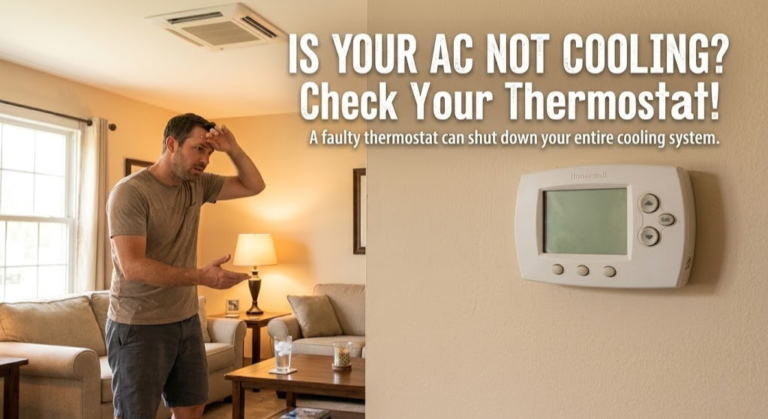
Can a Bad Thermostat Cause Your AC Not to Cool? The Complete Answer
The Short Answer: Yes — Here’s Why
If you’ve been sweating through summer wondering whether your thermostat is to blame for an AC that blows warm air, the answer is a clear, unambiguous yes — a bad thermostat absolutely can and does prevent your air conditioner from cooling your home. In fact, it’s one of the most commonly overlooked causes of cooling failure, precisely because the thermostat itself looks fine. The screen glows. It responds to touch. It lets you change the set point. But something deeper has gone wrong.
Think of your thermostat as the brain of your entire HVAC system. When that brain misfires — whether due to dead batteries, a broken internal relay, a miscalibrated sensor, or a wiring fault — the AC outdoor unit never receives the signal it needs to start compressing refrigerant. Without refrigerant compression, there’s no cooling. The indoor fan may spin, conditioned-looking air might flow through your vents, but the air itself will be warm or only marginally cooler than the outdoor temperature.
This guide will walk you through exactly how a thermostat communicates with your AC system, what specific failures produce what symptoms, how to test your thermostat in under 10 minutes without special tools, and when replacement is the right call versus when the real problem is somewhere deeper in your HVAC system.
How Your Thermostat Controls the AC System
To understand how a faulty thermostat kills your cooling, you first need a clear picture of the control circuit. Most residential HVAC systems use a 24-volt low-voltage control circuit — the thermostat is essentially a sophisticated switch that completes this circuit in different ways to trigger different functions.
The Wire Color Coding (and Why It Matters)
Your thermostat connects to your air handler or furnace via a bundle of thin 18-gauge wires. Each wire carries a specific signal:
| Wire Terminal | Typical Color | Function | If Missing/Broken |
|---|---|---|---|
| R / Rh / Rc | Red | 24V power from transformer | Thermostat has no power, shows blank screen |
| Y / Y1 | Yellow | Cooling call to compressor contactor | AC never turns on — no cooling |
| G | Green | Indoor fan / blower signal | Fan doesn’t run independently |
| W / W1 | White | Heating call to furnace/heat pump | Heat doesn’t turn on |
| C | Blue/Black | Common wire (return path for 24V) | Thermostat may power-steal, causing erratic behavior |
| O / B | Orange/Blue | Heat pump reversing valve | Heat pump stuck in heat or cool mode |
When your thermostat determines that room temperature has exceeded your set cooling point by 1–2°F (the configurable dead-band), it completes the circuit between the R terminal and the Y terminal. This sends 24VAC to the outdoor unit’s contactor coil, which pulls in and allows 240VAC line voltage to flow to the compressor and condenser fan. No 24VAC signal from the thermostat? No compressor. No compressor? No cooling. It really is that direct.
The Role of the Internal Relay
Inside the thermostat housing, a small electromechanical relay (or increasingly, a solid-state switching circuit on smart thermostats) does the actual work of making and breaking the 24V control circuit. This relay is mechanically and electrically stressed every time your system cycles on and off. Over years of cycling — a typical residential AC cycles 10–20 times per day during summer — these relays accumulate wear. Digital thermostats handle this with transistors, but those fail too, particularly in homes with voltage irregularities or power-stealing setups without a C-wire.
How Smart Thermostats Differ
Modern smart thermostats like the Nest, ecobee, or Honeywell T9 add significant complexity to this basic switching arrangement. They contain microprocessors, Wi-Fi radios, temperature sensors (sometimes multiple), humidity sensors, and occupancy detectors. Any of these subsystems can fail in ways that prevent a cooling call from being sent, even if the thermostat appears to be functioning normally on its display. A corrupted firmware update, a failed temperature sensor reading 5°F too low, or a scheduling bug can all silently prevent your AC from running when you need it.
For an in-depth technical look at how thermistors and temperature sensing work inside modern smart thermostats, see this detailed breakdown of thermistors in smart thermostats — it explains exactly why a dirty or failed sensor produces cooling problems.

Telltale Symptoms of a Thermostat-Related Cooling Failure
Not all cooling problems announce themselves the same way. A bad thermostat produces a distinctive constellation of symptoms that — once you know what to look for — are relatively easy to distinguish from other HVAC failures. Here’s what to watch for.
1. Fan Runs, But No Cold Air
This is the classic thermostat symptom. The indoor blower fan is running — you can hear and feel air moving through the vents — but the air itself is warm or only slightly cool. What’s happening: the thermostat has successfully sent the G signal (fan on) but has failed to send the Y signal (compressor on). You get airflow without refrigeration. This is almost always either a wiring problem on the Y wire, a failed thermostat relay, or a misconfigured thermostat mode.
2. AC Runs Constantly Without Reaching Set Temperature
If the thermostat’s temperature sensor is reading the room as warmer than it actually is, the system will run constantly trying to reach a set temperature it believes hasn’t been reached yet. Your electricity bill spikes while your comfort doesn’t improve. This is a thermostat calibration or sensor problem, not a refrigerant or compressor issue.
This specific issue — a thermostat that never reaches its set temperature — is explored thoroughly in this diagnostic flowchart for thermostats not reaching set temperature, which also helps distinguish between sensor faults and undersized HVAC systems.
3. AC Never Turns On At All
If the outdoor unit is completely silent — no fan, no compressor hum — and the indoor unit is blowing warm air or nothing at all, a completely dead thermostat is a strong possibility. Check for a blank screen, missing battery indicators, or failure to respond to button presses. A dead thermostat sends zero signals to the system.
4. AC Short-Cycles (Turns On and Off Rapidly)
Short-cycling — where the AC turns on for 2–3 minutes, shuts off, then restarts again shortly after — can be caused by a thermostat installed in a bad location (direct sunlight, near a heat source, or near a supply vent) that causes temperature readings to swing wildly. This makes the thermostat think the room has cooled when it hasn’t, cutting the cooling call prematurely.
5. Erratic or Random Cooling Behavior
The system cooling at odd times, not cooling when it should, or cooling at random intervals not matching your schedule — these behavioral anomalies almost always point to a thermostat problem. On smart thermostats, this often indicates a firmware bug or corrupted schedule. On older thermostats, it suggests a failing mechanical switch or corroded contact points.
6. Thermostat Display Shows Cooling But Outdoor Unit Is Off
If the thermostat display shows “Cooling” or the snowflake icon is active, but the outdoor unit is silent, you’ve confirmed that the thermostat believes it’s calling for cooling but the signal isn’t making it through. This narrows the problem to either the Y wire connection (check both ends) or a failed relay inside the thermostat.
| Symptom | Likely Thermostat Cause | Alternative Cause | Priority |
|---|---|---|---|
| Fan runs, warm air | Failed Y relay / Y wire disconnected | Low refrigerant, bad capacitor | HIGH |
| Never reaches set temp | Miscalibrated temp sensor | Undersized unit, duct leaks | MEDIUM |
| AC won’t turn on at all | Dead batteries / blank display | Tripped breaker, blown fuse | HIGH |
| Short-cycling | Bad placement (heat/sun exposure) | Dirty evaporator coil, low refrigerant | MEDIUM |
| Displays “Cool” but unit off | Broken Y wire connection | Failed contactor/capacitor | HIGH |
| AC runs, no schedule adherence | Firmware bug / corrupted schedule | Unlikely hardware issue | MEDIUM |
The Most Common Ways Thermostats Fail and Kill Cooling
HVAC technicians diagnose thousands of “no cooling” calls every summer. Based on field patterns, here are the failure modes most frequently traced back to the thermostat itself.
Dead or Weak Batteries
This is the number-one, most common, most embarrassingly simple cause of thermostat-related cooling failures. Many homeowners don’t realize their thermostat relies on batteries at all — especially if it appears to be wired to the wall. Most battery-powered thermostats will display a low-battery warning icon, but not all do, and some homeowners ignore it. When batteries drop below a critical voltage (typically 2.4V for a 3V lithium setup), the thermostat may still light up but lose the ability to energize its internal relay. The display works; the switching circuit doesn’t.
Replace batteries annually, or whenever the low-battery indicator appears — don’t wait for complete failure. Use fresh alkaline or lithium batteries, not rechargeable NiMH cells (which have a lower terminal voltage that can cause premature “low battery” warnings).
Temperature Sensor Drift and Failure
The internal thermistor — a tiny temperature-sensitive resistor — is what tells your thermostat how warm the room actually is. Over time, these sensors drift. A drift of even 3–5°F can mean the thermostat believes the room is at 72°F when it’s actually 78°F, so it never calls for cooling. Dust accumulation on the thermostat’s ventilation slots accelerates this problem by insulating the sensor from the actual room air temperature.
Wiring Corrosion or Loose Connections
Thermostat wire connections sit at the back of the thermostat base, exposed to small amounts of humidity over years of operation. Aluminum or copper wire corrodes, particularly in humid climates. A partially corroded Y-wire connection may work sometimes but fail when the wire oxidizes further during hot weather — which is, ironically, exactly when you need your AC most. Inspect the terminals at both the thermostat end and the air handler end.
Incorrect Mode Selection
This sounds obvious, but it’s surprisingly common: the thermostat is set to HEAT or OFF mode rather than COOL. In multi-season transitions, especially on thermostats with physical slide switches, it’s easy to bump the mode switch without noticing. On smart thermostats, an auto-switchover glitch can lock the system into heating mode. Always verify the displayed mode before diving into hardware diagnosis.
Failed Internal Relay
As discussed earlier, the relay inside the thermostat — whether mechanical or solid-state — can fail outright. Mechanical relay failure is often preceded by a weaker-sounding click or no click at all when the cooling call should trigger. Solid-state relay (triac) failure is silent; the switching transistor simply stops conducting. This type of failure definitively requires thermostat replacement.
Software and Firmware Failures (Smart Thermostats)
Smart thermostats are computers. Like any computer, they can develop software problems: failed firmware updates that brick the cooling function, corrupted schedules that prevent the system from activating, and Wi-Fi authentication loops that occupy the processor and delay or block normal HVAC control. A factory reset is often the first diagnostic step for smart thermostat cooling failures before pursuing hardware diagnosis.
If your thermostat clicks normally but the HVAC system still won’t start, the problem chain may extend beyond the thermostat itself — explore this detailed guide on what to do when your thermostat clicks but HVAC won’t start, covering battery, breaker, and wiring scenarios systematically.
Wrong Thermostat for the System
Installing an incompatible thermostat is another surprisingly common cause of cooling failures. A heat-only thermostat on a heat pump system, a thermostat without O/B wire support on a reversing-valve heat pump, or a digital thermostat wired incorrectly for a two-stage system — all of these will appear to function but fail to deliver proper cooling calls. Always verify compatibility before installation.

How to Diagnose Whether Your Thermostat Is Causing the Cooling Problem
Before you call an HVAC tech or order a replacement thermostat, work through this structured diagnostic sequence. You can complete it in under 15 minutes with tools you already have at home.
Step 1: Gather Your Tools
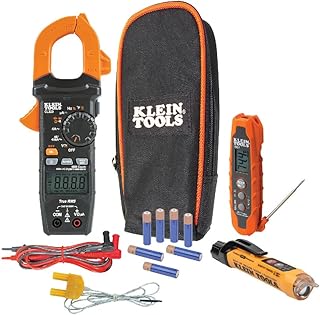
You’ll need: a small flathead and Phillips screwdriver, fresh AA or AAA batteries, a multimeter (optional but highly useful), and a short piece of wire or a paperclip for the bypass test. That’s it.
-
Check Batteries First (30 seconds) Open the thermostat, remove the old batteries, install brand-new alkaline AA or AAA batteries. Power-cycle the thermostat. Try setting it to COOL at 65°F and wait 2 minutes. If the outdoor unit starts: problem solved.
-
Verify Mode and Set Point Confirm the thermostat is in COOL mode (not HEAT, not OFF, not AUTO-heat). Confirm the set temperature is at least 3°F below the current room temperature. Some thermostats require a 2–3 minute delay before responding to a new set point.
-
Check the Circuit Breakers Locate your electrical panel. Find the breaker for your AC (typically labeled “AC,” “Air Conditioner,” “Condenser,” or “Compressor”) — usually a double-pole 30–60 amp breaker. Also check the air handler/furnace breaker. If either is tripped (middle position), reset it by flipping fully OFF then fully ON.
-
Inspect the Thermostat Wiring Remove the thermostat from its base (it usually just pulls off). Look at the wire terminals. Is the yellow Y wire securely fastened under its screw? Is there any green corrosion on the wire ends? Gently pull each wire to confirm it’s not loose. Re-seat any suspect connections.
-
Verify 24V Power at the Thermostat Using a multimeter set to AC voltage, measure between the R terminal and the C terminal. You should read approximately 24–28VAC. No voltage means the transformer or the control board at the air handler has failed — not the thermostat.
-
Test Whether the Thermostat Is Sending the Cooling Call With the thermostat set to COOL at a temperature below the room temperature, measure AC voltage between R and Y at the thermostat base. You should read approximately 24VAC. If you read 0V here, the thermostat is not sending the cooling signal — either a wiring fault upstream, a dead relay inside the thermostat, or the thermostat software isn’t triggering the call.
The Definitive Bypass Wire Test (10 Minutes)
The bypass test is the gold standard diagnostic for thermostat-related cooling failures. It eliminates the thermostat entirely from the circuit and tells you definitively whether the thermostat is the problem or whether the issue is elsewhere in the system.
What You’ll Need
A short piece of wire (3–4 inches), a paperclip, or a short jumper wire. Access to the air handler’s control board (inside the air handler cabinet). A screwdriver to open the panel. Optional: phone with a flashlight.
The Test Procedure
-
Turn Off the Thermostat Set the thermostat to OFF mode to prevent any interference during the test.
-
Locate the Air Handler Control Board Open the air handler cabinet. Inside, you’ll see a small circuit board (the control board) with labeled terminal strips matching your thermostat wires: R, Y, G, W, C, etc.
-
Bridge the R and G Terminals First, test the fan: use your jumper wire to briefly connect the R terminal to the G terminal. The indoor fan should start immediately. If it does, your fan circuit is working fine. Remove the jumper.
-
Bridge the R and Y Terminals Now the critical test: connect your jumper wire between the R terminal and the Y terminal on the control board. Go outside and listen. The outdoor condenser fan and compressor should start within 5–10 seconds.
-
Interpret the Result If the outdoor unit starts when you jump R to Y: the thermostat is definitely the problem — it’s failing to send the cooling signal. If the outdoor unit still doesn’t start: the thermostat is not the problem; the issue is the outdoor unit’s capacitor, contactor, compressor, or refrigerant level.
-
Remove the Jumper Immediately Never leave wires jumped and walk away. Remove the jumper, close the cabinet, and proceed to thermostat replacement or further outdoor unit diagnosis as indicated.
If the Test Proves the Thermostat Is at Fault
A successful R-to-Y bypass that starts your AC is conclusive: your thermostat has failed its core cooling call function. At this point, you have two options: attempt to diagnose and repair the specific thermostat fault (wiring, batteries, relay), or simply replace the thermostat. Given that new thermostats start at around $25 and a bad thermostat will cause ongoing reliability issues, most homeowners and HVAC technicians opt for replacement.
Other Causes of AC Not Cooling (When the Thermostat Tests Fine)
If the bypass test shows that jumping R to Y at the air handler does NOT start the outdoor unit, your thermostat is likely not the problem. Here’s what else to investigate.
1. Failed Run Capacitor
The start/run capacitor is a cylindrical component inside the outdoor unit that provides the initial electrical boost to start the compressor and condenser fan motor. Capacitors fail frequently — especially after hot summers when they’ve been heat-stressed. A failed capacitor will prevent the compressor from starting even though all control signals are correct. Signs include an outdoor fan that hums but doesn’t spin, or a compressor that hums and trips the breaker. Capacitor replacement is a relatively inexpensive repair ($15–$60 for the part, $100–$200 with labor).
2. Tripped Contactor
The contactor is the heavy-duty relay in the outdoor unit that switches 240V power to the compressor. It receives the 24V signal from the thermostat and closes to allow line voltage through. Contactors wear out and can become stuck open (compressor never starts) or stuck closed (compressor never stops — a serious problem that wastes energy and can damage the compressor). If you hear a click in the outdoor unit when the thermostat calls for cooling but the compressor doesn’t start, a sticky contactor is suspect.
3. Low or Leaked Refrigerant
A refrigerant leak is one of the most common causes of gradual cooling decline. The system may run continuously without adequately cooling the space, the evaporator coil may ice over, and eventually, if the charge drops too low, a low-pressure safety switch will shut the compressor off entirely. Refrigerant-related problems always require a licensed HVAC technician — adding refrigerant without fixing the leak is a temporary fix that accelerates system damage.
4. Dirty or Frozen Evaporator Coil
If the indoor evaporator coil is caked with dust (often due to a clogged air filter) or frozen over (usually from low refrigerant or severely restricted airflow), heat exchange is impaired or impossible. The compressor may run, but no cooling transfer occurs at the coil. Replace your air filter monthly during peak cooling season and verify the coil is clean and free of ice.
5. Tripped Safety Switches
Modern HVAC systems have multiple safety switches: high-pressure switches, low-pressure switches, and high-temperature limit switches. If any of these trip — due to dirty coils, refrigerant issues, or electrical problems — they cut power to the compressor. Some reset automatically; others require manual reset. Check your air handler control board for any red fault LEDs and consult the unit’s manual for fault code interpretation.
6. Electrical and Wiring Issues Between Thermostat and Outdoor Unit
Even if the thermostat is sending the correct signal and the outdoor unit’s components are healthy, a damaged wire run between the air handler and the outdoor unit — or a failed connection at the contactor — can break the cooling circuit. Inspect any exposed thermostat wire runs for physical damage, especially if work has been done near the wire runs recently.
| Problem | DIY Diagnosable? | DIY Fixable? | Avg. Repair Cost |
|---|---|---|---|
| Bad thermostat | Yes | Yes | $25–$300 |
| Failed run capacitor | Partially | Exp. DIYers only | $100–$250 |
| Worn contactor | Partially | Exp. DIYers only | $150–$350 |
| Low refrigerant | No | No (license req.) | $200–$600+ |
| Dirty evaporator coil | Yes | Yes | $0–$150 |
| Failed compressor | No | No | $800–$2,500 |
| Tripped safety switch | Yes | Sometimes | $0–$200 |
Should You Fix Your Thermostat or Just Replace It?
Once you’ve confirmed the thermostat is at fault, the practical question becomes: repair or replace? For most homeowners, this is a clear decision, but let’s run through the logic.
When Repair Makes Sense
Repair (rather than full replacement) is worth considering only in specific scenarios:
- The problem is a loose wire connection that you can tighten at the terminal
- The problem is clearly dead batteries on a relatively new, expensive smart thermostat
- The thermostat is a high-end unit (ecobee Premium, Nest Learning) still under warranty — in this case, contact the manufacturer for a replacement unit
- The mode was simply set incorrectly
When Replacement Makes More Sense
In the vast majority of cases, replacement is the right move:
Reasons to Replace
- New thermostats start at $25–$30
- Smart thermostats pay for themselves in energy savings
- Old thermostat likely to fail again soon
- New models offer Wi-Fi, scheduling, energy reporting
- Installation takes 30 minutes for most homeowners
- Warranty protection on new units
Reasons to Repair Instead
- Only if thermostat is very new or under warranty
- Simple fix like loose wire or dead battery
- Premium unit with special features hard to replace
- Budget constraints (but $25 basic units exist)
For most households, a thermostat failure is an opportunity to upgrade to a smart model that will recover its cost in reduced energy bills within 1–2 years. The diagnostic work you’ve already done tells you exactly what’s broken; replacement is straightforward DIY work that doesn’t require professional help in most cases.
Thermostat Age Considerations
| Thermostat Type | Expected Lifespan | At 10+ Years | Recommendation |
|---|---|---|---|
| Basic digital / programmable | 10–20 years | Relay wear likely | Replace proactively |
| Mechanical bimetallic | 20–35 years | Calibration drift significant | Replace for efficiency gains |
| Smart thermostat (1st–2nd gen) | 8–12 years | Software support ending | Upgrade for continued app support |
| Smart thermostat (current gen) | 10–15+ years | Still supported | Repair/reset if under warranty |
Best Replacement Thermostat Options After a Cooling Failure
If you’ve confirmed the thermostat is the problem and decided to replace it, here’s how to choose the right replacement for your situation and budget.
Budget Tier: $25–$60 (Basic Digital)
Simple programmable thermostats from Honeywell (T4 Pro, T6 Pro) and Emerson are reliable, straightforward to wire, and will restore cooling function immediately. These are ideal for rentals, secondary structures, or situations where simplicity and low cost are priorities. No app, no Wi-Fi, no cloud dependency — just reliable 24V switching.
Mid-Range Smart Tier: $80–$150
This is where the best value lives for most homeowners. The Amazon Smart Thermostat ($60–80) includes a C-wire adapter and Alexa integration. The Wyze Thermostat ($70) is a strong budget smart choice. The Sensi Touch 2 ($100–130) offers an excellent touch interface with solid scheduling and Alexa/Google support without the complexity of premium models.
Premium Smart Tier: $180–$280
The ecobee SmartThermostat Premium and Google Nest Learning Thermostat (4th Gen) are the gold standards. Both include room sensors (or have them available), advanced scheduling, air quality monitoring (ecobee), and multi-stage HVAC compatibility. For a detailed comparison of these two top-tier options and their multi-stage capabilities, the Nest vs. Honeywell multi-stage HVAC comparison provides an excellent side-by-side breakdown.
What to Verify Before Buying Any Replacement
Before purchasing, confirm: (1) your system voltage (24V low voltage or line voltage — these require completely different thermostat types); (2) whether you have a C wire (most smart thermostats require one, though adapters exist); (3) your HVAC system type (conventional, heat pump, multi-stage, dual fuel) — not all thermostats support all configurations; and (4) the number of stages your system has (1-stage, 2-stage, or variable speed).

How to Prevent Thermostat-Related Cooling Failures
With a little proactive maintenance, you can dramatically reduce the risk of your thermostat failing at the worst possible moment — the first 95°F day of summer.
Annual Pre-Season Checklist
-
Replace Batteries Every Spring Even if the low-battery indicator hasn’t appeared, swap in fresh alkaline batteries each spring before cooling season begins. This $3 habit prevents the most common thermostat failure mode.
-
Clean the Thermostat Interior Once per year, remove the thermostat from its base and gently blow out any dust from the interior using a can of compressed air. Dust accumulation on the thermistor causes temperature reading drift that worsens over time.
-
Inspect and Tighten Wire Connections Check each terminal screw on the thermostat base annually. Vibration and thermal cycling can loosen wire connections over time, particularly in older homes with vibration from nearby appliances or mechanical equipment.
-
Verify Temperature Calibration Place a calibrated thermometer next to the thermostat for 20 minutes and compare readings. If your thermostat is reading more than 2°F off, recalibrate it (most digital and smart thermostats have this setting) or plan for replacement.
-
Run a Full System Test Before Peak Season In mid-spring, before the first heat wave, set your thermostat to COOL at 65°F and confirm the outdoor unit starts, the air handler blows cold air, and the system reaches the set temperature within a reasonable time. This test exposes any system-level problems while the weather is still forgiving.
-
Keep Firmware Updated on Smart Thermostats Enable automatic firmware updates on your smart thermostat, or manually check for updates each season. Manufacturers release bug fixes that address scheduling and relay control issues. A known firmware bug that prevents cooling calls can be fixed with a 2-minute update.
Thermostat Placement Best Practices
Proper thermostat placement is as important as proper thermostat function. A correctly working thermostat in a bad location will still cause cooling problems:
- Avoid direct sunlight — a sun-warmed thermostat will read the room as warmer than it is, causing the AC to over-cool and short-cycle
- Avoid supply vent proximity — cool air blowing directly across the thermostat will make it think the room is cooler than it is, preventing the system from running enough
- Avoid exterior walls in extreme climates — cold exterior walls in winter or hot walls in summer transfer temperature to the thermostat’s back plate
- Avoid kitchens — cooking heat creates false high-temperature readings
- Ideal placement: interior wall, 5 feet high, in a frequently used room away from heat/cool sources
For a comprehensive, interactive checklist to diagnose any thermostat issue in about 10 minutes, bookmark this 10-minute faulty thermostat diagnostic checklist — it’s designed as a reference guide you can use without prior HVAC knowledge.
When to Call a Professional
HVAC diagnosis is highly DIY-friendly at the thermostat level. However, call a licensed HVAC technician when:
- The bypass test shows the outdoor unit still doesn’t start (electrical or mechanical problem in the outdoor unit)
- You suspect a refrigerant leak (illegal to purchase or handle refrigerants without certification)
- You see burn marks, melted wiring, or smell burning plastic in the air handler
- The compressor is making grinding, screeching, or banging noises
- The system trips the circuit breaker when started
Special Cases: Heat Pumps, Multi-Zone Systems, and Smart Thermostat Specifics
The standard thermostat cooling failure diagnosis above applies to conventional split-system AC units. But several common system types have unique failure modes worth understanding.
Heat Pump Systems
Heat pumps use a reversing valve to switch between heating and cooling modes. The thermostat controls this valve via the O or B terminal. If the O/B wire is damaged or the thermostat’s O/B configuration is wrong, the heat pump may blow warm air in cooling mode (because the reversing valve is stuck in heating position). This is distinctly a thermostat configuration problem, not a refrigerant or compressor issue. Verify the O/B terminal setting in your thermostat’s advanced settings — O terminals energize in cooling mode, B terminals energize in heating mode, and getting this wrong produces exactly backward temperature output.
Multi-Zone Systems
In a multi-zone HVAC system where each zone has its own thermostat and damper, a failed zone thermostat can cause only that zone to lose cooling while the rest of the house remains comfortable. This makes the problem much easier to localize. Check whether the issue is one zone or all zones — if it’s one zone, the zone thermostat, zone damper actuator, or zone control board is the culprit rather than the main HVAC equipment.
Smart Thermostat-Specific Diagnostics
Smart thermostats have unique failure modes that require slightly different diagnostic approaches. Before performing the bypass test on a smart thermostat that’s showing the cooling icon but not starting the outdoor unit:
- Check the app for error codes — most smart thermostats report system errors to their companion app before the display shows any indication
- Perform a factory reset — firmware corruption is a real and common failure mode; a factory reset often restores normal operation
- Verify C-wire stability — smart thermostats that power-steal (draw power through the Y or W wire) can experience voltage drops that reset the device mid-cooling-call; a proper C-wire connection eliminates this class of problem
- Check for conflicting schedules — a “vacation” mode or manual hold set to a high temperature can prevent the schedule from ever triggering a cooling call
If you’re troubleshooting a Sensi thermostat that won’t connect properly — which can indirectly affect cooling calls on cloud-dependent configurations — the Sensi Connected but Not Sensi Cloud fix guide walks through the specific network and authentication steps to restore full functionality.
Older Mechanical Thermostats
If you still have a round Honeywell T87 or similar bimetallic mechanical thermostat, the diagnostic approach is slightly different. These use a physical bimetallic strip that expands and contracts with temperature to make and break the circuit. Common failure modes include the anticipator setting being wrong (causes short-cycling), mercury switch tilt being off-level (causes permanent on or off state), and dust or corrosion on the contact points. For these older units, replacement with a digital thermostat is almost always the most cost-effective solution — calibration drift on 30-year-old mechanical thermostats is virtually guaranteed.
The Role of the Transformer
Many homeowners overlook the 24V transformer when diagnosing thermostat issues. This transformer — usually mounted inside the air handler cabinet — converts 120V house power to the 24VAC the thermostat circuit operates on. A failed transformer means zero power to the thermostat, even if the thermostat hardware is perfectly healthy. Test across the transformer’s secondary terminals with a multimeter: you should read 24–28VAC when the main power to the air handler is on. No voltage here means the transformer needs replacement, not the thermostat.
The Real Cost of a Failing Thermostat on Your Cooling Bills
A thermostat that’s failing intermittently — rather than completely dead — can be surprisingly expensive in ways that aren’t immediately obvious. Understanding these costs makes the case for prompt diagnosis and replacement even stronger.
Overcooling Due to Sensor Drift
When a thermostat’s internal sensor reads 3–5°F warmer than the actual room temperature, it calls for more cooling than necessary. In a typical 2,000 sq ft home, this translates to the AC running 15–25% longer per cycle than needed. Over a 4-month cooling season, this miscalibration can add $60–$120 to your electricity bill — easily 10–20 times the cost of a basic thermostat replacement.
Short-Cycling Compressor Wear
Thermostat-induced short-cycling (frequent on-off cycles shorter than 10 minutes) is particularly damaging to the compressor. Compressor starts are the most mechanically and electrically stressful moments in an AC’s life — the starting current draw is 3–5x the running current. A thermostat causing a compressor to start 30+ times per day instead of the normal 8–12 times is dramatically accelerating compressor wear. Compressors cost $800–$2,500 to replace. A $50 thermostat that prevents early compressor failure is a spectacular return on investment.
Energy Savings Potential with Proper Smart Thermostat Control
Beyond just fixing the failure, upgrading to a properly functioning smart thermostat opens up energy savings opportunities through intelligent scheduling, geofencing (letting the system set back when you leave home), and learned patterns. The Department of Energy estimates that proper thermostat management can reduce cooling costs by 10–15% annually. For a detailed exploration of how smart thermostat geofencing can cut HVAC runtime, the analysis at smart thermostat geofencing and HVAC runtime reduction provides quantified comparisons across major platforms.
| Failing Thermostat Issue | Energy Cost Impact | HVAC Wear Impact | Fix Cost |
|---|---|---|---|
| Sensor reads 4°F high | +15–25% on cooling bills | Moderate (extended runtime) | $25–$150 |
| Short-cycling (bad placement) | +5–10% (inefficient cycles) | High (compressor starts) | $0–$50 (relocation) |
| Intermittent Y-wire contact | Unpredictable | High (random short-cycling) | $0–$150 |
| No cooling call (complete failure) | N/A (no cooling) | None (system not running) | $25–$300 |
Frequently Asked Questions
Conclusion: Diagnose Smart, Replace When Needed
The question “can a bad thermostat cause AC not to cool?” has a definitive answer: yes, absolutely, and more often than most homeowners realize. The thermostat is the brain of your cooling system. When it malfunctions — whether through dead batteries, a failed relay, a drifted temperature sensor, loose wiring, or a software bug — the entire cooling chain breaks down upstream of the compressor. The AC never gets the call to start.
The good news is that thermostat failures are among the easiest and least expensive HVAC problems to diagnose and fix. With the systematic approach outlined in this guide — checking batteries and mode first, testing 24V at the terminals, performing the definitive R-to-Y bypass test — you can definitively determine within 15 minutes whether your thermostat is the culprit or whether the problem lies deeper in the system.
If the thermostat is at fault, replacement is almost always the right call. New thermostats are inexpensive, and the upgrade to a properly functioning smart thermostat will pay for itself in energy savings and improved comfort within a season or two. A properly calibrated, correctly placed thermostat sending clean, reliable cooling calls is the foundation of an efficient and comfortable home — don’t let a $30 part cost you a summer of misery.
Ready to Diagnose or Upgrade Your Thermostat?
Use our comprehensive resources to find the right thermostat for your system and get your cooling back on track today.
Run the 10-Min Diagnosis Checklist Compare Smart Thermostats →





 Home
Home
 Info
Info
 Compare
 Reviews
 Shop
Shop