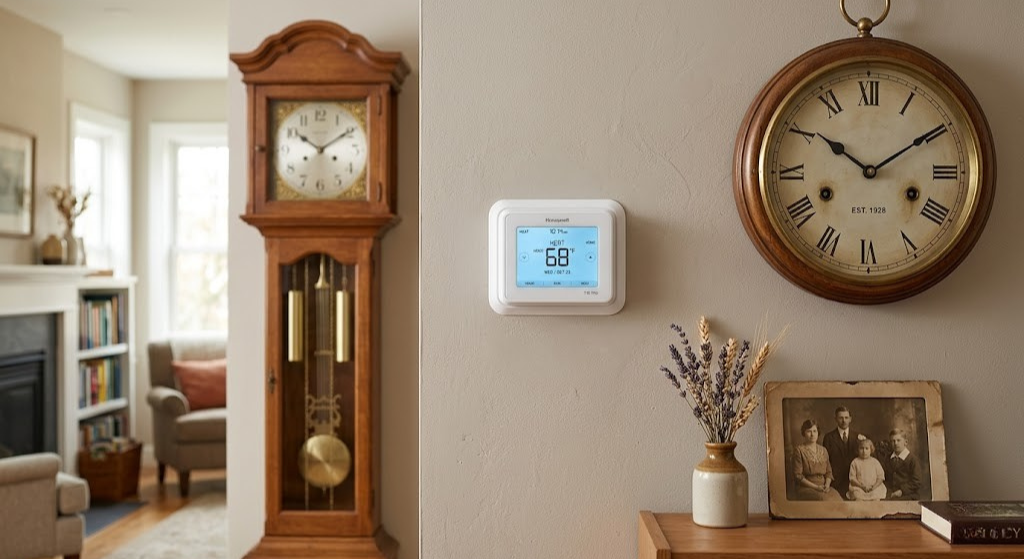
How Long Do Honeywell Thermostats Last? The Honest Answer by Model Type
From basic round dials to the latest T9 smart thermostat — exactly how many years you can expect, what kills them early, and when replacing beats repairing.
Honeywell has been making thermostats since 1885. That is not a misprint — over 140 years of climate control engineering means they have built devices ranging from the iconic round T87 that outlasted three generations of homeowners to the modern T9 smart thermostat that may be obsolete before your mortgage is paid off. The lifespan question is genuinely complicated because “Honeywell thermostat” now describes products with almost nothing in common except the brand name.
The short answer most people want: a non-smart Honeywell thermostat — mechanical or basic programmable — typically lasts 15 to 35 years. A modern smart Honeywell thermostat lasts 8 to 15 years as hardware, but the software ecosystem that makes it useful has a meaningfully shorter horizon. This guide breaks down every category, explains what actually kills thermostats, and gives you the diagnostic information to know whether yours has years left or is already living on borrowed time.
The Real Honeywell Thermostat Lifespan Numbers
These numbers reflect genuine field experience from HVAC technicians and long-term homeowners — not manufacturer marketing. The variability is enormous depending on installation quality, operating environment, battery maintenance habits, and whether the thermostat is running actively year-round versus in a seasonal home.
The most important caveat: a thermostat that “still works” in a narrow hardware sense may have stopped working in the ways you actually care about. A Honeywell Lyric T6 Pro that refuses to connect to its cloud servers because Honeywell deprecated the platform is technically functional — it will still regulate temperature on a schedule — but most of the smart features you paid for are gone. Understanding the difference between hardware life and functional life is critical to answering the lifespan question accurately for your specific model.
Honeywell Thermostat Lifespan by Type: A Complete Reference
Not all Honeywell thermostats age the same way. The category of device determines both the failure modes and the realistic timeline.

Honeywell Home T6 Pro — Built for 15+ Years of Reliable Operation
The sweet spot between longevity and features. No cloud dependency, large display, battery or C-wire operation. A proven, durable choice for most homes.
🛒 Check Price on AmazonWhy Honeywell Thermostats Fail Early: The Real Causes
Most thermostat failures before the 10-year mark are preventable. Understanding the failure modes helps you recognise them early and address them before they become full replacements.
Electrical Surges and Brownouts
The 24V HVAC control circuit is isolated from household current by the furnace transformer, which provides significant protection. However, nearby lightning strikes, major power surges, or utility brownouts can still reach the thermostat through the control wiring. A thermostat that suddenly stops displaying anything after an electrical storm has almost certainly suffered a surge. Low-cost surge protectors on the HVAC circuit provide meaningful protection for a few dollars. If your thermostat dies suddenly with no warning — display goes blank and will not recover — a surge is the most likely cause.
Relay Degradation
The thermostat’s relay (the electromagnetic switch that opens and closes the heating and cooling circuits) has a rated cycle life — typically 100,000 cycles or more. In a typical home, the thermostat might cycle 4–8 times per hour during active weather, so a million cycles represents 15–25 years of operation at that rate. Oversized HVAC systems that short-cycle (turning on and off every few minutes) can burn through relay cycle life in a fraction of the expected time. If you notice your thermostat clicking but the HVAC system is not responding consistently, relay wear is a common cause. Our guide on thermostat clicks but HVAC won’t start walks through this diagnostic in detail.
Thermistor Sensor Drift
The temperature sensor inside the thermostat — a thermistor that changes resistance with temperature — can drift over time, especially if it has been exposed to moisture, dust, or heat from the HVAC system itself. Sensor drift causes the thermostat to read the room temperature inaccurately, resulting in the HVAC system running too long or not long enough. A thermostat that consistently reads 3–4°F off from a reliable reference thermometer in the same location is usually suffering from sensor drift, not a calibration issue. This is generally non-repairable in consumer thermostats — replacement is the correct solution.
Display Failure in Older LCD Models
LCD displays in basic programmable thermostats from the 2000s and early 2010s have a finite life — the liquid crystal layer can darken, segment pixels can fail, and backlight LEDs (where present) burn out. A thermostat where the display is fading, showing missing segments, or has gone completely dark despite fresh batteries is experiencing LCD failure. The thermostat may still be controlling the HVAC correctly even with a dead display, but it has become nearly impossible to operate. This is a common failure mode at the 10–18 year mark for basic programmable models.
Capacitive Touch Screen Degradation on Smart Models
The colour touchscreens on the Lyric T5, T6, and T9 models use capacitive touch technology similar to smartphones. Over years of operation, the touchscreen’s sensitivity calibration can drift, screen protectant coatings wear off, and the display backlight dims. Some users report the touchscreen becoming partially unresponsive — accepting touches in some areas but not others — typically after 6–9 years of heavy use. This is a hardware-level failure that is generally not cost-effective to repair in a thermostat.
Battery Neglect: The Underrated Lifespan Killer
No single maintenance failure reduces Honeywell thermostat lifespan more reliably than neglected batteries. This applies to all battery-operated and battery-backup Honeywell models, which is the majority of their lineup. The mechanism is specific and worth understanding.
How Dead Batteries Actually Damage the Thermostat
When alkaline batteries approach the end of their life, they do not simply stop producing current — they begin to corrode. Battery acid (alkaline electrolyte, actually) leaks from the battery cell and coats the battery contacts in a white or greenish crystalline deposit. This corrosion is highly conductive and can bridge the battery contacts, create short circuits, or permanently oxidise the copper contact springs to the point where even new batteries cannot make a reliable electrical connection. A thermostat with severe battery corrosion on its contacts often looks entirely dead and gets replaced — but the HVAC side is fine; only the thermostat control circuit has failed due to battery leakage.
The 12-Month Battery Rule
Honeywell recommends replacing thermostat batteries every 12 months regardless of whether the low-battery indicator has appeared. The indicator typically appears at around 20–25% remaining capacity — there is enough reserve for several weeks of operation. But that 20% represents the zone where alkaline batteries begin to develop internal pressure and leakage risk. Changing at 12 months keeps you well out of that zone. Use name-brand alkaline batteries (Duracell, Energizer, Panasonic) — off-brand cells have higher leakage rates and shorter shelf lives that make the economics false economy.
Smart Thermostat Power Considerations
Honeywell’s smart thermostats (T9, Lyric, etc.) draw substantially more power than simple programmable models due to their Wi-Fi modules, colour displays, and sensor systems. These models either require a C wire (Common wire providing continuous 24V power) or use battery power that drains significantly faster. A T9 running on batteries without a C wire may only get 3–6 months from a set of AA batteries versus 12+ months for a basic programmable. If your smart Honeywell is going through batteries abnormally quickly, checking your C wire connection status in the settings menu is the first diagnostic step.
Location and Environmental Factors That Determine Thermostat Life
Where and how a thermostat is mounted significantly affects how long it lasts. The same model installed in two different homes can have dramatically different lifespans based purely on environmental conditions.
Exterior vs. Interior Wall Mounting
Thermostats mounted on exterior walls — particularly in older, less-insulated homes — are exposed to temperatures conducted through the wall itself. In cold climates, an exterior wall in a poorly insulated home might be 10–15°F colder than the room air temperature in January. This cold conducts directly through the thermostat’s backplate, potentially affecting temperature readings and subjecting the electronics to thermal cycling that is more extreme than the room temperature suggests. Interior wall mounting eliminates this problem entirely and is the standard recommendation for any thermostat placement.
High-Humidity Environments
Thermostats near kitchens, bathrooms, or in humid climates accumulate moisture inside the housing over time. Moisture is the enemy of electrical contacts and printed circuit boards — it accelerates oxidation, supports corrosion, and can cause intermittent electrical faults that are genuinely difficult to diagnose. Coastal homes, homes in the Gulf South, or any installation where the thermostat is near a high-humidity source will see reduced thermostat life compared to the same model in an arid inland environment.
Proximity to Air Supply Registers
A thermostat mounted within direct airflow of an HVAC supply register will read the conditioned air temperature instead of the ambient room temperature, causing persistent short-cycling and incorrect operation. Beyond the comfort problems this creates, the mechanical wear from constant short-cycling (relay opening and closing far more frequently than intended) directly reduces thermostat lifespan by burning through relay cycle life much faster than normal operation.
Direct Sunlight Exposure
South or west-facing walls with nearby windows expose thermostats to direct sunlight for hours each day. This creates two problems: thermal stress on the plastics and electronics from repeated heating-cooling cycles, and a false high-temperature reading that causes excessive air conditioning operation. Some Honeywell smart models include “sunlight correction” algorithms, but the physical stress from UV radiation and heat cycling still applies. A thermostat in direct afternoon sunlight consistently will show accelerated housing discolouration, faster LCD degradation, and potentially earlier electronic failure than one in a shaded location.

Honeywell Home T9 Smart Thermostat with Room Sensor
The current peak of the Honeywell smart lineup. Remote room sensors, HomeKit support, and geofencing. Plan for the full smart experience while the platform remains current. See our full T9 review for detailed performance data.
🛒 Check Price on AmazonAnalog and Round Dial Honeywell Models: The Long-Distance Champions
The Honeywell Round T87 is, without hyperbole, one of the most successful consumer products of the 20th century. Introduced in 1953 and manufactured with almost no mechanical changes for decades, it remains operational in homes throughout North America — many of which have not replaced it in 30, 40, or even 50 years. Why does it last so long?
What Makes the Mechanical Round Thermostat Nearly Indestructible
The T87’s operating principle is a bimetal coil — two metals with different thermal expansion rates bonded together and wound into a spiral. As temperature changes, the coil winds or unwinds, physically moving a mercury switch (in older models) or a snap-action electrical contact. There are no circuit boards, no displays, no software, no batteries, and no transistors. The only way this mechanism fails is if the bimetal element cracks (extremely rare with indoor temperatures), if the switch contacts corrode beyond cleaning, or if the housing cracks from physical impact.
An immaculate T87 recovered from a 1965 installation and put in service today would work identically to one purchased new. This is simply not true of any programmable or smart thermostat — the concept of a 60-year-old smart thermostat is philosophically incoherent because the software infrastructure, connectivity protocols, and even the power management chips involved would be long obsolete.
When to Replace an Old Mechanical Round
Despite their longevity, there are legitimate reasons to replace a working mechanical thermostat. Mercury switch models — any T87 made before approximately 2000 — contain a glass mercury ampoule that serves as the switch contact. Mercury is a regulated hazardous material, and disposing of these thermostats improperly is illegal in many jurisdictions. The Thermostat Recycling Corporation provides free drop-off at participating HVAC distributors. Beyond the mercury issue, old mechanical thermostats have no setback scheduling capability, meaning they run at the same temperature 24 hours a day — a significant energy efficiency disadvantage versus even a basic programmable model.
✅ Reasons to Keep an Old Mechanical
- Still functions perfectly after decades
- Zero battery or connectivity maintenance
- Extremely simple and reliable HVAC control
- No software obsolescence risk
- Works with virtually any HVAC system
❌ Reasons to Finally Replace It
- No scheduling — single temperature 24/7
- Mercury switch models are a disposal hazard
- No remote access or app control
- Poor temperature accuracy (±3–4°F swing)
- No energy savings programs or rebate eligibility
Programmable Honeywell RTH Models: Reliable Workhorses With a Lifespan Sweet Spot
The Honeywell RTH series — RTH2300, RTH6350, RTH7560, and their siblings — represents the product line that most homeowners think of when they say “Honeywell thermostat.” These are the basic 7-day programmable models sold at hardware stores for $30–$80, typically with a modest LCD display, physical buttons, and AA batteries. They occupy a Goldilocks lifespan zone: simple enough to avoid the failure complexity of smart models, capable enough to actually save money through scheduling.
Typical Failure Points in RTH Models
Battery corrosion (covered in its own section) is the most common premature failure cause. After that, the LCD display becomes the next most common failure — typically developing dark spots, losing segments, or dimming significantly after 10–15 years of operation. The good news: even with a partially failed display, these thermostats often continue controlling the HVAC system correctly on their programmed schedules. Homeowners sometimes live with a damaged display for years on a “if it ain’t broke” basis, which is reasonable if the programming is set correctly and the display is readable enough to verify setpoints.
Physical button failure — buttons that require harder and harder pressing before registering — is another 10–15 year failure mode caused by the conductive rubber pads behind the buttons gradually losing their conductivity. Button failure generally does not affect a properly programmed thermostat’s daily operation; it just makes reprogramming difficult or impossible.
RTH Models and HVAC System Compatibility
Basic RTH programmable models are designed for simple single-stage or two-stage conventional systems. They work on gas furnaces, oil furnaces, electric air handlers, and central air conditioning. They do not support heat pump systems with reversing valves (O/B terminal) or multi-zone systems without additional zone control hardware. If you upgrade your HVAC system from a conventional furnace to a heat pump, your existing RTH thermostat becomes immediately incompatible — one of the most common reasons for thermostat replacement that has nothing to do with the thermostat’s own lifespan.
Honeywell Smart Thermostat Lifespan: T6, T9, and the Lyric Series
Smart Honeywell thermostats — the T6 Pro, Lyric T5/T6, RTH9585 Wi-Fi, and the flagship T9 and T10 Pro — are fundamentally different devices from their programmable predecessors. They are essentially small computers running embedded Linux or similar real-time operating systems, connected permanently to Resideo’s cloud servers, and depending on continued software updates for security and feature functionality. This creates a lifespan profile that has two distinct components: hardware life and functional life.
T6 Pro: The Smart Model Built for Longevity
The T6 Pro is the most straightforward of Honeywell’s smart lineup. It has Wi-Fi connectivity and app control but intentionally minimal cloud dependency — most of its functions work locally without an internet connection. The hardware is robust, the display is a simple backlit LCD rather than a colour touchscreen (fewer failure points), and it operates reliably on either battery or C wire power. Real-world hardware life expectancy for the T6 Pro is 12–18 years, placing it firmly in the territory of basic programmable models despite its smart features. If you want smart functionality with mechanical longevity, this is the closest Honeywell offers.
T9 and T10 Pro: The Flagship Smart Models
The T9 and T10 Pro are Honeywell’s current premium smart thermostat offerings, featuring room sensors, colour touchscreens, geofencing via the Resideo app, and integration with Amazon Alexa, Google Assistant, and Apple HomeKit. Hardware life expectancy is 8–12 years for the electronics. The touchscreen and colour display are the most likely hardware failure points, typically showing degradation after 6–10 years of operation. For a complete look at how the T9 compares to competitors in multi-zone setups, see our Nest vs Honeywell multi-stage HVAC comparison.
- Minimal cloud dependency
- Works locally without internet
- Simple LCD — fewer failure points
- Battery or C-wire operation
- Colour touchscreen may degrade first
- Room sensor ecosystem
- Higher cloud dependency
- Geofencing, HomeKit support
- Original Lyric platform (legacy)
- Platform partly deprecated
- Full features depend on Resideo servers
- Consider replacement soon if owned
- Simpler smart model, colour touchscreen
- Less cloud-dependent than T9
- Colour touchscreen durability concern
- Good value for feature set
Software and Cloud Support Life: The Hidden Honeywell Lifespan Problem
This is the topic that matters most for current smart Honeywell thermostat owners and the one most commonly overlooked when evaluating thermostat life expectancy. Honeywell’s thermostat division was spun off as Resideo Technologies in 2018, and the company has been managing multiple product platforms — Honeywell Home, Lyric, Total Connect Comfort — simultaneously. Platform management decisions have had real consequences for thermostat functionality.
What Happens When Honeywell Deprecates a Platform
When Resideo sunsets a platform or discontinues cloud server support for an older product line, the hardware devices on that platform lose their cloud-dependent features progressively. Voice control integrations stop working first (Amazon and Google stop supporting the platform connection). The mobile app loses functionality as servers are decommissioned. Eventually, the device may only function as a local thermostat — maintaining whatever schedule was programmed before the platform shutdown, but unable to receive updates, respond to app commands, or integrate with smart home systems.
This has already happened to early Lyric platform devices. Users who purchased first-generation Lyric thermostats found their smart features significantly degraded as the platform transitioned to the Resideo app and some integrations were discontinued without equivalent replacement. The thermostat still controlled temperature — but the smart home ecosystem value was substantially reduced.
Estimating Remaining Software Support Life
For current Honeywell smart models (T9, T10 Pro, T6 Pro), a reasonable estimate of full software support life is 5–8 years from launch date, based on the company’s historical product management cadence. After that window, features may continue working but updates become less frequent and integration support may narrow. For a T9 purchased in 2021, that suggests full-feature software life through approximately 2026–2029, with diminishing feature support thereafter — even if the hardware runs until 2033.

Honeywell Home RTH2300B — Simple, Reliable, and Built to Last 20 Years
No Wi-Fi, no cloud dependency, no subscription risk. A 5-2 programmable model that simply works, year after year. Replace a failed basic model without upgrading beyond what you need.
🛒 Check Price on AmazonHow to Make Any Honeywell Thermostat Last Significantly Longer
The difference between a thermostat lasting 10 years and lasting 20 years often comes down to a handful of habits that cost almost nothing. These apply to any Honeywell model — mechanical, programmable, or smart.
Annual Maintenance Checklist
- Replace batteries proactively at 12 months. Do not wait for the low-battery indicator. Use name-brand alkaline cells and note the replacement date with a small sticker inside the battery compartment. This single habit prevents the majority of premature thermostat failures.
- Clean the thermostat housing with compressed air. With the thermostat powered down (batteries removed), use a can of compressed air to blow dust out of any ventilation slots in the housing. Remove the faceplate if it is designed to detach and clean inside the housing as well. Dust accumulation on the temperature sensor causes increasingly inaccurate readings over time.
- Inspect terminal connections at the backplate. Verify that all wires are still firmly seated in their terminals with no signs of corrosion on the copper wire ends. A loosening wire connection develops resistance that can cause intermittent behaviour resembling thermostat failure. Re-seat any loose connections with the power off.
- Verify temperature accuracy with a reference thermometer. Place a reliable thermometer near (but not directly touching) the thermostat. After 15 minutes of equilibration, compare readings. More than 2°F difference suggests sensor drift. On smart models, check whether the thermostat app provides a calibration offset adjustment — most Honeywell smart models allow ±3°F offset to compensate for minor sensor drift.
- Clean the temperature sensor gently. On programmable and mechanical models, the temperature sensor (bimetal strip on mechanical, thermistor on electronic) can be gently dusted with a clean dry brush. Coating the sensor in dust slows its thermal response and reduces accuracy. Never use liquids near the sensor.
- Check for firmware updates on smart models. Honeywell smart thermostats receive periodic firmware updates through the Resideo app that include bug fixes, efficiency improvements, and security patches. An un-updated thermostat is both less secure and potentially less stable than one running current firmware. Enable auto-updates if the option is available.
The Installation Quality Factor
Thermostat lifespan is heavily influenced by the quality of the initial installation. A thermostat mounted on an exterior wall in direct sunlight with a poorly insulated wire pass-through will experience more environmental stress than one properly sited on an interior wall with a sealed penetration. If you are replacing a thermostat, investing a few extra minutes in ideal placement — interior wall, away from registers, away from direct sunlight, with foam sealant around the wire pass-through — returns years of additional reliable operation.
Wire quality at the terminal connections also matters over long periods. Wires that are stripped too short and only partially inserted into terminal blocks can develop intermittent connections as the home’s seasonal thermal expansion and contraction flex the wiring. Proper installation means all wire ends stripped to the correct length (typically 1/4 inch for push-in connectors) and fully seated. For guidance on wiring best practices, proper thermostat wiring technique covers correct strip lengths and terminal seating.
Signs It Is Time to Replace Your Honeywell Thermostat
Knowing when a thermostat has genuinely reached end-of-life — versus when it needs maintenance or a simple repair — saves money and prevents unnecessary replacements. These are the signs that point unambiguously toward replacement rather than repair.
Clear Replacement Indicators
| Symptom | Likely Cause | Repair or Replace? |
|---|---|---|
| Display completely dark, new batteries installed | Battery corrosion on contacts, blown internal fuse, or failed display | Try cleaning contacts first; if still dead → Replace |
| Temperature consistently reads 4°F+ off | Sensor drift — thermistor degraded beyond calibration offset range | Replace — sensor drift is not user-repairable |
| Thermostat works, HVAC does not respond | Failed relay — thermostat sends signal but switch does not close | Replace — internal relays are not user-serviceable. First check our 10-minute diagnostic checklist to confirm the thermostat is actually at fault. |
| HVAC short-cycles constantly (on/off every 2–3 min) | May be thermostat, may be HVAC; differential setting too tight | Check settings first; if settings are correct → Replace |
| Smart features stopped working (cloud apps fail) | Platform deprecation or firmware end-of-life | Replace if smart features are essential to your use |
| Touchscreen unresponsive in spots | Capacitive screen degradation | Replace — screens are not cost-effective to repair |
| Burning smell or visible burn marks | Internal short or component failure | Replace immediately — stop using, check wiring at furnace |
| Display shows random characters or freezes | Microcontroller failure or firmware corruption | Factory reset first; if persistent → Replace |
Repair vs. Replace: Making the Right Financial Decision
The economics of thermostat repair are almost always straightforward because the repair cost is almost always replacement cost. Unlike HVAC equipment — where repairing a $3,000 air conditioner for $400 is clearly the right choice — thermostats are consumable devices with replacement costs between $30 and $280 depending on the model.
When Repair Is Worth Attempting
Battery contact cleaning is the only repair scenario that consistently makes economic sense. If corroded battery contacts are the only fault, cleaning them takes 10 minutes and costs nothing. Every other repair — display replacement, relay replacement, sensor replacement — requires sourcing a component that is often unavailable or nearly as expensive as a new unit, plus the time and skill to perform surface-mount electronics work that most homeowners cannot do.
The True Cost of Keeping an Aging Honeywell
There is a meaningful economic argument for replacing an aging programmable thermostat even before it fails. A 20-year-old mechanical thermostat that runs at a single temperature versus a modern programmable or smart thermostat running a setback schedule saves approximately 10–15% on heating and cooling annually. On a $1,500 annual HVAC bill, that is $150–$225 per year in savings — potentially recovering the cost of a $50 programmable replacement in less than a single year. To calculate your specific return on investment, our Wi-Fi thermostat ROI calculator works the numbers based on your energy costs and current usage pattern.
Choosing a Replacement That Will Last
When you replace a Honeywell thermostat, the category you choose determines your next lifespan cycle:
| Replacement Category | Expected Life | Best For | Approx. Cost |
|---|---|---|---|
| Basic programmable (no Wi-Fi) | 15–25 years | Simple systems, low tech preference, rentals | $25–$60 |
| Smart without touchscreen (T6 Pro) | 12–18 years | App control wanted, longevity priority | $100–$140 |
| Smart with touchscreen (T9, T10) | 8–12 years hardware | Full smart home integration, room sensors | $150–$250 |
| Matter-certified thermostat | 10–15 years + better platform longevity | Future-proof smart home integration | $150–$280 |
How Honeywell Thermostat Longevity Compares to Other Brands
Brand comparison is a natural question for anyone evaluating a thermostat purchase with longevity in mind. The honest answer is that Honeywell’s longevity story varies significantly by category — and the comparison changes completely depending on whether you are talking about mechanical, programmable, or smart models.
Honeywell vs. Nest on Longevity
Nest (Google) thermostats are excellent in many respects, but long-term hardware durability has not historically been their strongest category. The Nest Learning Thermostat’s metal construction and glass display look premium, but real-world user reports document more display and touch sensitivity issues at the 6–8 year mark than the comparable Honeywell T9. Google has been more aggressive about platform migration than Resideo — Nest users were required to migrate from the Nest app to Google Home, with some feature loss along the way. For hardware longevity alone, Honeywell’s non-touchscreen models have an advantage. For platform longevity and smart home depth, the situation is more competitive and depends heavily on how deeply embedded you are in either the Google or Resideo ecosystem.
Honeywell vs. Ecobee on Longevity
Ecobee thermostats occupy a similar smart thermostat tier to Honeywell’s T9 and T10 Pro. Both companies have shown commitment to ongoing platform support, and Ecobee has generally maintained better backward compatibility across its product generations than some competitors. Ecobee’s hardware build quality is solid — comparable to Honeywell’s smart lineup. The main practical difference is that Ecobee has pushed harder on remote sensor ecosystems and has Matter certification on its current models, providing better future-proofing for mixed-brand smart home setups.
Honeywell vs. Mechanical Alternatives on Longevity
The mechanical thermostat longevity comparison is almost unfair — there are simply no smart thermostats that will match the 30+ year operational life of a bimetal mechanical device. The question is whether the longevity advantage of mechanical thermostats outweighs the energy savings and comfort improvements from programmable and smart models. For most homeowners, the answer is no — the energy savings from scheduling pay back replacement cost in one to two years, and the additional smart features provide ongoing annual savings that far exceed the replacement cost even over a shorter 10–15 year lifespan.
| Thermostat Brand/Type | Hardware Life | Platform Longevity | Notable Strength |
|---|---|---|---|
| Honeywell Mechanical (T87) | 20–35+ years | N/A — no software | Unmatched hardware longevity |
| Honeywell RTH Programmable | 15–25 years | N/A — no cloud | Reliable, simple, battery or hardwired |
| Honeywell T6 Pro | 12–18 years | Strong — minimal cloud dependency | Best longevity in smart category |
| Honeywell T9 / T10 | 8–12 years | Moderate — Resideo active support | Room sensors, touchscreen, geofencing |
| Ecobee Premium | 8–12 years | Strong — Matter certified | Best future-proofing via Matter |
| Nest Learning (Gen 4) | 8–11 years | Moderate — Google platform dependency | Design, learning algorithm, Matter |
Honeywell Thermostats in Seasonal Homes, Rentals, and Vacation Properties
The standard thermostat lifespan figures assume year-round residential use. For seasonal homes, vacation properties, and rental units, the lifespan calculation changes — sometimes in favour of longer life, sometimes shorter, depending on the operating conditions.
Seasonal Homes: The Extended-Idle Problem
A thermostat in a vacation home that sits unused for 8 months of the year is not cycling as frequently as one in a full-time residence — which sounds like a lifespan advantage. In practice, however, extended idle periods create their own problems. Batteries left in the thermostat during long storage periods are more likely to self-discharge and leak than batteries in a device that is actively drawing current. Condensation during seasonal home re-opening (a warm, humid exterior environment combined with a still-cool interior) can introduce moisture into the thermostat housing. UV degradation from windows left unshaded during vacancy continues regardless of whether the thermostat is operating. The practical recommendation for seasonal homes: remove batteries entirely when closing up for the season, and install fresh batteries when reopening.
Rental Properties: The Durability Priority
For landlords and property managers, thermostat selection is a straightforward cost-minimisation exercise. Smart thermostats with touchscreens in rental properties are subject to significantly more rough handling than owner-occupied homes — buttons jabbed, settings changed unexpectedly, display screens occasionally impacted. For rental applications, basic programmable models (RTH2300, RTH6350) with physical buttons rather than touchscreens offer meaningfully better abuse resistance. The keypad lock feature available on many Honeywell programmable models — which prevents unauthorised schedule changes — is also extremely valuable in rental contexts. If a smart thermostat is desired for remote monitoring of a rental property, the T6 Pro’s combination of smart features with a robust non-touchscreen interface is the most rental-appropriate option in Honeywell’s current lineup.
Commercial and Office Settings
Small commercial offices often install residential Honeywell thermostats for simplicity and cost savings versus commercial HVAC controls. In these settings, the thermostat typically runs on a consistent schedule with less manual interaction than a home — which is actually better for longevity. However, commercial-grade power supplies are less stable than residential, and electrical noise from commercial equipment (motors, fluorescent lighting, HVAC equipment on the same circuit) can stress electronics over time. For small commercial applications, Honeywell’s VisionPRO or T6220 series — designed for light commercial use — offers better electrical isolation and more robust construction than residential models at a modest price premium.
Normal Aging Signs vs. Actual Failure: Knowing the Difference
Not every change in your thermostat’s behaviour signals impending failure. Understanding which signs are cosmetic aging versus functional degradation prevents unnecessary replacement of perfectly serviceable thermostats.
Signs That Are Normal Aging (Not Cause for Immediate Replacement)
- Housing yellowing or discolouration: White plastic thermostats yellow over years of UV exposure. This is entirely cosmetic and has no effect on function. A yellow Honeywell RTH thermostat that reads temperature accurately and cycles the HVAC correctly is working perfectly despite its appearance.
- Display slightly dimmer than when new: LCD backlights and LED displays dim slightly over years of operation. As long as the display remains readable, this is normal aging. A display that has become genuinely unreadable is the threshold for action.
- Slightly stiffer buttons: Physical buttons on programmable models stiffen slightly as the rubber contact pads age. If they still register reliably when pressed, this is cosmetic. Buttons that require excessive force or occasionally miss presses indicate functional degradation.
- Slight temperature reading offset: A thermostat reading 1°F high or low compared to a reference thermometer is within normal manufacturing tolerance — not sensor drift. Most Honeywell smart models allow you to set a calibration offset in the settings to compensate. Only readings that have drifted more than 2–3°F and cannot be corrected with the offset adjustment indicate actual sensor degradation.
Signs That Indicate Actual Functional Degradation
- Temperature reading consistently off by 3°F or more that cannot be corrected with the thermostat’s offset adjustment — genuine sensor drift.
- HVAC system short-cycling — turning on and off every 2–3 minutes — that is not explained by HVAC sizing issues or differential settings. This can indicate relay contact wear.
- Display showing partial segments, frozen displays, or random characters — LCD failure or microcontroller instability.
- Smart connectivity lost permanently after troubleshooting — the Wi-Fi module may have failed as a component. This is common in the 8–10 year window for smart models.
- HVAC unresponsive to thermostat calls even after confirming wiring and furnace fuse are intact — relay failure.
The practical wisdom here is to develop a reference point for your specific thermostat’s normal behaviour — temperature accuracy relative to a reliable reference, typical cycling patterns, display brightness — so that when something changes, you can identify it clearly as change rather than wondering if it was always that way. A photograph of the thermostat display and a noted temperature reading comparison at installation gives you a baseline to return to years later.
Honeywell Thermostat Lifespan: Frequently Asked Questions
How long does a Honeywell thermostat typically last?
It depends on the type. Mechanical Honeywell thermostats (the round T87 and similar) routinely last 20–35 years with basic maintenance. Basic programmable RTH models typically last 15–25 years. Wi-Fi programmable models last 10–18 years. Smart models like the T9 and Lyric typically see hardware life of 8–12 years, though the full smart feature set may become compromised earlier if the platform is not actively maintained by Resideo.
What kills a Honeywell thermostat before its time?
The leading causes of premature failure are: battery acid corrosion on battery contacts (from dead batteries left in place too long), electrical surges conducted through HVAC wiring, mounting on exterior walls in thermally stressed locations, dust accumulation causing sensor inaccuracy and circuit bridging, and — for smart models — touchscreen degradation from UV exposure and thermal cycling. Proactive annual battery replacement prevents the single most common failure mode.
Can I repair my Honeywell thermostat instead of replacing it?
Battery contact corrosion is the one repair that is consistently worth attempting — clean the contacts with white vinegar on a cotton swab, dry thoroughly, and test with fresh batteries. All other repairs (display replacement, relay replacement, sensor replacement) are generally not cost-effective because parts are either unavailable or nearly as expensive as a new unit, and the work requires component-level electronics skills. The economics almost always point to replacement.
How do I know if my Honeywell thermostat is dying vs. having a wiring problem?
The key diagnostic is whether the thermostat itself responds normally — display is on, settings are accessible, you can raise and lower the setpoint — versus whether the HVAC system responds to those commands. If the thermostat functions normally but the furnace or AC does not respond, the issue is almost certainly downstream (wiring, furnace fuse, control board) rather than the thermostat itself. A thermostat that is truly failing typically shows symptoms in the display, temperature accuracy, or button responsiveness. Use the thermostat-specific diagnostic steps in our our 10-minute thermostat diagnostic process to isolate the fault.
Do Honeywell smart thermostats have an expiry date for their software?
Not a formal one, but effectively yes. Resideo has migrated older platform users multiple times (from the Lyric app to the Honeywell Home app, for example) and some features were lost in those transitions. Current smart models (T9, T10 Pro) receive active support, but it is reasonable to expect a 5–8 year window of full smart feature support before the platform moves on to the next generation. The hardware will outlast the software’s most current functionality — a pattern consistent with virtually all smart home devices.
Should I replace my 15-year-old Honeywell thermostat if it still works?
If it is a mechanical or basic programmable model that runs a proper setback schedule, there is no urgent reason — it may well last another 10 years. If it is a 15-year-old mechanical model running at a single temperature with no scheduling, replacing it with a basic $40 programmable thermostat will typically pay back its cost in energy savings within 12 months. If it is a 15-year-old smart model, the platform and software are almost certainly outdated and a replacement makes sense if you use the smart features.
How often should I change the batteries in my Honeywell thermostat?
Replace batteries every 12 months regardless of whether the low-battery indicator has appeared. The indicator activates at around 20–25% remaining capacity — enough reserve for several weeks, but also the zone where alkaline batteries begin developing leakage risk. Annual replacement keeps you well outside the leakage risk window. Use name-brand alkaline cells (Duracell, Energizer) and note the date inside the battery compartment.
My Honeywell display is fading but the HVAC still works — should I replace it?
A fading display is an early sign of LCD degradation — a normal failure mode at 10–15 years. If the thermostat is still controlling the HVAC correctly on its programmed schedule and you can read the display well enough to verify setpoints, you can reasonably continue using it until the display becomes unreadable or another fault develops. When you do decide to replace, choose proactively rather than waiting for a complete failure — replacing during mild weather rather than during a heat wave or cold snap reduces the urgency stress on the decision.
Does the Honeywell T9 have good longevity compared to other smart thermostats?
The T9 is one of the better smart thermostats in terms of build quality within the smart category. Its 8–12 year hardware life expectancy is in line with Ecobee and slightly better than some Nest models that had display issues reported earlier. The platform risk — Resideo’s track record of platform management — is the main variable beyond hardware durability. The T9 currently benefits from active support and ongoing integration development, which supports confidence in its near-term feature longevity.
What is the longest-lasting Honeywell thermostat model I can buy today?
For hardware longevity with modern scheduling capability, the Honeywell Home T6 Pro is the best current option. It has Wi-Fi and app connectivity but minimal cloud dependency — most functions work locally without internet — a simple, durable LCD display rather than a touchscreen, and straightforward battery or C-wire operation. Its realistic hardware life is 12–18 years, and it carries virtually no platform obsolescence risk compared to more app-dependent smart models. For pure longevity without smart features, a basic RTH2300 or similar programmable model is reliably durable for 15–20+ years.
The Bottom Line: Matching Thermostat Type to Your Longevity Expectations
Honeywell builds thermostats that range from 35-year mechanical workhorses to sophisticated smart models where the hardware and software lifespans diverge significantly. The right choice depends on your priorities — raw longevity, energy savings features, smart home integration, or some balance of all three. Armed with realistic lifespan numbers and the maintenance habits that extend them, you can make that choice with confidence.
🛒 Shop Honeywell Thermostats on Amazon




 Home
Home
 Info
Info
 Compare
 Reviews
 Shop
Shop