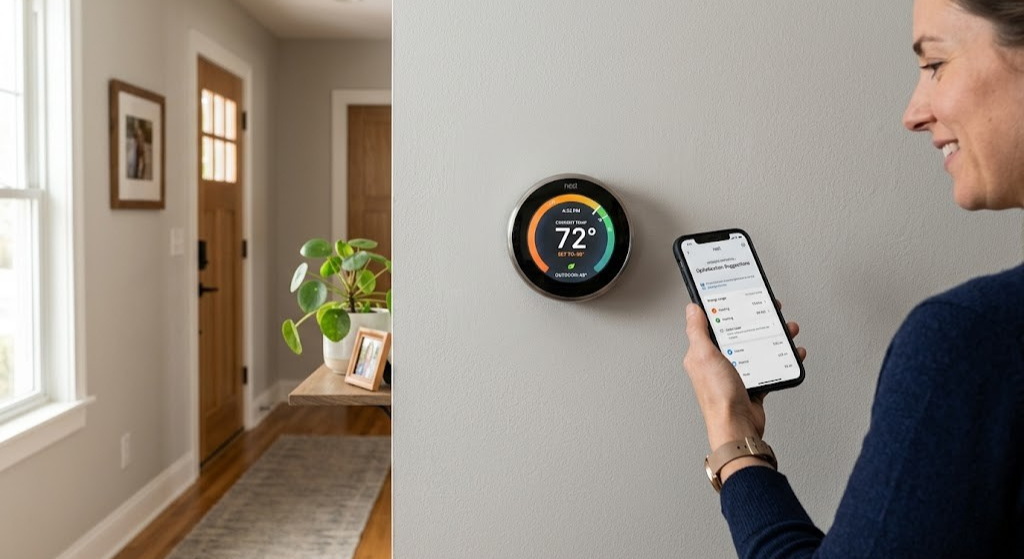
Why Upgrading Your Thermostat Is One of the Smartest Home Improvements You Can Make
Let’s set the scene: the average American home spends nearly half of its total energy budget on heating and cooling. A thermostat — that $20 device that came with your house — controls all of it. Swapping it for a smart model costs anywhere from $50 to $250, but the payoff compounds year over year.
Independent studies and manufacturer data converge on a similar range: smart thermostats reduce HVAC runtime by 10% to 23% compared to older programmable or manual units. For a household spending $1,200/year on heating and cooling, that’s $120–$275 back in your pocket annually. Add utility rebates of $50–$150 (available through most major energy providers in 2026), and your payback period shrinks to under 18 months.
But savings are only part of the story. Modern smart thermostats offer geofencing (your HVAC knows you left before you do), occupancy sensing, air quality monitoring, and deep integration with Alexa, Google Home, and Apple HomeKit. If you’ve ever come home to a freezing house or woken up drenched in sweat because a schedule ran wrong, you already know the value of a thermostat that actually adapts.
The challenge isn’t whether you want to upgrade. It’s whether your home’s wiring, HVAC system, and electrical setup will support it. That’s precisely what this guide walks you through — step by step, no electrician’s license required.
Know Your Thermostat Type Before You Buy Anything
Not all thermostats are interchangeable. The biggest mistake homeowners make is purchasing a shiny new Nest or ecobee without first confirming whether their existing setup will even support it. There are four main categories of thermostats in homes today, and each has different upgrade paths.
Manual (Non-Programmable) Thermostats
These are the old-school dial or slider units you simply turn up or down. They have no scheduling, no smart features, and often no display beyond basic temperature markings. If you have one of these, the good news is that your HVAC wiring is almost certainly simple and compatible — provided you check the voltage (more on that in the next section). Manual thermostats are the easiest to upgrade.
Programmable Thermostats
These allow you to set schedules — different temperatures for morning, evening, or weekdays vs. weekends. Models like the Honeywell RTH series have been popular for decades. They’re a step up from manual units, but still lack Wi-Fi, remote access, or intelligent learning. If you have one of these, upgrading to smart is typically straightforward — and the improvement in convenience and efficiency will be dramatic.
To better understand how learning-based smart systems compare to schedule-based programmable thermostats, see this breakdown of smart vs. programmable AI learning vs. schedule efficiency.
Smart Thermostats (Older Generation)
If your home already has a first- or second-gen smart thermostat — a Nest from 2014, or an original ecobee — you may still benefit from upgrading. Older smart models lack radar-based occupancy sensing, Thread/Matter protocol support, or advanced air quality monitoring available in 2026 models. Compatibility for these upgrades is generally excellent since smart-thermostat wiring was already installed.
Proprietary or Specialty Thermostats
Some homes have thermostats that are deeply integrated with specific HVAC brands — think Carrier Infinity, Trane ComfortLink II, or Lennox iComfort. These systems use proprietary communication protocols and may not be directly replaceable with a standard smart thermostat without losing advanced two-way communication features. Always check your HVAC brand’s compatibility list before proceeding.

⭐ Editor’s Pick — Best Overall
ecobee3 Lite Smart Thermostat
Works with most low-voltage HVAC systems. Includes C-wire Power Extender Kit (PEK). Easy DIY install with app-guided wiring. ENERGY STAR certified.
🛒 Check Price on AmazonStep 1: Line Voltage vs. Low Voltage — The Most Critical Check
This is the single most important test you’ll run before any thermostat upgrade. Get it wrong and you risk damaging a $200 smart thermostat or — worse — creating a safety hazard in your home.
Low-voltage systems run on 24V AC and are by far the most common. If your home has a central forced-air furnace, central air conditioner, or heat pump, it almost certainly uses a low-voltage thermostat. Nearly every mainstream smart thermostat — Nest, ecobee, Honeywell Home, Wyze — is designed for 24V systems.
Line-voltage systems run on 120V or 240V and are typically used with electric baseboard heaters, electric radiant floor heating, or some electric convectors. Standard smart thermostats will not work with these systems and can be permanently damaged or create a fire hazard if installed on line voltage.
How to Identify Your System in 2 Minutes
Turn off the breaker for your HVAC system
Safety first. Locate your electrical panel and turn off the breaker labeled “furnace,” “air handler,” or “HVAC.” If labels are unclear, use a non-contact voltage tester when you open the thermostat.
Remove the thermostat faceplate
Most snap off with a gentle pull. Some have a mounting screw underneath. Once removed, you’ll see the wiring terminal block or the wires going directly into the unit.
Look at the wire gauge and count the wires
Low-voltage (24V) wiring uses thin, roughly 18–22 AWG wire, often bundled in a multi-conductor cable with 4–8 wires. Line-voltage wiring uses thick, heavy-gauge cable (12–14 AWG), similar to what you’d see in outlet or switch boxes — and usually only 2–3 wires.
Use a multimeter to confirm voltage (optional but definitive)
Restore power briefly. Using a multimeter set to AC voltage, measure between the R terminal and any other terminal. 22–28V AC = low voltage (safe for smart thermostats). 110–250V AC = line voltage (requires specialty thermostat).
For a deeper dive into identifying your system, check out this line voltage vs. low voltage thermostat 2-minute wiring test.
Step 2: Count and Identify Your Thermostat Wires
With a low-voltage system confirmed, the next step is understanding exactly what wires you have. This tells you which smart thermostats you can install today — and which might require a small workaround.
Standard thermostat wiring uses a color-coding convention that’s fairly consistent across US homes (though colors occasionally get crossed, so always verify by terminal label, not just color):
| Terminal Label | Typical Wire Color | Function | Required for Smart Upgrade? |
|---|---|---|---|
| R / Rh / Rc | Red | 24V power from transformer | ✔ Always required |
| C | Blue or Black | Common (24V return) — powers smart thermostat electronics | ⚡ Needed or adapter required |
| Y / Y1 | Yellow | Calls for cooling (compressor) | ✔ If you have AC |
| G | Green | Fan control | ✔ For most systems |
| W / W1 | White | Calls for heat (furnace/boiler) | ✔ If you have heating |
| W2 / Aux | White or Brown | Second-stage heat or auxiliary heat | ⚡ For 2-stage or heat pump |
| O / B | Orange or Blue | Heat pump reversing valve control | ✔ For heat pump systems only |
| E | Blue or Brown | Emergency heat (heat pumps with backup) | ⚡ Heat pump systems |
What Wire Count Tells You
- 2 wires (R + W only): Heat-only system (no AC). You can upgrade, but you’ll need a C-wire solution for most smart thermostats.
- 3–4 wires (R, G, Y, W): Classic heating and cooling setup. Very common. Good news — most smart thermostats work here with a C-wire adapter.
- 5 wires (R, G, Y, W, C): You have a C wire. The easiest upgrade scenario. Almost any smart thermostat will install cleanly.
- 6+ wires: Likely a multi-stage system or heat pump. Requires a thermostat that explicitly supports your configuration.

🏆 Best for Learning & Google Home
Google Nest Learning Thermostat (4th Gen)
Soli radar chip detects room occupancy without a PIR sensor. Matter-enabled, mirror display, and compatible with most low-voltage systems. Works even without C wire via power sharing.
🛒 Check Price on AmazonStep 3: The C Wire — The Single Biggest Upgrade Obstacle (and How to Solve It)
The C wire (common wire) is the topic that trips up more thermostat upgrades than anything else. Let’s demystify it completely.
Your HVAC system’s transformer outputs 24V AC. The R wire carries that 24V power to the thermostat. The C wire is the return path — it closes the electrical circuit. Without this return path, a smart thermostat can’t draw enough continuous power for its Wi-Fi radio, color touchscreen, and onboard sensors.
Why Older Homes Often Lack a C Wire
Traditional manual and basic programmable thermostats had no electronic components requiring continuous power. They simply completed the circuit between terminals to call for heat or cool. Manufacturers never needed to install a C wire — the thermostats ran on AA batteries or used so little current they could trickle power from the R wire without issue. As a result, millions of homes were wired without a C connection ever being made at the air handler or furnace.
Your C Wire Options
✅ You Have a C Wire
- All smart thermostats compatible
- Stable, continuous 24V power
- No workarounds needed
- Supports all Wi-Fi, display, and sensor features
❌ No C Wire — What Now?
- Use a C-wire adapter (PEK included with ecobee)
- Run a new wire from air handler to thermostat
- Use a spare wire already in the bundle
- Choose a thermostat with power stealing (Nest) — with caveats
Option A: Repurpose a Spare Wire
This is the cheapest and cleanest fix. Open your thermostat, look at the wiring bundle, and count the conductors going into the wall. If you have a 5- or 6-conductor cable but only 4 wires connected, that spare conductor is already running all the way to your air handler. You simply connect it to the C terminal at both ends — free C wire, problem solved.
Option B: Use a C-Wire Adapter / PEK
The ecobee Power Extender Kit (PEK) is the gold standard here. It installs at the furnace/air handler control board and converts a 4-wire system into an effectively C-wire-equipped system without running any new cable. Many ecobee models include the PEK in the box. The Amazon Smart Thermostat also ships with its own C-wire adapter dongle.
Option C: Power Stealing (Nest’s Approach)
Nest thermostats can operate without a C wire by using a technique called “power stealing” — drawing a tiny trickle of current through the heating or cooling wire even when the system isn’t running. This works well in most homes, but in some systems it causes problems: flickering lights, HVAC relays chattering, or the thermostat rebooting unexpectedly. If you go this route, be prepared for potential troubleshooting. For a full explanation, see our guide on Nest power stealing and C-wire fixes.
Option D: Run a New Wire
If all else fails, running a new thermostat cable from your air handler or furnace to the thermostat location is the definitive fix. This is a weekend DIY project for handy homeowners or a 1–2 hour job for an HVAC tech. Standard 18/5 or 18/8 thermostat cable (five or eight conductors, 18-gauge) is inexpensive.
Step 4: Match Your HVAC System Type to Smart Thermostat Compatibility
Even with perfect wiring, thermostat compatibility depends on your underlying HVAC equipment. Here’s a plain-language breakdown of the most common system types and what each means for your upgrade path.
Forced Air: Furnace + Central AC (Most Common)
This is the setup in the majority of American homes built after 1970. Thermostat wiring typically uses R, C, Y, G, and W terminals — the standard configuration that virtually every smart thermostat supports. If this is your setup, you have the widest range of upgrade options available.
Heat Pump Systems
Heat pumps both heat and cool a home using refrigerant cycle reversal. Heat pump thermostats require an O/B terminal to control the reversing valve. Confirm your chosen smart thermostat explicitly supports heat pumps — not all do, and installing an incompatible unit will cause the system to run in the wrong mode.
Boiler / Hydronic Heating
Hydronic systems heat water in a boiler and circulate it through radiators or radiant floor tubing. Most US boiler systems use standard 24V low-voltage thermostats and are generally compatible with smart upgrades.
Electric Baseboard / Radiant
As covered in the voltage check section, these are line-voltage systems. Standard smart thermostats are incompatible. You need a line-voltage smart thermostat such as the Mysa V2 for 240V baseboard or the Sinopé TH1123ZB for 120V applications.
Mini-Split / Ductless Systems
Mini-splits typically have their own wall controllers and don’t use standard thermostat wiring. Some can be integrated into smart home systems using universal IR blasters or brand-specific adapters (like Sensibo or Cielo).
For homes with complex or multi-zone setups, understanding your HVAC blower motor type (PSC vs ECM) can also inform what smart thermostat features you’ll benefit from most.

🌡️ Best for Multi-Room Sensing
Honeywell Home T9 Smart Thermostat
Supports heat pump, 2-stage, and conventional systems. Includes remote room sensor. Works with Alexa, Google Assistant, and HomeKit. Excellent multi-zone performance.
🛒 Check Price on AmazonStep 5: Heat Pump Compatibility — A Deeper Look
Heat pump systems deserve their own section because they’re more common than ever and more likely to cause compatibility issues if you don’t check carefully.
Identifying a Heat Pump System
The clearest sign is an O or B wire in your thermostat. You may also see wires labeled Aux, E, or W2 for auxiliary and emergency heat.
O vs. B Terminal — Which Does Your Heat Pump Use?
Most heat pumps from brands like Carrier, Trane, and Lennox use the O terminal — the reversing valve energizes in cooling mode. Some older Rheem/Ruud and some international brands use the B terminal — the reversing valve energizes in heating mode. Get this wrong and your heat pump will heat when you want cooling and vice versa.
Auxiliary and Emergency Heat
Heat pumps in colder climates often have a backup heat source — electric resistance strips or a gas furnace — that kicks in when outdoor temperatures drop too low for the heat pump to work efficiently. Smart thermostats handle both, but you need to make sure the Aux/W2 and E wires are properly connected and configured.
Smart Thermostats with Strong Heat Pump Support
- ecobee SmartThermostat Premium / ecobee3 Lite: Excellent heat pump support including 2-stage heat, auxiliary, and emergency heat configuration.
- Nest Learning Thermostat (4th Gen): Solid heat pump compatibility with automated auxiliary triggering based on outdoor temperature.
- Honeywell Home T9/T10 Pro: Strong heat pump support with remote sensor averaging.
Step 6: Single-Stage vs. Multi-Stage Systems
Another key compatibility factor is whether your HVAC system is single-stage or multi-stage. This affects which smart thermostat terminals and features you’ll need.
Single-Stage Systems
Single-stage equipment runs at 100% capacity whenever it’s on. It’s either fully on or completely off. This is the most common setup in older homes and works with virtually every smart thermostat on the market.
Two-Stage / Multi-Stage Systems
Two-stage furnaces and compressors can run at a lower output level (typically 60–70% capacity) for mild weather, then ramp up to 100% when conditions demand it. Two-stage heating uses a W2 terminal; two-stage cooling uses a Y2 terminal.
If your thermostat currently has W2 or Y2 wires connected, you have a multi-stage system. For a detailed comparison of how Nest and Honeywell handle multi-stage systems differently, check out the Nest vs. Honeywell multi-stage HVAC comparison.
| System Type | Typical Wires | Smart Thermostat Compatible? | Notes |
|---|---|---|---|
| Single-stage heat + cool | R, C, Y, G, W | ✔ All smart thermostats | Easiest upgrade scenario |
| Two-stage heating | + W2 | ⚡ Most premium models | Check W2 support in specs |
| Two-stage cooling | + Y2 | ⚡ Most premium models | Check Y2 support in specs |
| Heat pump (standard) | + O/B | ⚡ Heat-pump-rated models | Must specify O or B mode |
| Heat pump + auxiliary | + Aux/W2 + E | ⚡ Select models | ecobee and Nest handle this well |
| Communicating/inverter system | Proprietary bus | ✗ Standard smart thermostats | Use brand-matched controller |
Step 7: Zoned HVAC Systems — The Upgrade Path Most People Miss
If your home has multiple thermostats controlling different areas through a zone controller, your upgrade path is more complex — but also more rewarding when done correctly.
How Zoned Systems Work
A zone controller (like a Honeywell HZ311 or equivalent) sits between your HVAC equipment and multiple thermostats. Each thermostat controls motorized dampers in the ductwork. This allows different temperatures in different areas of the home — essential for multi-story houses where heat naturally rises and rooms face different sun exposure.
Can You Upgrade Zoned Thermostats to Smart?
Yes, but with important caveats. Each zone thermostat can typically be upgraded independently. The zone controller doesn’t care whether it’s receiving a signal from a dumb thermostat or a $200 smart one, as long as the signal voltage and wiring protocol remain compatible (24V low voltage).
For a detailed walkthrough of replacing zone thermostats with ecobee units, see this guide on replacing Honeywell HZ311 zone thermostats with ecobee.
What Smart Thermostat Features Will Actually Work in Your Home?
Once you’ve confirmed compatibility, the next question is which smart features your home can support.
Wi-Fi and App Control
The baseline feature of any smart thermostat. Works in nearly any home with a 2.4GHz Wi-Fi network and a C wire (or compatible power solution). Most smart thermostats also support 5GHz in 2026.
Geofencing / Home and Away Detection
Uses your smartphone’s GPS to detect when you leave or approach home and adjusts temperature automatically. Geofencing typically cuts HVAC runtime by an additional 5–12% on top of schedule-based savings by eliminating the energy wasted heating or cooling an empty home.
Occupancy Sensing (PIR and Radar)
Older smart thermostats used passive infrared (PIR) sensors to detect motion and infer occupancy. The Nest 4th Generation uses Soli — a miniaturized radar chip — to sense room presence even when someone is sitting still. Radar-based sensing is particularly useful in open-plan homes or offices.
Remote Room Sensors
Thermostats like the ecobee3 Lite, ecobee Premium, and Honeywell T9 support wireless room sensors that measure temperature and occupancy in rooms away from the thermostat. The system averages these readings to heat or cool based on where people actually are.
Voice Assistant Integration
All major smart thermostats support Alexa and Google Home. Apple HomeKit (Siri) support is more selective — ecobee and Honeywell Home are the strongest performers here.
Learning and Adaptive Scheduling
The Nest Learning Thermostat watches your manual adjustments for about a week and builds a schedule automatically. ecobee uses SmartSensors plus your schedules to optimize comfort. Both approaches work best in homes with consistent daily routines.
Thermostat Upgrade Compatibility Quick-Reference Table
Use this table as a fast-reference guide before you make your purchase decision.
| Smart Thermostat | C Wire Required? | Heat Pump | 2-Stage | Alexa | HomeKit | Room Sensors | Price Range |
|---|---|---|---|---|---|---|---|
| Nest Learning 4th Gen | ⚡ No (power sharing) | ✔ | ✔ | ✔ | ✗ | ✗ (Soli radar) | $279 |
| ecobee Premium | ✔ (PEK adapter) | ✔ | ✔ | ✔ | ✔ | ✔ SmartSensors | $249 |
| ecobee3 Lite | ✔ (PEK adapter) | ✔ | ✔ | ✔ | ✔ | ✔ (sold separate) | $169 |
| Honeywell Home T9 | ✔ | ✔ | ✔ | ✔ | ✔ | ✔ Room Sensors | $199 |
| Amazon Smart Thermostat | ⚡ (adapter included) | ✗ | ✗ | ✔ | ✗ | ✗ | $59 |
| Wyze Thermostat | ⚡ (adapter included) | ✗ | ✗ | ✔ | ✗ | ✗ | $49 |
| Mysa V2 (baseboard) | ✗ (line voltage) | ✗ | ✗ | ✔ | ✔ | ✗ | $109 |
| Emerson Sensi Touch 2 | ⚡ Recommended | ✔ | ✔ | ✔ | ✔ | ✗ | $119 |
Keep in mind that compatibility ultimately depends on your specific wiring configuration. Always use the manufacturer’s online compatibility checker with your exact wire configuration before purchasing.
Best Thermostat Upgrades by Situation — Our Specific Recommendations
🏠 Situation 1: Standard Forced-Air, Have a C Wire, Budget Is Open
Best choice: ecobee SmartThermostat Premium — You get the works: air quality monitoring, radar occupancy detection, SmartSensor support, HomeKit, Alexa, and Google Home.
🏠 Situation 2: Standard Forced-Air, No C Wire, Mid-Range Budget
Best choice: ecobee3 Lite with included PEK — The Power Extender Kit installs at your furnace in about 20 minutes and eliminates the C-wire problem permanently. Rock-solid performer at $169.
🏠 Situation 3: Heat Pump System, Moderate Budget
Best choice: Nest Learning Thermostat 4th Gen or ecobee3 Lite — Both handle heat pump O/B wiring, auxiliary heat, and emergency heat correctly.
🏠 Situation 4: Electric Baseboard Heaters (Line Voltage)
Best choice: Mysa V2 — One of the few genuinely good smart options for 240V baseboard heaters. Works with Alexa, Google Home, and Apple HomeKit.
🏠 Situation 5: Multi-Zone System
Best choice: ecobee units on each zone — ecobee’s app allows multi-thermostat management from one interface, and their SmartSensors can share data across zones.
🏠 Situation 6: Tight Budget, Basic Forced-Air System
Best choice: Amazon Smart Thermostat or Wyze Thermostat — Both include C-wire adapters and deliver scheduling, geofencing, and app control for under $60.
🏠 Situation 7: Apple HomeKit Household
Best choice: ecobee Premium or Honeywell Home T9 — Both offer solid HomeKit integration with automations, scenes, and Siri control. For a comprehensive guide, check out this HomeKit thermostat automation and geofencing guide.

🥇 Premium Pick — Full Feature Set
ecobee SmartThermostat Premium
Built-in air quality monitoring (VOC + CO2), radar occupancy sensing, SmartSensor-ready, Apple HomeKit, Alexa built-in, and heat pump support. The most capable smart thermostat available in 2026.
🛒 Check Price on AmazonDIY Installation vs. Hiring a Pro — When to Draw the Line
The vast majority of smart thermostat installations are genuinely DIY-friendly. But there are situations where calling an HVAC technician is the smarter move.
DIY Is Absolutely Fine When:
- You have a standard low-voltage forced-air system
- You have 4–5 wires including a C wire (or a compatible adapter)
- You’re swapping a non-communicating programmable thermostat
- Your wiring is clean, labeled, and intact
- The new thermostat has a compatible app-guided setup process
Call a Pro When:
- You have a communicating or proprietary system (Carrier Infinity, Trane ComfortLink, Lennox iComfort)
- Wires are unmarked, corroded, or the colors don’t match any standard
- You need to run new thermostat cable through walls
- You have a multi-zone system with a zone controller board
- Your HVAC wiring has more than 8 wires and you’re not sure what each does
An HVAC technician typically charges $75–$150 for a thermostat swap and configuration, including verifying that everything runs correctly afterward.
Before You Start: The 5-Minute Safety Check
Turn off the HVAC breaker at the panel
Don’t rely on the thermostat’s power button. Switch off the furnace/air handler breaker. Confirm with a non-contact voltage tester.
Photograph your existing wiring
Multiple angles, close up. This is your insurance if you mix up wires during removal.
Label each wire with masking tape
Write the terminal letter (R, C, Y, G, W, etc.) on a strip of tape and wrap it around each wire before disconnecting anything.
Check for a spare wire
Before assuming you have no C wire, look for any unused conductors in the cable bundle at the wall. A spare wire may already run to the C terminal at your furnace.
Verify with the manufacturer’s compatibility tool
Enter your wire configuration at ecobee.com/compatibility or nest.google.com/works. Takes 2 minutes. Saves potential hours of troubleshooting.
Frequently Asked Questions
You’re More Ready Than You Think
Figuring out whether your thermostat can be upgraded comes down to four things: voltage type, wire count, C-wire availability, and HVAC system compatibility. In most homes, all four check out just fine — especially if you’re in a house with central forced air. The beauty of the smart thermostat market in 2026 is that manufacturers have built in remarkable flexibility: C-wire adapters, power-stealing fallbacks, guided installation apps, and online compatibility checkers mean that the barrier to entry has never been lower.
Run through the checklist in this guide. Take that photo of your wiring. Plug your wire configuration into the compatibility checker of your chosen brand. Then make the upgrade — because the combination of energy savings, comfort improvement, and smart home integration on the other side of that 45-minute installation is absolutely worth it.
Compare Smart Thermostat Features →




 Home
Home
 Info
Info
 Compare
 Reviews
 Shop
Shop