Table of Contents
- Introduction
- What the Click Actually Means
- Common Reasons & Solutions
- 1. Dead or Weak Batteries
- 2. Incorrect Settings
- 3. Tripped Circuit Breaker
- 4. Dirty Air Filter
- 5. Wiring Issues
- 6. HVAC Lockout Mode
- 7. Weak or Missing 24V Signal
- 8. C-Wire Problems
- 9. Thermostat Not Reaching Set Temperature
- 10. Furnace Fan Runs, Heating Does Not
- 11. Thermostat Keeps Rebooting
- 12. Thermostat Showing Wrong Temperature
- 13. Thermostat Keeps Switching Heat/Cool
- 10-Minute Diagnostic Checklist
- How to Test for 24V Signal
- When to Replace Your Thermostat
- Upgrading to a Smart Thermostat
- When to Call a Pro
- Frequently Asked Questions
- Further Reading
Thermostat Clicking but Not Turning On? Causes + Fixes
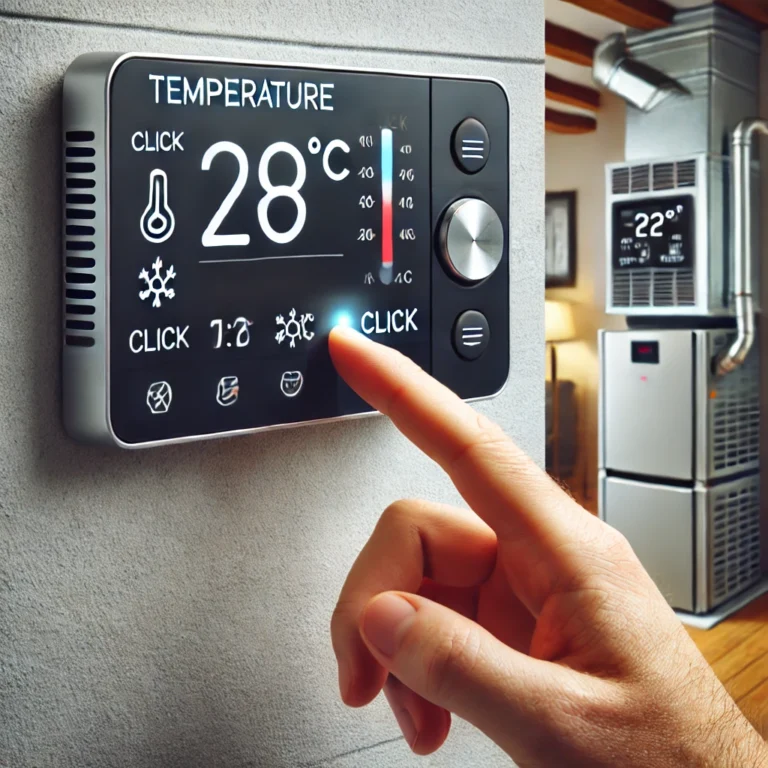
It’s a frustrating scenario: you hear the familiar “click” from your thermostat, the sound that should signal your home is about to get warmer or cooler. But then… nothing happens. The silence that follows can be confusing and uncomfortable. What does that click actually mean, and why isn’t your HVAC system responding?
That clicking sound is actually a good sign—it means your thermostat is trying to do its job. It’s sending a signal to your heating or cooling system. The problem is that the signal isn’t being received or acted upon. This guide will help you diagnose the issue, starting with the simplest fixes you can do yourself before calling in a professional.
We’ve structured this guide from the easiest, most common fixes to progressively more technical diagnoses. Most homeowners will find their answer within the first few sections. If you work through this entire guide and still can’t identify the problem, the final sections will tell you exactly what to tell an HVAC technician.
What the Click from Your Thermostat Actually Means
Before diving into fixes, it helps to understand the basic mechanics behind that click. Inside most thermostats—whether old mechanical models or modern digital ones—there is a component called a relay. A relay is essentially an electrically-operated switch. When the thermostat determines that the temperature in your home needs to change, it sends a small burst of electrical current through this relay.
The relay physically snaps into position to complete a circuit, and that snap is the “click” you hear. It’s the thermostat doing its one job: telling the HVAC system to turn on. The click confirms the thermostat’s internal logic is working. So when you hear the click but nothing else happens, the problem lies somewhere between that relay closing and the actual HVAC equipment running.
Understanding this distinction is important because it narrows down the problem considerably. You’re not dealing with a completely dead thermostat—you’re dealing with a communication or power failure somewhere in the chain between the thermostat and the furnace or air conditioner. That chain has several potential weak points, each covered in the sections below.
For a deeper technical breakdown of how thermistors and electronic sensors work inside modern smart thermostats, see our guide on thermistors and smart thermostat temperature sensing explained.
Common Reasons for a Clicking Thermostat That Won’t Turn On
Let’s walk through the most common culprits, from easy fixes to more complex mechanical issues.
1. Dead or Weak Batteries
This is the number one cause of this problem. Many digital thermostats use batteries for power. When they get low, the thermostat may have just enough power to make the internal relay “click” but not enough to send a strong, consistent signal to the main HVAC unit.
This is one of the most misunderstood aspects of thermostat behavior. Homeowners often assume that if the screen is still lit and showing a temperature reading, the batteries must be fine. This is not always accurate. LCD screens and basic display functions require far less power than transmitting a control signal through the wiring to an HVAC unit. A set of batteries can be too depleted to do the latter while still being strong enough for the former.
The phenomenon is sometimes called a “relay click failure” in low-battery conditions—the thermostat physically closes its internal relay, but the resulting signal is too weak to trigger the HVAC control board. This is well-documented in models from brands like Honeywell, Emerson, and Ecobee. For a detailed look at this specific failure mode, read our article on thermostat low battery, fading display, and relay click failure.
Solution: Replace the batteries with a fresh, high-quality set. Even if the screen isn’t blank, the batteries might be too weak to function properly. Use alkaline batteries (not rechargeable) for best results, as most thermostats are designed for the voltage output of standard alkaline cells. This simple fix solves the problem more often than not.
After replacing, wait 60 seconds before testing. Some thermostats need a brief moment to reinitialize after fresh batteries are inserted. If your thermostat is a Honeywell model, our guide on how to replace the battery in a Honeywell thermostat has model-specific instructions.
Battery-Powered Smart Thermostats: Some newer smart thermostats are designed to run entirely on batteries without requiring a C-wire. If you have one of these models, battery health is even more critical since it powers Wi-Fi and smart features as well as basic operation. Learn more about battery-powered smart thermostats in 2026.
2. Incorrect Thermostat Settings
Sometimes the issue is just a simple setting error. Your HVAC system won’t respond if it’s not being told to do the right thing, even if the thermostat clicks.
Solution: Double-check your settings:
- Mode: Ensure it’s set to “Heat” in the winter or “Cool” in the summer, not “Off.”
- Temperature: To trigger the system, the set temperature must be at least 5 degrees higher (for heat) or 5 degrees lower (for cool) than the current room temperature.
- Fan: Make sure the fan is set to “Auto,” not “Off.”
It’s also worth checking whether your thermostat has a programmed schedule that might be overriding your manual adjustment. Many programmable thermostats will revert to their schedule automatically. If your thermostat has a “Hold” function, you may need to press it to override the schedule and maintain your desired temperature setting. For guidance on how scheduled and learned programming differ, see our comparison of thermostat schedule vs. learning modes.
If your thermostat seems to turn the AC on when you want heat, or vice versa, that’s a specific issue covered in our guide on why your thermostat keeps switching from heat to cool.
3. Tripped Circuit Breaker
Your HVAC system requires a lot of power and has its own dedicated circuit breaker. The thermostat, especially if battery-powered, can operate independently. If the breaker for your furnace or air conditioner has tripped, the thermostat will click, but the main unit has no power to turn on.
Solution: Locate your home’s main electrical panel. Look for any breakers that are in the “off” or middle position and flip them firmly back to “on.” If the breaker trips again immediately, you have a more serious electrical issue and should call a professional.
Note that larger HVAC systems often have two separate breakers: one for the air handler or furnace, and one for the outdoor condenser unit (for air conditioning systems). If only one has tripped, the system may partially operate or behave erratically. Check both. You may also find a separate disconnect switch at the furnace itself, usually mounted on the wall nearby. Make sure that switch is in the “on” position as well.
If you find a tripped breaker, reset it once. If it trips again within a few minutes or immediately, this indicates a short circuit or ground fault in the HVAC equipment itself. Do not keep resetting it—this is a job for a licensed electrician or HVAC technician.
4. Dirty or Clogged Air Filter
A severely clogged air filter can restrict airflow to your furnace or air handler. This can cause the unit to overheat, triggering a safety switch that shuts it down to prevent damage. Your thermostat doesn’t know this has happened and will continue to call for heat or cool (clicking), but the system will refuse to run.
Solution: Check your HVAC system’s air filter. If it’s grey, dusty, or you can’t see light through it, replace it immediately. It’s good practice to replace your filter every 1-3 months.
Modern high-efficiency furnaces are particularly sensitive to airflow restriction. Many have a pressure switch that monitors the vacuum created by the inducer motor. If the filter is so clogged that the inducer can’t create adequate suction, the pressure switch will refuse to close, preventing ignition entirely. The furnace won’t start even though the thermostat is clicking away, calling for heat.
Restricted airflow also forces your system to work harder and run longer, drastically increasing energy consumption. This connects directly to HVAC efficiency—maintaining a clean filter is the single most impactful maintenance task a homeowner can perform. For more energy-saving strategies, see our HVAC energy efficiency tips.
5. Loose Wiring or Faulty Thermostat
Over time, the low-voltage wires connecting your thermostat to the HVAC unit can become loose, corroded, or damaged. This can interrupt the signal. In other cases, the thermostat itself, especially if it’s old, may have a failing internal component despite its ability to click.
Solution: You can perform a basic visual check. Turn off the power to your HVAC system at the breaker. Gently remove the thermostat cover and check that all colored wires are securely fastened to their terminals. If everything looks tight and the problem persists after trying all other steps, your thermostat may need to be replaced.
When inspecting wiring, look for more than just loose connections. Check for green corrosion on the wire terminals—this is oxidation that acts as an insulator, blocking the signal. You can gently clean terminals with a small amount of electrical contact cleaner or fine-grit sandpaper. Also look for any wires that appear nicked, frayed, or pinched, particularly near the thermostat base where they enter the wall.
Each wire in a standard thermostat installation carries a specific function: R (24V power), W (heat), Y (cooling), G (fan), and C (common/return). If any of these is compromised, only the function it controls will fail. For example, a faulty W wire will cause exactly the symptom described in this article—the thermostat clicks to call for heat, but the furnace doesn’t respond. For a complete overview of each wire’s role, see our detailed thermostat wiring guide. If you need to extend a wire that has been damaged, our guide on how to extend and splice thermostat wire explains the correct procedure.
6. HVAC System Issues (Lockout Mode)
Modern furnaces and air conditioners have safety features. If a system tries to start several times and fails (due to a dirty flame sensor, for example), it may enter a “lockout mode” to prevent further issues. Alternatively, a key component like a capacitor, fan motor, or contactor might have failed.
Solution: Try resetting your HVAC system by turning it off at the circuit breaker for 5-10 minutes, then turning it back on. This can sometimes clear a lockout mode.
If your furnace has a small viewing window (called a “sight glass”), look for a blinking LED light inside. Modern furnaces have diagnostic codes that blink a specific pattern to indicate the fault—for example, 3 blinks followed by a pause might indicate a pressure switch issue, while 4 blinks might indicate an open high-limit switch. Your furnace’s service label (usually on the inside of the front panel) will have a decoder for these blink codes. This is invaluable information for diagnosing HVAC lockout conditions.
Air conditioning systems can also lock out. If the outdoor unit tries to start but the compressor is seized or the capacitor has failed, the unit may enter a lockout to prevent repeated failed start attempts, which can overheat and burn out the compressor motor. If you hear a humming sound from the outdoor unit but it doesn’t spin, a failed start capacitor is a strong suspect—and that’s a job for a technician.
7. Weak or Missing 24V Signal
Most residential HVAC systems use a 24-volt AC control circuit to communicate between the thermostat and the HVAC equipment. The furnace or air handler contains a small transformer that steps the household 120V power down to 24V for this purpose. The thermostat acts as a switch in this circuit—when it calls for heat, it completes the 24V circuit between the R and W terminals, which energizes a relay on the control board that actually fires up the furnace.
When this 24V signal is weak or absent, the HVAC control board receives insufficient power to activate. The thermostat can click all it wants, but without the correct voltage reaching the control board, nothing will start. This is a very common underlying cause of the “thermostat clicks but HVAC won’t start” problem and is closely related to battery issues, C-wire problems, and transformer failures.
Signs that you have a 24V signal problem include:
- The thermostat display flickers or dims when it clicks.
- The system worked fine with the old thermostat but stopped working after you installed a new one.
- The fan might respond but the heat or cool won’t engage.
- A smart thermostat shows “battery charging” warnings even when connected to system wiring.
Solution: Use a multimeter set to AC voltage. With the system powered on, carefully measure voltage between the R and C terminals on your thermostat wiring. You should read between 22V and 26V AC. If the reading is significantly lower than 22V, your transformer may be failing, or there may be a short circuit drawing too much current from the 24V circuit. For a step-by-step guide, see our full article on diagnosing thermostat heat on but no heat: 24V signal vs furnace issues.
A 24V transformer can be weakened by having too many devices drawing current from it simultaneously. This is a known issue in homes where a zone controller, humidifier, UV light, and smart thermostat are all wired to the same transformer. If you suspect this is the case, the transformer may need to be upgraded to a higher VA (volt-ampere) rating.
8. C-Wire (Common Wire) Problems
The C-wire, or “common wire,” is the return path for the 24V AC circuit. It completes the electrical circuit between the HVAC system’s transformer and your thermostat. For older mechanical thermostats that simply acted as switches, the C-wire wasn’t needed. But modern digital and smart thermostats need it to power their displays, Wi-Fi chips, and other electronics continuously—rather than “stealing” small amounts of power from the heating or cooling wires, which can cause erratic HVAC behavior.
A missing or malfunctioning C-wire is one of the most common reasons a newly installed smart thermostat will click but not properly control the HVAC system. Without the C-wire, the thermostat may exhibit symptoms like:
- Clicking repeatedly without the system turning on.
- The thermostat display going blank when the heating or cooling activates.
- The fan running constantly even when no heating or cooling is called for.
- Short-cycling—the system turns on and off in rapid succession.
- The thermostat showing a “low battery” warning even when freshly wired.
Solution: Check whether your thermostat wiring has a wire connected to the “C” terminal. If not, you have several options: run a new wire (if you have a spare conductor in your existing thermostat cable), use a C-wire adapter (like the Honeywell Home Add-A-Wire), or install a power adapter kit. Many smart thermostats include such adapters. If you’re upgrading from a Honeywell zone-control system, our guide on replacing Honeywell HZ311 zone thermostats with Ecobee: wiring tips covers C-wire solutions in multi-zone systems.
For a detailed comparison of how different thermostats handle the C-wire requirement, see our comparison of Nest vs Sensi: power stealing vs battery backup and our guide on Sensi vs Ecobee: C-wire and PEK installation. If you’re experiencing power or charging issues with your thermostat specifically, our article on why your thermostat is not charging addresses this directly.
9. Thermostat Not Reaching the Set Temperature
A slightly different but related problem: the system does turn on when the thermostat clicks, but it runs for a long time without the room ever reaching the set temperature. This is sometimes misidentified as the thermostat “not working,” but it’s actually a different category of problem—one involving system capacity, heat loss, or sensor issues rather than a simple on/off failure.
Common causes include:
- Undersized HVAC system: The furnace or AC unit doesn’t have enough capacity (BTUs or tons) to heat or cool your space, especially during extreme weather.
- Poor insulation or air sealing: Heat or cool air is escaping faster than the HVAC system can replace it.
- Thermostat in a bad location: If the thermostat is near a window, in direct sunlight, near a heat-generating appliance, or in a drafty hallway, it will read a temperature that doesn’t reflect the comfort level in the rest of the home.
- Dirty coils or heat exchanger: Reduces the system’s efficiency.
- Refrigerant leak (for AC): A system low on refrigerant will run constantly but cool inadequately.
Solution: Work through a diagnostic flowchart to identify whether the problem is with the thermostat, the HVAC system, or the building envelope. Our detailed article on thermostat not reaching set temperature: diagnostic flowchart walks through each step. Also check our guide on why your thermostat shows the wrong room temperature.
If you have a smart thermostat with remote sensors, this problem can often be solved by placing sensors in the rooms you care about most and configuring the thermostat to average temperatures across those sensors—or to prioritize a specific room. Our comparison of Nest auto-schedule vs Ecobee SmartSensors for comfort explores how each platform handles multi-room temperature management.
Placement of your thermostat matters enormously. The ideal location is on an interior wall, roughly 5 feet off the floor, away from vents, windows, exterior doors, and any heat-generating electronics. If you suspect the thermostat’s location is skewing temperature readings, consider repositioning it. Our guide on always feeling cold at home — it might not be your thermostat covers this topic in depth.
10. Furnace Fan Runs but Heating or Cooling Does Not Engage
A specific and common variant of this problem is when you hear the thermostat click, the HVAC fan starts and blows air, but the air is not heated or cooled. This is different from the system not turning on at all—here, something is responding, but it’s an incomplete response.
This symptom almost always points to a problem with the heating or cooling component specifically, not the fan motor. For a gas furnace, it means the ignition sequence is failing. For an air conditioner, the compressor may not be engaging. The fan is controlled by the G wire from the thermostat, while heat and cooling are controlled by W and Y respectively. Since the fan works, the R wire (power) and G wire are functioning. The W or Y wire, or the components they activate, are the likely problem.
For a gas furnace, the most common causes of the fan running without heat are:
- Failed igniter: The hot surface igniter (a fragile ceramic element) may have cracked and burned out.
- Dirty flame sensor: The flame sensor monitors whether the burner actually lit. If it’s coated in oxidation buildup, it can’t detect the flame and shuts down the gas valve as a safety measure—even though the igniter briefly lit a flame.
- Failed gas valve: The valve that allows gas to flow to the burners may have failed.
- Pressure switch issue: As mentioned earlier, related to airflow restriction.
Solution: A detailed diagnostic for this specific symptom—where the fan works but heating doesn’t—is covered in our dedicated guide on furnace won’t turn on but the fan works and our complementary article on why your thermostat isn’t starting the furnace. A dirty flame sensor can often be cleaned with fine-grit steel wool, which is a basic DIY repair. A cracked igniter requires replacement—a straightforward repair for a handy homeowner or a quick job for a technician.
11. Thermostat Keeps Rebooting When the System Tries to Start
This is a particularly puzzling symptom: you set the temperature, the thermostat clicks, and then the display goes blank or restarts—and the HVAC system never starts. This rebooting or resetting behavior is almost always caused by a voltage drop at the thermostat when the HVAC system attempts to start.
Here’s what’s happening at an electrical level: when a furnace or AC unit activates, the control board and relay coils draw a surge of current from the 24V transformer. This momentary current spike can drag the transformer’s output voltage down. If your thermostat is “power stealing” from the heating/cooling wire (common with thermostats that lack a C-wire), this voltage drop can cut off the thermostat’s own power supply, causing it to reboot. The moment it reboots, it’s no longer calling for heat, so the current surge subsides and the thermostat boots back up—only to call for heat again and repeat the cycle.
The root causes are:
- Missing or inadequate C-wire (as described above).
- An aging or undersized 24V transformer that can’t maintain voltage under load.
- Too many devices drawing from the same transformer.
- A partial short or high-resistance connection somewhere in the wiring.
Solution: The primary fix is addressing the C-wire situation. Adding a proper C-wire connection gives the thermostat a stable, dedicated power source that isn’t affected by current surges from HVAC component activation. If a C-wire is already present, suspect the transformer. Our detailed guide on thermostat rebooting when AC turns on: voltage drop and transformer load covers the diagnosis and fixes in full technical detail.
12. Thermostat Showing the Wrong Room Temperature
If your thermostat displays a room temperature that doesn’t match what you feel or what a separate thermometer reads, it will behave erratically—clicking to turn on or off at the wrong times, or not at all when you expect it to. The temperature sensor inside the thermostat (typically a thermistor) may be drifting or failing, or the thermostat may simply be poorly positioned.
A temperature reading that’s too high will cause the thermostat to think the house is already warm enough, so it won’t call for heat even if you’re cold. A reading that’s too low will cause it to run the heat continuously even when the house is warm. Both scenarios can produce the “clicking but nothing happens” symptom if the displayed temperature is extreme enough.
Solution: Place an independent thermometer next to the thermostat and compare readings over 30 minutes. If there’s a consistent discrepancy of more than 2–3 degrees, your thermostat’s temperature sensor may need calibration or replacement. Some thermostats have a built-in offset adjustment in their settings menu. See our full guide on why your thermostat shows the wrong room temperature for calibration steps and replacement guidance.
Smart thermostats with room sensors (like Ecobee’s SmartSensors) can compensate for a poor thermostat location by using the average temperature of multiple rooms. Our review of the Ecobee Premium’s radar sensor and occupancy detection vs PIR explains how this technology works in practice. For comparing remote sensor range and performance across brands, see our guide on Ecobee vs Honeywell remote sensor range in multi-zone setups.
13. Thermostat Keeps Switching Between Heat and Cool
If your thermostat is clicking repeatedly and the mode seems to switch between heating and cooling on its own, this is a separate but related fault condition. It often leads to neither heating nor cooling actually functioning effectively, since the system keeps reversing itself.
The most common causes are:
- A short circuit or crossed wires: If the Y wire (cooling) and W wire (heating) are touching or shorted together, the thermostat may receive conflicting signals.
- Heat pump wiring issues: Heat pumps use an O/B wire to control the reversing valve. If this is wired incorrectly, the system will heat when you want cooling and vice versa, and the control board may lock out.
- Failing thermostat logic board: The internal processor that determines which mode to call for may be malfunctioning.
- Thermostat not compatible with system: Some thermostats aren’t designed for heat pumps, and connecting a conventional thermostat to a heat pump system produces exactly these symptoms.
Solution: First, verify that your thermostat is compatible with your HVAC system type. This is especially important with heat pumps. Our complete 2026 guide on thermostat compatibility with your furnace walks through how to check compatibility. For the specific mode-switching problem, see our dedicated article on why your thermostat keeps switching from heat to cool.
The 10-Minute Diagnostic Checklist
Before calling a technician, work through this systematic checklist. It covers the most common causes and can often identify the problem quickly and without any special tools. This checklist is designed to be followed in order—each step assumes the previous steps haven’t resolved the issue.
| Step | What to Check | What to Look/Listen For | Quick Fix |
|---|---|---|---|
| 1 | Batteries | Screen brightness, display flicker on click | Replace with fresh alkaline batteries |
| 2 | Mode & temperature settings | Mode set to Off or incorrect; set temp within 5° of room | Set correct mode; raise/lower set temp by 5°+ |
| 3 | Circuit breaker panel | Any breaker in “off” or middle position | Firmly flip tripped breaker to “on” |
| 4 | HVAC on/off switch | Wall switch near furnace/air handler | Ensure it is in “on” position |
| 5 | Air filter | Gray, clogged, or collapsed filter | Replace filter |
| 6 | Furnace blink code | LED blinks through sight glass | Count blinks; consult service label on furnace |
| 7 | Thermostat wiring | Loose, corroded, or disconnected wires | Re-seat wires; clean corrosion |
| 8 | C-wire presence | Wire connected to C terminal | Install C-wire adapter if missing |
| 9 | HVAC reset | System in lockout mode | Power off at breaker for 10 min, restore |
| 10 | Thermostat swap test | No improvement after all above | Test with a basic temporary thermostat |
For a printable version of this checklist with additional technical steps, see our dedicated page: diagnose a faulty thermostat: the 10-minute checklist.
How to Test for a 24V Signal Without Calling a Technician
If you’re comfortable with basic electrical testing and own a multimeter, you can perform a simple test to determine whether the 24V control circuit is functioning correctly. This test helps you determine whether the problem is in the thermostat, the wiring, or the HVAC control board—saving you from paying for a service call just to be told which part to replace.
What you’ll need: A digital multimeter (available at any hardware store for $15–$30). Set it to measure AC voltage.
- Turn off the HVAC system at the thermostat (set to “Off”) but leave it powered at the breaker.
- Remove the thermostat from its wall plate to expose the low-voltage wiring terminals.
- Identify the R and C terminals. The R terminal connects the red wire (24V supply). The C terminal connects the blue or black wire (common return). If there is no C wire in your installation, there may be no C terminal connected.
- Touch the multimeter probes to the R and C terminals simultaneously. The meter should read between 22V and 26V AC.
- If you read correct voltage (22–26V): The HVAC transformer and basic wiring are working. The problem is likely in the thermostat itself or the control board’s response to the thermostat signal.
- If you read low voltage (<20V) or no voltage: The transformer may be failing, there may be a short circuit somewhere in the low-voltage wiring, or there may be a blown fuse on the control board.
Checking for a blown control board fuse: Most HVAC control boards have a small 3-amp or 5-amp mini fuse (looks like an automotive fuse) on the board itself. This fuse is often the first thing to blow when there’s a wiring short, such as when someone accidentally touches wires together during installation. If your 24V reading is zero and the transformer tests fine, check this fuse.
This kind of testing falls within what our comprehensive guide on thermostat clicks but HVAC won’t start: battery, breaker, and wiring diagnosis covers in full detail, including specific test procedures for different system types.
Safety Note: Always exercise caution when working with electrical systems. The 24V control circuit is low voltage and generally safe to handle, but your HVAC system also connects to 120V or 240V mains power. Always turn off the main HVAC breaker before reaching into the furnace cabinet or air handler. Never work on wiring while standing on a wet surface.
When It’s Time to Replace Your Thermostat Entirely
Not every clicking thermostat can be fixed. Sometimes, replacement is the most practical and cost-effective solution. Here’s how to decide whether to repair or replace:
Consider replacing your thermostat if:
- The thermostat is more than 10 years old. Digital thermostats have a typical lifespan of 10–15 years, after which components begin to drift or fail.
- You’ve replaced the batteries, checked the wiring, reset the system, and the problem persists.
- The thermostat has suffered physical damage (cracked screen, damaged terminals, evidence of burning or overheating).
- It’s a mechanical thermostat (uses a mercury-filled tilt switch). These are obsolete, less accurate than digital models, and often outlawed from disposal in landfills due to mercury content.
- It lacks features you need, like programmable schedules, Wi-Fi connectivity, or compatibility with smart home platforms.
Our guide on how to know if you need a new thermostat walks through 12 specific symptoms and tests to definitively diagnose a thermostat that needs replacement. If you’d like an even more comprehensive 12-symptom checklist with hands-on tests, see our article on how to tell if your thermostat is bad: 12 symptoms, tests, and real fixes.
A basic replacement digital thermostat can be had for $25–$60. Given that a service call for an HVAC technician typically costs $75–$150 just for the visit, replacing a suspect thermostat before scheduling a service call is often the more economical approach—especially if the thermostat is more than 10 years old.
Before purchasing, confirm the new thermostat is compatible with your HVAC system. The key things to verify are: the number of stages (single-stage vs multi-stage), whether you have a heat pump, whether you have electric baseboard heat (line-voltage vs low-voltage), and the number of wires in your thermostat cable. Our guide on how to tell if your thermostat can be upgraded helps you assess what options you have based on your current wiring.
Should You Upgrade to a Smart Thermostat?
If your thermostat is old enough to be causing problems, you may be wondering whether it’s worth taking the opportunity to upgrade to a smart model. The short answer for most homeowners: yes, with some caveats.
Modern smart thermostats offer several concrete advantages over conventional models:
- Energy savings: Smart thermostats can reduce heating and cooling costs by 10–23% according to various studies, primarily through better scheduling, occupancy detection, and learning algorithms. Our article on smart thermostat energy savings with geofencing quantifies the potential savings.
- Remote access: Control your home’s temperature from anywhere via smartphone, avoiding the situation of returning to a cold house or wasting energy heating or cooling an empty home.
- Geofencing: Automatically adjust temperature when you leave or return home based on your phone’s GPS location. For a deeper look at this feature, see our guide on how smart thermostat geofencing affects HVAC runtime.
- Better diagnostics: Smart thermostats track runtime data, can send alerts for unusual behavior, and some integrate with HVAC service platforms for predictive maintenance.
- Comfort improvement: Features like adaptive learning and remote room sensors can significantly improve comfort compared to a single-point mechanical thermostat.
The main caveats for upgrading are compatibility and installation complexity. Heat pumps, electric baseboard heaters, multi-stage systems, and multi-zone systems all have specific requirements. Our comprehensive guide on key features to compare when buying a smart thermostat helps you navigate these decisions. For a head-to-head comparison of the leading smart thermostat brands, see our Nest vs Honeywell multi-stage HVAC comparison.
Also check whether you qualify for a rebate. Many utility companies offer rebates of $50–$150 for installing qualifying smart thermostats. Our 2026 smart thermostat rebates guide and savings calculator covers current programs and how to apply.
If you have electric baseboard heaters rather than a central HVAC system, the standard smart thermostat options won’t work—you need a line-voltage thermostat. Our review of the Mysa smart thermostat for baseboard heaters covers the leading option in this category. For radiant floor systems, see our guide on the best thermostats for electric radiant floors.
Understanding Your HVAC System: How It All Connects
To truly understand why a thermostat clicking doesn’t result in heating or cooling, it helps to have a basic model of how all the components relate to each other. A typical central HVAC system has three major parts: the thermostat, the air handler/furnace, and the outdoor unit (for air conditioning or heat pump systems).
The thermostat is essentially the brain—it measures temperature, compares it to your set point, and decides when to call for heating or cooling. The furnace or air handler is the heart—it does the actual work of heating or cooling air and distributing it through ductwork. The outdoor unit (condenser or heat pump) is the engine that exchanges heat with the outdoor air.
These components communicate through the low-voltage wiring we’ve discussed, and they all depend on proper power delivery. When the thermostat clicks but nothing happens, the failure can be anywhere along this chain—and the clicking tells you only that the thermostat itself has issued the command. Everything downstream is still a suspect.
For homeowners considering a full system replacement (whether due to age, inefficiency, or repeated failures), our guide on HVAC system replacement cost: the complete 2026 guide provides detailed cost information to help you plan. Understanding what a split system is versus a packaged unit is also helpful background—see our explainer on what a split HVAC system is.
Special Cases: Sensi, Ecobee, Nest, and Smart Thermostat Troubleshooting
While most of the causes above apply to any thermostat, smart thermostat models from major brands have some model-specific behaviors worth knowing about.
Sensi Thermostat Clicking Issues
Sensi thermostats (made by Emerson) are designed to work with or without a C-wire using a “power-stealing” method. However, some HVAC systems don’t provide enough parasite current for the Sensi to operate reliably, which can cause the clicking-but-not-starting symptom. If your Sensi is experiencing connectivity or power issues, our troubleshooting guide covers the most common causes: Sensi showing connected but not to Sensi Cloud: fix. For more complex reset scenarios, see our guide on Sensi reset failed: diagnosing power and wiring.
The Sensi Touch is our recommended Sensi model for its improved terminal block and C-wire stability. Read our Sensi Touch review covering illuminated terminals and C-wire stability for details.
Nest Thermostat Clicking Issues
Nest thermostats are known for “power stealing”—drawing trickle current from the heating and cooling wires to charge their internal battery. This works in most systems but can cause problems including clicking without HVAC activation in systems with certain electronic air cleaners, zone controllers, or LED light strips on the 24V circuit. If you’re having Nest power issues, see our guide on Nest Learning Thermostat power stealing and C-wire fixes. For users of the 4th generation Nest, our comparison covering the Nest 4th gen Soli radar, Matter, and mirror display covers what’s changed in the latest hardware.
Ecobee Thermostat Clicking Issues
Ecobee thermostats require a C-wire or the use of the included Power Extender Kit (PEK). Without one of these, the thermostat may exhibit erratic behavior including the clicking-without-response symptom. The PEK is an adapter that installs at the furnace and reconfigures one of the spare wires in your thermostat cable as a C-wire. Installation is straightforward. For more detail, see our Ecobee3 Lite review covering PEK and C-wire installation. For the top-end model, our review of the Ecobee Premium’s air quality, VOC, and CO2 monitoring covers all features including the improved power management.
Honeywell Thermostat Clicking Issues
Honeywell thermostats—spanning from basic programmable models to the T9 and T10 Pro smart thermostats—are generally reliable. Clicking issues in Honeywell models are most commonly caused by battery failure, a tripped HVAC breaker, or wiring issues. For reset procedures, see our guides on how to reset a Honeywell thermostat and how to reset a Honeywell thermostat with no reset button. For a comparison of the T9 and T10 Pro models, see our Honeywell T9 vs T10 Pro: IAQ and wiring comparison.
Preventing Future Thermostat and HVAC Problems
Once you’ve resolved the immediate clicking issue, a few simple maintenance habits will dramatically reduce the likelihood of future problems.
Annual HVAC Maintenance
Schedule a professional HVAC tune-up once a year—fall for heating systems, spring for cooling systems. A technician will clean the flame sensor, check the heat exchanger, test capacitors, lubricate motors, and verify refrigerant levels. These inspections catch developing problems before they cause a complete system shutdown at the worst possible moment (usually the coldest night of winter or the hottest afternoon of summer).
Filter Replacement Schedule
Set a calendar reminder to check your air filter every 30 days. Replace 1-inch filters every 1–2 months; thicker 4–5 inch media filters can typically last 6–12 months. Keep a supply of the correct size on hand so there’s no excuse to delay replacement.
Battery Replacement
Replace thermostat batteries every year on a fixed schedule—many people do this when they change smoke detector batteries. Don’t wait for the low-battery warning. A proactive replacement strategy eliminates a major cause of HVAC system failures.
Keep the Thermostat Clean
Dust can accumulate inside older thermostats and interfere with temperature sensors. Gently cleaning the interior with a soft brush (with power disconnected) every few years can prevent sensor drift. Keep the thermostat away from sources of dust and moisture.
Avoid Incorrect Wiring During Upgrades
Many HVAC problems are introduced when homeowners install a new thermostat without fully understanding the wiring. Before connecting any thermostat, photograph your existing wiring configuration so you have a reference if something goes wrong. Double-check compatibility before purchasing, and use our thermostat compatibility guide to verify the new model will work with your system.
Winter and Vacation Settings
If you’re leaving your home unoccupied for an extended period, don’t set the thermostat to “Off”—set it to a minimum temperature of 55°F (13°C) for heating. This prevents pipes from freezing and keeps the HVAC system from sitting completely dormant for long periods. Our guide on winter vacation thermostat settings to prevent pipe freeze has detailed recommendations. For general winter comfort, see our guide on the ideal winter thermostat schedule at 68°F for comfort.
When to Call a Professional
While many issues can be fixed easily, do not hesitate to call a certified HVAC technician if you encounter any of the following:
- A circuit breaker that repeatedly trips.
- You smell burning plastic or ozone near your vents or HVAC unit.
- You hear loud humming, buzzing, or grinding noises from the furnace or AC.
- You suspect a problem with wiring, fuses, or internal HVAC components.
- The furnace or air conditioner is more than 15 years old and failing repeatedly.
- You have a gas-powered system and smell anything that might be gas.
- The blink code on your furnace indicates a heat exchanger problem (this is a safety issue that requires immediate professional attention).
For cost guidance on professional repairs vs. replacement, our guide on furnace replacement cost and AC unit installation cost provide 2026 pricing benchmarks.
Frequently Asked Questions
Why does my thermostat click but nothing happens?
This usually indicates the thermostat is sending a signal, but a problem with power, settings, or a component is preventing the HVAC system from responding. The most common causes are dead batteries or a tripped circuit breaker for the main HVAC unit. Work through the 10-minute diagnostic checklist above to identify the specific cause. In most cases, a fix can be made within minutes without calling a technician.
If the batteries are dead, will a thermostat still click?
Yes. A thermostat with weak or dying batteries might have just enough energy to activate its internal relay (the click) but not enough to transmit the signal properly to the HVAC system. This is one of the most counterintuitive failure modes—the screen can look normal, the thermostat responds to touch, and yet it can’t actually control the HVAC. Always try fresh batteries before anything else. For more on this specific phenomenon, see our article on thermostat battery failure and relay no-start.
Should I reset my thermostat if it’s just clicking?
Yes, a reset is a good troubleshooting step. Turning the system off at the breaker for a few minutes can clear minor glitches in both the thermostat and the HVAC control board. It can also clear a furnace lockout mode that was triggered by a previous failed start attempt. After resetting, allow 5–10 minutes before turning the system back on and testing. For specific reset procedures, see our guide on how to reset a thermostat.
How do I know if the thermostat itself is broken?
If you’ve replaced the batteries, confirmed the settings are correct, checked the breaker and air filter, and verified the wiring looks secure, yet the problem continues, it’s highly likely the thermostat itself is faulty and needs replacement. You can also perform a “bypass test”: with the HVAC power on and the thermostat removed from the wall, briefly touch the R and W wires together (for a furnace). If the furnace starts, the HVAC system is working fine and the thermostat is the problem. For a full test protocol, see our article on how to tell if your thermostat can be upgraded.
Can a bad thermostat cause the AC not to cool?
Yes. A failing thermostat can prevent the AC from activating correctly, cause it to short-cycle, or cause it to run constantly without ever cooling adequately. Our dedicated article on can a bad thermostat cause AC not to cool? walks through every scenario and how to distinguish a thermostat problem from an AC system problem.
Can a bad thermostat cause the heater not to work?
Yes, for the same reasons. A thermostat that can’t properly send the 24V signal to the furnace’s W terminal will result in no heat, even if the furnace itself is perfectly operational. Our guide on can a bad thermostat cause your heater not to work? covers the diagnostic steps specific to heating systems.
How long do thermostats typically last?
A well-maintained thermostat can last 15–20 years, though most manufacturers rate them at 10 years. Digital thermostats tend to degrade more gracefully than mechanical ones—they’ll usually start showing erratic behavior (like incorrect temperature readings or intermittent operation) before failing completely. If your thermostat is over 10 years old and causing problems, replacement is usually the most cost-effective solution. For Honeywell-specific longevity data, see our analysis of how long Honeywell thermostats last.
Why does my thermostat keep turning on the AC when I want heat?
This is almost always a wiring, settings, or compatibility issue. If the mode is set correctly to “Heat” and it’s still activating cooling, the most likely cause is that the Y wire (cooling signal) and W wire (heating signal) are swapped or crossed, or the thermostat is not properly configured for your system type (e.g., a heat pump requires an O/B wire configuration that a standard thermostat doesn’t support). See our full guide on why your thermostat keeps turning on the AC.
Does the thermostat clicking damage the HVAC system?
In the short term, no. The clicking itself is just the thermostat’s relay switching—a normal, designed operation. However, if the thermostat is clicking repeatedly in rapid succession (short-cycling) because of voltage issues or a bad C-wire connection, this can cause excessive wear on HVAC compressor contactors and motors. Repeated start attempts with failed ignition can also foul the flame sensor. Address the underlying problem promptly rather than letting the symptom continue indefinitely.
What does it mean if my thermostat is clicking but the fan runs without heat?
This specific symptom—fan on, no heat—points to a heating-specific failure downstream of the thermostat. The G wire (fan control) and the W wire (heat control) are working independently. Since the fan is working, the 24V circuit and the basic wiring are intact. The problem is with the heating sequence: possibly a failed igniter, a dirty flame sensor, a tripped high-limit switch, or a failed gas valve. See our dedicated guide on furnace won’t turn on but the fan works.
Read More About Thermostat Troubleshooting
Explore these other guides to keep your system running smoothly:
- How Much Electricity Does the Fan on the Thermostat Use?
- Thermostat Clicks but HVAC Won’t Start: Battery, Breaker & Wiring
- Diagnose a Faulty Thermostat: The 10-Minute Checklist
- Thermostat Low Battery, Fading Display & Relay Click Failure
- Thermostat Not Reaching Set Temperature: Diagnostic Flowchart
- Thermostat Heat On, No Heat: 24V Signal vs Furnace
- Thermostat Rebooting When AC Turns On: Voltage Drop & Transformer
- Furnace Won’t Turn On but Fan Works
- Why Your Thermostat Doesn’t Start the Furnace
- How to Tell if Your Thermostat Is Bad: 12 Symptoms & Tests
- Is Your Thermostat Compatible with Your Furnace? Complete 2026 Guide
- Thermostat Wiring Guide
- Why Your Thermostat Keeps Switching from Heat to Cool
- Nest vs Honeywell Multi-Stage HVAC Comparison
- 2026 Smart Thermostat Rebates: Ultimate Guide & Savings Calculator






 Home
Home
 Info
Info
 Compare
 Reviews
 Shop
Shop