How Smart Thermostat Connectivity Works: Wi-Fi, Apps, and Sensors
An in-depth technical breakdown of the communication protocols, cloud architecture, and sensor networks that power modern climate control.
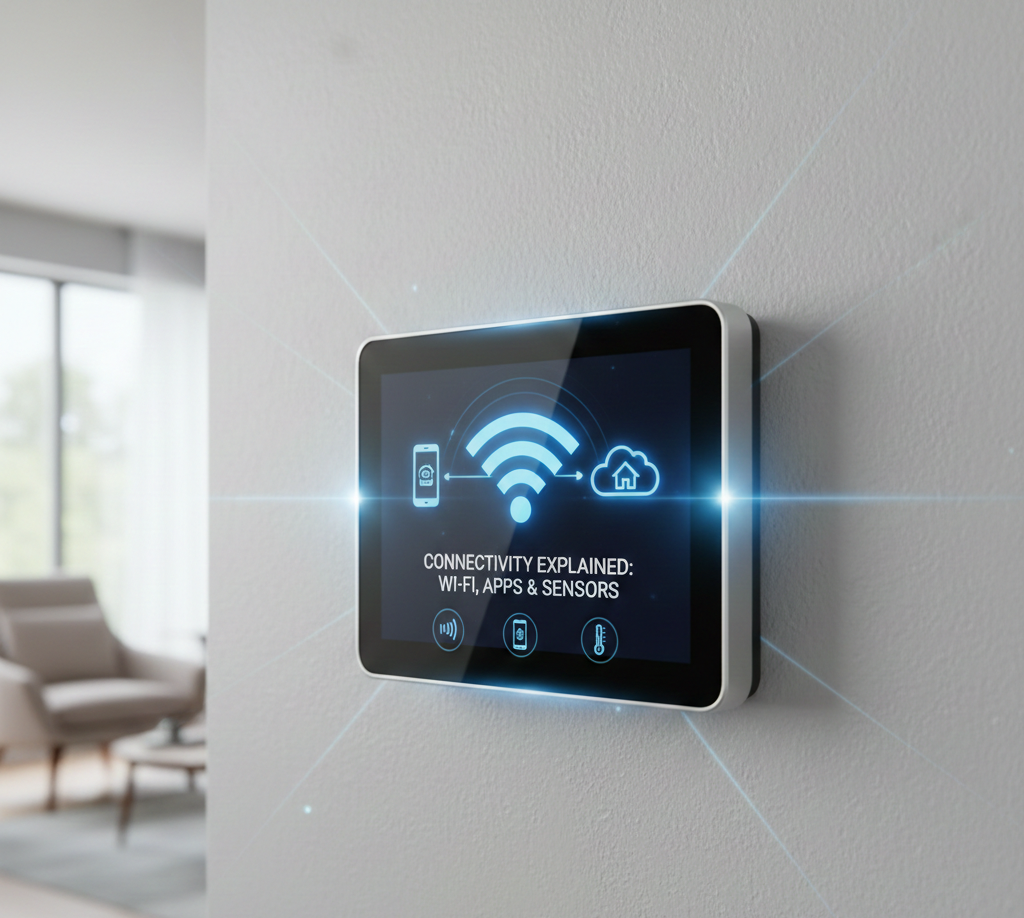
The modern smart thermostat is more than just a temperature switch; it is a sophisticated edge computing device. It acts as a bridge between high-voltage HVAC equipment and low-latency digital networks. Understanding how smart thermostat connectivity works requires looking under the hood at the interaction between local radio frequencies (Wi-Fi, Z-Wave) and cloud-based API architectures.
Core Components of Smart Thermostat Connectivity
To facilitate remote control and automation, a smart thermostat relies on three distinct layers of technology:
- The Hardware Layer: The physical unit on the wall containing the Wi-Fi radio, relays, and microcontrollers.
- The Network Layer: The local communication protocol (Wi-Fi, Zigbee, Thread) that transmits data to the internet gateway.
- The Cloud Layer: The remote servers that process algorithms, store usage history, and handle commands from mobile apps.
Each of these layers must function correctly and in harmony for the system to work. A failure at any single point — a tripped router, an expired OAuth token, or a crashed cloud service — can break the entire chain of command. This is why understanding the complete stack is valuable not just for engineers, but for any homeowner who relies on their system daily. To understand this device in its most fundamental form, it helps to first read about what a thermostat is and how it evolved from a simple bimetallic strip into today’s cloud-connected edge device.
The hardware layer is more complex than it appears. Inside the slim wall-mounted unit lives a System-on-Chip (SoC) that integrates a CPU, RAM (typically 512KB–4MB), flash storage for schedule data, and a dedicated Wi-Fi or radio transceiver. The CPU handles thermostat logic — reading temperature, making heating/cooling decisions, running schedules — while the Wi-Fi module handles network communication independently. This parallel architecture means the heating logic doesn’t freeze if the Wi-Fi stack crashes, which is a critical reliability design choice.
The Role of Wi-Fi in Smart Thermostats
2.4GHz vs. 5GHz
Most smart thermostats utilize the 802.11 b/g/n Wi-Fi standard operating specifically on the 2.4GHz frequency. While 5GHz is faster, 2.4GHz offers superior range and wall penetration, which is critical for a device often installed in hallways or basements far from the router.
When the device “wakes up,” it establishes a secure handshake (usually WPA2-AES) with your router. It is assigned a local IP address via DHCP, allowing it to route traffic out to the internet.
Why Thermostats Avoid 5GHz Wi-Fi
The physics of radio frequency propagation explain this design choice clearly. A 5GHz signal has a shorter wavelength (approximately 6cm) compared to 2.4GHz (approximately 12.5cm). Shorter wavelengths are absorbed more readily by building materials — drywall, wood studs, insulation, and especially concrete or brick. In a typical home, a 5GHz signal loses 30–40% more signal strength passing through a single interior wall compared to 2.4GHz. Since thermostats are often mounted on interior walls far from the router, 2.4GHz is the only practical choice.
Additionally, 2.4GHz supports lower transmission power states, which matters for devices that may need to power-steal from the HVAC system’s 24V circuit in the absence of a dedicated C-wire. Maintaining a 5GHz link would require too much consistent power draw to be sustainable without a reliable power source.
DHCP vs. Static IP Assignment
By default, thermostats receive a dynamically assigned IP address from your router’s DHCP server. This works fine for most setups. However, in households with complex network configurations or parental controls, a DHCP lease expiration can cause a brief connectivity interruption while the device renegotiates its address. Advanced users can assign a static IP to the thermostat’s MAC address in their router’s DHCP reservation table, preventing this entirely and making firewall rules more predictable.
Mobile Apps and Cloud Servers Explained
A common misconception is that your phone communicates directly with your thermostat. In reality, they rarely speak face-to-face.
When you adjust the temperature on your phone:
- The Request: Your app sends a
POSTrequest to the manufacturer’s API endpoint (e.g.,api.ecobee.com). - Authentication: The server verifies your OAuth token to ensure security.
- State Change: The server updates the “desired state” in its database.
- The Push: The server pushes this command down to the thermostat via an open socket connection.
This round-trip usually happens in under 200 milliseconds. However, if your internet goes down, this chain breaks, which leads to connection issues like the “Sensi Connected Not Cloud” error.
How Manufacturer Cloud APIs Work
Each major thermostat manufacturer operates its own cloud infrastructure. Nest uses Google’s Cloud Platform, Ecobee runs on AWS, and Honeywell/Resideo uses Microsoft Azure. These are enterprise-grade platforms with multi-region redundancy, meaning even if one data center has an outage, your thermostat should seamlessly failover to another.
The thermostat maintains a persistent WebSocket connection to the cloud server — think of it like a phone line that’s always open, waiting for a call. When you send a command from the app, the server “calls” the thermostat through this always-on connection, pushing the new setpoint instantly. The thermostat acknowledges receipt, executes the command, and sends back a confirmation with the new state. The entire conversation is serialized in JSON format and typically involves only a few hundred bytes of data per command.
Polling vs. Push Architecture
Older smart home devices used a polling model where the device would check the cloud every 30–60 seconds for new commands. This created noticeable delays — you’d tap the app and wait up to a minute for the thermostat to respond. Modern thermostats use push architecture (long polling or WebSockets), where the cloud proactively delivers commands the moment they are created. This is why your ecobee or Nest responds nearly instantly to app changes today versus earlier generations that felt sluggish.
Local vs. Cloud-Based Control
What happens when the Wi-Fi cuts out? Connectivity architecture determines the device’s resilience.
- Cloud-Dependent: Devices that rely entirely on the server for logic (e.g., older models) may lose scheduling capabilities offline.
- Local Processing: Modern devices (like Ecobee Premium or Nest Learning) store schedules and logic on onboard flash memory. If Wi-Fi fails, they continue to run the last known schedule, essentially becoming a standard programmable thermostat.
The Matter protocol (discussed in detail later) is shifting the industry toward fully local-first control, where the hub on your local network — a HomePod Mini, an Apple TV, or a Google Nest Hub — acts as the command processor without requiring internet connectivity. This dramatically improves reliability and is a major reason many enthusiasts consider Matter-compatible devices a future-proof investment.
The philosophical and practical trade-off between local and cloud control is significant. Cloud-based systems can receive firmware updates, integrate machine learning models, and respond to utility grid signals without any hardware changes. Local-first systems sacrifice those capabilities for independence and speed. The industry trend is toward hybrid architecture — local processing for time-sensitive commands, cloud processing for AI-driven optimization and long-term learning.
✅ Cloud-Connected Advantages
- Remote control from anywhere in the world
- Firmware updates delivered automatically
- AI and machine learning running on powerful servers
- Integration with utility demand-response programs
- Usage history stored indefinitely in the cloud
- Voice assistant and third-party app integrations
❌ Cloud-Connected Disadvantages
- Dependent on internet connectivity for remote control
- Manufacturer can discontinue cloud service (bricking device)
- Privacy concerns about usage data collection
- Command latency increases with server load
- Vulnerable to cloud outages outside your control
- Subscription fees emerging on some platforms
Data Flow Between Thermostat and HVAC Equipment
While the digital side handles Wi-Fi, the analog side handles your furnace. The thermostat acts as a specialized relay board.
When the digital logic decides heat is needed:
- The microcontroller sends a low-voltage signal to the specific solid-state relay.
- The relay closes the circuit between the R (Power) wire and the W (Heat) wire.
- This sends 24VAC to the furnace control board, triggering the ignition sequence.
This conversion from digital code to analog 24V switching is the physical heart of the system. For a deeper look at how voltage flows here, read about battery-powered smart thermostats and C-wires.
Understanding Thermostat Wire Terminals
A standard forced-air system uses a color-coded 18-gauge wire bundle. Each wire carries a specific signal:
| Terminal | Wire Color (Typical) | Function | Voltage |
|---|---|---|---|
| R / Rh / Rc | Red | 24VAC Power from transformer | 24VAC |
| C | Blue or Black | Common return — completes the circuit | 0V (return) |
| W / W1 | White | Heating Stage 1 (furnace) | 24VAC signal |
| Y / Y1 | Yellow | Cooling Stage 1 (AC compressor) | 24VAC signal |
| G | Green | Fan (blower motor) | 24VAC signal |
| O / B | Orange or Blue | Heat pump reversing valve | 24VAC signal |
| W2 / Aux | Brown | Heating Stage 2 / Auxiliary heat | 24VAC signal |
The thermostat’s microcontroller never directly switches high-voltage circuits. Instead, it controls solid-state or electromechanical relays that act as digital switches for the 24V low-voltage control wiring. This isolation is a critical safety design — it keeps household current completely separated from the thermostat’s sensitive electronics. For a comprehensive guide on this topic, see the complete thermostat wiring guide.
How the Furnace Responds to the Thermostat Signal
When the W terminal is energized by the thermostat, the furnace control board receives 24VAC on its “Call for Heat” input. The control board runs through a safety sequence: it checks the high-limit switch, verifies the pressure switch, starts the inducer motor (on 80%+ AFUE furnaces), and then — after a pre-purge delay of 15–30 seconds — energizes the igniter and opens the gas valve. The smart thermostat is only responsible for starting this sequence; the furnace manages its own safety logic internally. Understanding this division of responsibility is helpful when diagnosing issues such as when the thermostat doesn’t start the furnace.
Protocol Wars: Zigbee, Z-Wave, Thread, and Matter
Not all thermostats use Wi-Fi directly. Some integrate into larger home automation hubs.
- Zigbee/Z-Wave: Low-power mesh networks. These thermostats don’t connect to Wi-Fi directly; they connect to a Hub (like SmartThings), which then connects to Wi-Fi. This consumes significantly less battery power.
- Thread/Matter: The future of connectivity. Thread creates a self-healing mesh network where devices can talk locally without needing the cloud, improving speed and reliability.
Zigbee: The Mesh Network Pioneer
Zigbee operates on the 2.4GHz ISM band using the IEEE 802.15.4 standard, but it is entirely separate from Wi-Fi. It uses extremely low power (in the microwatt range during sleep states) and transmits at data rates of only 250 Kbps — far slower than Wi-Fi, but more than sufficient for the tiny temperature and status packets a thermostat sends. Zigbee’s mesh architecture means every powered Zigbee device acts as a repeater, extending the network’s reach automatically. The more Zigbee devices in your home, the stronger and more reliable the mesh becomes.
Z-Wave: The Reliable Alternative
Z-Wave operates in the sub-1GHz range (908MHz in North America, 868MHz in Europe), which gives it exceptional wall penetration compared to 2.4GHz protocols. Z-Wave is a proprietary protocol governed by the Z-Wave Alliance, which enforces strict interoperability testing — meaning any Z-Wave device should theoretically work with any Z-Wave hub. It also uses mesh networking like Zigbee, with a maximum of four hops between devices. Z-Wave thermostats are particularly popular in commercial and multi-family residential settings due to their reliability and range.
Thread: The Modern Mesh
Thread is an IPv6-based mesh networking protocol built on the same IEEE 802.15.4 physical layer as Zigbee, but with a fundamentally different approach. Because Thread uses native IPv6 addressing, each device has its own globally routable IP address and can communicate directly over IP — without proprietary translation layers or cloud dependencies. Thread devices form a self-healing mesh and elect a “Border Router” (typically a smart speaker like Apple HomePod Mini or Google Nest Hub Max) to bridge between the Thread mesh and your home’s Wi-Fi/internet. This architecture enables true local control even if the internet is down.
Matter: The Universal Language
Matter (formerly Project CHIP) is not a radio protocol — it’s an application-layer standard that runs on top of Thread (for battery-powered devices) or Wi-Fi (for powered devices). Matter defines a common language for smart home devices, so a Matter-certified thermostat works natively with Apple HomeKit, Google Home, Amazon Alexa, and Samsung SmartThings without any additional bridging or cloud integrations. The commands, data structures, and security model are all standardized. For thermostats specifically, Matter defines a “Thermostat” cluster with standardized attributes for setpoints, HVAC mode, occupied/unoccupied states, and scheduling. This is arguably the most significant shift in smart home interoperability since the introduction of Wi-Fi-enabled devices.
| Protocol | Frequency | Range | Power Draw | Hub Required? | Local Control? |
|---|---|---|---|---|---|
| Wi-Fi (2.4GHz) | 2.4GHz | ~30m indoors | High (200–300mA) | No (direct) | Partial |
| Zigbee | 2.4GHz | ~10–20m per hop | Very Low (µA sleep) | Yes | Via hub |
| Z-Wave | 908MHz | ~30m per hop | Very Low (µA sleep) | Yes | Via hub |
| Thread | 2.4GHz | ~10–20m per hop | Very Low (µA sleep) | Border Router | Yes (native) |
| Matter/Wi-Fi | 2.4GHz/5GHz | ~30m indoors | High | No | Yes |
| Bluetooth LE | 2.4GHz | ~10m | Low | No (direct) | Yes (proximity) |
Sensor Integration: Temperature and Occupancy
Smart thermostats rely on NTC (Negative Temperature Coefficient) thermistors to read ambient air data. As temperature rises, the resistance in the thermistor drops. The CPU measures this resistance to calculate the room temperature.
Remote sensors (like Ecobee SmartSensors) send this data back to the main unit via low-frequency RF (around 915MHz), which penetrates walls better than Wi-Fi. For a technical deep dive on this, check out our guide on thermistors and temperature sensing.
Thermistor Accuracy and Calibration
A quality NTC thermistor in a smart thermostat typically achieves ±0.5°F (±0.28°C) accuracy in a controlled laboratory environment. However, real-world accuracy is affected by several factors. Thermostat placement on an exterior wall (which is cooler), near a supply vent (which blows conditioned air directly at it), in direct sunlight, or near heat-generating electronics can all cause the displayed temperature to differ from the actual room temperature. This phenomenon — called sensor bias or location error — is one of the primary reasons multi-sensor systems like Ecobee’s SmartSensors were developed. Most smart thermostats now include a temperature calibration offset setting in their advanced menus, allowing adjustments of ±5°F to correct for placement issues.
Occupancy Sensing Technology
Modern smart thermostats include occupancy detection to distinguish between occupied and empty spaces. Three distinct technologies are used:
Passive Infrared (PIR) Sensors: These detect changes in infrared radiation caused by a warm body moving through the detection field. They are the most common type, present in virtually all smart thermostats. PIR sensors have a detection range of roughly 15–20 feet in a cone pattern. Their weakness is that they require movement to trigger — a person sitting still reading a book may register as “unoccupied” after 15–20 minutes of inactivity.
Radar (mmWave) Sensors: A newer and more advanced approach used in premium devices like the Ecobee Premium. Millimeter-wave radar (typically 60GHz) can detect micro-movements — the subtle chest movement of breathing, the tiny motion of a hand moving while working at a desk. This enables true “presence detection” rather than just motion detection. A person sitting completely still is accurately registered as present, preventing unwanted setback events. The Ecobee Premium radar sensor represents the current consumer-grade state of the art in this technology.
Ultrasonic Sensors: Less common in thermostats but used in some commercial systems. They emit high-frequency sound waves and detect reflections, similar to sonar. Ultrasonic sensors can detect occupancy in areas outside their direct line-of-sight by detecting sound wave reflections around corners, giving them a larger effective detection area than PIR sensors.
Remote Sensor Architecture and Communication
One of the most impactful connectivity features in modern smart thermostats is the ability to add wireless remote sensors throughout the home. These small puck-shaped devices typically measure temperature and occupancy and relay that data back to the main thermostat unit.
To learn more about how these sensors work and where to place them for maximum effectiveness, see our detailed guide on what a thermostat remote sensor is and how it works.
How Remote Sensors Communicate
Most proprietary remote sensors (Ecobee SmartSensors, Honeywell Home T9/T10 sensors) use a dedicated Sub-GHz radio frequency, typically around 915MHz in North America. This frequency band offers several advantages over 2.4GHz for a battery-powered, low-data-rate application. 915MHz signals penetrate building materials with significantly less attenuation — roughly 10–15dB less signal loss through a typical interior wall compared to 2.4GHz. This allows sensors to maintain reliable communication from across the home, including through multiple walls, while running on a small coin-cell (CR2032) battery for 12–18 months.
The communication is one-directional in most implementations: the sensor periodically broadcasts a small data packet (typically every 15–30 seconds) containing its current temperature reading and occupancy state. The main thermostat unit listens on this frequency and logs the incoming data. There is no acknowledgment or two-way handshake, which saves battery power on the sensor at the cost of guaranteed delivery — though in practice, the high broadcast frequency means any missed packet is followed by another within seconds.
Sensor Averaging and Comfort Algorithms
When multiple remote sensors are deployed, the thermostat’s firmware must decide how to use their data. The simplest approach is straight averaging — if the living room reads 68°F and the bedroom reads 74°F, the system targets 71°F. However, most modern systems implement smarter weighting algorithms. Ecobee’s “Follow Me” feature uses occupancy data from each sensor to weight temperatures in currently occupied rooms more heavily. If only the bedroom is occupied, the bedroom temperature dominates the comfort calculation. This sounds simple but represents a meaningful shift from single-point temperature sensing to whole-home comfort management.
Geofencing Mechanics
Geofencing uses your smartphone’s GPS background services. The app defines a virtual perimeter (radius) around your home coordinates.
When your phone’s OS detects a boundary crossing (Exit or Entry event), it wakes the thermostat app in the background. The app fires an API call to the cloud, setting the thermostat to “Away” or “Home.” This is arguably the most efficient way to save energy. Learn more about optimizing this in our guide to the thermostat Home/Away feature.
For an even deeper exploration of location-based climate control, see our dedicated article on what a geofencing thermostat is and how it works.
The Technical Reality of Geofencing Accuracy
GPS accuracy on modern smartphones ranges from 3–10 meters in open outdoor environments and can degrade to 30–100 meters in urban environments with tall buildings (the “urban canyon” effect) or indoors. Thermostat geofencing applications typically use a fence radius of 500–2000 meters (0.3–1.25 miles) around the home address to compensate for this variability. A smaller fence means more precise arrival/departure detection but increases false triggers from GPS drift while stationary at home. Most apps default to a 500-meter radius as a balance between accuracy and battery-friendly GPS polling rates.
Modern geofencing implementations use a combination of GPS, Wi-Fi network detection, and cell tower triangulation — a technique called “sensor fusion.” When your phone detects your home Wi-Fi SSID in range, it can use that as a high-confidence “home” trigger even without GPS confirmation. This improves battery life and reliability simultaneously, since detecting a known Wi-Fi network is far less power-intensive than continuous GPS polling.
Multi-User Household Geofencing
A household with multiple occupants presents an interesting logic challenge. Most platforms implement an “AND/OR” rule system for geofencing. In “OR” mode, the thermostat switches to “Away” only when all tracked users have left the geofence — preventing the system from cooling down the house when one person leaves for work while another stays home. In “AND” mode, any user leaving triggers Away mode. The OR logic is almost universally preferred for multi-person households and is typically the default. Platforms like Nest, Ecobee, and Honeywell all allow multiple family members to be added to the same thermostat account, with their phones participating in the collective geofence logic.
Adaptive Learning and AI-Driven Connectivity
One of the most compelling connectivity-dependent features of premium smart thermostats is adaptive learning — the ability to analyze behavior patterns and automatically optimize the heating/cooling schedule without manual programming. For a full breakdown of how this technology works, see our guide on what thermostat adaptive learning is.
How Machine Learning Models Are Deployed
Adaptive learning in thermostats like the Nest Learning Thermostat operates on a hybrid model. Initial data collection — recording manual temperature adjustments with timestamps — happens on-device. This raw data is periodically uploaded to the cloud, where more computationally intensive machine learning models analyze patterns: when do occupants wake up? When do they typically lower the heat at night? How long does it take the home to reach the target temperature from a cold start (the “thermal mass” model)?
The resulting optimized schedule is then pushed back down to the device and executed locally. This cloud-compute-then-local-execute model means the learning remains active even without a constant cloud connection, while still benefiting from the processing power of cloud servers for the heavy analytical work. The Nest’s “True Radiant” feature, for example, uses historical warm-up time data to start heating earlier on cold days so the home reaches the target temperature exactly at wake time — a genuinely useful application of predictive modeling in a consumer device.
Energy Reports and Usage Analytics
A secondary but valuable output of connectivity is detailed energy usage analytics. Cloud platforms aggregate your thermostat’s run-time data (how many minutes the heating/cooling system ran each day), cross-reference it with local weather data obtained from public APIs, and present it in a monthly “Energy Report.” These reports reveal insights that would be impossible without connectivity: the correlation between outdoor temperature and system run-time, the impact of setback schedules on total energy consumption, and comparisons against similar homes in your ZIP code. This last feature — neighborhood benchmarking — requires cloud aggregation of anonymized data from thousands of thermostats simultaneously, something only feasible in a connected architecture.
Power Management for Connectivity
Maintaining a constant Wi-Fi connection requires power—typically around 200-300mA. This is why the C-Wire (Common Wire) is essential for most Wi-Fi thermostats. Without it, the thermostat must “power steal” (pulse the HVAC circuit to charge a capacitor), which can cause relay chatter or system short-cycling.
The C-Wire: A Deep Dive
The C-wire (Common wire) is arguably the most discussed and misunderstood aspect of smart thermostat installation. It is not a new invention — C-wires have existed in HVAC control systems for decades — but the proliferation of Wi-Fi-connected thermostats brought it to mainstream attention because these devices need continuous power that older mercury-switch thermostats never required.
What the C-Wire Actually Does
Your HVAC system includes a 24VAC step-down transformer (typically 40VA capacity). The R wire carries the hot side of this 24V supply to the thermostat. The C wire is the return path — it completes the electrical circuit back to the transformer’s secondary winding. Together, R and C provide a continuous 24VAC supply capable of powering a Wi-Fi radio and microcontroller indefinitely.
Older thermostats (bi-metal and simple programmable types) drew virtually no current in standby. They only needed power when activating a relay — at which point they could briefly “borrow” current through the relay circuit itself. Smart thermostats need 50–150mA continuous to maintain Wi-Fi and run the processor, which is too much to borrow through relay contacts without causing problems.
What to Do When You Don’t Have a C-Wire
Many older homes, particularly those built before 2000, have thermostat wiring with only 4 conductors: R, W, Y, G — no C. Several solutions exist:
Use the G wire as C (Honeywell RedLINK adapter): Some adapters allow repurposing the G (fan) wire as a C wire, with the adapter at the air handler handling the fan control signal via different means. This works but eliminates independent fan control at the thermostat.
Install a C-wire adapter (add-a-wire device): Products like the Venstar Add-A-Wire split one existing wire into two signals using frequency multiplexing, effectively creating a C wire from an existing conductor without running new wire.
Run new thermostat wire: The definitive solution. 18-gauge, 5- or 8-conductor thermostat wire is inexpensive (around $0.20/foot), and running it from the air handler to the thermostat is a manageable DIY project in homes with accessible attic space or basement. This is always the recommended approach when feasible.
Use a battery-powered thermostat: Some smart thermostats (Sensi, some Honeywell models) are designed to operate from AA batteries while still maintaining Wi-Fi connectivity by using aggressive Wi-Fi duty-cycling — sleeping the radio between check-ins to reduce average power consumption. Battery life is typically 6–12 months with this approach.
Battery-Powered Smart Thermostats and Wireless Communication
Battery-powered smart thermostats represent an important segment of the market, particularly for homes with older wiring. These devices use clever power management to maintain connectivity without a C-wire. To understand the full landscape of options here, read our comprehensive guide to what a battery-powered smart thermostat is.
Duty-Cycling Wi-Fi for Power Efficiency
A standard Wi-Fi radio in always-on mode draws 200–300mA. Two AA batteries store approximately 2500mAh of capacity — meaning a continuously connected Wi-Fi radio would drain them in 8–12 hours. Battery-powered thermostats solve this through aggressive duty-cycling: the Wi-Fi module is powered off for 90–95% of the time and wakes up for brief 100–200ms windows every few seconds to check for pending commands. This reduces average current draw to around 5–15mA, extending battery life to a usable 6–12 months.
The trade-off is latency. A thermostat sleeping for 10 seconds between check-ins may take up to 10 seconds to receive and execute a remote command. For temperature control, this delay is imperceptible in practice. The bigger concern is the increased number of Wi-Fi association/disassociation events, which can confuse some routers and lead to connectivity instability — particularly on routers with aggressive client-isolation or power-saving features.
Encryption and Network Safety Basics
Smart thermostats are IoT devices, making security paramount. Standard connectivity security includes:
- Data in Transit: Encrypted via TLS 1.2 or higher (HTTPS).
- Firmware Signing: Prevents malicious code from being installed during updates.
- 2FA (Two-Factor Authentication): Adds a layer of protection to the user account to prevent unauthorized access.
The IoT Threat Model for Thermostats
Understanding the actual risk profile of a connected thermostat helps separate real concerns from theoretical ones. The threat model for a residential smart thermostat is different from, say, a connected security camera or smart lock. An attacker who gains control of your thermostat can change your temperature setpoint — annoying and potentially costly in energy, but not immediately life-threatening in most climates (extreme heat/cold exceptions aside). They cannot, from the thermostat alone, access other devices on your network, observe your physical home, or unlock your doors.
That said, IoT devices have historically been vectors for broader network attacks. The infamous Mirai botnet used compromised IoT devices (largely cameras and routers, not thermostats) to launch massive DDoS attacks. The best defense remains network segmentation — placing your thermostat on a guest network or dedicated IoT VLAN that is isolated from computers containing sensitive data. Most consumer routers now offer this capability in their interface.
Firmware Update Mechanisms
Reputable manufacturers use a secure firmware update process: the new firmware image is downloaded over TLS-encrypted HTTPS from the manufacturer’s CDN, cryptographically verified using a public key stored in the device’s secure element (a tamper-resistant hardware chip), and only installed if the signature is valid. This prevents man-in-the-middle attacks that could attempt to flash malicious firmware. Updates are typically staged — rolled out to 1% of devices first, monitored for issues, then gradually expanded to 100% over several weeks. If you notice your thermostat rebooting overnight, it is almost certainly installing a firmware update during low-usage hours.
Data Privacy and What Is Collected
Smart thermostat manufacturers collect varying amounts of behavioral data. At minimum, they need to store your schedule and setpoint history to provide their service. Beyond that, most collect system runtime data (how long your HVAC ran), home/away events, temperature readings, and sometimes occupancy data. Nest (Google) and Ecobee have both published detailed privacy policies outlining data collection practices. Ecobee notably operates a “Donate Your Data” program where users can opt in to share anonymized data with utility companies and researchers. Understanding what data is collected and how it is used is an important consideration when comparing smart thermostat features before buying.
Smart Home Ecosystem Integration
APIs allow thermostats to “shake hands” with other platforms. For example, when you ask Alexa to “set temperature to 72,” Amazon’s server translates your voice to text, identifies the intent, and sends a JSON payload to the thermostat’s cloud API to execute the command.
Apple HomeKit Integration
HomeKit uses a local-first architecture where supported. A HomeKit-enabled thermostat registers itself with the Home app using an 8-digit pairing code, establishing an end-to-end encrypted connection. Apple’s HomeKit Accessory Protocol (HAP) handles communication, and commands route through an Apple TV, HomePod Mini, or iPad acting as a Home hub when you’re away from home. For step-by-step instructions on adding a Nest thermostat to the Apple Home app (which requires the Nest × Apple Home bridge), see our guide on how to add your Nest thermostat to Apple Home. For a dedicated HomeKit thermostat review covering automation, scenes, and geofencing, see our HomeKit thermostat automation guide.
Google Home and Assistant Integration
Google Home uses its Home Graph — a cloud-based data model that represents the state of all devices in your home — to facilitate voice and app control. When you say “Hey Google, set the thermostat to 70 degrees,” the command flows: Google Assistant speech recognition → Natural Language Understanding → intent extraction → Home Graph state update → thermostat cloud API call → thermostat execution. This multi-step journey explains the slight delay (typically 1–3 seconds) between speaking a command and the thermostat executing it. Native Nest thermostats skip several of these steps by using direct Google Cloud APIs, which is one reason Nest devices respond faster to Google Assistant than third-party thermostats.
Amazon Alexa Integration
Alexa uses a “Smart Home Skill” API that thermostat manufacturers implement as a connector between Alexa’s cloud and their own. Each manufacturer publishes a Skill in the Alexa Skills Store, and linking your account connects Alexa to your thermostat’s API. Alexa’s thermostat control vocabulary includes setting specific temperatures, raising/lowering by degrees, switching modes (heat/cool/auto), and checking the current temperature. The thermostat skill interface is one of Alexa’s most mature smart home integrations, with nearly universal support across all major smart thermostat brands.
Voice Control Integration Deep Dive
Voice control of thermostats has become one of the most-used smart home features, yet the underlying technology is rarely explained. The entire chain from spoken word to temperature change involves seven distinct computational steps across at least three different servers.
The Voice Command Pipeline
- Wake Word Detection: Always-on low-power DSP chip on the smart speaker listens for the wake word (“Alexa,” “Hey Google,” “Hey Siri”) using a tiny on-device neural network model.
- Audio Streaming: After wake word detection, a 2–3 second audio clip is streamed over HTTPS to the cloud speech recognition service.
- Automatic Speech Recognition (ASR): Cloud ML model converts the audio waveform to text with high accuracy, handling accents, background noise, and casual phrasing.
- Natural Language Understanding (NLU): The transcribed text is analyzed to extract intent (“set temperature”) and entities (“to 72 degrees,” “in the bedroom”).
- Device Routing: The platform’s Home Graph/device registry identifies which thermostat to control based on your account and any specified room.
- API Call: A formatted command is sent to the thermostat manufacturer’s cloud API via a pre-authorized OAuth connection.
- Thermostat Execution: The thermostat receives the command via its persistent WebSocket, updates the setpoint, and acknowledges back to the cloud.
This entire pipeline completes in 1.5–3 seconds on a fast internet connection. The bottleneck is almost always the ASR and NLU steps, which require significant computation on the cloud servers despite advances in on-device AI models.
Multi-Zone Systems and Connectivity
In homes with multiple HVAC zones — separate duct dampers controlled independently for different areas of the home — connectivity architecture becomes considerably more complex. Understanding this complexity is valuable before investing in a multi-zone upgrade. For context on the underlying HVAC architecture that makes multi-zone control possible, read about what a split HVAC system is.
Zone Control Boards and Thermostat Communication
A typical residential zoned system uses a dedicated zone control board (brands include Honeywell HZ432, Trol-A-Temp, and EWC Controls) that receives 24V signals from individual thermostats and routes them to motorized dampers and the central air handler. Each zone thermostat operates independently, with its own temperature sensor, schedule, and Wi-Fi connection. The zone board’s logic arbitrates conflicts — for example, preventing simultaneous heating and cooling calls, and managing bypass dampers to maintain static pressure when only one zone is calling.
This independent-thermostat-per-zone approach means each zone shows up as a separate device in your smart home app, which can feel disjointed. Some systems, like the Honeywell evohome and Ecobee’s multi-zone configuration, provide a unified app interface that shows all zones in a single dashboard. The Honeywell evohome system supports up to 12 independent zones with a centralized controller, representing a sophisticated multi-zone connectivity solution. For more on comparing multi-sensor and multi-zone approaches across competing platforms, see our Ecobee vs. Honeywell remote sensor and multi-zone comparison.
Compatibility: Ensuring Your System Works Before You Buy
The most technically capable smart thermostat is worthless if it is incompatible with your HVAC system. Compatibility assessment is a critical step before purchase, and it is an area where understanding connectivity requirements — specifically, whether your system has a C-wire — directly impacts which products you can use.
Before purchasing any connected thermostat, it is worth checking whether your current setup supports an upgrade. Our guide on how to tell if your thermostat can be upgraded walks through the key checks. Additionally, confirming that a new smart thermostat is compatible with your specific furnace model can prevent costly mistakes — see our complete 2026 guide on thermostat-to-furnace compatibility.
System Types and Connectivity Requirements
| HVAC System Type | C-Wire Needed? | Typical Wire Count | Smart Thermostat Compatibility |
|---|---|---|---|
| Gas furnace + central AC | Recommended | 5-wire (R,C,W,Y,G) | Excellent — all major brands |
| Gas furnace only (no AC) | Recommended | 3-4 wire (R,W,G ± C) | Good — check for heat-only mode |
| Heat pump (electric) | Required | 6-8 wire (R,C,Y,G,O/B,W2) | Good — must support heat pump wiring |
| Electric baseboard (line voltage) | N/A (line voltage) | 2-4 wire (line voltage) | Limited — requires line-voltage thermostat like Mysa |
| Hot water boiler (hydronic) | Recommended | 2-4 wire | Good — most support millivolt or 24V boiler wiring |
| Radiant floor heat | Varies | Varies by controller | Specialized — see Tekmar and similar |
Electric baseboard heating presents a unique connectivity challenge. These systems use line voltage (120V or 240V) rather than 24V control wiring, so standard smart thermostats are incompatible. Specialized line-voltage smart thermostats like the Mysa or Sinopé are required. For a comparison of leading options in this category, see our Mysa vs. Sinopé electric baseboard thermostat comparison. The difference in how these devices handle connectivity versus standard low-voltage thermostats is also covered in our article on line voltage vs. low voltage thermostat wiring.
Troubleshooting Smart Thermostat Connectivity Issues
Even perfectly designed systems encounter connectivity problems. Most issues fall into a small number of categories, each with specific diagnostic approaches.
Diagnosing Wi-Fi Disconnection Issues
If your thermostat repeatedly loses its Wi-Fi connection, work through this diagnostic sequence:
- Check signal strength: Most smart thermostat apps report the current RSSI (Received Signal Strength Indicator) in dBm. Values worse than -70 dBm will cause frequent disconnections. Ideal is -50 dBm or better. If signal is weak, add a Wi-Fi extender or mesh node closer to the thermostat.
- Disable band steering: Log into your router’s admin panel and either disable band steering entirely or create a separate 2.4GHz-only SSID for your thermostat to connect to.
- Check C-wire / power: Power fluctuations caused by missing or incorrectly wired C-wire will reset the Wi-Fi radio. Inspect the thermostat’s terminal block and verify the C wire is connected at both the thermostat and air handler.
- Update router firmware: Outdated router firmware can contain bugs affecting IoT device connectivity. Check your router manufacturer’s support page for firmware updates.
- Check for IP conflicts: If two devices share the same IP address, both will experience intermittent connectivity. Assign a DHCP reservation for your thermostat’s MAC address in your router settings.
For Sensi thermostat users specifically, the distinction between the thermostat being connected to Wi-Fi but not to the Sensi cloud is a common and confusing issue. Our dedicated guide on why your Sensi thermostat is not working addresses this and other common Sensi-specific problems.
App Not Connecting to the Thermostat
When the app shows the thermostat as offline even though it appears to be functioning at the wall, the issue is typically in the cloud layer, not the local network. Steps to diagnose:
- Check the manufacturer’s status page for cloud outages (most have a status.manufacturer.com page)
- Force-close and reopen the app — a stale app session may show cached offline status
- Verify your account credentials haven’t expired (OAuth tokens can expire if not refreshed)
- Check if the thermostat’s firmware needs an update that requires manual initiation
- Reboot the thermostat by removing it from the wall plate for 30 seconds
If the thermostat shows an incorrect temperature reading (which might cause you to think it’s malfunctioning), the problem may be sensor-related rather than connectivity-related. Our diagnostic guide on why your thermostat shows the wrong room temperature covers this in detail.
How Connectivity Directly Drives Energy Savings
The connection between smart thermostat connectivity and energy savings is more direct than it might appear. It is not merely that connected thermostats have better schedules — it is that connectivity enables specific data-driven optimization techniques that passive thermostats cannot implement.
For a comprehensive look at the financial case for smart thermostats, including payback period calculations, read our article on whether smart thermostats really save money and our detailed piece on exactly how a smart thermostat saves money.
Demand Response and Grid Integration
One of the most powerful but least discussed connectivity features is utility demand response (DR) integration. Utility companies can partner with thermostat manufacturers (Nest, Ecobee, Honeywell all have active programs) to send “demand response events” — signals requesting that thermostats temporarily reduce HVAC load during peak grid demand periods, typically hot summer afternoons when air conditioning demand spikes across the grid.
When a DR event is triggered, enrolled thermostats raise their cooling setpoint by 2–4°F for 1–4 hours. In exchange, homeowners typically receive bill credits or utility rebates. From the grid operator’s perspective, aggregating millions of thermostats into a “virtual power plant” that reduces demand by even 1°C setpoint change can defer the need for peaker plants to come online — plants that are both expensive to operate and high in emissions. This connectivity-enabled feature represents smart thermostats participating in a larger energy ecosystem, not just optimizing a single home.
Time-of-Use Rate Optimization
Many utilities now offer Time-of-Use (TOU) electricity pricing, where rates vary by time of day — higher during peak afternoon hours, lower at night and on weekends. Smart thermostats can connect to utility rate schedule data (often via a Home Energy Management System API or built-in utility integration) and automatically pre-cool or pre-heat the home during low-rate periods, then coast through expensive peak hours with the system off. Ecobee’s Eco+ feature explicitly implements this, downloading the user’s TOU rate schedule and modeling the optimal precooling strategy to minimize cost without sacrificing comfort.
Smart Thermostat Rebates and Utility Programs
The energy savings enabled by smart thermostat connectivity have led utility companies and government programs to offer substantial purchase rebates. These programs exist specifically because connected thermostats — through demand response, geofencing, and learning — demonstrably reduce grid load. For a complete breakdown of available incentives including a savings calculator, see our comprehensive 2026 smart thermostat rebates ultimate guide.
Rebates typically range from $25 to $100 per thermostat and are available from electric utilities, natural gas utilities, and state energy efficiency programs. Some utility rebates are contingent on enrollment in demand response programs, while others are simple purchase rebates requiring only proof of purchase and installation. The connected nature of modern smart thermostats also makes the rebate verification process simpler — utilities can remotely verify installation and operation via the thermostat’s cloud data rather than requiring a home visit.
Future Trends: AI and Predictive Connectivity
The next generation of connectivity involves Grid-Interactive Efficient Buildings (GEBs). In this model, the thermostat communicates not just with your phone, but with the local utility provider. It can pre-cool your home before electricity rates spike, balancing the power grid automatically.
On-Device AI: The Edge Intelligence Shift
The next wave of thermostat intelligence will move more processing from the cloud back to the device. Modern System-on-Chip designs for IoT devices (ARM Cortex-M55, ESP32-S3 with neural network accelerators) now include dedicated hardware for running small AI inference models locally. Future thermostats will run occupancy prediction models, thermal mass calculations, and comfort optimization algorithms entirely on-chip — reducing cloud dependency and improving response times. The energy savings from these on-device models will be equivalent to today’s cloud-trained models, but they will function even when internet connectivity is unavailable.
HVAC Diagnostics via Connectivity
An emerging application of smart thermostat connectivity is predictive HVAC maintenance. By monitoring patterns in system run-time, time-to-reach-setpoint, and energy consumption, cloud algorithms can detect anomalies that indicate developing mechanical problems. A heat pump that takes 20% longer than usual to reach setpoint on a given temperature day may be developing a refrigerant leak. A furnace that runs longer per cycle may have a dirty filter or blocked heat exchanger. Connected thermostats can alert homeowners to these patterns before they escalate to failures — potentially preventing expensive emergency service calls and prolonging equipment lifespan. Learn about how smart thermostats improve home safety through monitoring and alerts.
Matter and the Post-Fragmentation Era
The smart home industry has long suffered from ecosystem fragmentation — devices that only work within their manufacturer’s walled garden. Matter represents the industry’s most serious attempt to solve this. As the major platforms (Apple, Google, Amazon, Samsung) all commit to Matter support, thermostat manufacturers are releasing Matter-compatible firmware for existing devices and building Matter natively into new products. The practical implication for connectivity is significant: a Matter thermostat purchased today should work with whatever smart home platform you adopt in 10 years, because the communication standard is maintained by the Connectivity Standards Alliance (CSA) as an open specification, not controlled by any single company.
EV Integration and Whole-Home Energy Management
The integration of electric vehicle charging with home HVAC management represents a frontier of connectivity that leading thermostat platforms are beginning to address. When an EV charger communicates its load schedule to the home energy management system, the thermostat can intelligently pre-condition the home before the charger begins drawing peak current, avoiding demand spikes that could trigger expensive demand charges on commercial-rate electrical plans. This whole-home energy coordination — thermostat, EV charger, solar inverter, and battery storage all communicating through a common protocol — is the vision that platforms like Span (a smart electrical panel) and utilities with HomeOS-style APIs are working toward. Connectivity, in this context, extends far beyond a single thermostat to the entire home’s energy ecosystem.
Choosing the Right Connected Thermostat for Your Home
With a thorough understanding of how connectivity works across the different layers, choosing the right thermostat becomes more systematic. The key questions to answer are:
Do you have a C-wire? If yes, all major connected thermostats are viable options. If not, you’ll need a thermostat with a power adapter kit, a battery-powered option, or you’ll need to run new wire. This single factor eliminates more options than any other.
Which smart home ecosystem do you use? If you’re deeply embedded in Apple HomeKit, prioritizing HomeKit-native or Matter-compatible devices makes long-term sense. If you use Google Home or primarily Alexa, Nest and Amazon Smart Thermostat are natural fits. If you’re platform-agnostic, Ecobee’s broad compatibility and Matter readiness makes it the safest choice. For a direct comparison of the two leading premium options, see our detailed Nest auto-schedule vs. Ecobee SmartSensors comparison. Or if you’re trying to decide between the two most popular brand families overall, our Nest vs. Honeywell thermostat comparison provides a comprehensive side-by-side analysis.
How many zones does your home have? Single-zone homes have the widest product selection. Multi-zone homes may need purpose-built multi-zone systems or careful research into which single-zone thermostats work correctly with zone control boards.
Do you want remote sensors? If your thermostat is not centrally located, or if you have rooms that consistently run hotter or colder than others, remote sensor capability is a high-value feature. Ecobee’s SmartSensor ecosystem and Honeywell’s T9/T10 system are the leaders here. Our Ecobee3 Lite vs. Nest temperature sensor and occupancy comfort comparison is a useful resource if you’re deciding between these two approaches.
If you’re on a budget, there are capable connected options at every price point. Our roundup of the best smart thermostats under $50 with Alexa and C-wire support covers accessible entry points, while the best battery-powered smart thermostats review covers options for homes without C-wires.
Installation Considerations for Connected Thermostats
Physical installation of a smart thermostat is generally straightforward, but a few connectivity-specific considerations can prevent problems down the line.
Placement and Signal Considerations
Thermostat placement affects both temperature accuracy and Wi-Fi signal quality. The traditional guidance — mount on an interior wall, away from direct sunlight, drafts, and supply vents, at approximately 5 feet height — remains valid. Additionally, consider the Wi-Fi signal path: if the thermostat will be on the opposite side of the home from the router, passing through multiple walls and floors, a Wi-Fi signal strength check before committing to a location is worthwhile. Most smart thermostat apps include a signal strength indicator in the setup wizard precisely for this reason.
One practical consideration often overlooked is the thermostat’s proximity to other 2.4GHz devices. Microwave ovens (which emit 2.4GHz interference when operating), baby monitors, and neighboring wireless networks can all cause interference. If you notice Wi-Fi dropouts that correlate with kitchen appliance use, channel congestion may be the culprit — changing your router’s 2.4GHz channel from the default (usually channel 1, 6, or 11) to a less congested option can help.
Managing the Transition from Old to New
Before removing your old thermostat, photograph the wiring with your phone. Label each wire with masking tape before disconnecting it. This documentation is invaluable if the new thermostat’s installation app doesn’t correctly identify your wiring configuration. If you ever need to revert to the old thermostat (perhaps while troubleshooting an HVAC issue), having this record allows quick reinstallation. For guidance on resetting thermostats during or after installation, our guides on how to set, change, lock, and reset your thermostat and the specific thermostat reset guide are useful references.
Frequently Asked Questions
Yes, they function as basic programmable thermostats. You can change the temperature manually at the wall, and they will follow their last saved schedule. However, you lose remote app control, geofencing, and voice commands.
Wi-Fi radios consume constant power. The C-wire provides a dedicated return path for 24V electricity, ensuring the Wi-Fi chip stays powered without draining batteries or stealing power from the heating circuit.
Generally, yes. Major brands use TLS encryption for data transfer. To maximize safety, use a strong unique password, enable Two-Factor Authentication (2FA), and consider putting IoT devices on a separate Guest Wi-Fi network.
Wi-Fi thermostats connect directly to your router and consume more power. Redlink, Zigbee, and Z-Wave use low-power radio frequencies to connect to a central hub, offering better battery life and range but requiring that extra hub hardware.
Very little. Most smart thermostats use less than 50MB of data per month, as they only transmit small text strings (JSON data) containing temperature updates and status changes.
While theoretically possible, it is rare. The most common vulnerability is weak user passwords. Manufacturers patch firmware vulnerabilities automatically, so keeping your device online ensures you have the latest security defenses.
No. Thermostats are low-bandwidth devices. They do not stream video or audio, so their impact on your network speed is negligible.
Matter is a new universal standard that allows thermostats to work with Apple HomeKit, Google Home, and Alexa simultaneously without needing specific cloud integrations. It operates locally for faster response times.
Common causes include weak signal strength (RSSI), router band steering (switching between 2.4GHz and 5GHz), or lack of a C-wire causing power fluctuations that reset the Wi-Fi radio.
They typically do not use Wi-Fi. Instead, they use low-frequency proprietary radio signals (like 915MHz) to send temperature data to the main unit, which preserves the small coin-cell battery inside the sensor.
Adaptive learning thermostats collect data about your manual temperature adjustments and occupancy patterns on-device, then periodically upload this data to the cloud where machine learning models analyze your behavior. An optimized schedule is computed in the cloud and pushed back to the device. The result is a thermostat that automatically adjusts to your routine without requiring manual programming.
Yes, if your utility company has a partnership with your thermostat’s manufacturer (Nest, Ecobee, and Honeywell all have active programs in many US regions). Enrolled thermostats temporarily adjust setpoints during peak demand events, and homeowners typically receive bill credits or rebates in return. Enrollment is voluntary and you can opt out of individual events.
In polling architecture, the thermostat checks the cloud server every 30–60 seconds for new commands, creating noticeable response delays. In push architecture (used by modern thermostats), the cloud server maintains an open connection to the thermostat and proactively sends commands the moment they are created, resulting in near-instant response times under 200 milliseconds.
Most smart thermostats support standard boiler systems that use 24V control wiring with R and W terminals. However, high-voltage (millivolt) boiler systems and electric radiant floor systems require specialized thermostats. The Nest Learning Thermostat, Ecobee, and Honeywell T6 Pro all support 24V boiler applications. For radiant floor systems, products like the Tekmar 561 offer advanced radiant-specific control features with connectivity options.
This is a real risk with cloud-dependent devices. If a manufacturer discontinues their cloud service, thermostats that rely entirely on cloud processing for scheduling and control may lose smart functionality and become basic manual thermostats. The best protection against this is choosing established brands with large user bases (Nest/Google, Ecobee, Honeywell/Resideo) or Matter-compatible devices that support local control through open standards. The Matter protocol’s local-first architecture specifically addresses this problem by enabling control without manufacturer cloud dependency.






 Home
Home
 Info
Info
 Compare
 Reviews
 Shop
Shop