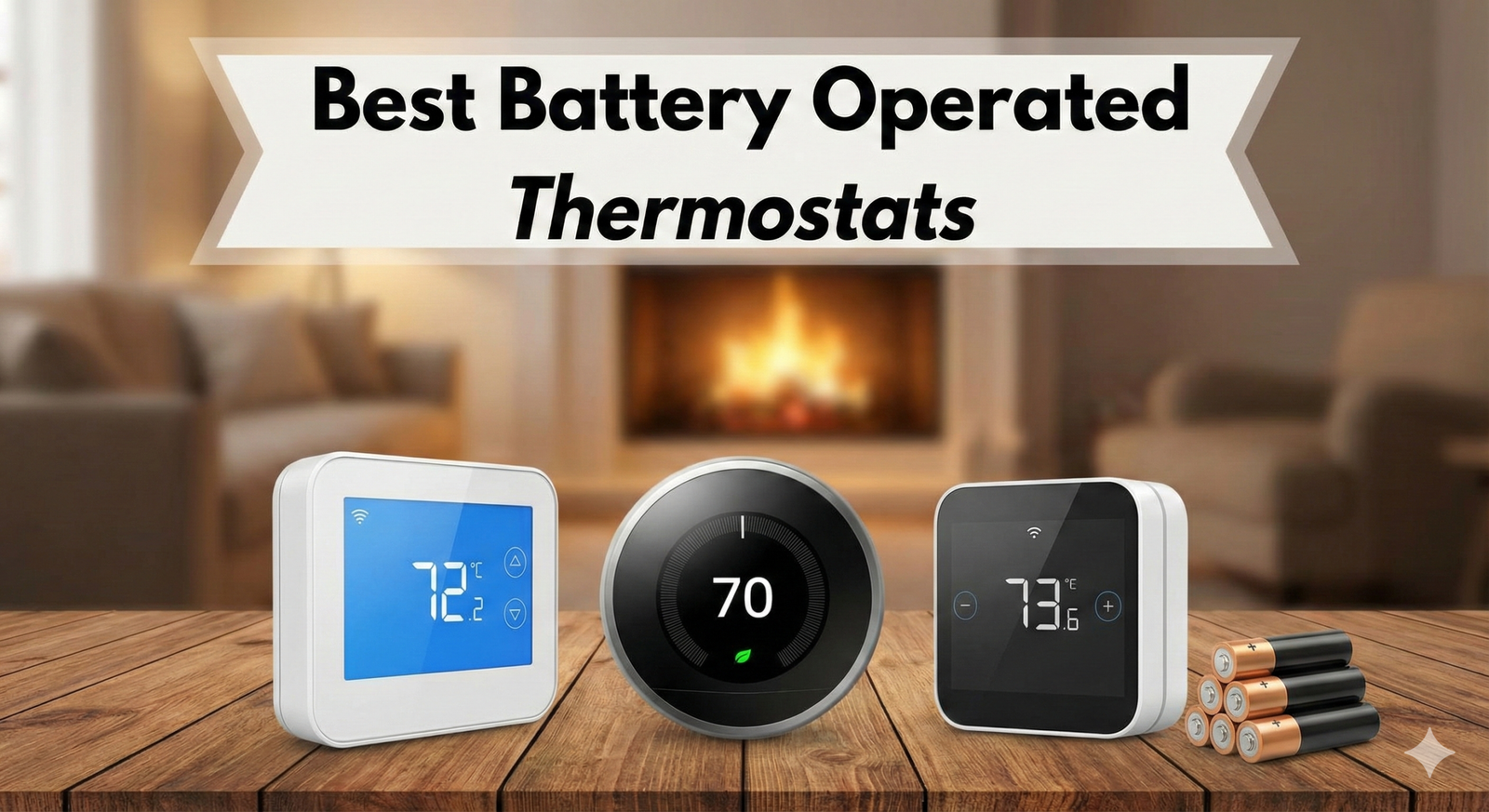
The Best Battery-Operated Thermostats of 2026: The Definitive Guide
In 2026, the landscape of home automation has shifted dramatically. While the industry pushes for fully integrated “smart grids” and complex hardwired systems, a significant portion of the housing market—historic renovations, strict rental properties, and older construction—still relies on the simplicity and versatility of battery-operated climate control. The battery-operated thermostat is no longer a relic of the past; it has evolved into a sophisticated device capable of bridging the gap between legacy wiring and modern efficiency standards.
Navigating this market can be deceptively complex. You are likely facing a scenario where your wall lacks the crucial “C-wire” (Common wire), or perhaps you are dealing with a millivolt heater in a cabin that operates independently of the electrical grid. For years, homeowners were told that to get “smart” features, they had to rip open their drywall and run new 18/5 thermostat wire. That is no longer the case. The new generation of battery-powered units utilizes ultra-low power consumption chips, improved Wi-Fi radios (and the emerging Thread protocol), and better power management to deliver premium features without the hardwired tether.
As a full-stack developer and home automation expert who has retrofitted systems ranging from 1920s boiler systems to modern heat pumps, I have tested the durability and reliability of these units extensively. This guide goes beyond the marketing fluff. We are going to look at voltage requirements, battery drain curves, and the “Ghost Voltage” issues that plague cheaper models. Whether you are a landlord looking for a tamper-proof solution or a tech-savvy renter wanting to integrate with Home Assistant without losing your security deposit, this guide is built on technical reality, not sales brochures. For a foundational primer on the category itself, our explainer on what a battery-powered smart thermostat actually is sets the stage well.
Why Go Battery-Powered? The Technical & Practical Edge
While the primary driver for choosing a battery-operated thermostat is usually a lack of existing wiring (specifically the C-wire), the advantages extend far beyond simple compatibility. In 2026, we are seeing a resurgence in “decentralized” power for smart home devices, primarily driven by the need for resilience and placement flexibility.
1. Installation Location & Thermal Dynamics
In many older homes, the original thermostat was installed in the most convenient place for the electrician to run a wire in 1985—not necessarily the best place to measure temperature. It might be in a drafty hallway, near a kitchen oven, or in direct sunlight. These “micro-climates” cause your HVAC system to short-cycle or run inefficiently because the sensor data is flawed. With a battery-operated unit, you are untethered. You can abandon the old wire location (cap the wires safely behind a blank plate) and mount the new thermostat on an interior wall that represents the home’s true thermal mass. This single move can improve system efficiency by 15% simply by providing accurate data to the control board. If you’ve been struggling with strange readings in your current location, our deep dive on why thermostats show the wrong room temperature covers the placement variables that matter most.
2. The “Galvanic Isolation” Advantage
This is a technical nuance often overlooked. Hardwired smart thermostats draw power directly from the HVAC transformer. In older systems, sensitive control boards can experience “noise” or feedback from the thermostat’s power draw, leading to buzzing relays or premature board failure. Battery-operated units are electrically isolated (galvanically separated) from the transformer’s power load. They simply close the circuit (like a light switch) to call for heat or cool. This makes them the safest option for vintage furnaces, millivolt gas fireplaces, and sensitive zone-valve boiler systems where adding an external electrical load could blow a fuse or damage the transformer.
3. Resilience in Power Outages
In an era of increasingly unstable weather patterns, grid reliability is a concern. While your furnace needs electricity to run the blower, many gas fireplaces and gravity-fed wall heaters do not. If you have a hardwired thermostat that relies on grid power, it goes dead when the power goes out, rendering your backup heat source useless. A battery-operated thermostat continues to function independently. For millivolt systems (common in gas fireplaces), a battery thermostat ensures you can still regulate temperature during a blizzard even if the rest of the house is dark. This redundancy is a critical safety feature for homes in cold climates. Pair that resilience with smart winter planning—our guide on the right thermostat setting for winter vacations to prevent pipe freezes shows why redundancy matters when you’re away from home.
4. Installation Speed and Renter Friendliness
A battery-powered thermostat is the only category that can be swapped in under 10 minutes by a complete novice. There is no breaker to flip, no transformer to source, no wire to fish through walls. For renters with month-to-month leases, installing a smart thermostat then reverting to the original on move-out is trivial—you literally pop the unit off the wall, slot the original back, and your security deposit is safe. This is the same advantage detailed in our roundup of the 2026 battery-powered smart thermostats with Wi-Fi, Thread and Z-Wave—portability is the headline feature.
Battery Chemistry Deep-Dive: What Actually Powers Your Thermostat
The most overlooked spec sheet item on a battery-operated thermostat is, ironically, the batteries themselves. The chemistry inside those AAs determines how often you’ll be on a step-stool changing them, how reliably your relay will fire on a cold morning, and whether your “low battery” warning gives you 48 hours of grace or zero. Let’s break it down.
Alkaline (Standard 1.5V Cells)
Standard alkaline batteries are the OEM recommendation for nearly every battery-operated thermostat on the market. They begin life at 1.55–1.6V and decline gradually over months of use, dropping below 1.2V near end-of-life. This gradual decline is actually a feature, not a bug—it gives the thermostat’s voltage-monitoring circuit a clean signal to trigger the “Low Battery” warning two to four weeks before total failure. Premium alkalines (Energizer Max, Duracell Optimum) typically last 12–18 months in a non-Wi-Fi programmable like the Honeywell RTH9585WF. Cheap dollar-store alkalines may leak before they die, corroding the contacts. Always buy name-brand. Always.
Lithium (Energizer Ultimate Lithium 1.5V)
Lithium cells deliver substantially longer runtime—often 2x to 3x alkaline—because of higher energy density and superior cold-weather performance. They’re rated to operate at –40°F where alkalines fail at around 0°F, which makes them attractive for cabins and unheated spaces. The catch is the voltage curve: lithium cells stay at 1.5V almost until end-of-life, then drop precipitously. Your “Low Battery” warning may give you mere hours instead of weeks of notice. For mission-critical applications like a vacation cabin, this can mean returning to a frozen home. The fade-and-click failure pattern is something we’ve documented in our analysis of thermostat low-battery fading displays and relay-click failures—lithium chemistry can mask this entirely until it’s too late.
Rechargeable NiMH (1.2V Cells)
NiMH rechargeables (Eneloops, AmazonBasics) are wonderful for many electronics but largely incompatible with battery-operated thermostats. The 1.2V nominal voltage—versus 1.5V for alkalines—means a fresh pair of NiMHs delivers only 2.4V to a circuit expecting 3.0V. The thermostat’s microcontroller often interprets this as a near-dead state, triggering perpetual “Low Battery” warnings or dropping the Wi-Fi connection. A few thermostats (typically rebranded Chinese units) explicitly support NiMH; consult the manual carefully before relying on rechargeables.
Lithium Coin Cells & Internal Backup
Some thermostats include a CR2032 or BR2032 coin cell soldered to the board for retaining schedule data when the main batteries die or are removed. These last 5–10 years in normal operation but eventually fail, causing the unit to “forget” its programming on every battery change. If your thermostat keeps losing its schedule, this is often the cause—and on most consumer units, the cell is not user-replaceable.
- Always replace as a complete set—mixing a fresh battery with a partially-drained one drags both to the lower performance level.
- Match brand and lot—different manufacturers use slightly different chemistry profiles that can confuse the voltage monitor.
- Note the install date on the back of the thermostat with a permanent marker. Replace proactively at the 12-month mark for Wi-Fi units, 18 months for non-connected units.
- Avoid bulk packs older than 2 years—alkaline self-discharge can claim 20% capacity per year even in storage.
Battery-Drain Profile by Feature
Different features draw vastly different amounts of power. Understanding this helps you triage settings to extend battery life dramatically:
- Wi-Fi radio (always on): 60–120 mA peak, 5–15 mA average. The single biggest drain.
- Wi-Fi radio (sleep mode): 0.5–2 mA. Usable but at the cost of cloud responsiveness.
- Thread/Zigbee radio: 0.1–1 mA average. Excellent battery life.
- Backlit LCD (when active): 5–20 mA. Set the timeout to 5–10 seconds.
- Color touchscreen: 30–100 mA when active. The reason most touchscreens require a C-wire.
- Relay activation (per cycle): 50–150 mA spike for ~50ms. Negligible cumulative drain.
- Microcontroller idle: 5–50 µA. Effectively zero impact.
Wiring & Voltage Compatibility: Don’t Skip This
Before you click “Buy Now” on any thermostat, you need to know exactly what’s behind your existing wall plate. Battery operation is forgiving but not magic—it can’t bridge a fundamental voltage mismatch. The three main electrical regimes are 24V AC (low-voltage), millivolt (~750mV), and 120V/240V line-voltage. Each demands a specific thermostat type, and getting it wrong can mean a dead unit, a fried transformer, or a fire.
Identifying Your System: A 60-Second Visual Inspection
Pull your existing thermostat off the wall (with the HVAC breaker off, please) and look at the wires connected to terminals. Here’s a translation key for the standard color/letter code, though wire color is unreliable—always go by the letter on the terminal:
- R / Rh / Rc (red): 24V AC hot from the transformer
- W / W1 / W2 (white): Heat call (W1 = stage 1, W2 = stage 2)
- Y / Y1 / Y2 (yellow): Cooling call
- G (green): Fan
- C (blue/black, sometimes): Common—the return path needed for hardwired smart thermostats
- O / B: Heat pump reversing valve (O = energize for cool; B = energize for heat)
- AUX / E: Auxiliary heat / Emergency heat (heat pumps)
If you see only two wires (R + W), you have a heat-only system. If you see four or more wires including C, you have a fully wired system. If you see no wires at all and your existing thermostat sits on a backplate with batteries, you likely have a millivolt or wireless RF system. For a complete walkthrough of these wiring scenarios, see our comprehensive thermostat wiring guide.
24V AC Low-Voltage Systems
This is the dominant residential standard in North America—central forced-air furnaces, heat pumps, central air conditioners, and most boilers built after 1970 use 24V AC control circuits. Virtually every battery-operated thermostat on the consumer market is built for 24V. The transformer (a small box mounted near your furnace) steps household 120V down to 24V to control relays safely. Battery-operated units typically use the batteries to power their logic and display, then briefly switch the 24V signal to call for heat or cool—they do not power themselves from the 24V circuit, which is why they don’t need a C-wire.
Millivolt (mV) Systems: The Gas Fireplace World
Millivolt systems are an entirely different animal. Generated by a thermopile (a stack of thermocouples) in the pilot flame of a gas fireplace or wall heater, they produce only 500–750 millivolts—about 1/30th of a 24V system’s voltage. Standard 24V smart thermostats will fail to operate (the voltage is too low to power their internal electronics) or worse, present a load that drops the system voltage below the threshold needed to hold the gas valve open, killing the pilot. Only thermostats explicitly rated “Millivolt” or “Single Pole” with mechanical relay-only operation work here. The Honeywell RTH9585WF and similar mechanical-relay programmables are the workhorses of this niche.
Line-Voltage Systems: Electric Baseboard & Cove Heat
Line-voltage thermostats handle 120V or 240V directly—there’s no transformer; the thermostat is in the high-voltage circuit itself, switching power to the heater on and off. These systems are common in additions, garages, basements, and homes in the Pacific Northwest. Standard battery-operated 24V thermostats are completely incompatible (and dangerous to install) on line-voltage systems. If you have electric baseboard heaters, you need a line-voltage thermostat like the Mysa or Sinopé we cover later. To verify which you have, our quick-reference line-voltage vs. low-voltage 2-minute wiring test will resolve it conclusively.
Heat Pump Compatibility
Heat pumps add complexity. They have a reversing valve (O or B wire) that determines whether the system delivers heat or cool, plus auxiliary/emergency heat (AUX or E wire) for when outdoor temperatures fall below the heat pump’s effective range. A two-stage or variable-speed heat pump may have additional W2/Y2 wires for staging. Not every battery thermostat handles all this—the Honeywell RTH9585WF supports heat pumps, but many 2-wire battery units do not. If you’ve got a multi-stage system, our Nest vs. Honeywell multi-stage HVAC comparison walks through which thermostats actually handle the staging logic correctly.
- Single-stage gas furnace + AC, no heat pump → most battery thermostats work
- Heat pump with backup heat → choose a thermostat explicitly labeled “Heat Pump Compatible”
- Multi-stage furnace (W1 + W2) → check stage support in spec sheet
- Boiler with zone valves → battery operation strongly preferred to avoid loading the transformer
- Millivolt fireplace → only mechanical-relay battery thermostats
- Electric baseboard → line-voltage thermostat (NOT battery 24V)
If you’re unsure whether your specific furnace will accept a new thermostat at all, the diagnostic in our complete 2026 furnace-thermostat compatibility guide is worth running before purchase.
2026 Buyer’s Guide: Specs That Matter
Buying a thermostat in 2026 requires looking at more than just the physical size. You need to understand the communication protocols and power management profiles to ensure the device won’t eat through batteries every three weeks. Our companion piece on the key features to compare when buying a smart thermostat goes feature-by-feature; here we focus on what’s specific to battery operation.
Understanding “Power Stealing” vs. True Battery
Be very careful with terms like “Power Stealing” or “Power Robbing.” Some thermostats claim to be battery-free or battery-assisted but actually pulse the HVAC circuit to charge an internal capacitor. This is risky for modern high-efficiency control boards. For a true battery-operated experience, you want a model that runs exclusively on its DC battery power for its logic and display, using the HVAC wires only for the signal relays. Look for “Millivolt Compatible” or “DC Power Only” in the specs to ensure total isolation. The trade-offs between these power approaches are explored in detail in our Nest vs. Sensi power-stealing vs. battery-backup comparison.
Hysteresis and Swing Differential
This is the most important setting you’ve likely never heard of. The “swing” or “differential” determines how much the temperature must drop before the heat kicks on. A tight swing (0.5 degrees) keeps the room temperature very stable but forces your equipment to turn on and off constantly (short-cycling), which wears out igniters and compressors. A wide swing (1.5 or 2 degrees) is more efficient but might feel drafty. Top-tier battery thermostats allow you to adjust this setting. Cheaper models often lock it at +/- 1 degree. If you have a radiant floor heating system or a cast-iron boiler, you need a thermostat with an adjustable differential to account for the slow heat-up and cool-down times (thermal lag) of those systems.
The Connectivity Dilemma: Wi-Fi vs. Z-Wave/Zigbee vs. Thread
If you want smart features on battery power, the radio protocol matters immensely for battery life:
- Wi-Fi: The most common but most power-hungry. Wi-Fi radios must wake up constantly to “check in” with the router. Expect battery life of 3-6 months maximum on smart Wi-Fi models.
- Z-Wave / Zigbee: These require a separate hub (like SmartThings or Hubitat). They use a fraction of the power of Wi-Fi. A Z-Wave battery thermostat can easily last 12-18 months on a single set of AAs.
- Thread / Matter: The 2026 standard. Thread is a low-power mesh network. If you have a Thread Border Router (like a newer Apple TV or Nest Hub), a Thread-enabled battery thermostat offers the best balance: local control, low latency, and excellent battery life (12+ months).
For a deeper look at how these protocols actually move data, our breakdown of how smart thermostat connectivity works explains the trade-offs at the protocol level.
Sensor Types and Calibration
Not all temperature sensors are equal. Cheap thermostats use a basic NTC thermistor with ±2°F accuracy, which means your “70°F” reading might actually be 68°F or 72°F—a 4-degree spread. Premium battery thermostats use calibrated thermistors with ±0.5°F accuracy or better. Combined with a humidity sensor (capacitive type, ±3% RH), they give you a true picture of indoor comfort. The science behind these sensors is covered thoroughly in our piece on how thermistors in smart thermostats actually do their sensing.
Display and Backlight
Battery-operated thermostats face a brutal trade-off here. A bright, color, always-on display is energy-hungry. Most battery units default to a dim or off display, lighting up only when you approach (PIR sensor) or tap. Look for adjustable backlight timeout (5–30 seconds), brightness level, and an “Always Off” option for vacation homes. Touchscreens look great but consume considerably more power than physical buttons.
Installation Walkthrough: From Box to Heat-On in 20 Minutes
Battery-operated thermostat installation is genuinely DIY-friendly, but a few small mistakes can leave you in the cold (literally). Follow this process for a clean, reliable install.
Step 1: Cut Power at the Breaker
Even though most battery thermostats won’t shock you (24V is well below the threshold of perception), a short across the R-to-C terminals can blow the 3-amp fuse on your furnace control board, leaving your system dead. Flip the breaker for your furnace and AC at the panel. Verify with a non-contact voltage tester at the existing thermostat. Don’t skip this.
Step 2: Photograph the Existing Wiring
Before disconnecting anything, take three high-resolution photos of the existing wire terminations. Capture wire colors, terminal labels, and any jumper wires installed at the factory. This is your insurance against confusion. If something doesn’t work after install, those photos let you confirm exactly which wire was on which terminal originally.
Step 3: Label the Wires
Most thermostat boxes include small adhesive flags. Use them. Label each wire with the terminal letter it was connected to—not its color. (Wire colors are unreliable; many homes have non-standard color schemes, especially after past repairs.)
Step 4: Disconnect and Inspect
Loosen the terminal screws and pull each wire free. Inspect the wire ends—if they’re nicked, oxidized, or stripped too long, snip ¼ inch off and re-strip. Clean copper makes good contact; tarnished or damaged copper causes voltage drops that confuse battery thermostats.
Step 5: Mount the New Backplate
Most battery thermostats include a universal backplate that covers the cosmetic damage from the previous unit. Level it carefully (a small bubble level is included in most kits) and mark the screw holes. If you’re mounting into drywall without studs behind, use the included drywall anchors—the thermostat is light enough that anchors handle it just fine. Pull the wires through the central opening before tightening the backplate.
Step 6: Connect the Wires
This is where photos pay off. Connect each labeled wire to the matching terminal on the new thermostat. Tug gently on each wire to confirm it’s seated under the screw. A loose wire is the single most common cause of intermittent operation. If the new thermostat is “auto-detect” (most are), it will identify connected wires during initial setup—but you still need them in the right terminals.
Step 7: Install Batteries
Insert fresh, name-brand alkaline batteries with correct polarity. Many thermostats won’t power on with weak batteries, so don’t try to use the half-used pair from your TV remote. The thermostat should boot to a setup wizard.
Step 8: Mount the Faceplate and Power On
Click the faceplate onto the backplate. Restore power at the breaker. Walk through the setup wizard—system type, equipment configuration, Wi-Fi connection (if applicable), schedule, and zip code. Test by manually calling for heat and cool to confirm the relay clicks and the system responds within 30 seconds.
- Heat call → furnace fires within 30 seconds
- Cool call → compressor starts within 1–3 minutes (allow for compressor protection delay)
- Fan call → blower runs continuously while G is energized
- Thermostat reads within 2°F of a known-accurate thermometer placed alongside it
- Wi-Fi connects and remote app shows current status
If something doesn’t work, our 10-minute faulty-thermostat diagnostic checklist walks through the systematic isolation steps.
Top Product Reviews
1. Emerson Sensi Touch 2 (Hybrid Smart)

The Sensi Touch 2 remains the industry leader for “retrofit reliability.” Unlike competitors that demand a C-wire for setup, the Sensi engineering team designed this unit to handle “power pulsing” much more gracefully, though it performs best with batteries acting as the bridge. In 2026, its app has updated to include predictive maintenance—it listens to your system’s run times and alerts you if your furnace is taking longer than usual to heat the home, indicating a potential failing part.
Technical Note: For Apple HomeKit users, this device usually requires a C-wire to remain responsive. However, for Alexa and Google Home, the battery-only mode (with Wi-Fi snapping into “low power” mode) works surprisingly well, checking for server updates periodically rather than instantly. We’ve also published a hands-on Sensi Touch review focused on the illuminated terminals and C-wire stability if you want a deeper teardown.
For HomeKit shoppers cross-shopping with Honeywell, our Honeywell Smart Color vs. Emerson Sensi Touch HomeKit comparison breaks down which one wins in an Apple-centric home. And if your Sensi has stopped responding to commands, the fix is usually in our guide to the “Sensi Connected, Not Sensi Cloud” fix.
Pros
- Best-in-class privacy policy (no data mining).
- Universal backplate covers old paint marks.
- “Contractor Mode” allows deep system tuning.
Cons
- Wi-Fi reduces battery life to ~4 months.
- No humidity control on battery power.
2. Honeywell Home RTH9585WF (The Reliability King)

Sometimes, “smart” isn’t the answer. The Honeywell RTH series (specifically the non-connected programmable versions) are the cockroaches of the HVAC world—they simply cannot be killed. They use a latching relay system that consumes almost zero power when idle. This makes them the absolute best choice for millivolt gas fireplaces or off-grid cabins where you might leave the property for months at a time.
The programming logic is based on the classic “Wake, Leave, Return, Sleep” cycle. While it lacks geofencing, the internal clock is incredibly accurate, and the PID (Proportional-Integral-Derivative) controller inside learns exactly how long it takes your home to heat up, starting the furnace *before* your wake-up time so it’s 70 degrees the moment your feet hit the floor.
If you’re committed to the Honeywell ecosystem and want longevity data, see our piece on how long Honeywell thermostats actually last—the RTH series routinely clears 15–20 years. And when battery time comes, our walkthrough on how to replace the battery in a Honeywell thermostat covers the few model-specific quirks.
Pros
- Battery life exceeds 18 months.
- Works with Millivolt (750mV) systems.
- Zero software updates or connection errors.
Cons
- Display looks dated (LCD segment style).
- Programming is tedious (push-button interface).
3. Ecobee3 Lite (With Power Extender Kit)

We are including the Ecobee here because it solves the “Battery Problem” by eliminating it. If you have 4 wires (R, G, Y, W) but no C-wire, battery thermostats were your only choice—until this device. The included Power Extender Kit (PEK) is a diode-steering module you install at your furnace control board. It effectively multiplexes the signal, allowing you to run 5 signals over 4 wires.
This allows you to have a fully powered, always-on smart thermostat without running new wire or changing batteries. In 2026, Ecobee’s “Eco+” software is the gold standard for Time-of-Use electricity rates, pre-cooling your home when power is cheap and coasting when power is expensive. We covered the savings math in our hands-on Ecobee3 Lite energy savings test with Eco+ and TOU rates, and the installation specifics in our deeper Ecobee3 Lite review of the PEK C-wire installation and resulting savings.
For Sensi-vs-Ecobee shoppers debating the PEK approach, our side-by-side Sensi vs. Ecobee C-wire and PEK installation comparison lays out which approach fits which wiring scenario.
Pros
- Never change a battery again.
- Includes remote room sensor capability.
- Native Apple HomeKit support.
Cons
- Requires access to furnace control board.
- Not compatible with 2-wire heat-only systems.
4. Honeywell Home T9 (Best for Multi-Zone Comfort)
The Honeywell Home T9 deserves a spot here for one specific reason: it’s the only mainstream battery-capable smart thermostat that supports up to 20 wireless room sensors over its dedicated low-power radio. While the T9 itself prefers a C-wire for full Wi-Fi, it can fall back to battery operation if the C-wire is unavailable, with reduced cloud responsiveness. The wireless sensors run on coin cells and last 2+ years, broadcasting temperature and humidity from each room.
This makes the T9 the right choice for multi-story homes with stratification problems—the upstairs being 8°F warmer than the downstairs is a classic complaint. By averaging readings across sensors or following occupancy, the T9 prevents the “comfortable downstairs, sweltering upstairs” syndrome. We did a head-to-head Honeywell Home T9 review and a comparison piece on Honeywell T9 vs. T10 Pro IAQ wiring if you’re cross-shopping pro-grade variants. For multi-zone alternatives, our Ecobee vs. Honeywell remote-sensor range and multi-zone comparison is the tiebreaker.
Pros
- Best wireless sensor ecosystem in the industry.
- Geofencing accuracy is among the best.
- Works with most heat pumps including 2-stage.
Cons
- Battery-only mode is limited; C-wire strongly recommended.
- App is functional but dated compared to Ecobee.
5. Wyze Thermostat (Best Budget Smart Option)
The Wyze Thermostat earns a place in this guide for one reason: it delivers genuinely usable smart-thermostat features at a price that has become very hard to beat. It’s a Wi-Fi unit, so battery life isn’t its strong suit, but it ships with a C-wire adapter for users who want continuous power. For battery-only operation, it accepts 2x AAA cells and runs on them for ~2–3 months in active mode—shorter than Sensi but longer than older budget units.
What makes the Wyze interesting is the integration with the broader Wyze ecosystem—motion sensors, contact sensors, cameras—giving you a “smart home” approach for under $200 total. Performance details are in our Wyze Thermostat review focused on C-wire adapter performance, and for multi-story comparisons our Wyze vs. Ecobee multi-story home comparison covers the comfort trade-offs. If price is the only consideration, our roundup of smart thermostats under $50 with Alexa and C-wire options is worth a look.
Pros
- Excellent value—under $100 typical price.
- Integration with Wyze ecosystem.
- Setup wizard handles most wiring scenarios.
Cons
- No HomeKit; Alexa and Google only.
- Customer support response times can be slow.
6. Mysa Smart Thermostat (Best for Electric Baseboard Heat)
If your home uses electric baseboard or in-wall heaters—common in apartments, additions, and Pacific Northwest housing stock—standard 24V battery thermostats are useless. The Mysa is a line-voltage smart thermostat that handles 120V and 240V circuits, with a sleek touchscreen and HomeKit/Alexa/Google support. It’s hardwired (not battery-operated, since line-voltage thermostats are always in the high-voltage circuit), but it’s the right answer for electric heat scenarios where battery 24V units can’t help. Our hands-on Mysa Smart Thermostat baseboard-heater review covers installation; for v2 hardware specifically, see our Mysa v2 review focused on triac switching vs. relay noise. Cross-shopping with Sinopé? Our Mysa vs. Sinopé electric baseboard thermostat comparison handles that.
Side-by-Side Comparison: Specs at a Glance
| Model | Battery Life | Smart Features | HVAC Compatibility | Best For |
|---|---|---|---|---|
| Emerson Sensi Touch 2 | ~4 months (Wi-Fi on) | Wi-Fi, Alexa, Google, HomeKit | 24V, heat pumps, dual fuel | Renters, retrofits |
| Honeywell RTH9585WF | ~18 months | Programmable; no cloud | 24V + millivolt + heat pump | Cabins, fireplaces, off-grid |
| Ecobee3 Lite (with PEK) | N/A (always powered) | Wi-Fi, HomeKit, Eco+, sensors | 24V, heat pumps, multi-stage | Smart home enthusiasts |
| Honeywell Home T9 | ~3 months (Wi-Fi) | Wi-Fi, Alexa, Google, HomeKit, sensors | 24V, 2-stage heat pumps | Multi-zone homes |
| Wyze Thermostat | ~2–3 months (Wi-Fi) | Wi-Fi, Alexa, Google | 24V, single-stage | Budget-conscious users |
| Mysa Smart Thermostat | N/A (line-voltage) | Wi-Fi, HomeKit, Alexa, Google | 120V/240V baseboard | Electric baseboard heat |
Smart Features Deep-Dive: What’s Actually Worth Paying For
Smart thermostats market a dizzying array of features, but not all of them are equally valuable—or equally functional on battery power. Let’s separate the genuinely useful from the marketing fluff.
Geofencing
Geofencing uses your phone’s GPS to detect when you leave or return home, triggering “Eco” or “Home” modes automatically. It’s one of the most genuine quality-of-life features in modern thermostats—no more remembering to set “Away” before you leave. Battery thermostats handle geofencing fine because the cloud server (not the thermostat) does the location math; the thermostat just receives the resulting setpoint command. The actual savings vary widely. Our deep-dive on how smart thermostat geofencing cuts HVAC runtime costs looks at real-world data, and our piece on geofencing thermostat GPS radius and HVAC eco-mode covers the radius settings that affect responsiveness.
For a higher-level explainer of the underlying logic, our piece on what the home/away feature on a thermostat actually is sets the foundation. The accuracy of specific implementations—Honeywell T5 in particular—is examined in our Honeywell T5 geofencing accuracy settings deep-dive.
Adaptive Learning
Some thermostats (Nest most famously) “learn” your schedule by observing manual adjustments over the first week or two. Others (Honeywell, Ecobee) require explicit programming. Both approaches have merit. Learning is convenient but can develop strange behaviors if your schedule is irregular—a single late night can confuse the algorithm for days. Programming is rigid but predictable. Our comparison of smart vs. programmable thermostats and AI-learning vs. schedule efficiency looks at which actually wins on energy savings, while our explainer on what thermostat adaptive learning actually means demystifies the marketing claims. For the schedule-vs-learning split specifically, see our piece on what schedule-vs-learning means in thermostats.
Remote Sensors
Multi-room temperature averaging (Ecobee SmartSensors, Honeywell T9 wireless sensors) addresses the fundamental problem that the thermostat is in one room but you live in many. Setting “follow occupancy” rules ensures the thermostat optimizes for whichever room you’re actually in. This is genuinely transformative for multi-story homes. The technology behind this is covered in our explainer on what a thermostat remote sensor is and how it works, and we compare the leaders in Nest auto-schedule vs. Ecobee SmartSensors comfort.
Smart Home Ecosystem Integration
HomeKit, Alexa, Google Home, and now Matter (the cross-platform standard) all let you control your thermostat with voice or include it in scenes. For HomeKit users specifically, our roundup of HomeKit thermostat automation, geofencing, and scenes covers what’s actually possible. Adding a Nest specifically to Apple Home requires a workaround we cover in how to add your Nest thermostat to Apple Home.
Energy Savings & ROI: What You Actually Get Back
Smart thermostat manufacturers claim 10–23% savings on heating and cooling costs. The reality is more nuanced. Independent studies (LBNL, EPA ENERGY STAR field trials) consistently show 8–15% savings for households that previously used a static setpoint, and as little as 0–3% for households that already manually adjusted setpoints diligently. The savings come from automation removing human forgetfulness, not from the thermostat being cleverer than you.
How to Calculate Your Realistic Payback
Take your annual heating + cooling cost (about 50% of a typical home’s energy bill, so half your yearly utility total). Multiply by 0.10 for a conservative savings estimate. Divide your thermostat’s installed cost by that annual savings. Result: payback in years. For a $200 thermostat saving 10% on a $2,000 annual heating + cooling cost, payback is 1 year. The detailed calculator in our Wi-Fi thermostat ROI payback calculator walks through the variables.
Where Battery-Powered Thermostats Fall Short on Savings
Pure battery operation typically can’t access the most advanced energy features. Eco+ on Ecobee, Auto-Schedule on Nest, and Time-of-Use rate optimization all require always-on connectivity that battery-only mode struggles with. If you’re hunting for maximum savings, our piece on smart thermostat energy savings via geofencing covers what’s achievable, and the savings cap is one reason hardwired-with-PEK setups (like Ecobee3 Lite) often deliver more dollar value than pure battery solutions.
Rebates and Utility Incentives
Many U.S. utilities offer rebates of $50–$150 for ENERGY STAR-certified smart thermostats, and a handful offer ongoing bill credits ($25–$50/year) for participating in demand-response programs. These can shrink payback dramatically. The full breakdown is in our 2026 smart thermostat rebates ultimate guide and savings calculator.
Schedule Strategy for Maximum Savings
The single biggest savings lever isn’t fancy AI—it’s setting your thermostat back at night and when you’re away. The science behind this is well-established. Our pieces on winter thermostat schedules around 68°F for comfort and the science of 65°F sleep temperature dig into the specific setpoints that maximize both comfort and savings. Pair those with the broader HVAC energy efficiency tips for compound savings.
Landlord & Rental Property Considerations
Battery-operated thermostats occupy an unusual position in the rental market: they’re loved by tenants for their portability and feared by landlords for their swappability. The right choice depends on which side of the lease you’re on.
For Landlords: Tamper-Resistant and Lockable Models
If you’re renting out furnished units or providing utilities, you don’t want tenants cranking the heat to 80°F all winter on your dime. Several thermostats offer PIN-protected setpoint limits—the tenant can adjust within a range you set (say, 65–75°F) but can’t override the bounds without the PIN. Our roundup of landlord thermostat lockouts with PIN and range limits covers the leaders, and for budget-friendly models with keypad locks, see our programmable thermostats with keypad lock comparison.
Battery-operated lockable thermostats have an additional advantage: tenants can’t simply “unhook the C-wire” to disable the lockout (since there’s no C-wire). They can pull the batteries, but most units retain settings and immediately re-engage limits when batteries are restored. The few that don’t are listed in the warning section of the lockout roundup.
For Tenants: How to Upgrade Without Breaking Your Lease
If you rent and want a smart thermostat, battery-operated is almost always the right call. Document the existing thermostat with photos before you swap. Save the original in a safe place. When you move out, swap it back in 5 minutes. The landlord never knows. The Sensi Touch 2 is the gold standard for this approach because it’s slim enough to leave the existing backplate hardware undisturbed during the swap.
Smart-Enabled Landlords: Remote Monitoring
For landlords managing multiple properties, smart battery thermostats with cloud accounts let you monitor temperatures remotely. You can detect a tenant’s furnace issue before they call—or detect a vacant unit’s temperature dropping below 50°F before pipes freeze. Our piece on how a smart thermostat improves home safety covers the multi-property monitoring use case.
Off-Grid, Cabin, and Tiny Home Applications
This is where battery-operated thermostats are not just convenient but essential. Off-grid cabins typically use propane-fired direct-vent heaters or wall furnaces with thermopile pilots, both running on millivolt control. There’s no transformer, no Wi-Fi, often no neighbor for miles. Reliability is everything.
The Cabin Heater Reality
Most cabin heaters are millivolt direct-vent units (Empire, Williams, Cozy) that produce their own control voltage from a thermopile in the pilot flame. The thermopile generates 500–750 millivolts—enough to hold the gas valve open but not enough to power any modern smart thermostat. The Honeywell RTH9585WF and a handful of older Honeywell mechanical thermostats are essentially the only consumer options. Battery operation is mandatory because there’s no 24V transformer to draw from.
Long Vacancy Considerations
Many cabin owners visit only seasonally. The thermostat may run unattended for 6+ months. This puts brutal demands on battery life. Plan for:
- Replace batteries every visit, no matter what. Don’t trust the “Low Battery” warning to be visible during your next trip.
- Use lithium AAs for cold-weather start-up reliability. Alkaline performance plummets below 0°F.
- Set a “Pipe Freeze Protection” minimum of 45°F. Don’t try to save propane by going lower; the difference between a $200 propane bill and burst plumbing is enormous. Our guide on winter vacation thermostat settings to prevent pipe freeze walks through the math.
- Add a remote temperature alerting device. A cellular-based alarm that texts you if temperature drops below 40°F is worth $100/year.
Solar-Charged Battery Setups
For permanent off-grid installations, some owners pair battery thermostats with a tiny solar-charged battery pack (12V to 1.5V regulator). This eliminates battery changes entirely. The setup is more complex than most homeowners want to deal with, but for remote applications, it’s the gold standard.
Climate Zone Strategy: One Thermostat Doesn’t Fit All
A thermostat that’s perfect in San Diego is a poor choice for International Falls, Minnesota. Here’s how to think about climate-specific selection.
Hot-Humid Climates (Florida, Gulf Coast, Texas)
Cooling is the primary cost driver. A thermostat with strong dehumidification logic (“dry mode,” variable fan speed) earns its premium here. Battery-operated units handle cooling fine, but many can’t handle whole-house dehumidifier wires—if your system has one, choose hardwired. Geofencing is gold here because shutting off cooling when you’re away saves substantially.
Cold-Dry Climates (Mountain West, Alaska)
Reliability trumps features. The Honeywell RTH9585WF wins here because cabin temperatures of -30°F demand a thermostat that just works. Lithium AAs are mandatory for sub-zero starts. Avoid touchscreens (they’re slower to respond at low temperatures and consume more power).
Mixed Climates (Northeast, Midwest)
Most homeowners benefit most from feature-rich smart thermostats here because both heating and cooling matter. The Sensi Touch 2 and Ecobee3 Lite are both excellent picks. Multi-stage support is important if you have a dual-fuel heat pump system (heat pump + gas furnace switching at a balance point).
Coastal Marine Climates (Pacific Northwest)
Often electric baseboard or radiant—line-voltage Mysa or Sinopé territory. Don’t try to use a 24V battery thermostat here.
Privacy and Security: What Your Thermostat Knows About You
This is the conversation manufacturers don’t want to have. A connected thermostat collects extraordinary amounts of data about your daily life: when you’re home, when you sleep, when you travel, even when guests visit (motion sensors). Different brands handle this data very differently.
The Privacy Hierarchy (2026)
- Best Privacy: Emerson Sensi. Explicit no-data-mining policy. Anonymized usage data only.
- Good Privacy: Apple HomeKit-only thermostats. Data stays on your home network when you use HomeKit-only mode.
- Mixed: Ecobee. Aggregates and sells anonymized data; opt-out options exist but require digging through settings.
- Concerning: Some no-name budget brands. Privacy policies that grant broad rights to share data with “partners.” Check the policy before buying any unfamiliar brand.
Security Best Practices
Your thermostat is on your home network, which means it’s a potential vector for broader compromise. Practices that matter:
- Put IoT devices on a guest or VLAN network separate from your computers.
- Use strong, unique passwords for the thermostat’s cloud account—not the same password as your email.
- Enable two-factor authentication on the cloud account if available.
- Apply firmware updates promptly. Older firmware often has unpatched vulnerabilities.
- If you sell your home, factory-reset the thermostat before turnover. The procedure varies by brand—our guide on how to reset a thermostat covers the universal steps, and for Honeywell specifically, see how to reset a Honeywell thermostat or, for models without a reset button, the no-reset-button reset procedure.
Maintenance and Longevity: Making It Last 15 Years
A well-maintained battery-operated thermostat can easily last 12–15 years. A neglected one fails in 3–4. The difference is mostly in your hands.
Quarterly Tasks
- Visual inspection of battery contacts. Look for blue/white corrosion. If you see any, remove batteries, clean contacts with white vinegar on a cotton swab, dry thoroughly, reinstall fresh batteries.
- Calibration check. Place a known-accurate thermometer next to the thermostat. After 30 minutes, compare readings. Drift of more than 2°F warrants recalibration via the menu.
- Dust the vents. Most thermostats have small vents on the bottom for the temperature sensor. Dust accumulation insulates the sensor and causes lag.
Annual Tasks
- Replace batteries proactively at 12 months for Wi-Fi units, 18 months for non-connected.
- Update firmware via the app for connected units.
- Verify schedule still matches your life. Schedules drift out of relevance as kids grow, jobs change, etc.
- Test heat and cool function in spring and fall before you need it. Discovering a fault on the first cold night is the worst time.
Symptoms That Mean It’s Time to Replace
Signs your thermostat is past its prime: backlight is dim or won’t light at all, temperature reading drifts more than ±3°F from accurate, frequent connection drops despite strong Wi-Fi, schedule loss after every battery change (internal coin cell dead), or visible swelling or discoloration of the case (lithium-cell failure inside). For a thorough triage, our checklist on 12 symptoms, tests, and real fixes for a bad thermostat walks through every one. And if you’re wondering more generally whether you actually need a new thermostat, we built a flowchart for that too.
Multi-Stage HVAC and Heat Pump Specifics
If your HVAC system has more than one heating or cooling stage—common in homes built after 2010 or those that have had high-efficiency furnaces installed—you need a thermostat that genuinely understands staging logic. Not all battery-operated thermostats do.
What Is Staging, Anyway?
A single-stage furnace runs at one output level: 100% on or 100% off. A two-stage furnace can run at low output (typically 65–70% capacity) for mild days and switch to high output for cold snaps. Modulating furnaces (variable-speed) infinitely vary output between roughly 35% and 100%. Staging matters because it lets the system match output to demand, reducing temperature swings, fuel consumption, and noise. A thermostat that can’t talk to the staging logic forces the system to default to single-stage operation, wasting half the value of an expensive furnace.
Two-Wire Battery Thermostats and Staging
Most basic battery thermostats are wired with R, W, Y, G (4 wires) and treat the system as single-stage. To control a two-stage furnace properly, you need W2 (and often Y2 for two-stage cooling) terminals on the thermostat, plus matching wires from the control board. The Honeywell RTH9585WF supports W2 and Y2; many cheaper battery units do not. Check the spec sheet before assuming.
Heat Pump Specifics: O/B Reversing Valves
Heat pumps reverse the refrigerant flow to switch between heating and cooling, controlled by a “reversing valve” energized by either the O wire (energize for cool—Carrier, Bryant, most American manufacturers) or the B wire (energize for heat—Rheem, Ruud). Most modern thermostats handle both; older or cheaper units may default to one. Wiring the wrong polarity reverses your heating and cooling—you’ll get cold air when you want heat. Verify your system’s reversing-valve type from the manufacturer documentation before installation.
Auxiliary and Emergency Heat
Below about 35°F outdoor temperature, most air-source heat pumps lose efficiency dramatically. Below 25°F, they can’t keep up with heating load at all. Auxiliary heat (electric resistance or gas furnace, controlled by the AUX wire) supplements the heat pump in these conditions. Emergency heat (E wire) bypasses the heat pump entirely and runs only on backup heat—useful when the heat pump fails. A battery thermostat compatible with heat pumps must handle both modes; many budget units omit emergency heat support entirely.
Dual-Fuel Systems
A “dual-fuel” or “hybrid” system pairs a heat pump with a gas furnace, switching between them at a “balance point” (typically 35–40°F) where gas becomes more economical than electric heat pump operation. Dual-fuel control requires a thermostat that monitors outdoor temperature (via a wired or wireless outdoor sensor) and switches sources automatically. This is generally beyond battery-operated thermostats; it’s hardwired-thermostat territory. If you have dual-fuel and want smart control, plan on a C-wire or PEK installation.
Variable-Speed Inverter Heat Pumps
The newest generation of heat pumps uses inverter-driven variable-speed compressors that modulate output continuously rather than staging on/off. These extract maximum efficiency but require thermostats that can communicate with the system over a proprietary protocol (Carrier ABCD, Trane ComfortLink, etc.) rather than just sending 24V calls. Battery thermostats almost universally lack this capability—they’re stuck sending dumb on/off signals, which forces the inverter system to operate at a small subset of its capability. If you have a variable-speed heat pump, you almost certainly want the OEM thermostat or a high-end communicating model, not a battery unit.
Smart Home Integration Scenarios
The right thermostat for your house depends heavily on what other smart devices you already own. Here are the most common scenarios and the matching battery-operated thermostat choice.
Scenario 1: Apple HomeKit Household
You have an Apple TV or HomePod, an iPhone, and want voice control via Siri and integration into Home app scenes. Battery options that support HomeKit are limited: the Sensi Touch 2 supports HomeKit but typically requires a C-wire for full responsiveness. The Ecobee3 Lite (with PEK) is the better answer here. For deeper integration patterns, see our roundup of HomeKit thermostat automation, geofencing, and scenes.
Scenario 2: Amazon Alexa Household
You have Echo devices throughout the house and want voice control with Alexa routines. Nearly every battery thermostat supports Alexa. The Sensi Touch 2 is well-integrated; the Wyze Thermostat is the budget choice. For a low-cost Alexa-compatible option, check our roundup of smart thermostats under $50 with Alexa and C-wire options.
Scenario 3: Google Home Household
Google Home users have many options. Nest, of course, integrates natively, but Nest thermostats are not pure battery devices—they require power stealing or a C-wire. For battery operation specifically, the Sensi Touch 2 with Google Assistant integration is the path of least resistance.
Scenario 4: Home Assistant / Hubitat / SmartThings
Power users with self-hosted home automation want maximum local control. Z-Wave and Zigbee battery thermostats shine here because the radios are low-power and don’t depend on cloud servers. Look for Z-Wave Plus models with multi-AA battery operation. Battery life on these can exceed 18 months because the protocol overhead is so low.
Scenario 5: No Smart Home, Just Reliable Climate Control
You want a thermostat that just works for the next 15 years. The Honeywell RTH9585WF is the answer. It doesn’t talk to your phone, doesn’t need updates, doesn’t have a cloud account that could be discontinued, and runs on AAs you change once a year. For some homeowners, this is the right answer.
Common Mistakes That Kill Battery Thermostat Reliability
Most battery thermostat failures aren’t actually thermostat failures—they’re user mistakes. Here are the ones I see most often.
Mistake 1: Mixing Battery Brands or Ages
Putting a fresh Energizer next to a half-used Duracell is the single most common cause of “premature” battery warnings. Different chemistries discharge at slightly different rates; the weaker battery drags down the stronger one. Always replace as a complete matched set, ideally from the same package.
Mistake 2: Using “Heavy Duty” Batteries
The label “Heavy Duty” historically meant zinc-carbon chemistry, which is much cheaper but delivers about 1/4 the runtime of alkaline. They’re fine for a flashlight you use occasionally; they’re a disaster for a thermostat. Stick with name-brand alkalines, no exceptions.
Mistake 3: Installing in Direct Sun
Sunlight hitting a thermostat causes “false high” temperature readings, leading the unit to think the house is warmer than it actually is. Heat shuts off prematurely, the house gets cold, and you blame the thermostat. The fix is relocation, not calibration.
Mistake 4: Mounting Above an Air Vent
If your thermostat is directly above or beside an HVAC supply register, the air blowing past the sensor causes wild misreadings—the thermostat thinks the house has hit setpoint long before the rooms have. Move the thermostat at least 5 feet horizontally from any vent.
Mistake 5: Ignoring the “Calibration Offset” Setting
Most thermostats let you offset the displayed temperature by ±5°F to match a reference thermometer. If yours reads 68°F when a reliable thermometer next to it reads 70°F, set the offset to +2°F. This is one of the most-skipped setup steps; spend 5 minutes on it during installation.
Mistake 6: Tightening Terminal Screws Too Hard
Thermostat terminal screws are small. Over-tightening can crack the plastic terminal block, causing intermittent connections that manifest as unpredictable heat-on/heat-off cycles. Snug, not Hulk-strong.
Mistake 7: Not Testing After Install
Always do a heat call AND a cool call AND a fan-only call after installation. Don’t assume that because the thermostat boots and shows the right temperature, the wiring is correct. The diagnostic flow when you skip this step inevitably ends up matching our thermostat-not-reaching-set-temperature flowchart.
Mistake 8: Forgetting About the Sub-Base Connection
Some thermostats use a removable faceplate that connects to the wall-mounted backplate via spring contacts. Dust, paint flakes, or insect debris between the faceplate and backplate can cause intermittent connections. Once a year, pop the faceplate off, blow out any debris with compressed air, and reseat firmly.
Mistake 9: Setting Aggressive Schedules Without Equipment Match
A 10°F nighttime setback sounds like big savings—but if your house has poor insulation and a small heating system, the morning warmup may run for two hours straight, completely erasing the overnight savings. Match your setback to your equipment’s recovery capability. A 5°F setback is the sweet spot for most homes.
Mistake 10: Neglecting Filter Changes
This isn’t a thermostat mistake per se, but a clogged furnace filter restricts airflow, makes the thermostat appear inaccurate (because the system can’t move warm air to the sensor), and shortens equipment life. A $5 filter changed every 90 days is the cheapest HVAC maintenance you can do.
Common Error Codes and What They Mean
Battery-operated thermostats use cryptic error codes that aren’t always documented well in the manual. Here’s a translation:
“E1” or “Sensor Error”
The internal temperature sensor (thermistor) has failed or shorted. There’s no user fix; the unit must be replaced. This is rare—usually under 1% of failures—but is a hard endpoint when it happens.
“Lo” or “L0”
Battery is too low to operate reliably. Replace immediately. If you’ve just installed fresh batteries and still see this, check polarity—a single reversed battery is the most common cause.
“Heat On” / “Cool On” but no air
The thermostat is calling for the system but the system isn’t responding. Could be wiring at the thermostat, a tripped furnace breaker, a clogged condensate float switch, or a failed contactor. Our diagnostic walks through this systematically: “Heat On” but no heat: 24V signal vs. furnace problem. For the broader category, see why a thermostat doesn’t start the furnace.
Thermostat Clicks But Nothing Happens
Classic relay issue. We covered this in our piece on thermostat clicks but HVAC won’t start: battery, breaker, and wiring causes—the diagnostic typically resolves in under 10 minutes.
Display Goes Blank
Either dead batteries (most common) or a failed internal regulator (uncommon). Replace batteries first; if the display stays blank, the unit is likely failed.
Random Reboots / Wi-Fi Drops
Often caused by voltage drops on the 24V circuit pulling the thermostat’s reserve below operating threshold. Our piece on thermostat rebooting when AC turns on due to voltage drop and transformer load covers the diagnostic flow.
Switches from Heat to Cool Unpredictably
Usually an “Auto” mode misconfiguration combined with a too-tight differential. Our deep-dive on why your thermostat keeps switching from heat to cool walks through the fixes.
FAQ & Troubleshooting
Why is my battery thermostat clicking but the heat won’t turn on?
This is a classic symptom of relay failure or insufficient voltage. A battery thermostat uses a mechanical relay (which makes the click sound) to close the circuit. If the batteries are weak, they might have enough energy to flip the relay but not enough “holding current” to keep the connection solid against the resistance of the HVAC wire run. First, change the batteries. If that fails, check the battery terminals for blue/white corrosion (acid leak). Even a tiny amount of corrosion increases resistance and blocks the voltage needed to fire the furnace. The full diagnostic flow, including how to confirm a stuck relay, is in our guide on thermostat battery failure and relay no-start scenarios.
Can I use rechargeable batteries?
Generally, no. Standard rechargeable NiMH batteries operate at 1.2 volts, whereas Alkalines operate at 1.5 volts. A set of two rechargeables gives you 2.4V total, while the thermostat expects 3.0V. The thermostat will likely think the batteries are nearly dead straight out of the charger, leading to constant low-battery warnings or erratic Wi-Fi disconnections.
My thermostat loses Wi-Fi connection frequently. Is it broken?
Likely not. Battery-operated smart thermostats use “aggressive sleep” modes for their Wi-Fi radios. They wake up, check for a command, and sleep. If your router has “Band Steering” enabled (combining 2.4GHz and 5GHz into one name), older thermostat radios often struggle to maintain the handshake. The Fix: Create a dedicated 2.4GHz Guest Network on your router specifically for your IoT devices. This ensures a stable, long-range connection that is easier for the battery-powered radio to maintain.
How long do battery thermostats actually last?
The hardware itself lasts 10–20 years for premium units, 3–8 years for budget models. Batteries last 6 months to 2 years depending on connectivity and feature usage. Our piece on how long Honeywell thermostats last has detailed lifespan data, and the broader question of when to know if you need a new thermostat covers the symptom-based replacement triggers.
Can a battery thermostat work with a heat pump?
Yes, but you need a model explicitly rated for heat pumps. Heat pumps use additional wires (O/B for the reversing valve, AUX/E for emergency heat) that simpler battery thermostats don’t support. The Honeywell RTH9585WF and the Sensi Touch 2 both handle heat pumps; the Wyze and some budget battery thermostats do not. Our Nest vs. Honeywell multi-stage HVAC comparison covers the staging logic in detail.
What if my thermostat shows the wrong room temperature?
This is almost always a placement issue—direct sun, drafts, proximity to a heat-producing appliance, or a clogged sensor vent. Calibration adjustments can compensate for small offsets, but the right fix is usually relocation. Our deep-dive on why a thermostat shows the wrong room temperature walks through the fixes.
How do I read my thermostat correctly?
Modern thermostats display current temperature, setpoint, system mode (Heat/Cool/Auto/Off), and call status (showing when heat or cool is actively being delivered). Some also show humidity, outdoor temperature, and schedule status. For a guided walkthrough, see our piece on how to read a thermostat.
Can a bad thermostat actually prevent heating or cooling?
Yes—and a battery thermostat with weak batteries or corroded contacts is one of the most common causes of “my furnace won’t run” service calls. We covered both directions in detail: can a bad thermostat cause your heater not to work and the cooling counterpart, can a bad thermostat cause AC not to cool.
Why does my thermostat keep turning on the AC even when the house is cool?
Usually a setpoint or mode issue—but sometimes a sensor fault. Walk through the diagnostic in our piece on why a thermostat keeps turning on the AC.
How do I adjust a Honeywell thermostat?
Honeywell’s user interface varies dramatically by model. Some use rotary dials, others use touchscreens, others have a small joystick. Our universal guide on how to adjust a Honeywell thermostat covers the most common models.
Can I extend my thermostat wires if I move the unit?
Yes. Splicing thermostat wire is straightforward with proper connectors (Wago lever nuts work well). The full procedure—including which wire gauge to use—is in our walkthrough on how to move thermostat wire with extension and splicing.
What’s the difference between heating and cooling thermostats?
Most modern thermostats are “combination” units that handle both heating and cooling. Older or specialty units may be heat-only (no Y wire), cool-only (no W wire), or heat-pump-specific. Our explainer on how heating and cooling thermostats differ covers the distinction.
I’m always cold at home—is it the thermostat?
Sometimes yes, often no. Drafts, poor insulation, air gaps, and circulation issues all contribute to feeling cold. Our piece on “always feeling cold at home—it might not be your thermostat” walks through the diagnostic decision tree.
Can my thermostat be upgraded in my house?
This depends on your existing wiring and HVAC system. Two-wire systems (heat-only, no fan) limit your options. The full compatibility check is in our guide on how to tell if your thermostat can be upgraded.
Final Thoughts: The Verdict for 2026
The era of battery-operated thermostats being “second-class citizens” is over. They offer a level of safety, isolation, and flexibility that hardwired units simply cannot match. If you are renting, renovating a historic property, or simply want to avoid the cost of an electrician, these devices are powerful tools.
Battery operation does come with trade-offs—shorter responsiveness on Wi-Fi, no support for whole-house humidifiers or premium air-quality features, and the recurring chore of battery changes. But for the millions of homes that don’t have a C-wire and don’t want to pay an electrician $400 to install one, battery-operated remains the smart choice. The category has matured to the point where you can have most of the smart features (geofencing, scheduling, voice control, remote monitoring) with the simplicity of a battery-powered install.
My Final Recommendations:
For the Smart Home Enthusiast stuck without a C-wire: Get the Ecobee3 Lite and install the PEK. It is worth the 20 minutes of effort at the furnace.
For the Renter who needs a drop-in replacement: The Emerson Sensi Touch 2 offers the best balance of app features and battery compatibility.
For the Off-Grid / Millivolt Owner: Stick with the Honeywell Home RTH series. Its reliability in unpowered situations is unmatched.
For the Multi-Zone Home: The Honeywell Home T9 with multiple wireless sensors is hard to beat for whole-house comfort.
For the Budget-Conscious Buyer: The Wyze Thermostat delivers smart features at a price that’s hard to argue with.
For Electric Baseboard Heat: The Mysa Smart Thermostat is the right line-voltage choice—not technically battery-operated, but the right answer for that wiring scenario.
Whichever you choose, take the time to install it correctly, configure the schedule thoughtfully, and replace batteries proactively. A small amount of attention up front pays dividends for years. And bookmark our 10-minute thermostat diagnostic checklist for the day something inevitably acts up—because it will, and being prepared turns a panic into a 10-minute fix.






 Home
Home
 Info
Info
 Compare
 Reviews
 Shop
Shop