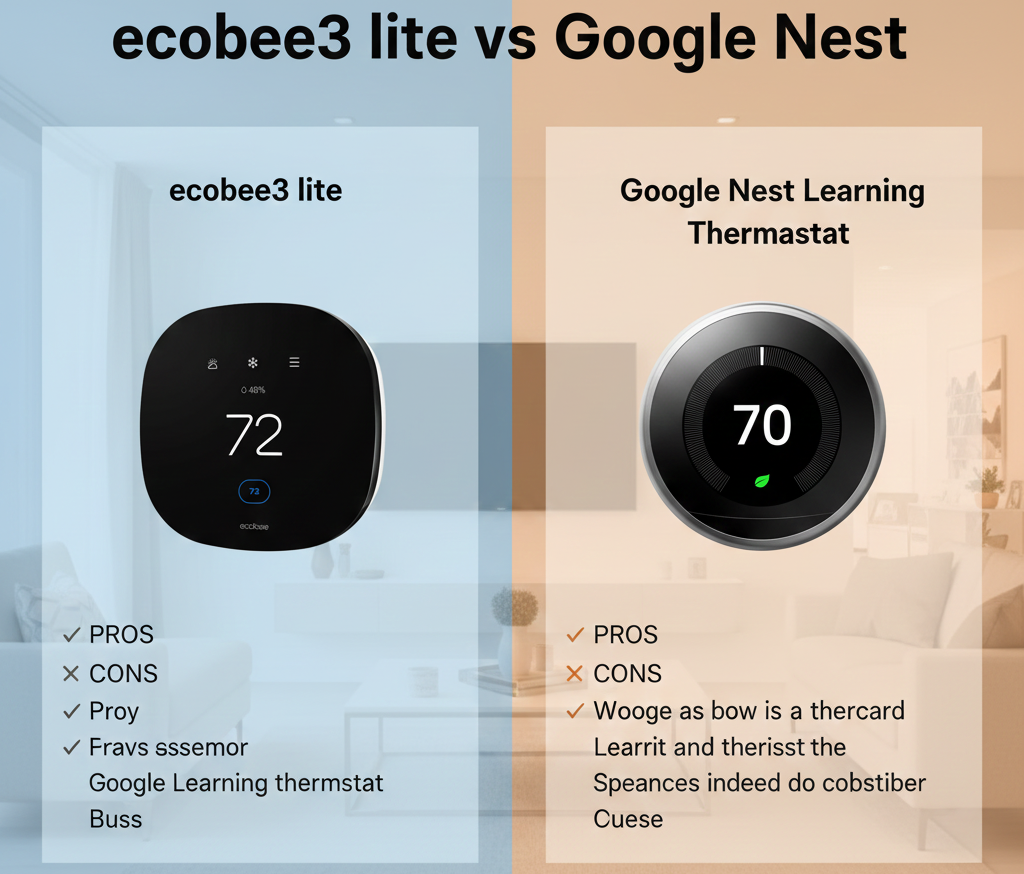
Ecobee3 Lite vs. Google Nest: The Battle for the Budget Smart Home
Upgrading your old, beige dial thermostat to a smart device is one of the easiest ways to modernize your home and lower your utility bills. But for years, the entry price was steep—usually over $250. That changed with the introduction of “budget” models from the industry titans: the ecobee3 Lite and the Google Nest Thermostat (2020). For the technical fundamentals of how these smart thermostats sense temperature and control equipment, our guide on how thermostats work covers the thermistors, microcontrollers, and relay logic inside both units.
Both devices sit comfortably in the sub-$150 range (often dipping near $100 on sale). Both promise to handle your heating and cooling schedules via an app. But they take radically different approaches to getting the job done. One prioritizes broad smart home compatibility and remote sensors with occupancy detection, while the other leans on Google’s minimalist design philosophy and ecosystem integration. This comparison builds on our broader analysis of Nest vs Ecobee thermostat sensor strategies, focusing specifically on the budget entries from each brand.
In this comprehensive comparison, we pit the ecobee3 Lite Smart Thermostat against the basic Google Nest Thermostat to see which one truly deserves a spot on your wall. For context on how these budget smart models compare to non-Wi-Fi programmable thermostats, our smart vs programmable thermostats comparison covers the feature and savings differences across the entire market.
What “Budget Smart” Means in 2026
Before comparing these two specific models, it is worth understanding what the “budget smart thermostat” category represents. Both the ecobee3 Lite and the Google Nest Thermostat (2020) are deliberately stripped-down versions of each company’s flagship products — the Ecobee Smart Thermostat Premium and the Nest Learning Thermostat, respectively. By removing the most expensive components (radar occupancy sensors, built-in smart speakers, high-resolution displays, metal construction), both companies created entry-level smart thermostats that preserve the core value proposition — app-based control, scheduling, geofencing, and energy reporting — while hitting price points that make smart home upgrades accessible to a much broader audience.
The compromises each brand chose to make are revealing. Ecobee removed the built-in Alexa speaker, the air quality monitor (VOC/CO2 sensor), and the radar occupancy sensor from the Premium, but preserved full SmartSensor compatibility and the PEK (Power Extender Kit) for homes without a C-wire. Google removed the learning algorithm, the Farsight display, the metal ring, and the built-in rechargeable battery from the Learning Thermostat, but preserved the Nest Temperature Sensor compatibility and the Google Home ecosystem integration. In both cases, what remains is a thermostat that is smart enough for most homes while being affordable enough for most budgets.
For a broader look at what features to prioritize when shopping in this category, our key features to compare when buying a smart thermostat guide covers connectivity, sensor support, power requirements, and smart home integration across all price points.
At a Glance: The Specs
Before we dive into the details, here is the raw data. Note that we are comparing the entry-level “Nest Thermostat” (the one with the mirrored face), not the more expensive “Nest Learning Thermostat.” For the premium comparison, see our Ecobee Smart Thermostat Premium review.
| Feature | ecobee3 Lite | Google Nest Thermostat (2020) |
|---|---|---|
| Display | Full Color Touchscreen (3.5″) | Mirrored LED behind glass |
| Control Interface | Capacitive Touchscreen | Side Touch Strip (capacitive) |
| Remote Sensors | Supported — Ecobee SmartSensors (temp + occupancy) | Supported — Nest Temperature Sensor (temp only) |
| Occupancy Detection | Via SmartSensors (PIR motion) + phone geofencing | Phone geofencing only (no built-in PIR) |
| C-Wire Required | Yes (PEK adapter included in box) | No (But power stealing often problematic) |
| Power Architecture | C-Wire or PEK (dedicated power) | Power stealing + 2x AAA backup batteries |
| Apple HomeKit | Native Support | Via Matter (Limited compatibility) |
| Learning Features | Adaptive Scheduling (Eco+) | Basic Fixed Scheduling |
| Geofencing | Yes — ecobee app (multi-user) | Yes — Google Home app (Home/Away Assist) |
| Energy Savings Features | Eco+ with Time-of-Use, community savings | Nest Leaf, Seasonal Savings |
| Typical Price | $130-150 | $100-130 |
If you want a deeper dive into the broader brand rivalry across all models, check our full Nest vs Ecobee thermostat guide, which compares sensor strategies, learning algorithms, and premium features across the entire product lines.
Round 1: Design & User Interface
The aesthetic difference between the ecobee3 Lite and the Google Nest Thermostat is stark — and it reflects the differing priorities of each company. Ecobee prioritizes information density and direct control. Google prioritizes minimalism and blending into the background. Which approach is “better” depends entirely on how you want to interact with the device day to day.
ecobee3 Lite: The Mini Tablet — Information-Rich and Intuitive
The ecobee3 Lite keeps the brand’s signature “squircle” shape that has defined Ecobee’s design language for over a decade. It features a 3.5-inch full-color LCD touchscreen that functions exactly like a small smartphone display. You tap icons to access menus, slide your finger on the temperature bar to adjust the setpoint, and read the current weather forecast, humidity level, and system status at a single glance. The interface is intuitive enough that guests and family members won’t need to consult thermostat instructions for homeowners to adjust the heat — the on-screen prompts are clear and the touch targets are large enough for most fingers.
The full touchscreen also makes the thermostat useful as an information hub. The home screen can display outdoor temperature pulled from Wi-Fi weather data, indoor humidity from the built-in sensor, and the current schedule status (Home, Away, Sleep). This information density is the ecobee3 Lite’s design strength — you can absorb everything you need to know about your home’s climate at a glance without opening the app. For those who prefer a touchscreen interface and want to explore how Ecobee’s implementation compares to other brands, our guide to touchscreen thermostats with backlight compares display quality, touch responsiveness, and interface design across popular models.
Google Nest: The Magic Mirror — Beautiful but Opaque
The Google Nest Thermostat abandons the rotating mechanical ring of its expensive older brother (the Nest Learning Thermostat). Instead, it uses a touch-sensitive capacitive strip on the right edge of the device. You swipe your finger up and down along this strip to raise or lower the temperature, and tap to confirm. There is no full touchscreen — the only interactive element is that edge strip.
The face is a mirrored glass finish with a white LED display behind it. When idle, the screen is completely dark and the device looks like a small mirror on your wall. When you approach, motion-activated sensors wake the display — numbers glow through the glass, showing the current temperature. It is undeniably stylish, and the mirrored finish blends into decor far more effectively than the visibly “techy” Ecobee screen. In a modern, design-conscious home where visible technology is unwelcome, the Nest Thermostat is the more elegant choice.
The tradeoff is usability. The side-swipe interface can be finicky — swipes sometimes register as taps, and adjusting the temperature by a precise 2-degree increment requires careful finger control. There is no on-screen weather, no humidity display, and no system status beyond the basic heating/cooling indicator. You will need to open the Google Home app for any information beyond the current temperature and setpoint. For design purists, this minimalism is a feature. For those who want data at their fingertips, it is a limitation. For additional ideas on making any thermostat blend into your decor, our thermostat cover ideas guide and best wall color behind your thermostat recommendations help integrate any model into your home’s aesthetic.
Design Winner: Tie — depends on preference. Ecobee for information and intuitive touch control; Nest for minimalist aesthetics that disappear into the wall.
ecobee3 Lite Smart Thermostat
Full-color touchscreen, SmartSensor compatible (sold separately), PEK included for homes without a C-wire, and native HomeKit support.
Check ecobee3 Lite PriceRound 2: Installation & The “C-Wire” Controversy
This is the most critical technical difference between the ecobee3 Lite and the Google Nest Thermostat — and misunderstanding it leads to more returned products and frustrated support calls than any other feature comparison. If your home was built before approximately 2000, or if your existing thermostat has only two or three wires connected, read this section carefully before purchasing either device.
Ecobee’s Solution: The Power Extender Kit (PEK) — Engineered for Reality
Smart thermostats require continuous power for their Wi-Fi radios, microprocessors, and displays. In modern HVAC installations, this power comes from a dedicated “Common” wire (the C-wire) that completes a 24VAC circuit from the furnace or air handler transformer. Many older homes — and even some newer ones with budget-conscious builders — lack this fifth conductor in the thermostat cable.
Ecobee acknowledges this reality by including a Power Extender Kit (PEK) in every ecobee3 Lite box. The PEK is a small adapter module that you install at the furnace or air handler end of the thermostat wiring. It repurposes the existing four wires to carry both control signals and continuous power, effectively creating a C-wire without running new cable through your walls. The installation takes about 10-15 minutes at the furnace end and guarantees compatibility with 99% of 4-wire systems. Our detailed walkthrough on how to switch out an HZ311 thermostat for an Ecobee thermostat covers the PEK installation process with wiring diagrams and troubleshooting tips.
This is the ecobee3 Lite’s single greatest practical advantage over the Nest Thermostat. Ecobee engineered for the reality of existing home wiring. Nest assumed ideal conditions.
Nest’s Solution: Power Stealing — Clever Engineering, Real Tradeoffs
Google markets the Nest Thermostat as “No C-Wire Required.” It achieves this through a technique called power stealing — the thermostat draws a tiny amount of electrical current through the heating or cooling control circuit even when the system is not actively running. This trickle of power charges two internal AAA rechargeable batteries (or keeps standard AAA batteries topped up, depending on the model revision), which then power the Wi-Fi radio and display.
The Problem: Power stealing works reliably on many systems, but it fails unpredictably on others. The specific failure modes include:
- Furnace short-cycling: On some furnace control boards, the Nest’s tiny power-stealing current draw is enough to trigger the gas valve or fan relay intermittently, causing the furnace to fire for a few seconds and shut off repeatedly — wasting energy and accelerating equipment wear.
- Wi-Fi disconnections: When the Nest cannot harvest enough power (common during mild weather when neither heating nor cooling runs for long periods), the Wi-Fi radio shuts down to conserve battery. The thermostat continues controlling temperature but loses remote app access until the next heating or cooling cycle recharges the battery.
- Thermostat low battery symptoms: A fading display, delayed response to temperature adjustments, or clicking sounds without the system starting — all signs the Nest is starving for power.
- Thermostat keeps rebooting: When the AC compressor starts, the momentary voltage drop on the 24V transformer can cause the Nest’s power management chip to interpret the sag as a power loss, triggering a restart cycle that interrupts cooling.
For a complete technical explanation of power stealing and why dedicated power is always more reliable, our battery-powered smart thermostat guide covers the alternatives including C-wire, PEK, and plug-in transformer approaches.
If your Nest Thermostat experiences any of these issues, Google’s solution is to purchase a separate Nest Power Connector (a C-wire adapter, sold separately for approximately $25) — which negates much of the Nest’s initial price advantage over the ecobee3 Lite and its included PEK.
For a complete guide to identifying thermostat wiring, understanding terminal labels, and safely completing any installation, our thermostat wiring guide covers wire colors, system types, and step-by-step installation procedures.
Installation Winner: ecobee3 Lite — including the PEK in the box makes it the safer, more reliable choice for older homes and any installation without a confirmed C-wire.Round 3: Sensors & Multi-Room Comfort — The Decisive Feature
Do you have a bedroom that is always 5 degrees colder than the hallway in winter? A home office that overheats every afternoon while the thermostat in the hallway reads a comfortable 72°F? These temperature imbalances — called “hot and cold spots” — are caused by differential solar heat gain, duct leakage, and natural air stratification, and they affect virtually every multi-room home. Remote sensors are the solution, and this is where the ecobee3 Lite and Nest Thermostat diverge most dramatically.
For a foundational explanation of how remote sensors communicate with thermostats and how to position them for optimal accuracy, our thermostat remote sensor guide covers the technology, placement strategy, and multi-sensor logic that both brands employ — differently.
Ecobee SmartSensors: Occupancy-Aware Multi-Room Intelligence
The ecobee3 Lite is fully compatible with Ecobee’s SmartSensors (sold separately, typically in 2-packs for approximately $80). These are not simple temperature probes — each SmartSensor contains a thermistor for temperature measurement and a passive infrared (PIR) motion sensor for occupancy detection. This dual-sensing capability enables Ecobee’s signature “Follow Me” feature: the thermostat automatically detects which rooms are occupied and prioritizes the temperature in those rooms. If you are working in your home office at 2 PM, that room’s SmartSensor reports occupancy, and the thermostat adjusts heating or cooling to make the office comfortable — even if the hallway where the thermostat is mounted is already at the target temperature. When you move to the living room in the evening, the system shifts priority to the living room sensor.
This solves the issue of a thermostat not reaching set temperature in the rooms that actually matter. Without remote sensors, the thermostat only knows the temperature at its own location — which is often chosen for wiring convenience rather than occupant comfort. SmartSensors give the ecobee3 Lite visibility into every important room.
For a comparison of how Ecobee’s SmartSensor ecosystem stacks up against Honeywell’s approach to room-level sensing, our Ecobee vs Honeywell remote sensor comparison covers range, occupancy detection accuracy, and multi-zone management across both platforms.
Nest Temperature Sensor: Simpler, Less Capable
The Google Nest Thermostat is compatible with the Nest Temperature Sensor (the small white puck, sold separately for approximately $40). However, this sensor is fundamentally less capable than Ecobee’s SmartSensor in one critical way: it measures only temperature, not occupancy. The Nest sensor has no motion detection — it is a thermistor in a plastic housing, period. This means the Nest Thermostat has no “Follow Me” capability. There is no way for the thermostat to automatically detect which room you are in and adjust accordingly.
Instead, Nest Temperature Sensors require manual time-based scheduling. You configure the thermostat to use a specific sensor during a specific time window — for example, “Use the bedroom sensor from 10 PM to 6 AM.” During those hours, the thermostat controls to the bedroom temperature. Outside those hours, it reverts to the built-in sensor. This is better than having no remote sensing at all, but it is dramatically less flexible than Ecobee’s occupancy-driven approach. If you happen to go to bed early one night, the Nest will continue controlling to the hallway temperature until 10 PM because it has no way of knowing you have moved to the bedroom.
For a detailed comparison of how Nest and Ecobee implement sensor-driven comfort, our dedicated Nest Auto-Schedule vs Ecobee SmartSensors comfort analysis covers real-world comfort outcomes and energy implications of the two approaches.
Sensors Winner: ecobee3 Lite — the “Follow Me” occupancy-driven prioritization is a genuine quality-of-life improvement that Nest’s temperature-only sensors cannot replicate.Round 4: Ecosystem & Voice Control
Neither of these “Lite” models has a built-in microphone or smart speaker (unlike the Ecobee Smart Thermostat Premium, which has Alexa built directly into the thermostat body). Voice control on both budget models requires an external smart speaker — an Amazon Echo, Google Nest speaker, or Apple HomePod.
For background on how smart thermostats communicate with cloud services and mobile apps — the infrastructure that enables remote control and voice commands — our smart thermostat connectivity guide covers the cloud-relay architecture, command latency, and local vs. cloud processing tradeoffs that affect both devices.
Apple HomeKit: Ecobee’s Decisive Advantage
If you live in an Apple household — iPhones, Apple Watches, HomePods, Apple TVs — the choice is clear. The ecobee3 Lite supports Apple HomeKit natively and has since its launch. You scan a HomeKit pairing code during setup, and the thermostat appears in the Apple Home app. You can ask Siri to change the temperature, include the thermostat in scenes (“Goodnight” sets the bedroom to 65°F), and create automations that coordinate the thermostat with other HomeKit accessories. This is mature, reliable integration that has been refined over years of software updates.
Google Nest’s relationship with HomeKit has been strained. The Nest Thermostat (2020) gained Matter support via a firmware update, which theoretically enables HomeKit integration through the Matter bridge. In practice, Matter support on the Nest Thermostat is limited compared to native HomeKit — not all features are exposed, and the setup process is more complex. If Apple ecosystem compatibility is important to you and you are considering Nest, our guide on adding Nest to Apple Home covers the current state of Matter-based and third-party integration methods.
Alexa and Google Assistant
Both thermostats work with Amazon Alexa and Google Assistant for voice control. However, the Nest Thermostat integrates slightly more deeply into the Google Home ecosystem — energy dashboard views appear directly on Nest Hub smart displays, and the thermostat participates in Google’s “Home/Away” detection that can use data from other Google devices (Nest cameras, Nest Protect smoke detectors, Google Home speakers) to determine whether the house is occupied. Ecobee’s geofencing relies on smartphone location rather than a network of devices, which is effective but less redundant.
It is also worth noting comparisons like Google Nest vs Amazon Smart Thermostat highlight that both Google and Amazon thermostats lock you into their respective ecosystems, whereas Ecobee remains genuinely platform-neutral — it works equally well with Apple, Amazon, and Google. If you use a mix of platforms or may switch ecosystems in the future, Ecobee’s neutrality is a strategic advantage.
Ecosystem Winner: ecobee3 Lite — native HomeKit, platform neutrality, and no ecosystem lock-in.Round 4.5: Energy Savings — Eco+ vs. Nest Leaf
Ultimately, you are buying a smart thermostat to save money on heating and cooling bills. Do smart thermostats really save money? The research says yes — typically 10-15% on heating and cooling when setbacks and geofencing are configured properly. But the specific savings mechanisms differ between these two devices, and understanding those mechanisms helps you maximize your return on investment.
For a comprehensive analysis of the savings mechanisms common to all smart thermostats, our how smart thermostats save money guide covers setback strategy, occupancy optimization, and equipment coordination in detail. For a curated list of the most efficient models across all price points, our best smart thermostat for energy savings roundup ranks devices by their energy-saving features.
Geofencing: How Each Brand Detects an Empty House
Both devices support geofencing — using your phone’s location to detect when you leave and automatically setting back the temperature. Understanding what is geofencing thermostat technology is essential to configuring it correctly.
- Ecobee: Geofencing runs through the ecobee app on your smartphone. It supports multiple household members and uses an “everyone must leave” logic — Away mode only activates when all registered phones have exited the geofence perimeter. The geofence radius is configurable. Geofencing works independently of any additional hardware.
- Nest: Geofencing is integrated into Google’s Home/Away Assist system, which combines phone location data with input from other Google Nest devices in the home. If you have Nest cameras or Nest Protect sensors, they can confirm whether the house is truly empty even if a phone was left behind. This multi-device redundancy makes Nest’s geofencing more robust in homes with a broad Google ecosystem — but offers no advantage in homes with only the thermostat.
For a broader discussion of how thermostats determine occupancy and switch between Home and Away modes, our Home/Away feature guide covers sensor-based, phone-based, and hybrid detection methods.
Eco+ vs. Nest Leaf: Automated Savings Features
Ecobee’s Eco+ is the more sophisticated and aggressive energy-saving platform. It includes several modules: Time-of-Use (automatically pre-cools your home when electricity is cheap and reduces consumption during peak-rate periods), Community Energy Savings (makes small, nearly imperceptible temperature adjustments during periods of high grid demand), and Feels Like (factors in humidity to determine the perceived temperature and may run the AC slightly less when humidity is low). Eco+ is data-rich and transparent — you can see exactly what adjustments it is making and how much energy each module has saved. For a detailed look at Eco+ in action, our ecobee3 Lite energy savings with Eco+ and Time-of-Use analysis covers real-world performance.
Google’s Nest Leaf is a simpler, behavior-based approach. A green leaf icon appears on the thermostat display when you choose an energy-efficient temperature — it gamifies savings by providing positive visual feedback. Nest also offers Seasonal Savings, which gradually adjusts your schedule over several weeks to find more efficient temperature targets without noticeably affecting comfort. The approach is less aggressive than Eco+ but requires less user engagement.
Energy Savings Winner: ecobee3 Lite — Eco+ Time-of-Use optimization and Community Energy Savings provide savings mechanisms that Nest Leaf does not match, particularly in regions with time-varying electricity rates.Rebate Eligibility and Seasonal Settings
Both thermostats are Energy Star certified and qualify for utility rebate programs in most service territories. Rebates typically range from $25 to $100 and can dramatically reduce the effective purchase price. Our 2026 smart thermostat rebates guide with savings calculator lists current programs by state and utility provider. For optimizing your thermostat settings regardless of brand, our recommended thermostat settings for winter and ideal room temperature for sleeping guides provide evidence-based temperature recommendations.
Round 5: HVAC Compatibility & Long-Term Reliability
Both the ecobee3 Lite and Nest Thermostat support the most common residential HVAC configurations: single-stage and multi-stage gas, oil, and electric furnaces; single-stage and multi-stage central air conditioners; single-stage heat pumps with auxiliary heat; and dual-fuel systems. For context on the equipment these thermostats control, our explanation of what a split HVAC system is covers the most common configuration, and our guide to inverter technology in HVAC explains how variable-speed equipment interacts with standard 24V thermostats.
Ecobee Reliability and Troubleshooting
Ecobee has built a reputation for reliable operation on diverse HVAC equipment. The PEK power architecture eliminates the power-related failures that affect power-stealing thermostats. When issues do arise, they are typically installation-related (misidentified wiring during setup) or equipment-related (a tripped float switch on the AC condensate drain, which cuts power to the thermostat’s 24V supply). For step-by-step troubleshooting, our how to reset any thermostat guide covers factory reset procedures, and our guide on why a thermostat clicks but does not turn on addresses the most common no-start scenarios including float switch trips.
Nest Reliability and Power Issues
The Nest Thermostat’s primary reliability concern is power-related. On systems where power stealing works well, the Nest can operate reliably for years. On systems where it does not, the symptoms are intermittent and frustrating — Wi-Fi disconnections that come and go, delayed temperature responses, or unexplained reboots. These issues are often seasonal (worse in spring and fall when neither heating nor cooling runs for extended periods), making them difficult to diagnose. If you encounter a Nest that shows “Heat On” but produces no heat, our thermostat says heat on but no heat diagnostic guide distinguishes thermostat-side from equipment-side causes.
For a comprehensive set of diagnostic procedures, our 12 signs your thermostat is bad guide covers blank screens, short cycling, wrong temperature readings, and unresponsive controls. To verify compatibility before purchasing either thermostat, our thermostat-furnace compatibility guide walks through the verification process including edge cases like communicating systems and millivolt applications.
Pros & Cons: Head-to-Head
ecobee3 Lite
Pros
- Includes Power Extender Kit (PEK) — works reliably in homes without a C-wire.
- Native Apple HomeKit Support — best option for Apple households.
- Superior remote sensor functionality — “Follow Me” occupancy-driven room prioritization.
- Full-color capacitive touchscreen with weather, humidity, and system status display.
- Platform agnostic — works equally well with Apple, Amazon, and Google ecosystems.
- Eco+ with Time-of-Use optimization provides aggressive energy savings for TOU rate customers.
- SmartSensors detect both temperature and occupancy for true room-level awareness.
Cons
- Design feels visibly “techy” — the screen announces itself as a gadget on the wall.
- Plastic build quality — not the premium glass-and-metal feel of Nest or Ecobee Premium.
- No built-in voice assistant (unlike Ecobee Premium with Alexa).
- SmartSensors are sold separately — adding sensors increases total system cost.
Google Nest Thermostat
Pros
- Beautiful mirrored glass design — disappears into decor when idle.
- Excellent geofencing via Google Home/Away Assist with multi-device redundancy.
- Seamless integration with Google Home ecosystem and Nest Hub displays.
- Simple, minimalist interface — intentionally unobtrusive.
- Often cheaper on sale ($80-100 range aggressively discounted).
- Google’s massive location data infrastructure for accurate occupancy detection.
Cons
- No C-Wire adapter included — power stealing causes issues on many systems; adapter sold separately.
- Side touch strip interface can be finicky and imprecise.
- Nest Temperature Sensor measures temperature only (no occupancy) — cannot do “Follow Me.”
- Power stealing can cause furnace short-cycling, Wi-Fi disconnections, and low-battery shutdowns.
- Limited HomeKit support (Matter only, not native) — Apple users face integration friction.
- No built-in humidity display — less environmental data at a glance.

Google Nest Thermostat (2020)
Mirrored glass design, side touch strip, Google Home integration, and geofencing via Home/Away Assist.
Check Google Nest Thermostat PriceFrequently Asked Questions
Does ecobee3 Lite work with Nest sensors?
No. Ecobee thermostats only work with Ecobee SmartSensors. Nest thermostats only work with Nest Temperature Sensors. The sensor ecosystems are not interchangeable — they use different wireless protocols, and there is no cross-compatibility between brands.
Which thermostat is better for older homes?
The ecobee3 Lite is generally better for older homes because it includes a Power Extender Kit (PEK) to solve the missing C-wire issue, which is common in homes built before approximately 2000 with 4-wire thermostat cables. The Nest Thermostat’s power stealing approach is less reliable on older HVAC control boards and can cause intermittent Wi-Fi disconnections or furnace short-cycling.
Does ecobee3 Lite support air conditioning?
Yes, both the ecobee3 Lite and Google Nest Thermostat support central heating and air conditioning systems, including single-stage and multi-stage heat pumps with auxiliary heat, dual-fuel systems, and standard split systems with separate furnace and AC units.
Is the Google Nest Thermostat battery operated?
The Nest Thermostat uses two AAA batteries as backup power, but it is designed to run primarily on 24V power harvested from your HVAC system through power stealing. It is not a purely battery-operated device that you can ignore the wiring for. For thermostats that truly run on batteries without any HVAC power connection, see our guide on the best battery-powered smart thermostats.
Can I install these myself?
Yes, both are designed for DIY installation. Ecobee’s installation is slightly more complex at the furnace end because of the PEK wiring, but the result is a more reliable dedicated power architecture. Nest is physically simpler at the thermostat end but may require troubleshooting or a separate C-wire adapter purchase if power stealing causes issues on your specific system.
What is the difference between the ecobee3 Lite and the Ecobee Premium?
The ecobee3 Lite lacks the built-in Alexa smart speaker, air quality monitor (VOC/CO2 sensor), radar occupancy sensor, and stainless steel construction of the Ecobee Smart Thermostat Premium. However, it supports the same SmartSensors, the same Eco+ energy-saving features, and the same smart home integrations at approximately half the price. For a complete feature comparison, see our Ecobee Premium vs Enhanced comparison.
Does the Nest Thermostat learn my schedule like the Nest Learning Thermostat?
No — and this is one of the key compromises that makes the budget Nest Thermostat affordable. It does not include the auto-learning algorithm found in the Nest Learning Thermostat. Instead, it uses a standard fixed schedule (programmed through the Google Home app) plus geofencing for away detection. For a comparison of schedule-based vs learning-based thermostat approaches, our thermostat schedule vs learning comparison explains the tradeoffs. If the learning capability is important to you, consider the more expensive Nest Learning Thermostat instead.
Final Verdict: Which Budget Thermostat Wins?
The battle between ecobee3 Lite vs. Google Nest Thermostat is not just about price — it is about engineering philosophy and your specific home’s wiring reality. Both are competent smart thermostats that will reduce your energy bills and make your home more comfortable than a manual thermostat. But their strengths serve different homeowners.
Buy the ecobee3 Lite IF:
- You live in an older home that likely lacks a C-wire — the included PEK solves this definitively.
- You use Apple products and want native, mature HomeKit integration.
- You have hot and cold spots between rooms and want SmartSensors with “Follow Me” occupancy detection to fix them automatically.
- You prefer a standard full-color touchscreen interface that shows weather, humidity, and system status at a glance.
- You want aggressive, automated energy savings through Eco+ with Time-of-Use optimization.
- You value platform neutrality — Ecobee works equally well with Apple, Amazon, and Google.
- You want the thermostat that is most likely to install successfully on the first try without additional purchases or troubleshooting.
Buy the Google Nest Thermostat IF:
- You have confirmed that a C-wire is already connected to your existing thermostat — check before buying.
- You want the most stylish, unobtrusive device that disappears into your wall when not in use.
- You are heavily invested in the Google Home ecosystem (Nest Hubs, Nest cameras, Google Home speakers).
- You have a small home or apartment where room-to-room temperature differences are minimal and remote sensors are unnecessary.
- You find the Nest Thermostat on sale at a significant discount (it frequently dips to $80-100).
- You prefer Google’s simpler, behavior-based Nest Leaf savings approach over Ecobee’s data-rich Eco+ platform.
Our Expert Pick: The ecobee3 Lite takes the crown. The inclusion of the Power Extender Kit and its superior SmartSensor technology with occupancy-based “Follow Me” room prioritization make it the more robust, versatile, and frustration-free choice for the majority of homeowners. The ecobee3 Lite is engineered for the reality of existing home wiring — not the ideal case — and that practical engineering philosophy shows in higher installation success rates, fewer support calls, and better long-term reliability.
The Nest Thermostat is beautiful and capable, but its reliance on power stealing creates a class of intermittent problems that are difficult to diagnose and frustrating to live with. If your home has a confirmed C-wire — or if you are willing to install one — the Nest becomes a much stronger contender. Without a C-wire, the ecobee3 Lite and its included PEK are the safer, more reliable path to a smart home upgrade.

Upgrade Your Home Today
Get the reliability of Ecobee with the PEK included, or the sleek design of Nest if your wiring is ready.
Still comparing options? See our Amazon Smart Thermostat vs Ecobee comparison for another budget-friendly alternative, read our analysis of are Wi-Fi thermostats worth it for your specific situation, or browse our best smart thermostat for energy savings guide for curated recommendations across all price points. For additional everyday carry warmth, explore our guide to vacuum insulation in a thermos — different kind of thermostat, but the physics is fascinating.






 Home
Home
 Info
Info
 Compare
 Reviews
 Shop
Shop