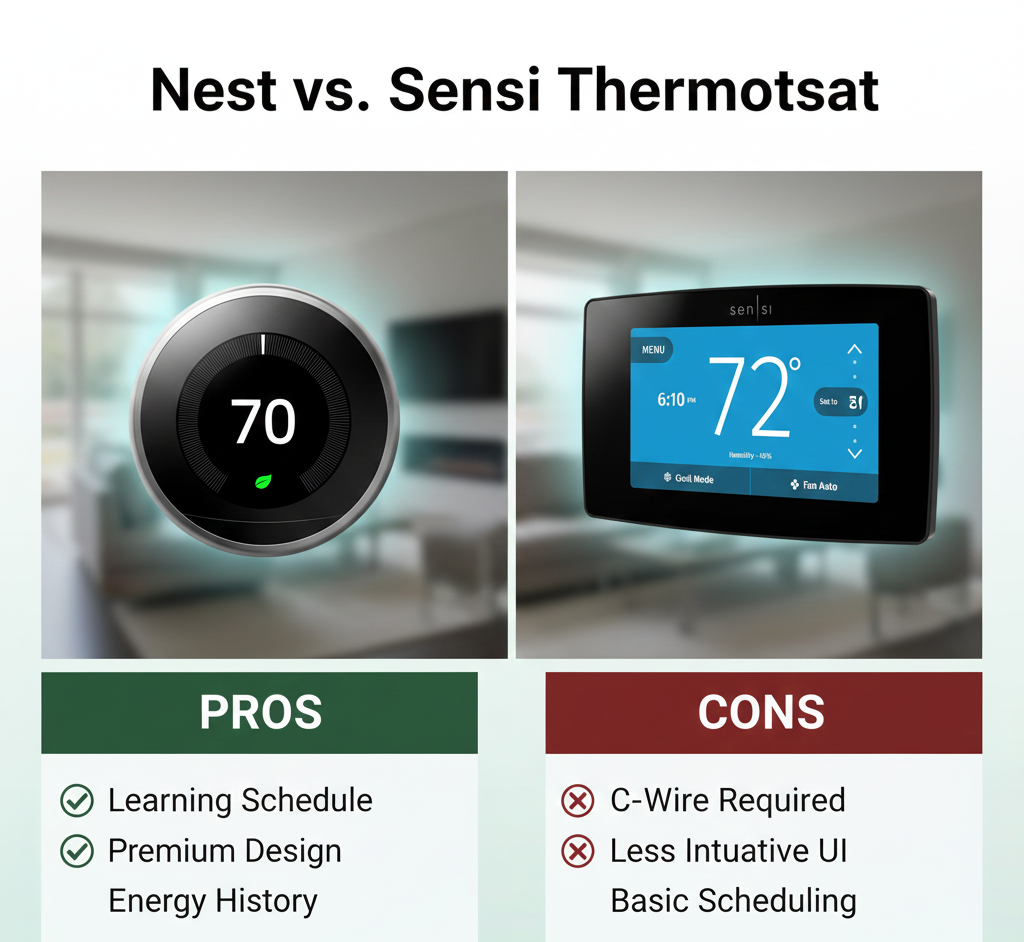
Nest vs. Sensi Thermostat: Silicon Valley Style or HVAC Reliability?
When choosing a smart thermostat, homeowners usually fall into one of two camps: those who want a futuristic gadget that thinks for itself, and those who want a reliable tool that just works. This dichotomy is perfectly illustrated in the battle of Nest vs. Sensi. For a deeper understanding of how these devices sense and control temperature at the hardware level, our guide on how thermostats work covers the thermistors, relays, and microcontroller logic that both brands use — implemented very differently.
Google Nest revolutionized the industry with sleek glass designs and learning algorithms. Emerson (now Copeland) Sensi, on the other hand, leveraged 100 years of HVAC experience to build a thermostat that technicians love and homeowners find incredibly easy to install. But which approach is right for your home? This comparison also has implications for how these units handle the Home/Away feature — Nest uses built-in sensors while Sensi relies on phone-based geofencing.
In this comprehensive comparison, we test the Nest Learning Thermostat against the Sensi Touch Smart Thermostat to determine which device offers the best balance of features, installation ease, energy savings, and long-term reliability. For additional context on where these two fit in the broader thermostat market, our smart vs programmable thermostats comparison covers the full spectrum from basic schedulers to AI-driven learning devices.
Two Radically Different Design Philosophies
Before comparing individual features, it is essential to understand the fundamentally different design philosophies that drive Nest and Sensi product decisions. These philosophies affect everything from the installation experience to the daily user interaction to the long-term reliability of the device.
Nest: The Consumer Electronics Approach
Google Nest approaches thermostat design the way Apple approaches smartphone design. The thermostat is a sleek, beautiful object intended to be admired on the wall. The user interface is minimal — a rotating ring and a single click. The intelligence is supposed to reside in the software, which learns your preferences and automates decisions so you rarely need to touch the device at all. This is the Silicon Valley vision: technology that disappears into the background by being smart enough to anticipate your needs. The Nest Learning Thermostat’s adaptive learning algorithm is the purest expression of this philosophy — it observes your manual adjustments for the first week and builds a schedule automatically, without you ever opening a scheduling interface.
The tradeoff is that when the intelligence fails — when the algorithm makes a wrong assumption about your schedule or when a software update introduces a bug — the device can behave in ways that are baffling to troubleshoot. A Nest that suddenly stops learning or begins short-cycling the furnace is not something a homeowner can fix by adjusting a setting; it often requires a factory reset, a firmware update, or support from Google’s customer service team.
Sensi: The HVAC Equipment Approach
Emerson (Copeland) approaches thermostat design the way an HVAC manufacturer approaches a relay or a contactor. The thermostat is a control device first and a consumer gadget second. The interface is functional and clear — a rectangular screen with labeled buttons, deliberately similar to the thermostats homeowners have used for decades. The intelligence is transparent: you set a schedule, the thermostat executes it. Geofencing adds automation, but it is geofencing that you configure and understand, not a black-box algorithm making decisions on your behalf. This is the HVAC industry vision: technology that works reliably for 15 years without drama.
The tradeoff is that Sensi thermostats are not exciting. They do not learn. They do not have Farsight displays that light up when you walk past. They do not integrate with smoke detectors to shut down the fan during a fire. They are thermostats — extremely good thermostats — and that focus on core functionality means they sacrifice the “wow factor” that Nest delivers in abundance.
At a Glance: The Tale of the Tape
Here is a quick breakdown of how the flagship models compare. Note that both brands offer budget versions (Nest Thermostat 2020 and Sensi Lite), but we are focusing on the core experience that defines each brand’s approach to smart home comfort.
| Feature | Google Nest Learning (v3/v4) | Emerson Sensi Touch (ST75) |
|---|---|---|
| Design Philosophy | Modern Art / Round | Traditional / Rectangular |
| C-Wire Requirement | “Not Required” (But strongly recommended) | Required for Touch / Optional for Classic |
| Power Strategy | Power Stealing + Internal Battery | AA Batteries (Classic) or C-Wire (Touch) |
| Smart Home Support | Google Home, Alexa, Matter | HomeKit, Alexa, Google, SmartThings |
| Primary Automation | Auto-Learning Schedule | Geofencing + 7-Day Scheduling |
| Occupancy Detection | Built-in PIR + phone location | Phone geofencing only |
| Remote Sensors | Yes (Nest Temperature Sensor) | Touch 2 only (original Touch: No) |
| Installation Difficulty | Medium (Wiring can be tricky) | Easy (DIY Friendly) |
| Warranty | 2 years | 3 years (pro-installed) / 2 years (DIY) |
Round 1: Design & Aesthetics
The physical difference between these two units is stark, and it reflects the philosophical divide described above. Your thermostat occupies a prominent position on your wall — typically in a hallway, living room, or other visible location — so how it looks matters.
Google Nest: The Showpiece
The Nest Learning Thermostat is iconic. With its stainless steel ring (available in multiple finishes including copper, brass, and white) and crisp glass display, it looks like a piece of jewelry on your wall. It uses a “Farsight” feature to wake up when you walk by, displaying the weather or time on the large, high-resolution screen. In a modern, design-conscious home, the Nest is a genuine aesthetic asset — something guests notice and comment on.
However, its distinctive round shape has a practical downside: most traditional thermostats are rectangular. When you remove an old rectangular thermostat and install a round Nest, you will likely expose unpainted wall, old screw holes, and possibly a different paint color behind the old unit’s footprint. Nest includes a trim plate, but it is also round and may not cover all the evidence of the previous installation. This is a solvable problem — a small drywall patch and touch-up paint — but it adds a step to what is otherwise marketed as a quick DIY upgrade. If you are considering how to make any thermostat blend more naturally into your wall, our thermostat cover ideas guide and best wall color behind your thermostat recommendations address the aesthetic integration question for all thermostat shapes.
Sensi: The Practical Choice
The Emerson Sensi Touch review units highlight a design that deliberately mimics a standard thermostat. It is rectangular, with a footprint that covers the same wall area as most old Honeywell, White-Rodgers, or Robertshaw units. This means no patching, no painting, and no visible evidence that you upgraded — the new thermostat simply covers the old footprint. The Sensi Touch has a full-color customizable touchscreen with a backlight that can be set to warm white or cool blue, and the illuminated terminals on the backplate (a unique Sensi feature) make wiring in a dark hallway closet dramatically easier.
While the Sensi Touch does not try to be a piece of art, it does not look cheap. The screen is bright and readable, the interface is clean, and the overall impression is of a well-made appliance rather than a gadget. For homeowners who prefer their technology to be functional rather than flashy, this is a positive, not a negative. For those who appreciate a touchscreen interface but want to see how other brands implement it, our guide to touchscreen thermostats with backlight compares screen quality and interface design across price points.

Sensi Touch Smart Thermostat
Illuminated terminals, full-color touchscreen, and a traditional rectangular footprint that covers old thermostat marks.
Check Sensi Price on AmazonRound 2: Installation & The C-Wire Debate
This is the most critical technical difference between Nest and Sensi, and misunderstanding it leads to more frustration and returned products than any other factor. If you are worried about installation complexity, read this section carefully before purchasing either thermostat.
Nest’s “Power Stealing”: Clever Engineering with Real Tradeoffs
Nest claims compatibility with 95% of systems, often without a Common Wire (C-wire). It achieves this through a technique called power stealing — the thermostat draws a small amount of current through the heating or cooling circuit even when the system is not actively running, using that trickle of power to charge an internal rechargeable battery. For many installations, this works seamlessly for years. But for a significant minority of users, power stealing causes problems that are difficult to diagnose.
Without a C-wire, you might experience thermostat low battery symptoms — a fading display, delayed response to temperature adjustments, or Wi-Fi disconnections that seem random. More seriously, the Nest may attempt to draw power during periods when the system is off, and on some sensitive furnace control boards, this tiny current draw is enough to cause the furnace to behave erratically: the blower fan may run when it should not, or the system may short-cycle. Our guide on thermostats that keep rebooting when the AC turns on covers the voltage-drop mechanism that underlies many power-stealing failures — the compressor startup draws the 24V transformer down momentarily, and the Nest’s power management chip interprets the voltage sag as a power loss and triggers a restart.
Nest’s official recommendation has shifted over time: while power stealing is still technically supported, Google now strongly recommends a C-wire for reliable operation, particularly on systems with heat pumps or multi-stage equipment. The Nest Learning Thermostat (4th Gen) includes improved power management, but the fundamental limitation remains: power stealing is a workaround, not an ideal power architecture. For a detailed look at Nest-specific power issues, our Nest Learning Thermostat power stealing and C-wire fixes guide covers the full range of solutions including the Nest Power Connector accessory.
Sensi’s Flexibility: Choose Your Power Architecture
Sensi is the darling of the DIY community for its transparent and flexible approach to power:
- Sensi Smart Thermostat (ST55/Classic): Does NOT require a C-wire for most systems. It uses two standard AA alkaline batteries as its primary power source, with the option to use a C-wire if one is available. The batteries last approximately 12 months under normal use, and the thermostat displays a clear low-battery warning weeks before they actually die. This battery-powered architecture completely sidesteps the power-stealing reliability issues and makes the Sensi Classic the single easiest smart thermostat to install in older homes with 2-wire or 3-wire thermostat cables.
- Sensi Touch (ST75): DOES require a C-wire because its full-color touchscreen display draws more power than AA batteries can sustainably provide. The illuminated terminals on the backplate make identifying C-wire connections straightforward during installation.
For a complete explanation of how battery-powered smart thermostats manage the power-vs-functionality tradeoff, our battery-powered smart thermostat guide covers sleep-wake cycles, Wi-Fi radio power management, and battery type recommendations (lithium vs. alkaline) that apply directly to the Sensi Classic’s operation.
If you have an older home with only two or three wires at the thermostat location and do not want to pull new cable or install add-a-wire adapters, the Sensi Classic ST55 is the clear winner in this category. The Nest may work on your wiring, but the Sensi will work reliably without caveats.
For a comprehensive walkthrough of thermostat wire identification, terminal functions, and installation safety procedures, our complete thermostat wiring guide covers everything from color codes to C-wire adapter installation.
Installation Winner: Sensi Classic (ST55) for the easiest, most reliable no-C-wire installation. Nest wins on design but introduces power-stealing risks that Sensi’s battery-powered architecture simply avoids.Round 3: Intelligence — Learning Algorithms vs. Deliberate Control
The fundamental question: Do you want a thermostat that learns your life automatically, or one that gives you precise, transparent control over every aspect of your heating and cooling schedule?
Nest: The Learning Algorithm — Automatic but Opaque
Nest’s claim to fame is its machine learning. During the first week after installation, you adjust the temperature normally — turning it down when you go to bed, up when you wake, down when you leave for work. Nest observes these manual adjustments, clusters them by time of day and day of week, and builds an automatic schedule. After the learning period, the thermostat follows this discovered schedule without further manual programming. It also uses built-in PIR (passive infrared) motion sensors and phone location to detect whether anyone is home (Home/Away Assist), automatically switching to an energy-saving Eco temperature when the house is empty.
The Nest’s adaptive learning is conceptually impressive and, when it works, delivers genuine convenience — you never program a schedule because the thermostat figured it out. For a deeper dive into how this technology functions under the hood, our thermostat adaptive learning guide explains the sensor fusion and machine learning models involved, and how they compare to the simpler scheduling approaches used by non-learning thermostats.
The Downside: The algorithm is not perfect, and when it fails, the failure mode is frustrating because it is opaque. If you have an irregular schedule — shift work, a hybrid office schedule, frequent travel — Nest can learn patterns that do not actually reflect your needs. It may lower the temperature on a Tuesday afternoon because it “learned” you are usually gone, even though you are working from home that day. The result: you feel cold, manually override the temperature, and the algorithm adjusts — but it may take several similar overrides before it un-learns the incorrect pattern. Many Nest users eventually disable the auto-learning feature and use the thermostat as a standard 7-day programmable unit, which rather defeats the purpose of paying the Nest premium.
For comparison with how Nest’s auto-scheduling stacks up against Ecobee’s sensor-driven approach, our Nest Auto-Schedule vs Ecobee Smart Sensors comparison and the follow-up Nest Auto-Schedule vs Ecobee SmartSensors comfort analysis examine the two competing philosophies for automated comfort management.
Sensi: Deliberate Control — Transparent but Manual
Sensi does not attempt to learn your schedule. It relies on two transparent, user-configurable mechanisms: 7-day programmable scheduling (you set Wake, Away, Home, and Sleep periods for each day) and geofencing via your smartphone’s GPS. The geofencing is the key automation feature — you define a radius around your home, and when all registered phones leave that radius, the thermostat automatically sets back to energy-saving temperatures. When the first phone re-enters the radius, it resumes the comfort schedule.
For homeowners wondering what is a geofencing thermostat, Sensi’s implementation is one of the most reliable in the industry. It uses an “everyone must leave” logic (Away mode only activates when all household members are outside the geofence), supports multiple users, and provides clear status indicators in the app showing whether the geofence is active and which phones are inside or outside the perimeter. Because geofencing relies on phone GPS rather than a motion sensor on the wall thermostat, it works regardless of where the thermostat is installed — a thermostat in a rarely-passed hallway will still correctly detect that you are home because your phone is home, even if you never walk past the thermostat itself.
The tradeoff is that Sensi requires you to initially set up a schedule and configure the geofence. It does not do this for you automatically. For homeowners who prefer to understand and control exactly what their thermostat is doing, this is an advantage — there are no mysterious algorithm decisions to second-guess. For those who want the thermostat to handle everything without any configuration effort, Nest’s learning approach is more appealing.
When asking do smart thermostats really save money?, both Nest and Sensi achieve savings — typically 10-15% on heating and cooling bills — but they achieve them through different mechanisms. Nest’s savings come primarily from automated away setbacks triggered by occupancy detection. Sensi’s savings come from deliberate schedule setbacks and geofencing. The end result is similar; the path is different.
Intelligence Winner: Tie — dependent on user preference. Nest for hands-off automation; Sensi for transparent, user-controlled automation.Round 3.5: Energy Savings — Which Thermostat Saves More?
The energy savings potential of both Nest and Sensi thermostats is well-documented, but the mechanisms differ, and understanding those mechanisms helps you maximize savings regardless of which brand you choose. For a comprehensive analysis of how smart thermostats reduce energy consumption across all brands, our guide on how smart thermostats save money covers setback strategies, occupancy optimization, and equipment coordination in detail.
Savings Mechanisms Shared by Both
- Nighttime setback: Reducing the temperature 7-10°F for 8 hours during sleep saves approximately 7-10% on heating costs. Both thermostats execute this reliably — Nest via learned schedule, Sensi via programmed schedule.
- Away setback: Reducing heating or cooling when the home is unoccupied saves an additional 5-10% depending on household occupancy patterns. Nest uses built-in occupancy sensors; Sensi uses phone geofencing. Both methods are effective when properly configured.
- Energy reporting: Both provide monthly energy usage summaries that help homeowners identify waste and adjust settings. Nest’s reports are more visually polished; Sensi’s are more data-focused.
Where Nest May Save More
Nest’s built-in occupancy sensors can detect an empty house even if all household members leave their phones at home. Sensi’s phone-based geofencing would fail to trigger Away mode in this scenario. In practice, this is a rare edge case — most people carry their phones — but it is a theoretical advantage for Nest’s sensor-based approach.
Where Sensi May Save More
Sensi’s geofencing can trigger Away mode before you actually leave, because the geofence radius can be set large enough that the system begins pre-cooling or pre-heating reduction as you approach the perimeter. Nest’s occupancy sensors only detect vacancy after the fact — when motion has not been detected for a period of time. The Sensi approach captures slightly more savings during the departure transition period.
Both thermostats are Energy Star certified and qualify for utility rebate programs in most service territories. Rebates typically range from $25 to $100 and can significantly reduce the effective purchase price. Our 2026 smart thermostat rebates guide with savings calculator lists current programs by state and utility provider. For recommendations focused specifically on maximizing bill reduction, our best smart thermostat for energy savings guide ranks models by their efficiency features.
Optimizing Seasonal Settings
Regardless of which thermostat you choose, the schedule or learned behavior determines the majority of your savings outcome. For winter, the DOE recommends 68°F when home and awake with 7-10°F setbacks during sleep. Our recommended thermostat settings for winter and ideal room temperature for sleeping guides provide evidence-based temperature recommendations. For extended absences, our vacation thermostat settings guide covers the balance between energy savings and pipe-freeze prevention.
Round 4: Ecosystem Compatibility — Apple, Google, and the Smart Home
The battle of Nest vs. Sensi often comes down to what phone ecosystem you are already invested in. Smart home compatibility is not just about which voice assistant you use — it affects automation capabilities, data privacy, and how the thermostat integrates with other smart devices in your home.
Apple HomeKit: Sensi’s Clear Advantage
Sensi has been friendlier to Apple users from the start. Most Sensi models support Apple HomeKit natively — you scan a HomeKit code during setup, and the thermostat appears in the Apple Home app alongside your other accessories. You can ask Siri to change the temperature, include the thermostat in HomeKit scenes (“Goodnight” scene sets all bedroom thermostats to 65°F), and create automations that coordinate the thermostat with other HomeKit devices (turning off the heat when a window sensor detects an open window, for example).
Nest’s relationship with Apple has been more complicated. For years, Nest offered no HomeKit support at all, requiring third-party workarounds like the Starling Home Hub or Homebridge plugins. The recent addition of Matter support has improved this situation — newer Nest thermostats with Matter compatibility can be added to Apple Home through the Matter protocol. However, legacy Nest units lack Matter support, and the integration is not as seamless as Sensi’s native HomeKit implementation. For step-by-step instructions on connecting Nest to Apple’s ecosystem, our guide on adding Nest to Apple Home covers the current state of Matter-based and third-party integration methods.
Google & Alexa: Both Work, But Nest Goes Deeper
Both thermostats work with Amazon Alexa and Google Assistant for voice control and routine integration. You can say “Alexa, set the thermostat to 72” to either device. However, Nest integrates more deeply into the Google Home ecosystem — if you have Nest cameras, Nest speakers, or Nest Protect smoke detectors, the Nest thermostat participates in a unified Google Home experience where devices share data (for example, Nest Protect smoke/CO detection can trigger the Nest thermostat to shut down the HVAC fan to avoid spreading smoke through the ductwork).
Sensi remains neutral ground, playing nicely with all three major platforms without favoring any one ecosystem. If you are comparing Google Nest vs Amazon Smart Thermostat, you see similar ecosystem lock-in dynamics — Amazon’s thermostat favors Alexa, Google’s favors Google Home. Sensi’s platform-agnostic approach is genuinely unusual in the smart home market and valuable for households that use a mix of platforms.
If you are looking for comparisons against other major brands, our Honeywell vs Emerson thermostat guide expands on how Sensi stacks up against another HVAC industry giant, and our Nest vs Honeywell comparison examines Nest’s competition from the professional HVAC channel.
Wi-Fi Connectivity and Cloud Dependence
Both thermostats connect to the internet via 2.4GHz Wi-Fi (Nest also supports 5GHz on newer models). Both rely on cloud servers for remote app control — when you adjust the temperature from your phone, the command goes to the manufacturer’s cloud, which then pushes it down to the thermostat. For a technical explanation of this architecture and its implications for reliability, our smart thermostat connectivity guide covers the cloud-relay model, command latency, and what happens during internet outages (both thermostats continue running their stored schedules locally when Wi-Fi is down).
Ecosystem Winner: Sensi for broad, native compatibility across all platforms (especially HomeKit). Nest for deep Google ecosystem integration.Round 5: Remote Sensors and Room-Level Comfort
For multi-story homes or houses with significant temperature differences between rooms, remote sensor support is not a luxury — it is the difference between a thermostat that measures the hallway and one that measures the rooms where you actually spend time. This is an area where Nest and Sensi take different approaches with meaningful practical consequences.
Nest Temperature Sensors
The Nest Learning Thermostat supports Nest Temperature Sensors — small, battery-powered pucks that you place in rooms away from the main thermostat. Each sensor measures temperature and reports it back to the thermostat. You can configure the thermostat to use a specific sensor as the control point during specific time periods (e.g., use the bedroom sensor from 9 PM to 7 AM, use the living room sensor during the day). Nest sensors do not measure occupancy — they are temperature-only devices, unlike Ecobee’s SmartSensors which include both temperature and motion detection.
For a technical explanation of how remote sensors communicate with thermostats and how to position them for maximum accuracy, our thermostat remote sensor guide covers the technology, placement strategy, and brand-specific capabilities.
Sensi Remote Sensors
Only the newer Sensi Touch 2 supports remote room sensors. The original Sensi Touch (ST75) and Sensi Classic (ST55) do not support external sensors at all — they measure temperature only at the thermostat’s built-in sensor. For the Sensi models that do support sensors, the functionality is straightforward temperature averaging and time-based priority, similar to Nest’s approach but with fewer configuration options than Ecobee’s more sophisticated sensor ecosystem. For a comparison of how different brands approach the multi-sensor problem, our Ecobee3 Lite vs Nest temperature sensor and occupancy comfort comparison covers the spectrum from simple temperature sensors to full occupancy-aware multi-sensor systems.
Sensors Winner: Nest — broader sensor support across the product line, though both trail Ecobee in sensor sophistication.Round 6: Long-Term Reliability & Troubleshooting
Emerson (Copeland) has been manufacturing thermostat components for over a century — their relays, contactors, and control boards are inside millions of HVAC systems worldwide. This institutional knowledge of what makes a control device survive for decades in unconditioned attics, dusty basements, and humid crawlspaces directly informs the Sensi product line.
Nest Reliability: Nest units are essentially small Android computers with sophisticated power management. Like any computer, they can experience software freezes, Wi-Fi chip failures (the infamous “w5 error” that indicates a failed wireless module), or battery degradation over 5+ years of service. When a Nest encounters a problem, the troubleshooting process involves the Google Home app’s diagnostic tools, which are good at identifying common issues but can struggle with edge cases. When a thermostat is not reaching set temperature, the Nest’s diagnostic display may show a vague error code rather than actionable troubleshooting steps.
Sensi Reliability: Sensi thermostats are built like HVAC controls, not consumer electronics. The relays are “contractor-grade” components rated for hundreds of thousands of cycles. The software is simpler and less prone to bugs because it does less — there is no machine learning model to update, no occupancy algorithm to maintain. If something goes wrong, the Sensi’s interface typically provides clear, actionable diagnostic information. We maintain dedicated troubleshooting guides for common Sensi issues, including how to reset your Sensi thermostat and diagnostic steps for why your Sensi thermostat is not working.
Furthermore, if your thermostat says heat on but no heat is coming from the vents, Sensi’s app provides excellent diagnostic context, often distinguishing between a thermostat-side issue (failed relay) and an equipment-side issue (tripped limit switch, failed igniter) based on voltage sensing. Nest’s diagnostics are less granular in this specific failure mode.
For a comprehensive set of diagnostic procedures applicable to both brands, our 12 signs your thermostat is bad guide covers blank screens, short cycling, incorrect temperature readings, unresponsive controls, and eight other common failure symptoms with step-by-step diagnostic instructions. For general guidance on when symptoms justify replacement rather than repair, our do I need a new thermostat decision guide walks through the diagnostic questions.
Reliability Winner: Sensi — simpler hardware, proven HVAC-grade components, fewer software-related failure modes.Round 7: HVAC System Compatibility
Both Nest and Sensi support the most common residential HVAC configurations, but there are differences at the margins that matter if your system is unusual.
Standard Systems — Both Support
- Single-stage and multi-stage gas, oil, and electric furnaces
- Single-stage and multi-stage central air conditioners
- Single-stage and multi-stage heat pumps with auxiliary/emergency heat
- Dual-fuel systems (heat pump with gas furnace backup)
- Fan coil units (2-pipe and 4-pipe)
Where Nest Has an Edge
Nest supports certain advanced heat pump configurations with more sophisticated staging logic, and the Nest Learning Thermostat’s compatibility with Nest Temperature Sensors adds room-level sensing for systems where the thermostat is poorly located. Nest also supports humidifier and dehumidifier control on select models (though not all Nest models include this — verify before purchasing).
Where Sensi Has an Edge
Sensi’s compatibility with older, simpler systems (2-wire heat-only, 2-wire cool-only) is broader than Nest’s because Sensi’s battery-powered Classic model does not depend on power stealing from the equipment circuit. Some millivolt systems (older gas fireplaces, gravity-vent wall heaters) that confuse Nest’s power management will work reliably with a battery-powered Sensi. For a complete compatibility verification walkthrough, our thermostat-furnace compatibility guide covers edge cases including communicating systems, proprietary protocols, and millivolt applications.
For context on the equipment these thermostats control, our explanation of what a split HVAC system is covers the indoor/outdoor architecture common in most homes, and our guide to inverter technology in HVAC explains how variable-speed equipment interacts with standard 24V thermostats (neither Nest nor Sensi can modulate inverter compressor speed — that requires a communicating thermostat).
Pros & Cons: The Complete Picture
Google Nest Learning Thermostat
Pros
- Stunning, iconic design available in multiple metal finishes.
- “Learning” feature is genuinely convenient for hands-off users with regular schedules.
- Farsight display wakes when you approach, showing weather or time.
- Seamless Google Home ecosystem integration.
- Integration with Nest Protect (Smoke/CO) for safety-based HVAC shutdown.
- Nest Temperature Sensors available for room-level comfort management.
- Built-in occupancy sensor does not depend on phone location.
Cons
- Expensive — typically $200-250 for the Learning model.
- Often requires a C-wire for reliable operation despite “no C-wire” marketing.
- Weak native HomeKit support (requires Matter bridge on newer models; legacy units unsupported).
- Round shape exposes old wall imperfections and paint lines.
- Learning algorithm can be confused by irregular schedules.
- Software-dependent — updates can introduce bugs that are difficult for homeowners to troubleshoot.
Emerson Sensi Touch / Classic
Pros
- Easy DIY installation — especially the battery-powered Sensi Classic (ST55).
- Native Apple HomeKit support on most models.
- Rectangular shape covers old thermostat holes and paint lines.
- Highly reliable “contractor-grade” build with proven relay components.
- Excellent app interface with clear diagnostic information.
- Illuminated terminals on Touch model make wiring in dark locations easier.
- Keypad lockout feature ideal for rental properties and public spaces.
- Typically $100-150 — better value than Nest Learning.
Cons
- Conservative design — looks like a standard thermostat, not a design object.
- Touch model requires C-wire (Classic runs on batteries).
- Lacks room occupancy sensors (relies on phone geofencing for away detection).
- Remote sensor support limited to newest Touch 2 model.
- No learning algorithm — requires manual schedule programming.

Google Nest Learning Thermostat
Iconic design, auto-learning schedule, Farsight display, and deep Google Home integration.
Check Nest T3016US Price on AmazonFrequently Asked Questions
Is Sensi owned by Honeywell?
No. Sensi is a brand by Emerson (now Copeland). They are a direct competitor to Honeywell. See our Honeywell vs Emerson thermostat guide for more details on the competitive landscape.
Does Nest work without a C-wire?
Technically yes, but it is not recommended. Without a C-wire, Nest uses “power stealing” which can cause Wi-Fi disconnections, delayed temperature response, and short-cycling of the furnace on sensitive control boards. We highly recommend installing a C-wire or the Nest Power Connector adapter for reliable operation. For a full explanation of the power architecture tradeoffs, our guide on battery-powered smart thermostats covers the alternatives to power stealing.
Which thermostat is better for landlords?
The Sensi Classic (ST55) is often preferred by landlords because it is cheaper ($80-100), battery-powered (no wiring modifications needed in older rental units), and features a keypad lockout that prevents tenants from setting temperatures outside an allowed range. For more landlord-specific thermostat recommendations including models with PIN locks and temperature limits, see our landlord thermostat lockouts guide.
Does Sensi have room sensors?
Only the newer Sensi Touch 2 supports remote room sensors. The original Sensi Touch (ST75) and Sensi Classic (ST55) do not support external room sensors, unlike Nest vs Ecobee thermostat comparisons where sensors are available across most product lines. If multi-room temperature management is a priority, verify sensor compatibility before purchasing any Sensi model.
How do I know if my thermostat is bad?
If the screen is blank, temperature readings are inaccurate, the system does not respond to calls for heating or cooling, or the thermostat is short-cycling the equipment, consult our comprehensive guide on how to tell if your thermostat is bad — 12 symptoms, tests, and real fixes. The guide covers diagnostic procedures for both Nest and Sensi thermostats.
What happens to Nest and Sensi during a Wi-Fi outage?
Both thermostats continue operating as standard programmable thermostats during Wi-Fi or internet outages. They execute the last stored schedule from local memory and respond to manual adjustments at the device. You lose remote app control, geofencing (Sensi), and energy data updates during the outage, but heating and cooling continue uninterrupted. Both reconnect automatically when connectivity is restored.
Which thermostat has better long-term support and warranty?
Sensi offers a 3-year warranty when professionally installed (2 years for DIY). Nest offers a standard 2-year limited warranty. Sensi’s simpler hardware architecture and HVAC-industry design philosophy suggest longer practical service life — it is common to find Sensi thermostats functioning perfectly after 8-10 years. Nest units, as more complex computing devices, may require replacement sooner as components like the rechargeable battery and Wi-Fi chip age. For data on typical lifespans across brands, see our guide on how long Honeywell thermostats last for industry benchmarks.
Final Verdict: Which One Should You Buy?
The choice between Nest vs. Sensi is clearer than most smart home comparisons. These two products serve different homeowners with different priorities, and understanding your own preferences makes the decision straightforward.
Choose the Google Nest Learning Thermostat if:
- You value design and want a thermostat that is genuinely beautiful on the wall.
- You want the “Learning” capability so you never have to program a schedule.
- You have other Google Nest products (Cameras, Protects, Hubs) and want deep ecosystem integration.
- You have a C-wire installed or are willing to install one for reliable operation.
- You want room-level temperature sensing via Nest Temperature Sensors.
- Your schedule is relatively regular — the learning algorithm works best with predictable patterns.
Choose the Emerson Sensi if:
- You live in an older home with no C-wire and want the simplest possible installation — choose the Sensi Classic ST55.
- You want native Apple HomeKit support for Siri control and Home app integration.
- You want a reliable, no-nonsense interface that every household member and guest can understand immediately.
- You want to cover the unpainted spot and screw holes left by your rectangular old thermostat.
- You are looking for the best value — Sensi typically costs $50-100 less than Nest Learning.
- You prefer transparent, user-controlled geofencing over a black-box learning algorithm.
- You are a landlord who needs keypad lockout and temperature range limits.
Our Expert Recommendation: For most DIY homeowners — particularly those in older homes or those who value reliability above novelty — the Emerson Sensi is the safer, less frustrating investment. It connects easily, stays connected without power-stealing drama, and provides years of trouble-free service. The battery-powered Sensi Classic remains the single easiest smart thermostat to install in any home with any wiring configuration.
But if you are building a modern smart home, value industrial design, and want the thermostat to be a centerpiece rather than just a tool, the Nest Learning Thermostat still holds the crown for style, intelligence, and the sheer quality of the user experience. Just budget for a C-wire installation if your home does not already have one — it is the difference between loving your Nest and troubleshooting it.
For additional energy-saving strategies that complement any thermostat upgrade, our HVAC energy efficiency tips guide covers filter maintenance, fan setting optimization, and duct sealing — low-cost improvements that amplify the savings from your new smart thermostat. And for those curious about the energy cost of continuous fan operation, our analysis of how much electricity a thermostat fan uses provides the numbers.

Ready to Upgrade?
Get the rock-solid reliability of Sensi or the intelligent design of Nest. Both will reduce your energy bills and make your home more comfortable.
Looking for more smart thermostat comparisons? Browse our Nest vs Honeywell thermostat guide, our Sensi vs Ecobee comparison, or our best smart thermostat for energy savings roundup for more expert analysis.





 Home
Home
 Info
Info
 Compare
 Reviews
 Shop
Shop