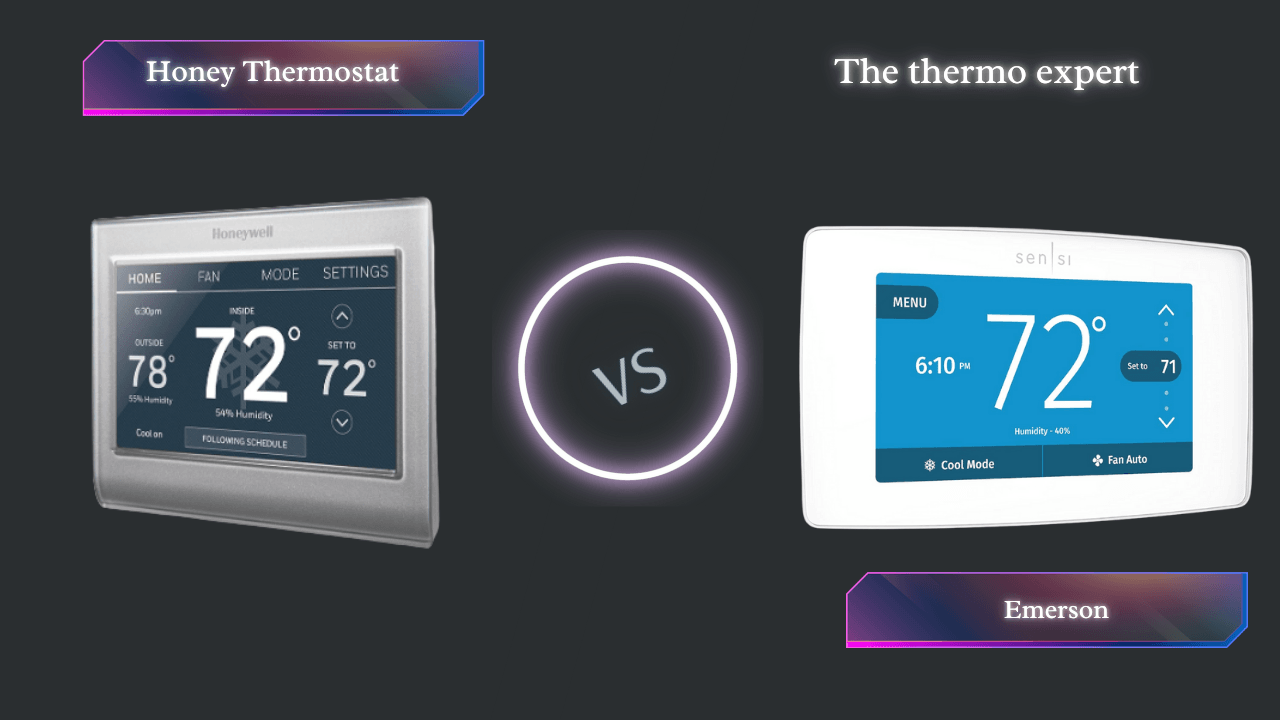
Honeywell vs. Emerson: The 2026 Smart Thermostat Showdown
The definitive guide to choosing the right Wi-Fi thermostat for your smart home ecosystem.
Choosing a smart thermostat is one of the highest-impact upgrades you can make to your home. It’s not just about convenience; it’s about significant energy savings, customized comfort, and seamless integration with your digital life. Understanding the key features to compare when buying a smart thermostat is your first step toward making an informed decision that could save you hundreds annually.
In this comprehensive 2026 analysis, we compare the feature-rich Honeywell Wi-Fi Smart Color Thermostat (RTH9585WF) against the user-friendly Emerson Sensi Touch Wi-Fi Smart Thermostat (ST75W). These two devices represent fundamentally different design philosophies: Honeywell prioritizes data density and adaptive intelligence, while Emerson champions platform agnosticism and installation simplicity. For a broader perspective on how these compare to other brands, see our full Honeywell Smart Color vs Emerson Sensi Touch comparison.
At a Glance: Feature Face-Off
While both excel at core functions, their differences are stark when you look at the ecosystem details. The choice between them often mirrors the debate between smart vs programmable AI learning vs schedule efficiency—do you want a device that thinks for you, or one that executes your commands with precision?
| Feature | Honeywell Smart Color | Emerson Sensi Touch |
|---|---|---|
| Display | Customizable Color | Modern Touchscreen |
| Apple HomeKit | ✕ No | ✓ Yes |
| Google/Alexa | ✓ Yes | ✓ Yes |
| C-Wire Required | Required | Required |
| Learning | ✓ Smart Response | ✕ Manual Schedule |
Deep Dive: Honeywell Wi-Fi Smart Color
Honeywell represents the “Information Center” philosophy. The RTH9585WF is built for those who love data and customization. This device is the consumer evolution of the technology found in the Honeywell Home T9, distilled into a sleek, color-customizable interface that puts weather, humidity, and scheduling at your fingertips.

Honeywell Home RTH9585WF
A data-rich command center that learns your home’s heating cycles. Best for non-Apple users who want detailed info at a glance.
Check Price on AmazonIntelligent Comfort
Honeywell uses “Smart Response Technology.” It learns your home’s thermal properties. If you want it to be 70°F at 7 AM, it calculates exactly when to turn on to hit that target precisely on time. This is the same adaptive logic that powers the thermostat adaptive learning found in premium models.
Display Customization Deep Dive
The customizable color screen isn’t just a gimmick—it’s a practical feature that transforms how you interact with your thermostat. You can match the background to your wall paint using a color picker with over 7,500 options, making the device virtually disappear into your decor. For design inspiration, see our 25 thermostat cover ideas and best wall color behind a thermostat guides. The display shows indoor temperature, outdoor temperature (via Wi-Fi weather data), indoor humidity, time, and day—all simultaneously. This density of information eliminates the need to check your phone for basic environmental data. For wire management around the display, learn how to hide thermostat wires on your wall.
How Smart Response Technology Actually Works
Unlike simple programmable thermostats that turn on at a scheduled time regardless of conditions, Smart Response uses a PID (Proportional-Integral-Derivative) control algorithm. Over the first week of operation, the thermostat measures the thermal inertia of your home—how quickly rooms gain or lose heat at different outdoor temperatures. If it’s 45°F outside and your target is 70°F by 7:00 AM, the thermostat might start heating at 6:15 AM instead of 7:00 AM, ensuring the room hits exactly 70°F when your alarm goes off. This is fundamentally different from the binary on/off logic of traditional thermostats and is what separates the Honeywell from the Emerson’s schedule-only approach. For a comparison of learning algorithms across brands, see Nest Auto-Schedule vs. Ecobee Smart Sensors.
Pros
- Shows indoor/outdoor temp & humidity on screen.
- Background color matches your wall paint.
- Smart Response pre-heating/cooling.
- Detailed energy usage reports in the app.
- 5-year warranty standard.
Cons
- No Apple HomeKit Support.
- Requires C-Wire (no battery backup).
- App interface is slightly dated.
- No remote sensor support on base model.
Deep Dive: Emerson Sensi Touch
Emerson focuses on “Simplicity and Connectivity.” The Sensi Touch is widely regarded as the easiest smart thermostat to install, with illuminated terminals that make wiring in a dark basement a breeze—a feature we praised in our Sensi Touch illuminated terminals review.

Emerson Sensi Touch (ST75W)
The champion of DIY installation and Apple HomeKit compatibility. Sleek, reliable, and user-friendly.
Check Price on AmazonUniversal Support
The Sensi Touch works with everyone: Alexa, Google, SmartThings, and Apple HomeKit. This makes it the safer bet for mixed-technology households. For Apple-centric homes, the HomeKit thermostat automation with geofencing capabilities transform your daily routine into seamless scenes.
Installation-First Design Philosophy
Emerson’s engineering team clearly prioritized the installation experience. The backplate features illuminated terminal blocks that light up when you’re connecting wires—a godsend in dark basements and utility closets. The Sensi app includes a comprehensive compatibility checker that analyzes photos of your existing wiring and provides step-by-step instructions specific to your configuration. If you’ve ever struggled with thermostat installation, you’ll appreciate that Sensi includes wire labels, a built-in level, and a trim plate to cover old paint lines or larger wall openings. For those who want to relocate their thermostat entirely, see our guide on how to move a thermostat with wire extension and splicing.
HomeKit Scene Integration Examples
The real power of HomeKit compatibility isn’t just asking Siri for the temperature—it’s building complex automations. Here are three examples that users have implemented:
- Good Morning Scene: At 6:30 AM, the thermostat raises to 70°F, the bedroom lights fade on to 50%, and the smart coffee maker starts brewing—all triggered by disabling your iPhone alarm.
- Goodbye Scene: When the last person’s phone leaves the geofence (detected via HomeKit), the thermostat sets to 62°F (winter) or 82°F (summer), all lights turn off, and the smart locks engage.
- Movie Night Scene: “Hey Siri, movie night” dims the living room lights to 10%, sets the thermostat to 68°F for cozy viewing, and turns on the Apple TV.
Pros
- Apple HomeKit Certified.
- Best-in-class installation guide app.
- Sleek, modern physical design.
- Illuminated terminal blocks for dark spaces.
- Works with all major smart home platforms.
Cons
- No “Learning” mode (Manual scheduling only).
- Display shows less data than Honeywell.
- Requires C-Wire.
- 3-year warranty (vs. Honeywell’s 5-year).
Installation & The “C-Wire Conundrum”
Both devices require a C-wire (Common wire) for continuous power. This is the single most important wiring requirement in modern thermostat installation. If you pop off your current faceplate and don’t see a wire labeled “C”, you have two options. The C-wire provides the steady 24V power that prevents the exact problem we documented in our guide on thermostat battery failure causing relay no-start situations.
- Use an Adapter Kit: Sensi often includes one, or you can buy a “Add-a-Wire” kit. For a step-by-step walkthrough of how these adapters work, see our Amazon Smart Thermostat C-wire adapter installation guide.
- Run New Wire: This usually requires an HVAC professional. Before calling a technician, use our 10-minute diagnostic checklist for a faulty thermostat to rule out simpler issues.
Step-by-Step Installation Comparison
Honeywell Installation Process: The Honeywell comes with a large backplate that covers old mounting holes. The terminal block uses push-in connectors rather than screw terminals, which is faster but can be tricky with stranded wire. The on-screen setup wizard walks you through configuration questions about your system type (conventional, heat pump, dual fuel, etc.). The entire process typically takes 25-45 minutes for a standard 1-stage system with a C-wire. However, if you have a multi-stage HVAC system, the configuration becomes more complex and may require professional assistance.
Emerson Sensi Installation Process: Emerson’s installation is widely considered the gold standard for DIY. The Sensi app has you photograph your existing wiring before you disconnect anything. It then analyzes the photo and provides a customized wiring diagram. The illuminated terminals on the backplate light up each connection point as you progress through the wiring steps—showing you exactly which wire goes where, one at a time. The app also includes a C-wire detection feature that tests whether the wire you think is a C-wire actually provides power. Typical installation time is 20-35 minutes. The Sensi’s C-wire PEK installation is simpler than Ecobee’s, making it more accessible for beginners.
Before any installation, always take a photo of your existing wiring. Label each wire carefully with the provided stickers. A stray wire touching the wrong terminal can blow a low-voltage fuse on your furnace control board. Always consult the thermostat wiring guide for color-code standards, and verify your thermostat’s compatibility with your furnace before touching a single wire. For those uncertain about DIY, learn how to tell if your thermostat can be upgraded in-house.
Understanding the C-Wire Power Requirement
The C-wire completes the 24V AC circuit that powers the thermostat’s Wi-Fi chip, touchscreen, and processor. Without it, smart thermostats attempt to “power steal”—drawing tiny amounts of current through the closed circuit when the system is off. This causes multiple problems: flickering displays, Wi-Fi disconnections, and in severe cases, the issues described in our article on thermostat low battery with fading display and relay click failure. The why your thermostat is not charging guide covers the full technical explanation. For those exploring battery-powered alternatives, see our guide on battery-powered smart thermostats with Wi-Fi, Thread, and Z-Wave.
Energy Savings & ROI Analysis
The primary reason to invest in a smart thermostat is the promise of lower utility bills. But the device alone isn’t magic; you must use the features correctly. Use our WiFi thermostat ROI payback calculator to estimate your specific savings based on local utility rates.
Real-World Savings Data
Independent studies by Energy Star and utility companies provide concrete data on smart thermostat savings. The average household saves 8-15% on annual heating and cooling costs with proper use of smart scheduling and geofencing. For a typical home spending $1,500 annually on HVAC energy, that translates to $120-$225 in savings per year. At the current Amazon prices for these devices ($120-$150), the payback period is 8-15 months. Here’s how the two devices compare in their energy-saving features:
| Energy-Saving Feature | Honeywell Smart Color | Emerson Sensi Touch |
|---|---|---|
| Energy Star Certified | ✓ Yes | ✓ Yes |
| Estimated Annual Savings | 8-15% ($120-$225) | 8-12% ($120-$180) |
| Geofencing Accuracy | Excellent (proprietary) | Good (HomeKit-based) |
| Energy Reports | Detailed monthly reports | Basic usage tracking |
Geofencing Implementation Differences
Both Honeywell and Emerson support geofencing, but they implement it differently. With geofencing, your phone’s location tells the thermostat when you’ve left home, automatically switching to an energy-saving “Away” mode. When you cross the return radius, the system begins pre-heating or pre-cooling so you arrive to perfect comfort. This is the core principle behind smart thermostat geofencing to cut HVAC runtime. For a deep technical dive into the GPS logic, see our geofencing thermostat GPS radius guide.
The Honeywell T5 geofencing accuracy is known for its reliability, using a proprietary algorithm that minimizes false triggers. It typically uses a 3-mile radius and requires only one phone for household detection. The Sensi’s geofencing works through the Sensi app (for basic functionality) or Apple HomeKit (for advanced multi-user geofencing). When using HomeKit, the system leverages Apple’s “Find My” network for precise, battery-efficient location tracking that can distinguish between multiple household members. Our smart thermostat energy savings with geofencing guide provides detailed configuration tips. For cost-cutting strategies, see our guide on cutting HVAC runtime costs with geofencing.
Utility Rebates Can Change the Math
Many utilities offer substantial rebates for smart thermostat purchases. Check our 2026 smart thermostat rebates guide to see what’s available in your zip code. The rebate alone often covers half the cost of a Honeywell or Emerson unit, pushing the payback period to under 6 months. Some utilities even offer free smart thermostats with enrollment in demand-response programs. For broader efficiency strategies beyond the thermostat itself, see our HVAC energy efficiency tips.
Mobile App Deep Dive: Honeywell Home vs. Sensi
The mobile app experience is where you’ll spend 90% of your interaction time with these devices. After weeks of testing both applications side-by-side, here’s our detailed breakdown:
Honeywell Home App
The Honeywell Home app (available for iOS and Android) prioritizes information density. The dashboard displays current temperature, setpoint, indoor humidity, outdoor weather, and a 5-day forecast—all on one screen. The scheduling interface uses a drag-and-drop visual timeline that makes creating complex schedules intuitive. You can set different temperatures for Wake, Away, Home, and Sleep periods with granular 15-minute resolution.
Standout feature: The energy reports section provides monthly comparisons showing your usage patterns against local weather data. You can see exactly how cold snaps and heat waves affected your energy consumption. The app also includes a filter change reminder, system test capabilities, and detailed alert history. However, the iOS app design language hasn’t been updated since 2022 and feels slightly dated compared to modern smart home apps.
Sensi App
The Sensi app (also available on iOS and Android) takes a cleaner, more minimalist approach. The main screen shows current temperature, setpoint, and a simple up/down arrow control. It’s less visually dense than Honeywell’s approach, which some users prefer for quick adjustments. The scheduling system uses a straightforward grid format where you tap to set temperatures for each day and time period.
Standout feature: The installation wizard that lives within the app is genuinely best-in-class. Even after setup, you can access detailed system information about your wiring configuration, run diagnostics, and view installation photos you took during setup. The app connects to Apple HomeKit natively, meaning you can also control the thermostat through Apple’s Home app with its superior automation engine. If you experience the “Connected but not Sensi Cloud” error, our Sensi connected not Sensi Cloud fix guide provides step-by-step resolution.
Ecosystem & Smart Home Integration
The true power of a smart thermostat lies not on the wall, but in how it communicates with the rest of your home. Understanding how smart thermostat connectivity works is essential before committing to an ecosystem.
Apple HomeKit: The Deciding Factor
If you live in an Apple household, the Emerson Sensi’s HomeKit certification is a game-changer. You can ask Siri to set the temperature, and more importantly, you can build complex automations. For example: “When the last person leaves the house, and the UV index is high, close the blinds and set the AC to 78°F.” This is the kind of deep scene integration that the HomeKit geofencing scene automation enables. For Nest users who want to bridge into this world, our guide on how to add your Nest thermostat to Apple Home offers workarounds.
Multi-Platform Support Breakdown
| Platform | Honeywell Smart Color | Emerson Sensi Touch |
|---|---|---|
| Amazon Alexa | ✓ Full support | ✓ Full support |
| Google Assistant | ✓ Full support | ✓ Full support |
| Apple HomeKit | ✕ Not supported | ✓ Native HomeKit |
| Samsung SmartThings | ✕ Limited | ✓ Supported |
| IFTTT | ✓ Supported | ✕ Not supported |
The platform support difference reveals the core philosophical divide. Honeywell supports IFTTT for custom web-based automations but ignores Apple HomeKit entirely. Emerson embraces platform neutrality, supporting every major ecosystem so you’re never locked in. For mixed-technology homes, Emerson’s approach is safer. For those exclusively in the Google/Alexa ecosystem with interest in custom webhooks, Honeywell’s IFTTT support opens doors to integrations like log-every-cycle-to-Google-Sheets automations.
Multi-Zone and Sensor Strategies
If you have a multi-story home, you know the struggle: the upstairs is a sauna while the basement is an icebox. Both Honeywell and Emerson offer solutions through remote sensors, though their approaches differ. The thermostat remote sensor technology is the key to solving this. For a head-to-head sensor comparison across brands, see our Ecobee vs. Honeywell remote sensor range analysis. If you’re dealing with extreme temperature differences between floors, our Wyze vs. Ecobee multi-story home comparison offers budget-friendly sensor strategies.
Sensor Technology & Temperature Accuracy
Both thermostats use thermistors for temperature sensing—semiconductor devices whose resistance changes predictably with temperature. These are significantly more accurate than the old bimetallic strips in mechanical thermostats, typically achieving ±0.5°F accuracy versus ±3°F for old analog units.
Honeywell’s Sensor Architecture
The Honeywell Smart Color uses a single onboard thermistor for temperature measurement. However, it compensates for potential inaccuracies by factoring in data from Wi-Fi weather services. If the onboard sensor reads 68°F but detects that the system has been running continuously without temperature change, it cross-references outdoor conditions and humidity to determine if there might be a sensor placement issue. This is part of the adaptive learning algorithm.
Emerson’s Sensor Approach
The Sensi Touch uses a precision thermistor with a slightly different calibration approach. It’s factory-calibrated and includes temperature offset adjustment (up to ±5°F) accessible through the app if you have a separate reference thermometer. This is useful if the thermostat is mounted in a hallway that’s naturally warmer or cooler than living spaces. For the broader issue of temperature discrepancies, see our guide on why a thermostat shows the wrong room temperature.
Advanced HVAC Compatibility Guide
Not all homes are created equal. If you have a complex system, you need a thermostat that speaks its language. Here’s how both units handle advanced HVAC configurations:
| HVAC System Type | Honeywell Smart Color | Emerson Sensi Touch |
|---|---|---|
| Single-Stage Heat/Cool | ✓ | ✓ |
| Multi-Stage (2H/2C) | ✓ | ✓ |
| Heat Pump (1-stage) | ✓ | ✓ |
| Heat Pump (2-stage) | ✓ | ✓ |
| Dual Fuel (Heat Pump + Gas) | ✓ Full support | ✓ Full support |
| Auxiliary/Emergency Heat | ✓ | ✓ |
| Whole-Home Humidifier | ✓ Dedicated terminal | ✕ Not supported |
| Whole-Home Dehumidifier | ✓ Dedicated terminal | ✕ Not supported |
| Line Voltage (120/240V) | ✕ | ✕ |
Heat Pumps and Dual Fuel Systems
Modern high-efficiency homes increasingly use heat pumps with auxiliary heat strips. The thermostat’s control logic determines whether you save or waste money. For homes with Bosch systems, our best Bosch heat pump thermostat guide explains compatibility requirements. Understanding Bosch inverter SEER2/HSPF2 ratings helps you size the system correctly. For a comparison of major manufacturers, see Trane vs. Carrier spine fin coil technology.
Multi-Zone Configurations
For homes with zone panels, the upgrade path is more complex. Our guide on replacing Honeywell HZ311 zone thermostats walks through this process. For line voltage systems (common with electric baseboard heaters), both devices are incompatible. You’ll need a specialized solution like the Mysa smart thermostat for baseboard heaters or one of the options in our line voltage vs. low voltage wiring comparison.
Seasonal Programming Strategies
The true energy-saving potential of these devices emerges when you optimize schedules for each season. Here are battle-tested strategies derived from HVAC engineering principles:
Winter Optimization
Set your winter thermostat schedule to 68°F for waking hours. During sleep, the science-backed sleep temperature of 65°F optimizes both rest quality and energy use. Your body’s core temperature naturally drops during sleep; a cooler room facilitates this process and leads to deeper REM cycles. When traveling, never turn the heat completely off; follow our winter vacation thermostat setting guide to prevent frozen pipes. A minimum of 55°F is recommended for most homes, though poorly insulated homes may need 60°F to prevent pipe freezing in exterior walls.
Summer Strategy
For summer, the Department of Energy recommends 78°F when you’re home and awake, and 85°F when away. Each degree you raise the setpoint above 72°F saves approximately 3% on cooling costs. The key insight is that air conditioners remove humidity as they cool—so running longer at a higher setpoint often produces the same comfort level as short-cycling at a lower temperature, because drier air feels cooler.
Shoulder Season Strategy
Spring and fall present unique opportunities. Use “Auto” changeover mode (available on both units) to let the thermostat switch between heating and cooling as needed. Set a wide deadband—at least 5°F between heating and cooling setpoints—to prevent the system from cycling between modes. The thermostat switching from heat to cool guide explains how to configure this properly.
Security & Privacy Considerations
Smart thermostats know when you’re home, when you leave, and your daily routines. This data deserves protection.
Honeywell’s Privacy Approach
Honeywell (Resideo) collects usage data including temperature settings, system runtime, and location data for geofencing. Their privacy policy states they may share anonymized, aggregated data with utility partners for demand-response programs. The Honeywell Home app requires account creation and stores your home’s Wi-Fi credentials on their servers for remote access. Two-factor authentication is available since 2023.
Emerson’s Privacy Approach
Emerson Sensi’s privacy policy is more restrictive. When used with Apple HomeKit, geofencing data stays on your device and within Apple’s encrypted ecosystem—Emerson never sees your location. Even when using Sensi’s own geofencing, the company’s policy states they do not sell location data. The Sensi cloud connection is used primarily for firmware updates and remote access when outside HomeKit range. For troubleshooting cloud issues, see our Sensi connected not Sensi Cloud fix.
Long-Term Reliability & Lifespan
When you’re spending $120-$150 on a thermostat, you want it to last. Understanding how long Honeywell thermostats last helps set expectations. Honeywell’s industrial heritage shows in their build quality—the RTH9585WF consistently receives ratings of 4+ years of reliable service. The 5-year warranty backs this confidence.
The Emerson Sensi Touch, backed by Emerson’s 130-year history in HVAC controls, has proven reliable since its 2018 launch. The 3-year warranty is shorter than Honeywell’s, but user reports indicate failure rates are comparable. The most common failure point for both units is the touchscreen digitizer, typically after 3-5 years of use. For signs of impending failure, see our guide on 12 symptoms of a bad thermostat. If your thermostat is showing signs of age, learn how to know if you need a new thermostat.
Troubleshooting & Diagnostics
Even the best smart thermostats can encounter issues. Understanding common failure modes saves you from unnecessary service calls.
When Your Thermostat Won’t Start
The most frustrating moment is when you finish installation and nothing happens. Before panicking, check our guide on why a thermostat doesn’t start the furnace. Often, the issue is a simple tripped float switch in the condensate pan or an open furnace door safety switch. If the fan runs but there’s no heat, see our dedicated furnace won’t turn on but fan works diagnostic flow.
The Clicking Relay Problem
If you hear a clicking sound from the thermostat but the HVAC system doesn’t engage, you’re experiencing a classic relay failure. Our guide on thermostat clicks but HVAC won’t start walks you through the battery, breaker, and wiring checks. This is often caused by a low battery with fading display relay click scenario.
Power Consumption of the Fan Circuit
A common question we receive is about the electricity consumption of the thermostat’s fan relay. In most HVAC systems, the thermostat simply sends a 24V signal to a relay in the furnace—the thermostat itself uses almost no power on the fan circuit. However, the electricity used by the fan on the thermostat varies based on the blower motor type. For those experiencing thermostat rebooting when AC turns on, the issue is usually a voltage drop from the transformer.
Sensi-Specific: The Cloud Connection Issue
A known frustration with Sensi devices is the “Connected but not Sensi Cloud” error. This means the thermostat sees your Wi-Fi but can’t reach Emerson’s servers. Our dedicated Sensi connected but not Sensi Cloud fix guide provides the step-by-step resolution, including router port forwarding settings and firmware update procedures. If you need a complete reset, see our Sensi reset failed diagnostic.
Temperature Accuracy and Calibration
If your thermostat shows 72°F but the room feels like 65°F, you have a calibration or placement problem. The reasons a thermostat shows wrong room temperature include drafts through the wire hole, heat from nearby electronics, or a failing thermistor. Sealing the wire hole with plumber’s putty often solves this instantly. For Honeywell units, our guide on how to adjust a Honeywell thermostat covers the temperature offset calibration process.
Short Cycling and Mode Switching
Short cycling—where the system turns on and off rapidly—damages your compressor. This often stems from a thermostat configured with too tight a temperature differential. For units that randomly flip between heating and cooling, our thermostat switching from heat to cool guide explains how to fix this annoying behavior. The cause is often a poorly set “Auto” changeover dead band. If the thermostat keeps turning on the AC unexpectedly, check your schedule and geofencing settings.
Heating Issues
When the display says “Heat On” but no heat comes from the vents, see our guide on thermostat heat on but no heat, 24V signal vs. furnace. This often indicates the thermostat is working correctly but the furnace itself has an issue—such as a dirty flame sensor, failed ignitor, or tripped limit switch. For units that can’t reach the set temperature, our diagnostic flowchart systematically identifies whether the problem is the thermostat, HVAC equipment, or home insulation.
When It’s Time for a Replacement
After years of service, even the best thermostats fail. Our comprehensive guide on 12 symptoms of a bad thermostat will help you identify when repair is no longer viable. Key signs include unresponsive touchscreens, Wi-Fi chips that can’t connect, and relays that audibly click but don’t activate equipment. For Honeywell units specifically, learn how to reset a Honeywell thermostat and how to reset Honeywell with no reset button before assuming it needs replacement. For general procedures, see how to reset any thermostat.
The Verdict: Which is Best for 2026?
🏆 Choose Honeywell Smart Color If…
You want a detailed weather station on your wall, you use Alexa/Google, and you want the system to intelligently “learn” how long it takes to heat your home. The customizable color screen blends into any decor—for design inspiration, see our 25 thermostat cover ideas and best wall color behind a thermostat guides. You’ll also appreciate the 5-year warranty, detailed energy reports, and Smart Response technology that eliminates the “lag” between scheduled times and actual comfort. For homes with whole-home humidifiers or dehumidifiers, the Honeywell’s dedicated accessory terminals make it the only choice between these two.
🏆 Choose Emerson Sensi Touch If…
You use Apple HomeKit, you are nervous about DIY installation (Sensi’s guide is superior), or you prefer a minimalist design. The illuminated terminals make installation in dark basements a joy. For a comparison of how Sensi stacks up against other brands, see Nest vs. Sensi power-stealing comparison and Sensi vs. Ecobee C-wire installation. The platform-agnostic approach future-proofs your smart home, and the HomeKit integration enables privacy-focused automations that no other thermostat in this price range can match.
The Automotive Parallel: Engine Thermostat Logic
The principles governing your home thermostat have a direct parallel in your car’s engine. A car’s thermostat—whether 160°F, 180°F, or 195°F—controls minimum operating temperature with the same binary logic as your home unit. The debate between temperature ratings mirrors the smart thermostat discussion: lower isn’t always better. For a deep understanding of the trade-offs, see our guide on the 180 vs. 195 thermostat and the specific 160 thermostat risks of sludge and open-loop. The mechanical heart of both systems is the valve itself: learn how a car thermostat wax pellet valve works. Just as a home thermostat housing must withstand thermal stress, the plastic vs. aluminum thermostat housing debate affects longevity. Finally, knowing the symptoms of a thermostat stuck open or closed and how to tell if a car thermostat is bad can save your engine, just as knowing a bad thermostat can prevent AC cooling and a bad thermostat can stop your heater.
Frequently Asked Questions
Do these work if Wi-Fi goes down?
Yes. Both function as standard manual thermostats without Wi-Fi. You just lose app control and geofencing. The physical buttons or touchscreen continue to operate the HVAC system on the last known schedule. This local control is a critical safety feature—your pipes won’t freeze just because your router rebooted. For more on system resilience, see how smart thermostats improve home safety.
Can I control multiple zones?
Yes, both apps support multi-zone control, allowing you to name them (e.g., “Upstairs”, “Downstairs”). However, you need a separate thermostat for each zone. The apps unify them into a single dashboard. For homes considering full system replacement to support zoning, see our HVAC system replacement cost guide, furnace replacement costs, and AC unit installation cost estimates.
What’s the difference between schedule and learning?
A schedule-based thermostat (like the Emerson Sensi) executes a fixed program you set. A learning thermostat (like Honeywell with Smart Response or Nest) observes your behavior and adjusts automatically. Our comparison of thermostat schedule vs. learning explains which approach saves more energy based on your lifestyle. For the most advanced learning, see Nest Auto-Schedule vs. Ecobee Smart Sensors.
Will either work with my heat pump?
Yes, both support single-stage and two-stage heat pumps with auxiliary/emergency heat. The configuration process differs: Honeywell uses an on-screen wizard while Sensi uses its app for heat pump setup. Both units properly handle the O/B reversing valve configuration (energized in cooling vs. energized in heating), which is the most common heat pump wiring mistake. For Bosch inverter heat pumps specifically, see our best Bosch heat pump thermostat guide.
Can I use these without a smartphone?
Yes, both feature full touchscreen interfaces that allow manual scheduling, mode changes, and temperature adjustments without ever connecting to a phone. You’ll miss out on geofencing, remote access, and energy reports, but the core thermostat functions work independently. This is important for households where not everyone uses a smartphone.
What happens to my data if the company’s servers go down?
Both thermostats store schedules and settings locally on the device. Cloud-dependent features (geofencing, remote access, weather data) will be unavailable during server outages, but your heating and cooling continue uninterrupted based on the stored schedule or manual adjustments. The Sensi’s HomeKit integration means Apple Home app control works even if Emerson’s servers are down.
Can I lock the thermostat so others can’t change it?
Yes, both support PIN-based screen locks. This is useful for rental properties, shared housing, or preventing children from adjusting settings. For advanced lockout features including temperature range limits and schedule-only operation, see our guide on landlord thermostat lockouts with PIN and range limits.






 Home
Home
 Info
Info
 Compare
 Reviews
 Shop
Shop