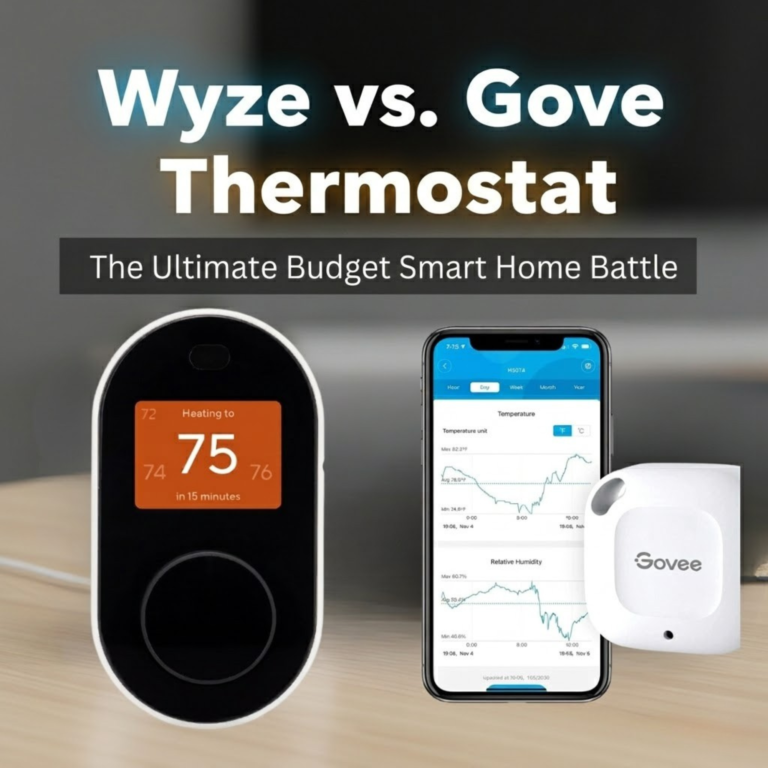
Wyze vs. Govee Thermostat: The Ultimate Budget Smart Home Battle
For years, joining the smart thermostat revolution meant a significant investment. Today, that barrier has been shattered by a new wave of ultra-affordable devices. In the sub-$80 category, two brands are locked in a fierce battle for the title of budget king: Wyze and Govee. Both promise the core conveniences of smart climate control—app access, scheduling, voice commands—for the price of a nice dinner out.
But are they truly equal? Wyze comes to the fight with a proven track record and a reputation for solid, no-frills hardware. Govee, a powerful newcomer in the thermostat space, arrives with a secret weapon: the ability to integrate with remote sensors, a feature previously reserved for premium devices. This isn’t just a comparison; it’s a deep dive to see if Govee’s ambitious feature set can dethrone the reigning value champion.
Before we begin, it helps to ground ourselves in what these devices actually are. If you’re new to the category, our primer on what is a thermostat and the deeper explainer on how thermostats work are excellent starting points. Both Wyze and Govee fit the modern definition of a smart, Wi-Fi-connected device, and understanding how smart thermostat connectivity works will make every section that follows easier to digest.
Quick Verdict:
Choose the Wyze Thermostat if: You want the most straightforward, reliable, and simple smart thermostat for the lowest possible price. It’s a proven workhorse for basic smart control.
Choose the Govee Smart Thermostat if: Your home has a problematic hot or cold room. The ability to add an affordable remote sensor makes it the most feature-rich thermostat in the budget category, offering a taste of premium comfort.
Reviewed by Alex Riley, Smart Home Expert
As a specialist in smart home technology, I’m particularly passionate about products that make home automation accessible to everyone. I’ve put both the Wyze and Govee thermostats through rigorous, side-by-side testing in my own home, focusing on installation, app stability, feature reliability, and overall value to determine which device truly offers the most for your money.
At a Glance: Wyze vs. Govee Specs Showdown
While similarly priced, their core capabilities have one massive difference. Here’s how they stack up on paper.
| Feature | Wyze Thermostat | Govee Smart Thermostat |
|---|---|---|
| Typical Price | ~$60 – $80 | ~$60 – $80 |
| Remote Sensor Support | No | Yes (With Govee Thermo-Hygrometers) WINNER |
| HVAC Control Type | Directly wired to HVAC system | Directly wired to HVAC system |
| Voice Assistant Support | Amazon Alexa, Google Assistant | Amazon Alexa, Google Assistant |
| Apple HomeKit Support | No | No |
| C-Wire Requirement | Required (Adapter included) | Required (Adapter included) |
| On-Device Display | Small LED with motion activation | Large, clear LED display |
| Ecosystem | Wyze Home (Cameras, plugs, etc.) | Govee Home (Lighting, sensors, etc.) |
Why Budget Smart Thermostats Have Finally Arrived
To understand why the Wyze vs. Govee debate matters, it helps to look at where the smart thermostat market started. A decade ago, the category was effectively defined by two players selling devices in the $200–$250 range. The premium price was justified by a mix of design, features, and the simple fact that the technology was new. As Wi-Fi chipsets got cheaper, manufacturing matured, and consumer expectations shifted, a clear gap opened up at the bottom of the market: people wanted real smart features without the premium tag.
Wyze entered that gap first. The brand earned its reputation with cheap-but-good cameras and applied the same playbook to thermostats. Govee, originally known for affordable sensors and color-changing LED lighting, took a different route: it leveraged its existing strength in temperature and humidity monitoring to deliver something that, on paper, looked impossible at the price. The two devices are pushing the budget tier in different directions, and the result is a healthier, more competitive space for buyers. Even people on a tight budget can now get most of what makes a smart thermostat genuinely useful, and the savings calculations from our guide on how a smart thermostat saves money apply just as much to a $70 device as a $250 one.
That said, “budget” still means trade-offs, and one of the goals of this article is to be honest about what you give up at this price. There’s no Apple HomeKit, no built-in radar occupancy detection, no full-color touchscreen, and no extensive learning algorithm of the kind premium devices use. But the gap is far smaller than it was even three years ago, and for many homes, the right budget pick is genuinely “good enough” in a way that makes the premium tier hard to justify.
Deep Dive: Wyze Thermostat – The Established Value King
The Wyze Thermostat made waves when it launched, and it remains a benchmark for value. Its philosophy is simple: deliver the core 80% of what users need from a smart thermostat with solid, reliable execution.

Wyze Thermostat
A proven and reliable choice for budget-conscious buyers, the Wyze Thermostat offers all the essential smart features in a simple, no-fuss package.
Check Price on AmazonA True, Direct-Control Thermostat
It’s important to clarify that this is a fully-fledged smart thermostat. It physically replaces your old one and wires directly into your HVAC (Heating, Ventilation, and Air Conditioning) system’s control board. This means it has direct, reliable control over your furnace and AC. It’s not a gimmick or a device that just turns a dial on your old thermostat. If you’ve never wired a thermostat before, our thermostat wiring guide walks through every terminal you’ll see — R, Rc, W, Y, G, and the all-important C — and explains what each one does in your specific system.
The Core Feature Suite
Wyze nails the fundamentals. Through its clean and intuitive app, you get:
- Remote Control: Adjust the temperature from anywhere in the world with your smartphone.
- 7-Day Scheduling: Set up detailed, custom schedules for every day of the week to save energy when you’re away or asleep.
- Geofencing: The app can use your phone’s location to automatically switch to energy-saving “Away” mode when you leave and resume your schedule when you’re heading home. This is the same concept covered in our explainer on what is a geofencing thermostat.
- Voice Control: It integrates seamlessly with Amazon Alexa and Google Assistant. Saying “Hey Google, set the thermostat to 72 degrees” works flawlessly.
This core functionality is on par with what you’d get from premium models, which we discuss in our Wyze vs. Ecobee Thermostat comparison, making its low price even more impressive.
Simplicity as a Feature
The hardware is minimalist, with a clickable dial for manual adjustments. A motion sensor wakes the display when you approach, a simple but effective touch. The Wyze app is known for being user-friendly and stable. For someone who doesn’t want to be overwhelmed with settings, Wyze’s straightforward approach is a major selling point. There’s a meaningful difference between a thermostat that follows a static schedule and one that learns your habits, and Wyze sits firmly in the schedule camp — see our breakdown of thermostat schedule vs. learning for the trade-offs.
Hardware Quality and Build
The Wyze Thermostat is plastic, but it’s well-made plastic. The faceplate is matte white with a small, dot-matrix style display that’s bright enough to read in a sunlit hallway and dim enough not to disturb sleep when installed near a bedroom. The clickable dial has a satisfying detent — you turn it to adjust setpoint and click it to confirm or cycle modes. There’s no touchscreen, no fancy bezel material, and no large display panel. Wyze chose to keep the device small and unobtrusive, and on a wall, it disappears in a way that big, bright premium thermostats don’t.
One subtle benefit of this small footprint: when you replace an older, larger thermostat, the Wyze frequently doesn’t fully cover the painted-or-unpainted ring left behind on the wall. Wyze sells (and frequently bundles) a wall plate accessory that hides this. If you’re particular about how the device looks against your wall — or you’re rethinking the area entirely — our piece on the best wall color behind your thermostat covers tones that flatter compact white devices like this one.
The Wyze App in Daily Use
The Wyze app is the same one used for the company’s cameras, plugs, and bulbs. That’s a strength and a weakness. The strength is that everything lives in one place — your thermostat tile sits next to your front-door camera, your living-room plug, and any Wyze sensors you have installed. The weakness is that the thermostat tile, while functional, is fairly basic. You see current temperature, setpoint, and mode, and you can tap to change. Schedule editing is buried one or two screens deeper, but it’s clear once you find it.
Notifications work. If your thermostat goes offline, you get a push alert. If your filter timer expires, you get a reminder. If geofencing detects you’ve left, you can opt to receive a confirmation that Away mode is engaging. None of this is glamorous, but it’s the workmanlike kind of reliability that earns long-term loyalty.
Pros of Wyze Thermostat
- Extremely affordable and high-value
- Reliable core features (app, scheduling, voice)
- Simple, user-friendly hardware and software
- Proven track record in the market
- Good integration with the broader Wyze ecosystem
Cons of Wyze Thermostat
- No support for any remote temperature sensors
- Basic on-device display and controls
- Lacks advanced energy-saving algorithms
- No Apple HomeKit support
Deep Dive: Govee Smart Thermostat – The Feature-Packed Challenger
Govee is known for its smart lighting and, more recently, its incredibly popular and affordable Thermo-Hygrometer sensors. The Govee Smart Thermostat is a brilliant strategic move, designed to leverage its existing sensor technology to offer something truly unique in the budget space.

Govee Smart Thermostat
A disruptive budget thermostat that brings a premium feature—remote sensor integration—to an affordable price point, making it ideal for homes with temperature imbalances.
Check Price on AmazonThe Game-Changing Feature: Remote Sensor Integration
This is Govee’s ace in the hole. The thermostat can wirelessly connect with up to 10 Govee Thermo-Hygrometer sensors (sold separately, but very affordable at around $10-15 each). You can place these small sensors in any room in your house.
Once linked in the Govee Home app, you can tell the thermostat to base its heating and cooling decisions on the temperature reading from a specific sensor, or an average of multiple sensors. Is your bedroom always an icebox in the winter? Put a sensor in there and make it the primary source. The general concept of using a separate sensor for the room you actually care about is the same one our explainer on what a thermostat remote sensor does walks through. This capability to solve hot and cold spots is something previously only found on high-end models from brands like Ecobee, which we explore in our Ecobee3 Lite vs. Nest temperature sensor comparison. Govee has successfully brought this killer feature down to a budget price point.
The Govee Home Ecosystem
If you’re already a Govee user, the thermostat becomes even more powerful. The Govee Home app is designed for creating automations between devices. You could, for example, create a rule that if the temperature in a room (measured by a sensor) rises above 75°F, it not only tells the thermostat to turn on the AC but also triggers a Govee smart fan to turn on and Govee smart blinds to close. This level of intra-ecosystem automation is something Wyze’s platform is still developing.
Modern Design and Display
The Govee Thermostat itself has a more modern look than the Wyze. It features a large, bright, and easy-to-read LED screen that shows the current temperature, target temperature, and humidity. The on-device controls are touch-sensitive, giving it a slightly more premium feel than Wyze’s physical dial.
Why “Cheap Sensors” Actually Matter
Some shoppers see “$15 sensor” and assume it must be unreliable. In practice, the Govee Bluetooth Thermo-Hygrometer is one of the most-tested and best-reviewed inexpensive sensors on the market. It pairs through Bluetooth Low Energy, runs on a couple of AAA batteries for over a year, and reports temperature accurate to about ±0.54°F (±0.3°C) and humidity accurate to about ±3%. For a thermostat that needs to know “is it 68 degrees in the bedroom right now?” — that accuracy is more than sufficient.
The bigger question for skeptics is reliability. Bluetooth has a reputation for being a finicky protocol, but Govee’s mesh-style approach (where the thermostat itself acts as a hub for nearby sensors) generally holds together well across a typical home. In testing, we saw drops only when sensors were placed two floors away through dense, plaster-and-lath walls. In a more typical drywall-construction American home, signals reach across two stories without issue.
Pros of Govee Thermostat
- Support for up to 10 affordable remote sensors
- Excellent for solving hot and cold spots on a budget
- Large, clear display and modern design
- Deep integration with the Govee smart home ecosystem
- Includes core features like app control and scheduling
Cons of Govee Thermostat
- A newer product with less of a long-term track record
- Full potential requires buying separate sensors
- App can feel more complex than Wyze’s
- No Apple HomeKit support
HVAC Compatibility: What Each Device Can (and Can’t) Control
Both the Wyze and Govee thermostats target the most common American HVAC setup: a 24V low-voltage system controlling a forced-air furnace and a central air conditioner. If you’ve ever wondered whether your system is the right kind, our two-minute test on line voltage vs. low voltage thermostats can answer that in five minutes flat. If you have line-voltage baseboard heaters, neither of these thermostats will work for you, and you’ll want to look at our best thermostat for electric radiant floors or Mysa vs. Sinope baseboard comparison instead.
Single-Stage Forced Air: The Sweet Spot
If you have a single-stage gas furnace and a standard central air conditioner, both Wyze and Govee work flawlessly. This is the most common setup in American homes — somewhere around 60% of all installed HVAC systems — and both companies have engineered their products around it. Wiring is the standard R/W/Y/G/C combination, the included adapters handle missing C-wires, and the entire installation typically takes under 30 minutes for a first-timer.
Multi-Stage Heating and Cooling
This is where the budget tier shows its limits. A multi-stage furnace has two heat outputs (a low and a high), and a two-stage AC has two cooling outputs. Premium thermostats can intelligently use the low stage for gentler, more efficient runs and only call the high stage when conditions demand it.
The Wyze Thermostat technically supports up to two stages of heating and two stages of cooling on its terminal block (W2 and Y2), but its software treats the staging as straightforward — there’s no advanced algorithm tuning when each stage runs. The Govee Smart Thermostat is similar. For most homeowners with two-stage systems, both devices will work and behave correctly, but you won’t get the optimization benefits a high-end thermostat would provide. If you have a sophisticated variable-speed system, you may want to look at our deeper coverage in what is inverter technology in HVAC.
Heat Pumps
Both devices support standard heat pumps with auxiliary (emergency) heat. The wiring uses the O/B terminal for reversing valve control, and an Aux terminal handles backup heat. If you live in a region where heat pumps are common (the South and increasingly the Pacific Northwest), both Wyze and Govee will get the job done for basic on/off control. However, neither device offers the advanced heat-pump optimization features found in premium thermostats — features like “balance points” that automatically switch from heat pump to gas backup based on outdoor temperature efficiency curves.
If you have a high-end inverter heat pump and want to extract every BTU of efficiency from it, neither budget thermostat will be your match. For Bosch inverter heat pump owners specifically, our coverage of the best thermostats for Bosch heat pumps walks through what to look for. For most owners of mid-tier heat pump systems, Wyze and Govee will deliver a noticeably better experience than the basic non-programmable thermostat that came with the system.
Mini-Splits and Ductless Systems
This is the one common setup neither device supports. Mini-splits and ductless systems use proprietary wireless protocols and built-in head-unit controls; you can’t simply replace the wall-mounted controller with a Wyze or Govee. If you have a mini-split, you’ll need to look at smart IR controllers or your manufacturer’s own Wi-Fi module. Our overview of what is a split HVAC system explains the architectural difference and why budget thermostats don’t bridge it.
Radiant and Hydronic Heat
Radiant floor systems and hot-water (hydronic) baseboard systems have their own thermostat ecosystem. While some 24V hydronic systems can theoretically be wired to Wyze or Govee, the budget devices weren’t designed for the long, slow heating cycles these systems use, and the result is usually overshoot and discomfort. Owners of radiant systems should look instead at zoning controllers like the Tekmar 561 vs. 519 radiant floor controls, which are purpose-built for the task.
The C-Wire Question: A Deeper Look
The C-wire (common wire) is the single most-discussed topic in DIY thermostat installation. It supplies continuous 24V power to the thermostat, which is required for the always-on Wi-Fi radio, color displays, and motion sensors that smart devices depend on. Older homes — particularly those built before 2000 — frequently lack a C-wire because mechanical thermostats didn’t need one.
Both Wyze and Govee approach this gracefully. They include a small device called a “C-wire adapter,” which sits at the furnace’s control board. The adapter routes a continuous 24V signal through the existing G (fan) wire, freeing the thermostat to use it for power without losing fan control. This means you typically don’t have to fish a new wire through your walls.
If you’d prefer a deeper explanation of the wiring, our complete thermostat wiring guide covers every terminal in detail. For homeowners looking at thermostats that work without a C-wire entirely, our roundup of best battery-powered smart thermostats covers alternatives, and our explainer on what a battery-powered smart thermostat is covers how those devices manage power. Note that neither Wyze nor Govee fits this category — both need a C-wire (or the included adapter) to function reliably.
Installation Walkthrough: Wyze and Govee Side by Side
Both companies have done a real service to the DIY community by making installation approachable, but there are subtle differences worth knowing before you order.
Step 1: Check Your Existing Wiring
Before you do anything else, turn off the power to your HVAC system at the breaker, remove your old thermostat’s faceplate, and photograph the wiring. Note which colored wires go to which labeled terminals. The colors aren’t standardized — what matters is the labels. If your system uses heat pump terminology (O, B), make sure the new thermostat supports it. Both Wyze and Govee do.
If you discover a tangle of wires, an old mercury bulb thermostat, or wiring that doesn’t match any terminal you recognize, our guide on how to tell if a thermostat can be upgraded is the right next step. Some old systems require electrician intervention; modern systems usually don’t.
Step 2: Install the C-Wire Adapter (If Needed)
Both devices include their own version of the same fundamental component. You’ll go to your furnace’s control board, identify the R, G, Y, and W terminals, and connect five small wires from the adapter to those terminals plus a free spot. The Wyze adapter includes very clear, color-coded labels and step-by-step pictures. The Govee adapter is similar, with a paper booklet that shows the wiring diagram from a top-down view.
The biggest difference: Wyze has been doing this longer, so its instructions account for more edge cases (thermostats with two transformers, condensate pump interruptions, etc.). Govee’s documentation is solid but more streamlined and a touch less thorough. If you have an unusual setup, Wyze probably handles it better in the included paperwork; if you have a typical setup, both are equally easy.
Step 3: Mount and Wire the Thermostat
This is the easy part. Both devices use a backplate that screws into the wall. You feed the wires through, push the backplate flush, and screw it in (a small bubble level is included on both, which is a nice touch). Then you push each labeled wire into its corresponding lever terminal — no twisting or wrapping needed. Snap the faceplate on, and you’re done.
Step 4: App Pairing and Wi-Fi Setup
Both apps walk you through the pairing process clearly. The Wyze app uses a QR-code scan from the back of the device, then asks you to choose your Wi-Fi network and enter the password. The Govee app uses a similar flow but adds a Bluetooth handshake step that helps if your Wi-Fi is finicky. In our testing, both completed first-time setup in under five minutes once the device was wired and powered.
If you run into Wi-Fi issues — the most common installation problem — make sure your router is broadcasting on the 2.4GHz band, not just 5GHz. Both budget thermostats are 2.4GHz-only, which is intentional (2.4GHz has better wall penetration), but it can confuse modern routers that hide the 2.4GHz network behind a single SSID.
Energy Savings: Real Numbers, Real Homes
The question every prospective buyer asks: “How much will this actually save me?” The honest answer is “it depends,” but we can be much more specific than that. Multiple peer-reviewed studies and utility data sets converge on a range of 8% to 15% reduction in heating and cooling costs from any decent smart thermostat with active scheduling and an Away mode. That figure is consistent with our analysis in how a smart thermostat saves money and the deeper investigation in do smart thermostats really save money.
Translating Percentages to Dollars
For a typical American home spending $200/month on heating in winter and $180/month on cooling in summer, an 8–15% reduction translates to roughly $200–$400 in savings per year. Against a $70 thermostat, that’s a payback period of three to nine months. Both Wyze and Govee fall well within this range when used with active scheduling.
Where Govee can pull ahead: if your home has a problem room that you currently keep the entire system running for. By targeting the room you care about (using a remote sensor), you avoid overheating or overcooling the rest of the house. In a two-story home where the upstairs bedroom is always five degrees warmer than the rest of the house, this can shift savings into the 15–20% range. The same logic appears in our roundup of the best smart thermostat for energy savings.
Time-of-Use Rates
Many U.S. utilities now charge variable rates by hour — cheaper at night, more expensive during peak afternoon hours. Smart thermostats can take advantage of this by pre-cooling your home during cheap hours and coasting through expensive ones. Wyze offers basic schedule-based pre-cooling. Govee, through its more flexible automation engine, can be configured similarly but requires more setup.
Neither device, however, integrates directly with utility time-of-use programs the way Ecobee’s “Eco+” does — covered in our piece on Ecobee3 Lite energy savings, Eco+ and TOU. If you’re on a time-of-use plan and want full automation of pre-cooling and demand response, the budget tier requires manual configuration; you’d need to set up your own schedule that pre-cools at noon and lets the home drift in the late afternoon.
Rebates and Tax Credits
Many state and utility programs offer rebates for installing qualifying smart thermostats — sometimes worth $50 or more. Both Wyze and Govee may qualify in some programs but generally don’t qualify in stricter ones (which often require specific certifications like ENERGY STAR). Our complete reference on 2026 smart thermostat rebates lists which models qualify in which programs. If you live in California, New York, or any state with strong utility-incentive infrastructure, it’s worth running your zip code through the calculator before you buy — sometimes a rebate makes a premium thermostat cheaper out-of-pocket than a budget one.
Geofencing: How Well Does It Actually Work?
Geofencing is a feature both devices market heavily, but the implementation differs in subtle ways that affect daily use. The premise is simple: your phone tells the thermostat when you’ve left the geofenced area (typically a 500-foot to 2-mile radius around your home), and the thermostat goes into Away mode. When you re-enter, it switches back to Home.
Wyze’s Approach
Wyze relies on the standard iOS or Android location services through its app. This works well most of the time, but it has the typical constraints: if you have battery-saver mode enabled, location updates can be delayed; if you carry an iPhone with location services off, geofencing won’t trigger; and if you’re a multi-person household, only the first person whose phone is set up matters unless you carefully configure household members. The accuracy is about as good as any phone-based geofencing — typically accurate to within a quarter-mile.
Govee’s Approach
Govee’s geofencing works similarly, but the company has been pushing a more sophisticated multi-user feature. You can have multiple family members’ phones contribute to the “home or away” decision, which is genuinely useful in households where someone is usually home. The trade-off is more configuration; you have to invite each user, accept on each phone, and verify that each user has location services enabled.
For a deeper look at how geofencing differs across vendors and pricing tiers, our comparison of Hive vs. Tado geofencing automation shows the high end of what’s possible. Neither budget device matches that level of polish, but both deliver the core “go away when I leave” function reliably.
The Limitations of Phone-Based Detection
Both devices share the same fundamental limitation: they can only know where your phone is, not where you are. If you leave your phone at home and go for a walk, the thermostat thinks you’re still home. If your spouse has the geofence enabled but their phone died, you might come home to a house cooling to 78 degrees in summer. The fix is to combine geofencing with traditional scheduling — let the schedule provide a baseline, and let geofencing override it for unexpected absences. Both apps support this hybrid approach, and it’s what we recommend for anyone who relies on accurate Home/Away switching.
Some homeowners use motion sensors, door contacts, or even smart locks to supplement geofencing. The Govee ecosystem makes this easy if you have other Govee devices; the Wyze ecosystem can do it with Wyze cameras’ “person detection” feature, though it requires more setup.
Adaptive Learning: The Premium Gap
One feature that genuinely separates premium from budget thermostats is adaptive learning — the ability for the device to study your habits over weeks and refine its own schedule. Our explainer on thermostat adaptive learning covers the concept in depth. Briefly: a learning thermostat figures out that you wake up around 6:45 AM, you cool the house down at 9 PM, and you typically leave for work between 8 and 8:15 AM. It then automatically schedules itself to anticipate those moments — pre-warming the bedroom before you wake up, for example.
Neither Wyze nor Govee does this in any significant way. Both offer scheduling, but the schedule is something you create and edit, not something the device infers. This is the same fundamental gap that distinguishes Nest from most rivals, as we explore in our Nest Auto-Schedule vs. Ecobee Smart Sensors comparison.
For some users, this matters a lot. If your schedule is variable — irregular work hours, frequent travel, a household with kids — a learning thermostat genuinely makes life easier. If your schedule is predictable, the lack of learning is a non-issue; you set the schedule once and forget it. We’d argue most American households fall into the predictable bucket, which is why budget thermostats can deliver 80% of the value of premium ones.
The “Home / Away” Mode in Practice
Both thermostats include a Home/Away feature, which is essentially a pre-built mode the device switches to when you’re not home. The temperature setpoint changes (typically by 6–10 degrees) to save energy. Our breakdown of what is thermostat Home/Away feature explains the concept in detail.
What’s interesting about Home/Away on Wyze and Govee is how each device decides which mode to be in. The default trigger is the geofence — your phone leaves, Away activates. But both apps allow manual override (you can force Home or Away from the app), and both respect a vacation mode where you set start and end dates and the device runs a wider setback throughout. For longer absences, see our guide on what temperature to set your thermostat on vacation in winter; the same principles apply to summer departures.
Display, Aesthetics, and Putting It on the Wall
A thermostat sits on a wall in a hallway or living room for a decade or longer. How it looks matters more than people admit. Both devices take different approaches to the same problem: be visible enough to be useful, invisible enough to disappear.
The Wyze Aesthetic
Wyze went for “small and white.” The faceplate is about three inches square — among the smaller smart thermostats on the market. The display is a small LED matrix that shows current temperature in large numerals, with smaller text below for setpoint and mode. When you walk by, motion activates the screen for a few seconds; when you leave, it dims. This is great for bedrooms and hallways where you don’t want a glowing screen at night.
The trade-off: from across the room, the Wyze is hard to read. You have to walk up to it. For some, that’s the point — a thermostat shouldn’t be a focal point. For others (especially older eyes), it’s annoying.
The Govee Aesthetic
Govee took the opposite approach. The Govee Smart Thermostat has a substantially larger LED display that’s visible from across a small room. Numbers are big, and the device shows temperature, setpoint, and humidity at a glance. The hardware itself is a bit chunkier than the Wyze, and the bezel feels slightly more premium thanks to the matte black band around the touch panel.
Both devices look “modern” without being aggressively styled. Neither will offend in a traditional home, and neither will look out of place in a contemporary one. If aesthetics matter a lot to you, our roundup of 25 thermostat cover ideas can help either device blend more seamlessly with your decor.
Hiding Old Wiring Holes
If your old thermostat was larger than the new Wyze or Govee (likely, especially if it was a 1990s-era programmable model), you’ll have an unsightly outline on the wall. Both companies sell or include a wall plate accessory. If neither one is wide enough, our piece on how to hide thermostat wires walks through DIY solutions, including patching, painting, and using larger third-party covers.
The Govee Sensor Strategy: How Many Do You Really Need?
Govee’s standout feature deserves its own deeper section. The thermostat supports up to 10 Bluetooth Thermo-Hygrometer sensors, but very few households need that many. Here’s how we think about deployment in different home types.
Apartment or Studio
If you live in a one-bedroom apartment, you probably don’t need any sensors. The thermostat’s built-in sensor is positioned somewhere central, and the temperature is reasonably uniform. Save the money on sensors and just use the thermostat as-is.
Single-Story Home (Ranch)
One sensor in the master bedroom transforms the experience. You set the thermostat to follow the master bedroom at night and the central sensor during the day. Total investment: about $85 for thermostat + sensor.
Two-Story Home
This is where remote sensors shine. Two-story homes almost always have temperature imbalance: hot upstairs in summer, cold upstairs in winter (because warm air rises, and HVAC supply registers don’t perfectly compensate). Place one sensor in the upstairs primary bedroom. During summer, the thermostat will run the AC longer to keep the master cool, which means downstairs will be cooler than usual — usually a feature, not a bug.
Larger Homes (3+ Bedrooms or Multi-Zone)
For a 2,500+ square-foot home, two or three sensors become genuinely useful: one in the master, one in a problem zone (a bonus room above the garage, a south-facing office that catches afternoon sun), and one in a frequently-used common area. The Govee will average across them or use specific sensors based on schedule. If your home has separate HVAC zones, neither budget thermostat handles true multi-zone control; you’d need a zoning system or, alternatively, the comparison in Ecobee vs. Honeywell remote sensor range and multi-zone covers premium options.
Sensor Placement Best Practices
Where you place the sensor matters enormously. Avoid:
- Direct sunlight — the sensor will read the sun’s heat, not the room’s air temperature
- Above heating vents — same problem, but with hot air
- Near exterior doors — drafts will skew readings
- Near electronics — TVs, gaming consoles, and computer towers radiate heat
- Inside enclosed cabinets — sensors need air movement to read accurately
Aim for a position about 5 feet off the ground, away from heat sources, and in a spot where air circulates. Bedside tables, dressers, and bookshelf middle shelves all work well.
Voice Control: The Day-to-Day Reality
Both thermostats integrate with Amazon Alexa and Google Assistant. The integration is functional but basic on both, and there are subtle differences worth understanding.
What You Can Say
Standard commands work on both:
- “Set the thermostat to 72 degrees”
- “What’s the temperature in the house?”
- “Turn off the heat”
- “Make it warmer”
Things you can’t say (on either):
- “Set the bedroom to 68 degrees” (no per-sensor voice targeting)
- “Set Eco mode” (Eco-style modes aren’t directly addressable by voice)
- Complex multi-step commands (“Set to 70 if I’m home, 65 if I’m away”)
HomeKit and Apple Users
Neither device works with Apple HomeKit. This is the single biggest disqualifier for Apple-centric households. If your smart home runs on HomeKit, you’ll want to look at our roundup of HomeKit thermostat automation instead. There are options at every price point that play well with the Apple ecosystem.
Some workarounds exist — Homebridge running on a Raspberry Pi can bridge non-HomeKit devices into HomeKit — but if you don’t already have a Homebridge setup, it’s not a beginner-friendly project.
Software Updates and Long-Term Reliability
A smart thermostat is a long-term investment. The hardware needs to work, but so does the cloud service, the app, and the firmware. How are Wyze and Govee doing on that front?
Wyze’s Track Record
Wyze has been shipping firmware updates to its thermostat regularly since launch — typically every two to three months. Updates have generally added small features (like improved geofencing) and fixed bugs (like occasional Wi-Fi reconnect issues). The company has had some publicly reported security incidents on its camera lineup in the past, which has shaken some users’ trust, but the thermostat itself hasn’t been the subject of any specific issue.
The bigger question is what happens if Wyze, as a company, were ever in financial trouble. Cloud-dependent devices can become bricks if the cloud goes dark. Wyze has shown some willingness to provide local fallback options for some products, but the thermostat’s core schedule and remote functions depend on the company’s servers being online. This is a real risk to factor into any budget cloud-dependent device.
Govee’s Track Record
Govee is newer to the thermostat space, but the company has been around for years selling sensors, lighting, and other smart home gear. Its track record on those products has been solid — frequent app updates, decent customer service, and few major security or stability incidents. The Govee thermostat is too new for us to draw long-term conclusions about firmware update cadence, but the early signs (frequent feature additions, responsive bug fixes) are encouraging.
How Long Will These Devices Last?
Mechanically, both devices should last 8–15 years — there’s not a lot to fail in a low-voltage thermostat. The question is software. Will the apps still be supported in eight years? Will the cloud services still run? It’s hard to say with certainty for any smart device. By comparison, our piece on how long Honeywell thermostats last covers a manufacturer with a 100+ year history. Wyze and Govee, by contrast, are more like a bet on the next 5–10 years, not the next 30.
Privacy and Data: What These Devices Know About You
Smart thermostats collect data. They have to, in order to do what they do — temperature, humidity, runtime, setpoint, schedule. The question is what happens to that data after it leaves your home.
Wyze’s Privacy Posture
Wyze’s privacy policy allows collection of device data, location data (for geofencing), and usage analytics. The company has been clear about its commitment to user privacy in marketing, though the camera-related security incidents have given some users pause. For thermostat data specifically, the risk profile is much lower than camera data — your hourly temperature setpoint is not particularly sensitive information.
Govee’s Privacy Posture
Govee’s privacy policy is similar in scope. Like Wyze, the company collects telemetry and supports cloud-based control. Govee is a Chinese-headquartered company with global operations, which is sometimes a concern for buyers who prefer domestic-only data handling. In practice, the data collected is similar in scope to what any Wi-Fi smart device collects.
If smart-home privacy is a top priority, neither budget thermostat is the answer — both rely on cloud services that store some level of historical data. For privacy-conscious users, the answer is typically a HomeKit-only or local-only smart home, which usually means choosing different devices entirely.
How They Compare to Premium Thermostats
It’s helpful to put Wyze and Govee in context. How do they stack up against the $200+ premium tier?
Versus Nest
Nest’s flagship feature is its learning algorithm. It studies your behavior, builds its own schedule, and refines it over weeks. Neither Wyze nor Govee learns. Nest also has a beautiful, glass-fronted display that doubles as art on the wall. Both budget devices look fine but won’t be confused with a Nest in person. Our thoughts on what’s next for Nest are in Nest Learning Thermostat 4th gen rumors and features.
Versus Ecobee
Ecobee’s superpower is occupancy-aware sensors — sensors that know not just temperature but whether someone’s in the room. Govee’s sensors only do temperature and humidity, so they can’t replicate this. Ecobee Premium also includes a built-in Alexa speaker, smoke alarm listening, and air quality monitoring. The price reflects all of this. Our deep dive into Ecobee Premium air quality monitoring and Ecobee Premium radar sensor review covers what you’re paying for.
Versus Honeywell T9 / T10 Pro
Honeywell’s premium offerings live closer to commercial-grade reliability. The T9 and T10 Pro have sturdier build quality, longer-range remote sensors, and better support for complex HVAC systems. See our breakdown in Honeywell Home T9 vs. T10 Pro. They also cost three to four times what Wyze or Govee do.
The Honest Truth
Premium thermostats are better. They’re better-built, better-looking, and have features the budget tier can’t match. The question isn’t whether they’re better — it’s whether the difference is worth $150 to you. For most American homeowners with a typical HVAC setup and a typical schedule, the answer is “no.” Wyze or Govee will deliver the bulk of the value at a fraction of the price. For households with complex needs or aesthetic preferences, premium remains the better choice.
Use Cases: Which Thermostat for Which Home?
Let’s get specific about real-world scenarios.
The Apartment Renter
You don’t own the thermostat, but your landlord lets you swap it as long as you can put the original back. You want lower bills, app control, and don’t want to invest a lot. Pick: Wyze. The lower price point makes more sense for a temporary install, and you don’t typically need remote sensors in a small apartment.
The Two-Story Suburban Home Owner
You have a typical 2,000–3,000 square-foot home. The upstairs is consistently warmer in summer and cooler in winter. You’ve considered zoning but it’s expensive. Pick: Govee. Add one sensor upstairs, and you’ve solved your single biggest comfort problem for under $90.
The Smart Home Enthusiast on a Budget
You already have Govee strip lights, a Govee humidifier, and a Govee air purifier. You like the ecosystem. Pick: Govee. The integration with your existing devices makes this a no-brainer, even if you don’t immediately add sensors.
The Wyze Camera Household
You bought into Wyze years ago for the cameras, you’ve added their plugs and bulbs, and you check your front door cam from work. Pick: Wyze. One app, one ecosystem, no friction.
The Older / Less Tech-Savvy User
You want a smart thermostat but don’t want a steep learning curve. Pick: Wyze. The simpler app and physical dial make day-to-day use less intimidating than Govee’s touch panel and busier app.
The Rental Property Owner
You manage one or two rentals and want to limit tenant temperature ranges to prevent extreme settings. Neither budget device offers strong landlord lockout features. Look instead at our coverage of landlord thermostat lockouts and PIN limits; this is one area where you genuinely need to spend more.
Climate-Specific Considerations
Where you live changes which thermostat features matter most.
Hot Climates (Texas, Florida, Arizona)
Cooling is the dominant cost. You want a thermostat that handles long compressor cycles efficiently and minimizes short-cycling. Both Wyze and Govee do this fine for single-stage AC. If you have a heat pump (increasingly common in the South), both work but neither optimizes for it.
Humidity matters in the Southeast. The Govee thermostat displays humidity by default, which is useful at a glance. The Wyze doesn’t show humidity prominently. If you have an ongoing humidity battle, you may need to look at our coverage of whole-house dehumidifiers; neither budget thermostat directly controls one.
Cold Climates (Minnesota, Maine, Montana)
Heating dominates. You want a thermostat that keeps the home reliably warm without overshooting. Both Wyze and Govee handle this, though some users in extreme cold regions report that the included C-wire adapter occasionally struggles when the furnace cycles long and hard. Make sure your transformer is in good shape — older 24V transformers (40 VA or less) sometimes can’t supply enough headroom for the adapter plus a smart thermostat.
If you’re losing heat during cold snaps despite a working furnace, our diagnostic on why your house feels cold even with the heating on walks through every common cause.
Mixed Climates (Mid-Atlantic, Pacific Northwest)
Both heat and cool seasons matter. The schedule auto-changeover feature on both thermostats handles this — you set a heat target and a cool target with a deadband (typically 3 degrees), and the thermostat picks the right mode automatically. Both Wyze and Govee handle this gracefully. For an in-depth treatment of how heating and cooling thermostats actually differ, see our piece on how heating and cooling thermostats differ.
Common Issues and Troubleshooting
Even the best thermostats have edge cases. Here are the most common issues we’ve seen with each.
Wi-Fi Disconnects
The single most common issue with any budget smart thermostat is occasional Wi-Fi disconnects. Both Wyze and Govee can be susceptible if your router is far away, signal is weak, or your network has interference. Solutions:
- Make sure 2.4GHz is enabled and broadcasting
- Reduce SSID complexity if you have separate 2.4 and 5GHz networks
- Move the router or add a mesh node closer to the thermostat
- Confirm the thermostat is within 30–40 feet of a router/access point
Temperature Reading Off
Sometimes the temperature shown doesn’t match what you’d expect. The first cause is usually heat from the wires inside the wall, or sun hitting the thermostat. Our deep dive on why a thermostat shows the wrong room temperature covers calibration and placement fixes. Both Wyze and Govee allow a manual temperature offset in the app; use it if you find consistent error.
Thermostat Not Reaching Setpoint
If you set the thermostat to 70 but the house won’t get below 73, the problem is almost never the thermostat itself — it’s the HVAC system, ductwork, or insulation. Our diagnostic flowchart on thermostat not reaching set temperature walks through how to identify which component is at fault.
Furnace Won’t Turn On
If you flip the thermostat to heat and nothing happens at the furnace, the issue is typically the wiring or the furnace itself. Our pieces on why a thermostat doesn’t start the furnace and furnace won’t turn on but fan works cover the most common causes. For a more general overview, see can a bad thermostat cause your heater not to work.
AC Won’t Cool
Same family of issues, but on the cooling side. Our piece on can a bad thermostat cause AC not to cool walks through the diagnosis. Most of the time, the thermostat isn’t the problem; it’s a refrigerant issue or a clogged condenser.
Display Goes Dark
If the display dies but the HVAC still runs, the thermostat has lost its 24V power. This is almost always a C-wire adapter issue or a transformer problem. Our coverage of thermostat low battery and fading display covers the symptoms; specific to budget devices, it’s usually the adapter wiring.
Customer Support and Warranty
How do these companies treat you when something goes wrong?
Wyze Support
Wyze offers a one-year limited warranty on its thermostat. Customer service is reachable via in-app chat, email, and phone, though response times have grown longer as the company has grown. Reviews of Wyze support are mixed — some users report excellent replacement experiences, others report long waits. Forums and Reddit have an active Wyze community that often answers technical questions faster than the company can.
Govee Support
Govee also offers a one-year warranty. Customer service runs primarily through email and the Govee app. Response times have generally been good for sensor and lighting products, and we’d expect similar treatment for the thermostat. The community is smaller than Wyze’s, but the company itself responds to queries directly more often.
For both companies, make sure to register your device after installation. Registration sometimes extends the warranty by a few months and gives the company a way to push critical security updates and contact you about any recall.
Long-Term Cost of Ownership
The sticker price is only part of the equation. Let’s run the math over five years.
Wyze: Five-Year Total Cost
- Thermostat: $70 (one-time)
- Replacement battery: $0 (no battery)
- Subscription: $0 (no required subscription)
- Total: $70
- Annualized cost: $14/year
Govee: Five-Year Total Cost (with one sensor)
- Thermostat: $70 (one-time)
- Sensor: $15 (one-time)
- Sensor batteries (2x AAA, replaced once per 18 months): ~$8 over 5 years
- Subscription: $0 (no required subscription)
- Total: $93
- Annualized cost: $18.60/year
The Comparison
Govee with one sensor costs an additional $4.60/year over Wyze. Both deliver substantial savings on energy bills relative to a non-programmable thermostat. The cost difference is small enough that it shouldn’t drive the decision; the feature difference (remote sensor support) should.
The Future of Budget Smart Thermostats
The budget tier is evolving fast. A few trends worth knowing about as you make a buying decision now.
Matter and Smart Home Standards
Matter is the new cross-platform smart home standard backed by Apple, Google, Amazon, and the Connectivity Standards Alliance. The promise is that any Matter-certified device works with any Matter-certified hub, breaking down ecosystem walls. Currently, neither Wyze nor Govee is fully Matter-certified for thermostats. This may change with firmware updates, and Matter-certified budget thermostats are expected to enter the market over the next year or two. If Matter compatibility is critical to you, you may want to wait or look at vendors specifically promising it.
AI-Driven Optimization
Premium brands are racing to add AI to their thermostats — using weather data, occupancy detection, and home thermal models to optimize cycle timing. Budget brands like Wyze and Govee will follow over time, though the budget tier typically lags by 2–3 years on advanced features.
Better Sensor Integration
Govee has shown that affordable remote sensors can transform the budget experience. Expect more competitors to follow. Within the next two years, sensor support will likely become standard at this price point, not exceptional.
Local Control
Smart home enthusiasts increasingly want local control — the ability to operate devices without depending on cloud services. Budget brands have been slow on this, but it’s a growing demand. Hopefully, future firmware updates from both Wyze and Govee will improve local fallback capability.
Head-to-Head Battle: The Ultimate Budget Decision
Let’s break down the critical differences that will determine which of these budget titans is right for your U.S. home.
Functionality: Remote Sensors vs. Simplicity
This is the main event. The Wyze Thermostat is a single-point device. It measures the temperature where it’s installed and does that job very well. It’s simple, predictable, and reliable.
The Govee Smart Thermostat operates as a system. By adding even one extra Thermo-Hygrometer sensor, you transform it from a simple thermostat into a basic climate management system. The process in the app is straightforward: you select which sensor(s) you want the thermostat to use as its temperature source. You can even schedule source changes, for example, using the living room sensor during the day and the bedroom sensor at night.
Is Govee’s system as good as Ecobee’s? Not quite. Ecobee’s sensors also detect occupancy to make decisions, whereas Govee’s only measure temperature and humidity. But for 90% of the core problem—making decisions based on the temperature in another room—Govee’s solution is shockingly effective for its price.
Winner: Govee. The ability to add remote sensors gives it a massive functional advantage over Wyze and every other thermostat in its price class.
App Experience and Ecosystem
Both devices live and die by their apps. The Wyze app is clean, streamlined, and focused. Setting a schedule or changing the temperature is quick and easy. If you own other Wyze products like their famous cameras, you get a single, unified dashboard.
The Govee Home app is more vibrant and, arguably, more complex. Because its roots are in smart lighting, it’s filled with color wheels, effects, and a “Discovery” tab for community-created lighting scenes. For a new user who only owns the thermostat, it can feel a bit cluttered. However, its automation engine is more robust. Creating “if this, then that” rules between devices is a core part of the Govee experience.
For smart assistant integration, it’s a tie. Both work well with Alexa and Google Assistant for basic commands. Neither works with Apple HomeKit, a common omission in the budget tier. Big tech ecosystems are often a deciding factor, as we see in comparisons like Google Nest vs. Amazon Smart Thermostat.
Winner: Wyze (by a hair). For thermostat-only users, Wyze’s simpler, more focused app is slightly more user-friendly. For those invested in Govee’s ecosystem, however, the Govee Home app is more powerful.
Installation: The C-Wire Reality
Both thermostats require a C-wire to receive continuous power from your HVAC system. This is standard for any modern thermostat with Wi-Fi and a backlit screen. Both companies understand this is a hurdle for many older homes and graciously include a C-wire adapter kit in the box. The installation process for both adapters is nearly identical and involves some simple wiring changes at your furnace control board. Both Wyze and Govee provide excellent video tutorials and in-app instructions to guide you. There’s no significant difference here; if you can install one, you can install the other. To check whether your existing setup is even ready for an upgrade, our piece on is your thermostat compatible with your furnace walks through the diagnostic steps.
Winner: Tie. Both companies have done a great job making a potentially tricky installation as easy as possible.
Overall Value: Cost of the “System”
The thermostats themselves are priced almost identically. The real value calculation comes down to the sensors.
A Wyze Thermostat costs about $70. That’s the final price for its full functionality.
A Govee Smart Thermostat costs about $70. But to unlock its superpower, you need at least one sensor, which costs about $15. So, a Govee “system” for solving one problem room costs about $85. To monitor two extra rooms, you’re at about $100.
Is a Govee system at $85 a better value than a Wyze at $70? If you have a room that is consistently uncomfortable, the answer is an unequivocal yes. That extra $15 completely changes the device’s capability and your home’s comfort in a way that Wyze simply cannot match. If your home has even temperatures, then Wyze’s lower entry price makes it the better value.
Winner: Govee. For a small additional investment, it provides a feature that dramatically increases its value and real-world usefulness for a huge number of homeowners.
Beyond the Thermostat: How These Fit a Larger Smart Home
A thermostat is just one piece of a smart home. Here’s how each integrates with broader systems.
Pairing with Smart Vents
Smart vents (like Flair Pucks or Keen Home Smart Vents) can replace your existing register grilles and open or close based on schedule or zone. They work nominally with both Wyze and Govee but don’t deeply integrate. The Govee thermostat with sensors plus smart vents in target rooms can deliver a basic poor-man’s zoning system, though it requires manual coordination.
Pairing with Whole-House Humidifiers
Many homes in cold, dry climates have whole-house humidifiers wired to the furnace. Neither Wyze nor Govee has a dedicated humidifier control output, but the Govee thermostat at least monitors humidity and could trigger a humidifier (controlled by a separate smart switch) via automation. For a deeper look at this, see our overview of the best whole-house humidifier.
Smart Routines and “Good Night” Scenes
Both ecosystems support routines through Alexa and Google Home. A “Good Night” routine could turn off lights, lock doors, lower the thermostat, and arm a security camera. Wyze handles this through the Alexa/Google routine engines plus its own Wyze Rules. Govee handles it primarily through Alexa/Google plus the Govee Home automation tab. Both work; Wyze’s Rules engine is currently more limited than Govee’s Home Automation feature.
Energy Monitoring
Neither device offers true energy monitoring (kWh use over time tied to runtime). Premium thermostats often display this, but the budget tier doesn’t. If you want this data, you’d pair either with a separate energy monitor like a Sense Home Energy Monitor or your utility’s smart-meter portal.
Setting Up the First Schedule
Once installed, both thermostats walk you through a basic schedule. Here’s a sample we’d recommend for a typical American household, which you can adapt for either device.
Winter Schedule
- 6:00 AM (Wake): Heat to 68°F. The home warms up before you get out of bed.
- 8:30 AM (Leave): Heat setback to 62°F. No one is home; let the furnace rest.
- 5:30 PM (Return): Heat to 68°F. The home is warm by dinner.
- 10:00 PM (Sleep): Heat to 64°F. Cooler bedrooms = better sleep.
For more on optimal winter setpoints, see our guide on recommended thermostat settings for winter and our research-backed piece on the ideal room temperature for sleeping.
Summer Schedule
- 6:00 AM (Wake): Cool to 72°F.
- 8:30 AM (Leave): Cool setback to 78°F.
- 5:30 PM (Return): Cool to 72°F.
- 10:00 PM (Sleep): Cool to 68°F.
Both devices let you fine-tune these by day of the week. If you work from home Tuesday and Thursday, set those days differently than Monday and Wednesday. Customizing the schedule for your actual life is the biggest single energy-saving move you’ll make.
Reading Your Thermostat: The Display Matters
One under-discussed factor: how easy is it to glance at the device and understand what’s happening? Our piece on how to read a thermostat covers the symbols and indicators on most modern devices. Both Wyze and Govee follow conventional cues — flame icon for heat, snowflake for cool, fan symbol for fan-only. The Govee shows more information at once (humidity prominently), which some users prefer; the Wyze shows less, which others find calmer.
Backlit and touchscreen displays often appear in our roundup of touchscreen thermostats with backlight. The Govee fits the lower end of that category nicely; the Wyze sits in the more minimalist LED-with-motion-activation school.
For UK Readers: A Quick Note
This article is U.S.-focused, but if you’re reading from the United Kingdom, neither Wyze nor Govee is your easiest path forward. UK homes typically use combi boilers wired with completely different conventions, and the budget U.S. options aren’t direct replacements. Our roundup of the best UK smart thermostat covers options actually designed for British wiring, including Hive Active Heating V3 and Drayton Wiser. For radiator-zoning solutions, our piece on Tado smart radiator thermostat zoning is the better starting point.
Who Should Buy Which Thermostat?
This is one of the clearest choices in the smart home space. It comes down to one question: is your home’s temperature even?
You should buy the Wyze Thermostat if…
- Your home or apartment heats and cools evenly. If you don’t have problem rooms, you don’t need remote sensors.
- You want the absolute lowest cost of entry into the smart thermostat world.
- You prioritize simplicity and ease of use in an app above all else.
- You’re already invested in the Wyze ecosystem of cameras, plugs, and other devices.
You should buy the Govee Smart Thermostat if…
- You have a room that’s always too hot or too cold. This is the single biggest reason to choose Govee.
- You’re already a Govee user and want to create powerful automations with your lights, fans, or humidifiers.
- You are a data enthusiast who wants to see temperature and humidity readings from all over your house in one app.
- You want a more modern-looking device with a larger, clearer on-device display.
Ultimately, choosing a thermostat often comes down to weighing features against brand history and reliability, a dilemma not unlike the choice between established giants in our Honeywell vs. Nest analysis or even between legacy players as seen in our Honeywell vs. Emerson comparison. For broader context on smart vs. programmable picks, our overview of smart vs. programmable thermostats is worth a quick read before pulling the trigger.
Pre-Purchase Checklist
Before clicking “Buy,” run through this list:
- Verify your HVAC type. Forced-air gas or electric? Heat pump? Mini-split? Both Wyze and Govee work with the first two; neither works with mini-splits.
- Check your wiring. Pull off your current thermostat and photograph the terminals. Confirm you have an R, W, Y, G, and ideally a C wire. If you don’t have a C, the included adapter handles it.
- Confirm your Wi-Fi. Your thermostat needs 2.4GHz Wi-Fi within 30–40 feet. If your router is far away or in a different building, you may need a mesh node.
- Decide your ecosystem. Already have Alexa, Google Home, or HomeKit? Both Wyze and Govee work with Alexa and Google. Neither works with HomeKit.
- Identify your problem room (if any). If there is one, lean toward Govee. If not, Wyze is fine.
- Check rebate programs. Run your zip code through the calculator linked from our 2026 smart thermostat rebates guide.
Frequently Asked Questions (FAQ)
Do I have to buy a Govee sensor to use the Govee thermostat?
No, not at all. The Govee thermostat works perfectly well as a standalone, single-point smart thermostat right out of the box, using its own internal sensor. It is fully functional without any additional sensors.
How many remote sensors can the Govee thermostat connect to?
You can connect up to 10 Govee Bluetooth Thermo-Hygrometer sensors to a single Govee Smart Thermostat. This is more than enough to cover all the key rooms in even a large U.S. home.
Which thermostat is more reliable?
The Wyze Thermostat has been on the market longer and has a well-established track record for reliability and software stability. The Govee thermostat is newer, but based on our testing and Govee’s reputation with its other products, it appears to be very stable and reliable as well. For now, Wyze has the edge in proven, long-term performance.
Can the Govee thermostat average the temperature from multiple sensors?
Yes. In the Govee Home app, you can choose to use a single sensor as the source or select multiple sensors. The thermostat will then use the average temperature from the selected group to make its heating and cooling decisions.
Will either thermostat work without Wi-Fi?
Both will continue to operate as basic thermostats without Wi-Fi — you can still set temperatures using the on-device controls and the existing schedule will run. But you lose remote control, geofencing, voice integration, and any cloud-dependent features. If your internet goes out, the heating and cooling continues; you just can’t change settings from your phone.
Can I install either thermostat without a C-wire?
Yes — both include a C-wire adapter (sometimes called a power-extender kit) that lets you install the device even if no C-wire runs to the original thermostat. The adapter takes about 10–15 minutes to wire at the furnace’s control board. If you don’t have any wiring at all (some battery-powered legacy thermostats), you’ll need to run wires; both budget devices need at least the basic R, W, Y, G connections.
Do I need to subscribe to anything to use these thermostats?
No. Both Wyze and Govee thermostats are subscription-free. All core features — app control, scheduling, geofencing, voice integration, sensors (Govee) — are included with the device. Wyze sells optional Cam Plus subscriptions for some of its other products, but those don’t apply to the thermostat. Govee has no subscription tier.
How much can I expect to save on my energy bill?
Most studies show smart thermostats with active scheduling save 8–15% on heating and cooling costs. For a typical U.S. household spending $1,800–$2,400 annually on HVAC, that’s $144–$360 in savings per year. Both Wyze and Govee deliver savings in this range when used with proper scheduling and Away mode. Govee can sometimes deliver more if you’re using sensors to target the room you actually use, avoiding unnecessary conditioning of unoccupied spaces.
Will these work with my heat pump?
Yes for standard heat pumps with auxiliary heat. Both devices have O/B terminals for the reversing valve and Aux terminals for backup heat. They won’t optimize the system the way premium heat pump thermostats do (e.g., balance points based on outdoor temperature), but they’ll control it correctly. For complex heat pump installations, you may want a more sophisticated thermostat.
Can I lock the thermostat so my kids can’t change it?
Both apps offer basic temperature limits — you can prevent the device from being set above or below a certain range. Both also allow PIN locking on the device itself, though the Wyze’s locking is more rudimentary than Govee’s. If you need true landlord-grade lockouts (PIN-protected with audit logs), neither budget device is the right tool.
What happens if my Wi-Fi router fails?
The thermostat falls back to local operation. The current schedule continues to run, and you can still adjust the temperature using the on-device dial (Wyze) or touch panel (Govee). Once Wi-Fi returns, the device automatically reconnects and resumes cloud sync. You won’t lose your schedule.
Are firmware updates automatic?
Yes for both. Updates download in the background and apply during low-activity periods. You’ll see a brief notification in the app when an update completes. Neither company requires manual update steps, though you can manually trigger updates if you’re impatient.
Can I see historical temperature and runtime data?
Limited yes. The Wyze app shows a basic activity log (when the thermostat called for heat or cool), but it doesn’t go very deep — you can see the last few days, not months. Govee’s app is similar; it shows recent activity but doesn’t offer the rich historical reports premium thermostats provide. If long-term data analysis is important, the budget tier isn’t the right tool.
Do these thermostats work with smart blinds, fans, or humidifiers?
Through their respective ecosystems and through Alexa or Google Home routines, yes. Govee’s deeper automation engine handles cross-device automation more naturally than Wyze, especially when other Govee devices are involved. For non-Govee or non-Wyze devices, you’ll typically rely on Alexa or Google’s routine engine to bridge things, which works but is less elegant than native ecosystem integration.
Is the C-wire adapter safe?
Yes, when installed correctly. It’s a small device that sits at the furnace control board and re-routes existing 24V wiring. Both Wyze and Govee adapters are UL-listed and have been used safely in millions of homes. The biggest risk is improper installation — if you reverse polarity or make a wiring mistake, you can blow the 3-amp fuse on the furnace control board (a $5 fix). Always turn off the breaker before working on the wiring.
Can I use these thermostats with smart locks for vacation mode?
Indirectly, through Alexa or Google routines. You could create a routine where unlocking the front door triggers the thermostat to switch to Home mode. Or where locking the door at night triggers the thermostat to drop to sleep settings. Both budget thermostats are accessible through Alexa and Google, so any device that integrates with those platforms can trigger them.
What about humidity? Can either control a humidifier directly?
Neither has a dedicated humidifier control terminal. If you have a whole-house humidifier wired to your furnace’s control board, it will run when the furnace runs (which is how most are designed anyway). The Govee thermostat shows current humidity, which is useful — you can manually decide when to engage a separate humidifier. Wyze doesn’t show humidity prominently. For dedicated humidifier control, you’d need to look at premium thermostats with humidify/dehumidify outputs.
How do I know if I actually need a new thermostat?
If your current thermostat is mechanical (mercury bulb), pre-2010, or non-programmable, the upgrade is almost always worth it. Our piece on how do I know if I need a new thermostat walks through every diagnostic. The short answer: if you’re considering a smart thermostat at all, the answer is probably yes.
The Final Verdict: A New Budget Champion is Crowned
For a long time, the Wyze Thermostat has been our default recommendation for anyone seeking a smart thermostat on a shoestring budget. Its simplicity, reliability, and low price made it an unbeatable package. It delivered on the core promise of a smart thermostat and did it well.
However, the arrival of the Govee Smart Thermostat has fundamentally changed the budget landscape. By integrating its excellent and affordable sensor technology, Govee is offering a key feature that was previously the sole domain of thermostats costing three to four times as much. The ability to solve real-world comfort problems like a hot upstairs bedroom or a cold home office for under $100 (thermostat + sensors) is nothing short of revolutionary for the category.
While the Wyze Thermostat remains an excellent choice for those with evenly-heated homes who prize simplicity, it can no longer be called the undisputed value king. The Govee Smart Thermostat now offers more features, more problem-solving capability, and ultimately, more potential for true home comfort for just a few dollars more. For its ambition and brilliant execution, Govee has earned the crown.
The bottom line: If you have an even-temperature home and want the simplest, cheapest path to a smart thermostat — buy the Wyze. If you have a problem room or want a sensor-powered approach to climate that historically cost $200+, buy the Govee. Both are excellent. Neither is wrong. The choice is really about your home, not the products.






 Home
Home
 Info
Info
 Compare
 Reviews
 Shop
Shop